This blog post explains why enterprise brands are migrating from Salesforce Commerce Cloud (SFCC) to Shopify Plus in 2026, focusing on the operational friction and rising costs that make SFCC less viable despite its robust features. The guide examines the practical differences between platforms including costs, implementation, and operational changes that occur during migration.
If your Salesforce Commerce Cloud contract costs more than the growth it enables, you’re not alone. Enterprise brands in 2026 are walking away from SFCC — not because migrating to Shopify is trendy, but because the math no longer works. Every delayed feature, every SI-dependent campaign change, and every GMV-based invoice compounds into a real cost that shows up in missed revenue windows, not just spreadsheets.
This guide covers what actually changes when you move from SFCC to Shopify Plus — costs, architecture, data, SEO, timeline, and the risks that derail projects that start without proper preparation.
What Is Salesforce Commerce Cloud — And Why It Creates Friction
Salesforce Commerce Cloud (SFCC) was built for enterprise scale: GMV-based pricing, deep Salesforce CRM integration (Sales Cloud, Service Cloud, Marketing Cloud), built-in Einstein AI personalization, and a multi-site architecture designed for global operations. For large B2C and B2B brands with heavy CRM dependencies, it made sense for a long time.
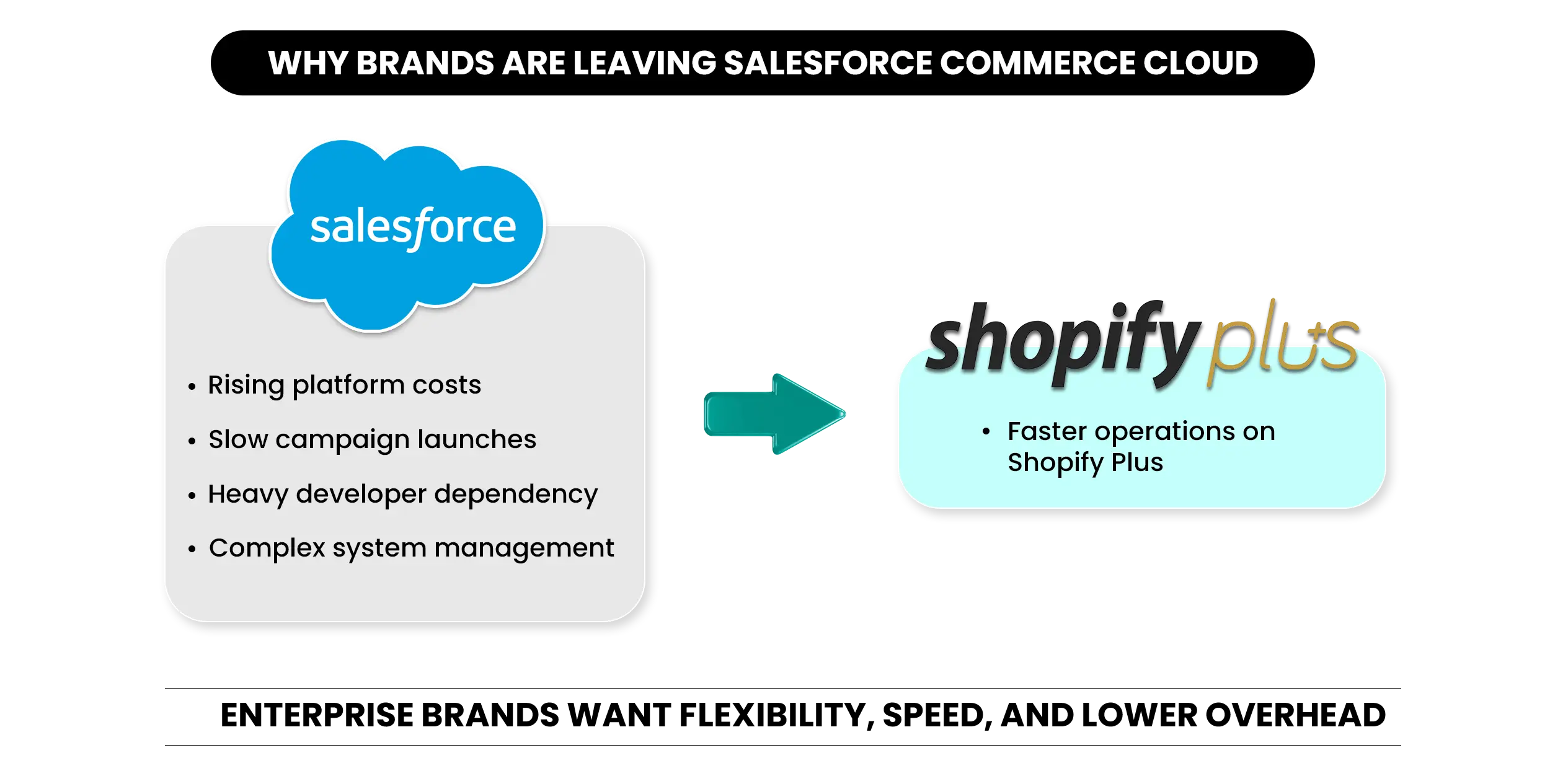
The problem isn’t the platform’s capability. It’s the operating model. SFCC runs on certified system integrators, proprietary development pipelines, and a change process that adds weeks to decisions that should take days. That’s the friction driving enterprise brands toward Shopify migration in 2026 — not a weakness in SFCC’s feature set, but the cost of depending on it.
The friction isn’t caused by missing features. It’s caused by the operational cost of using them.
Why Enterprise Brands Are Leaving SFCC
Most SFCC brands don’t decide to migrate when costs cross a threshold. They decide when they miss a campaign window for the third time — and realize the platform is the reason.
The Total Cost of Ownership Keeps Rising
SFCC pricing is built around a GMV model — your platform bill grows every time your sales do. According to Elogic’s 2026 SFCC pricing breakdown, the B2C Commerce Cloud typically charges between 1–3% of GMV depending on edition and negotiated terms, with total annual costs ranging from roughly $10,000 for smaller stores to over $600,000 for large enterprises.
On top of that, initial implementation typically runs between $200,000 and $500,000 depending on storefront complexity, with ongoing engineering adding roughly $75,000 to $200,000 per year for most enterprise deployments.
As revenue grows, SFCC platform costs typically grow alongside it — making long-term ownership costs a major consideration for enterprise brands.
Every change — a new checkout feature, updated promotion logic, a regional storefront — requires a certified SI. That dependency is structural, not optional. The question enterprise brands are asking now is whether they still need it at that cost.
For a full breakdown of what Shopify Plus costs after migration, see How Much Does Shopify Plus Cost? (2026 Pricing Guide).
Speed to Market Has Slowed Down
New features take weeks to months. Marketing campaigns require engineering sign-off. Testing a checkout change becomes a full infrastructure project. For brands running flash sales, entering new markets, or iterating on conversion — that lag has a direct revenue cost.
Platform Overhead Is Outpacing Business Growth
When your engineering team spends more time managing infrastructure than shipping improvements, the platform has become overhead. That’s the inflection point. It’s not a technical problem — it’s a strategic one.
SFCC vs Shopify Plus: What Actually Changes
This is a platform transformation, “not a like-for-like switch. Some things improve directly. Some require work to replicate. Both matter before you commit.
| Area | SFCC | Shopify Plus | Impact | Notes |
|---|---|---|---|---|
| Pricing model | GMV-based (~2–3% of revenue) | Fixed monthly ($2,500/mo on a 1-year term) | Cost savings as revenue grows | SFCC costs rise with growth; Shopify stays flat |
| Implementation cost | $200K–$500K initial | $50K–$200K agency-led | Lower entry cost on Shopify | Complex stores sit at the higher end |
| Checkout customization | SI-led proprietary dev | Shopify Functions + Extensibility | Faster iteration for your team | No legacy path from SFCC; rebuilt from scratch |
| Speed to launch features | Weeks to months | Days to weeks | Faster campaign execution | Direct impact on revenue velocity |
| Developer dependency | High — SI-led for most changes | Lower — native tools + app ecosystem | Less external vendor reliance | Major ongoing cost reduction post-migration |
What Shopify Plus Gives You That SFCC Does Not
Predictable fixed cost. Moving from GMV-based pricing to a flat monthly fee changes how you model growth entirely. On SFCC, every revenue increase automatically raises your platform bill. On Shopify Plus, the fee stays flat as revenue scales.
Modern checkout infrastructure. Shopify’s Checkout Extensibility framework — built on Checkout UI Extensions and Shopify Functions — gives you programmable checkout behavior without a proprietary build pipeline. Conditional payment logic, dynamic shipping rules, and B2B net terms run server-side.
One important note: checkout.liquid is fully deprecated for Plus merchants as of August 2025.
What SFCC Does That Shopify Plus Handles Differently
Complex product structures. Shopify has a hard limit of three options and 2,048 variants per product. Additional product data lives in metafields — fully native, but requiring remapping during migration.
Advanced promotion logic. SFCC’s native promotion engine handles stackable promotions, complex exclusions, and tiered pricing. Shopify’s standard discounting is simpler.
Einstein AI personalization. On Shopify Plus, equivalent capabilities come from Shopify’s own AI tools and third-party apps. Brands with deeply embedded Einstein workflows need a replacement plan before the project starts.
What a Shopify Migration From SFCC Actually Involves
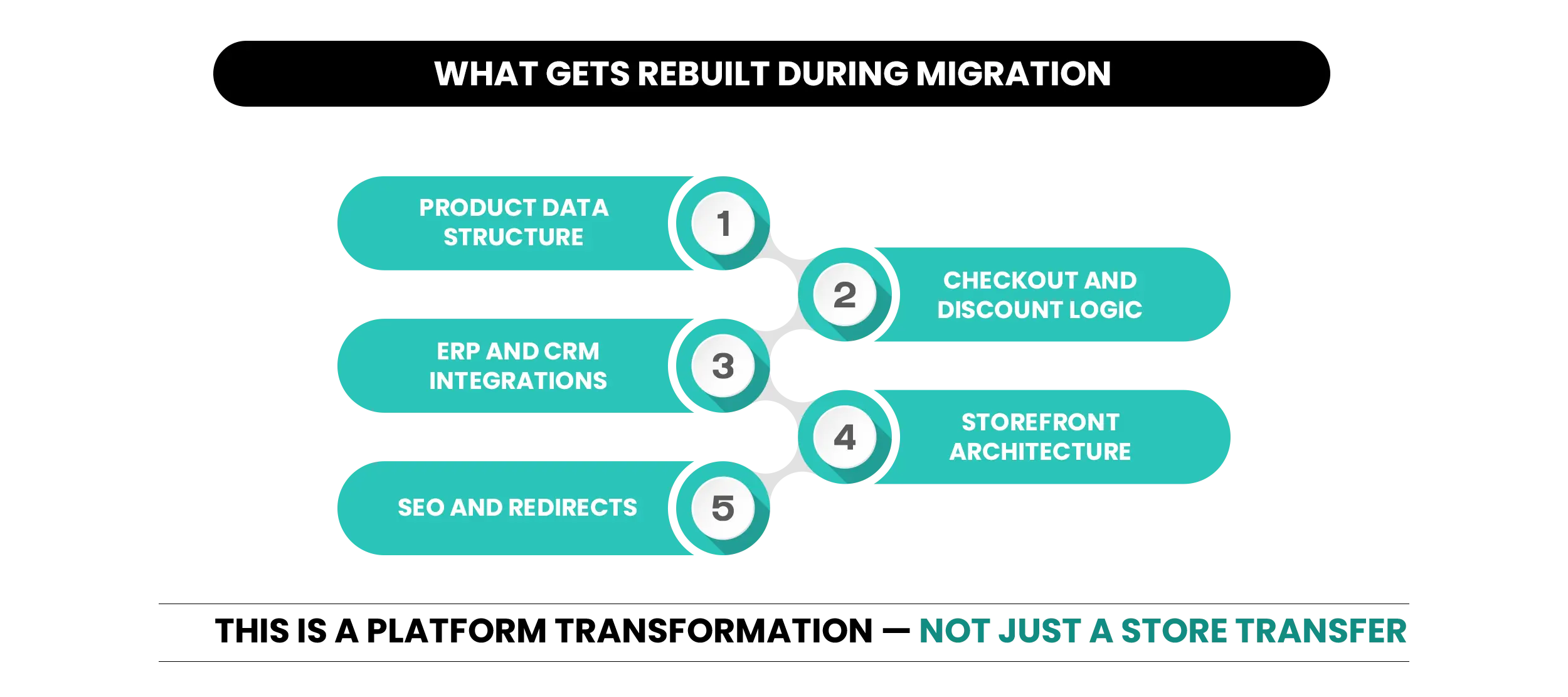
Most enterprise brands underestimate scope because they think about data transfer. What’s actually happening is a full architecture change across five areas.
A successful SFCC migration is less about moving data and more about rebuilding the systems that support it.
| Migration Area | What Changes |
|---|---|
| Data Migration | Products, customers, orders, content, and custom attributes must be remapped. |
| Integrations | ERP, OMS, WMS, CRM, and third-party systems require rebuilding. |
| Checkout Logic | Checkout customizations must be rebuilt using Checkout Extensibility. |
| Storefront | SFRA and Page Designer storefronts are rebuilt in Shopify. |
| SEO | Redirects, metadata, structured data, and sitemap validation must be planned early. |
Data Migration
SFCC’s custom attribute structures don’t map directly to Shopify’s data model. Every product attribute outside Shopify’s standard fields needs to be mapped to a metafield definition before data transfers accurately. Skipping this step is the single most common cause of corrupted or incomplete product data after launch.
Products, customer records, order history, content pages, and redirects all move — but only cleanly if the remapping is done first.
Integration Rebuilds
SFCC’s integrations run on SI-led proprietary connectors. Those don’t transfer to Shopify. Every external system — ERP, OMS, WMS, CRM — needs reconnecting through Shopify’s REST and GraphQL APIs.
Shopify Plus provides significantly higher API rate limits than standard plans, which removes a bottleneck that caused problems for complex integrations on earlier builds.
For a detailed look at which integrations work best post-migration, read our guide on Shopify Plus Migration Guide: Checklist, Timeline & Best Practices.
Checkout and Promotion Logic
Any SFCC checkout customizations need to be rebuilt using Checkout Extensibility — there is no legacy path.
For promotion logic, a formal gap analysis between your SFCC rules and what’s achievable through Shopify Functions is non-negotiable before the build starts. The complexity of your promotion engine typically has more impact on timeline and budget than anything else.
Theme and Storefront Build
SFCC storefronts built on SFRA or Page Designer don’t convert to Shopify’s Liquid or Online Store 2.0 architecture. The storefront is rebuilt, not migrated. Scope it as a full build.
SEO Preservation
URL redirect mapping starts in week one — not at go-live. Meta titles, meta descriptions, structured data, canonical tags, and sitemap resubmission all need validating before any page goes live.
According to Black Belt Commerce’s Shopify Plus migration guide, SEO recovery is a 3–6 month post-launch process.
Brands that start redirect mapping early and handle the cutover carefully can shorten that window considerably. Brands that treat SEO as a pre-launch checklist item take considerably longer.
How Long Does a Shopify Migration From SFCC Take?
Enterprise migrations from SFCC to Shopify Plus typically run 12 to 26 weeks. Three factors determine where your project lands: how clean your data is going in, how many custom integrations need rebuilding, and how complex your promotion and checkout logic is.
| Phase | What Happens | Duration |
|---|---|---|
| Discovery & Gap Analysis | Architecture review, data audit, integration mapping, promotion logic scoping | 2–3 weeks |
| Data Migration & Remapping | Products, customers, orders cleaned and transferred with metafield mapping | 3–4 weeks |
| Theme & Storefront Build | Design, template build, content migration | 4–6 weeks |
| Integration Rebuilds | ERP, OMS, WMS reconnected on Shopify APIs | 3–5 weeks |
| QA, Load Testing & SEO Validation | End-to-end testing, redirect validation, checkout testing | 2–3 weeks |
| Soft Launch & Monitoring | Phased traffic release, performance tracking | 2 weeks |
One timing rule matters more than most teams expect: don’t plan your cutover between mid-October and December.
The SEO recovery period and post-launch support intensity both peak at the worst possible time if you go live into peak season. Q1 and late Q2 are consistently better Shopify migration windows.
The Risks That Derail an SFCC to Shopify Migration
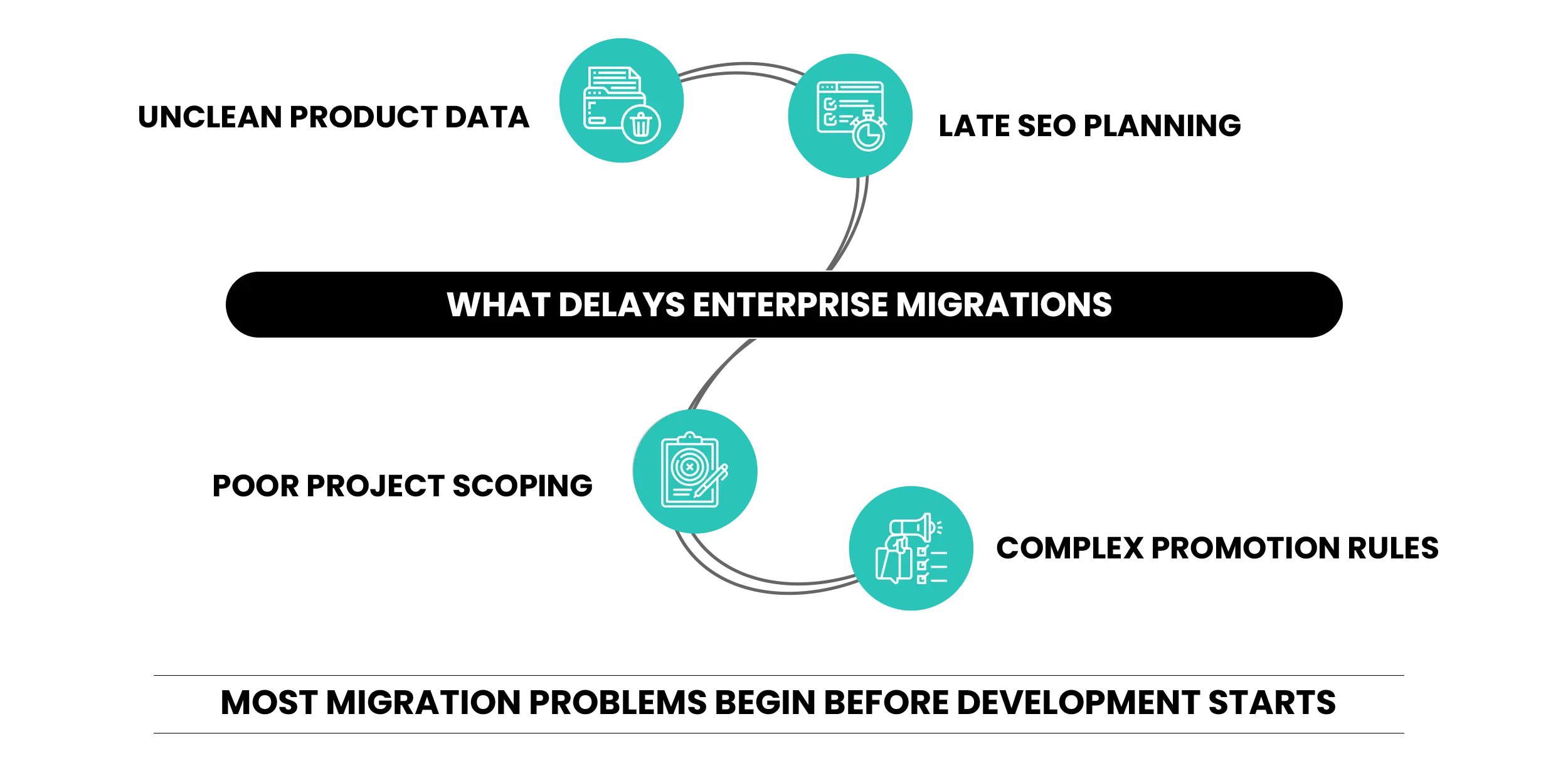
Underestimating the Promotion Engine Gap
Brands that skip a formal gap analysis regularly discover mid-build that critical promotional logic needs custom Shopify Functions work. This is solvable — but it adds significant time and budget when it surfaces after the build has started.
Data That Isn’t Clean Before It Moves
Inconsistent formatting, missing required fields, and logic baked into custom attributes all need resolving before migration starts — not during it. Teams that skip the data audit spend weeks cleaning data on a live project, which delays every phase that follows.
SEO Work That Starts Too Late
Redirect mapping is a week-one task. Brands that treat SEO as a launch checklist item consistently lose more organic traffic in the recovery window than brands who start building the redirect map on day one.
Storefront Rebuild Treated as a Template Swap
SFCC storefronts are not convertible to Shopify themes. Every design element, section layout, and merchandising pattern needs rebuilding. Teams that budget for a template swap discover mid-project that what they actually needed was a full storefront build.
Choosing a Partner Without SFCC Experience
Not all Shopify agencies have handled a Salesforce Commerce Cloud migration before. The data model differences, the promotion engine gap, the SFRA-to-Liquid transition, and the SI-to-API integration shift all require prior experience to navigate. Choosing a general Shopify agency for an SFCC migration adds risk at every phase.
What to Do Before Your Shopify Migration Starts
These decisions shape the entire project scope. They are not tasks you handle mid-build.
Evaluate Partners With SFCC-Specific Experience
Ask directly: how many SFCC stores have you migrated? What’s your approach to promotion engine gap analysis? How do you handle the SFRA-to-Shopify storefront transition?
Protect SEO During Your SFCC Migration
When a Shopify Migration Makes Sense — and When It Does Not
It Makes Sense If:
- Your SFCC total cost of ownership is making growth investment harder to justify
- Your team spends more time managing SI infrastructure than shipping improvements
- You need faster campaign execution, direct checkout control, and a broader app ecosystem
- You’re planning multi-market expansion that SFCC’s architecture is making operationally expensive
- Your brand needs native B2B capabilities without the SI overhead SFCC requires
Hold Off If:
- Your catalog relies on product configurators that go significantly beyond Shopify’s three-option, 2,048-variant structure with no viable metafield workaround
- Your promotion engine logic is so deeply customized that rebuilding it in Shopify Functions would take longer than your next SFCC contract renewal
- You’re within six months of peak season — timing matters as much as the decision itself
If you’re in the first group, the right next step is a gap analysis, not a migration brief. Scope the complexity before you scope the project.
Conclusion
A Salesforce Commerce Cloud to Shopify migration isn’t a shortcut. Done right, it reduces platform overhead, speeds up your ability to launch and iterate, and moves your team from managing infrastructure to building on it.
Done without preparation — no gap analysis, unclean data, SEO work left too late — it creates problems that take months to fix.
The brands that navigate this well go in with clean data, a documented promotion gap analysis, redirect mapping started from week one, and a partner who has done this before with SFCC specifically.
Moving to Shopify Plus creates an opportunity to improve more than technology. Mastroke’s Shopify CRO Services help brands optimize customer journeys, checkout flows, and conversion performance after migration.
FAQs
1. What is the difference between SFCC and Shopify Plus?
SFCC is a GMV-based enterprise platform with deep Salesforce CRM integration, proprietary development architecture, and SI-dependent operations. Shopify Plus is a fixed-cost SaaS platform with native B2B capabilities, modern checkout extensibility, and a 13,000+ app ecosystem. SFCC offers more native AI personalization and a more complex promotion engine out of the box. Shopify Plus offers lower total cost of ownership, faster time to market, and significantly less reliance on external technical resources for day-to-day operations.
2. How long does a Shopify migration from SFCC take?
Most enterprise migrations from SFCC to Shopify Plus take 12 to 26 weeks. Stores with fewer custom integrations and clean product data land at the shorter end. Stores with complex ERP connections, custom promotion logic, large catalogs, and custom storefronts typically run 20 to 26 weeks. The most consistent cause of timeline overruns is data that wasn’t cleaned before the project started and promotion engine gaps discovered mid-build.
3. Will migrating from SFCC to Shopify hurt my SEO?
It can, but it doesn’t have to. Brands that migrate without proper redirect mapping risk losing a significant share of organic traffic. Brands that start redirect mapping early, validate structured data, and manage the cutover carefully typically recover within three to six months. The critical mistake is treating SEO as a pre-launch task rather than a week-one priority.
4. Can Shopify Plus replicate SFCC’s promotion engine?
Most of it, yes — but not automatically. SFCC’s native promotion engine handles stackable promotions, complex exclusions, and tiered pricing beyond Shopify’s standard discounting. The gap is closeable through Shopify Functions, which runs server-side business logic at checkout. Running a formal gap analysis before the build starts ensures all custom Functions work is scoped upfront rather than discovered mid-project.
5. What data migrates and what has to be rebuilt?
Products, customer records, order history, and content migrate. SFCC’s custom attribute structures need remapping to Shopify’s metafield system. Every ERP, OMS, WMS, and CRM connection needs rebuilding on Shopify’s APIs. The SFCC storefront — built on SFRA or Page Designer — needs to be fully rebuilt in Shopify’s architecture. Checkout customizations also need rebuilding through Checkout Extensibility and Shopify Functions.
6. Is Shopify Plus cheaper than Salesforce Commerce Cloud?
For most enterprise brands, yes — particularly on total cost of ownership. SFCC typically charges around 2–3% of GMV annually, plus significant implementation and ongoing engineering costs. Shopify Plus starts at approximately $2,500/mo on a 1-year term. The difference compounds as revenue grows — on SFCC, higher revenue automatically means a higher platform bill.
7. Do I need a system integrator for Shopify Plus after migration?
Not in the same way. Shopify Plus significantly reduces SI dependency — most day-to-day operations, checkout customizations, and app integrations run through Shopify’s native tools and APIs rather than proprietary SI workflows. For the migration project itself, you need a Shopify Plus agency with specific SFCC experience. The ongoing operational model post-migration is meaningfully lighter than what SFCC requires.