
This blog post examines the structural limitations of Shopify Plus that become apparent when brands scale to enterprise level operations. The post explains that while Shopify Plus is effective for most high-growth brands, certain architectural boundaries emerge as companies expand into multi-market operations and complex integrations.
Shopify Plus is genuinely good at what it does. Fast infrastructure, predictable performance, native B2B, a strong app ecosystem — for most high-growth brands, it delivers.
But “good at what it does” and “no limits worth knowing about” are not the same thing.
As brands scale into multi-market operations, layered pricing models, and deeper system integrations, certain architectural boundaries start showing up. They’re not bugs. They’re trade-offs built into every managed SaaS platform.
Most enterprise challenges on Shopify Plus aren’t caused by platform failures — they’re caused by platform limits that weren’t identified during planning.
The brands that run into friction on Shopify Plus are almost never caught off guard by the platform itself — they’re caught off guard because nobody told them what to plan for.
This guide covers seven Shopify Plus limitations that matter at enterprise scale, why each one exists, and what you can do about it.
Why Shopify Plus Has Structural Limits at All
Shopify Plus shares the same core SaaS infrastructure as every other Shopify plan. That infrastructure is managed, secured, and maintained entirely by Shopify — which means fast performance, zero server headaches, and platform-level PCI compliance.
The trade-off is that you’re working within a controlled environment, not a fully open one.
Unlike open-source platforms where you can modify backend logic directly, Shopify standardizes its core systems across millions of stores. That standardization is what makes it stable. It’s also what creates the ceiling.
Most brands never reach that ceiling. But enterprise brands — especially those managing global storefronts, complex pricing, and deep ERP integrations — will eventually hit it.
Knowing where that ceiling exists before you reach it is the whole point.

📌 Related Video
The 7 Shopify Plus Limitations That Matter at Enterprise Scale
📝 1. Content Management Is Built for Selling, Not Publishing
Shopify Plus is a commerce platform, not a CMS. It supports blogs, standard pages, and metafields — but it doesn’t have the structured content modeling you’d find in a dedicated publishing platform like Contentful or Sanity.
For most product-led brands, this is never a problem. For brands that rely on deep editorial structures, complex SEO content silos, or dynamic landing pages that pull from relational content databases — it becomes one fast.
💡 What you can do:
Metafields and dynamic sections handle a lot of structured content needs natively. For content-heavy brands, a headless setup using Shopify’s Storefront API alongside a dedicated CMS gives you full editorial control without sacrificing Shopify’s commerce backbone. This isn’t a workaround — it’s the architecture many enterprise brands use by design.
This limitation rarely affects commerce-first brands. It becomes important when content is a major growth channel.
🔎 2. Navigation and Filtering Breaks Down at Large Catalog Sizes
Shopify Plus handles large catalogs. What it doesn’t handle natively is the complex filtering and navigation those catalogs require. The standard navigation system supports up to three menu levels and relies on collections and tags for filtering — which works well at moderate SKU counts and becomes a UX problem at enterprise scale.
If you’re running a catalog with thousands of SKUs across multiple categories, attributes, and subcategories, the out-of-the-box filtering simply won’t cut it. Customers can’t find what they’re looking for, and product discoverability drops.
💡 What you can do:
Third-party search and filtering tools — Searchanise, Boost Commerce, or similar — give you faceted filtering and attribute-based navigation that Shopify’s native system doesn’t. For navigation, custom mega menus built in Liquid give you structural depth. Collection architecture strategy also matters here: how you organize your collections directly affects both UX and SEO at scale.
As SKU counts grow, navigation becomes a conversion problem — not just a catalog management problem.
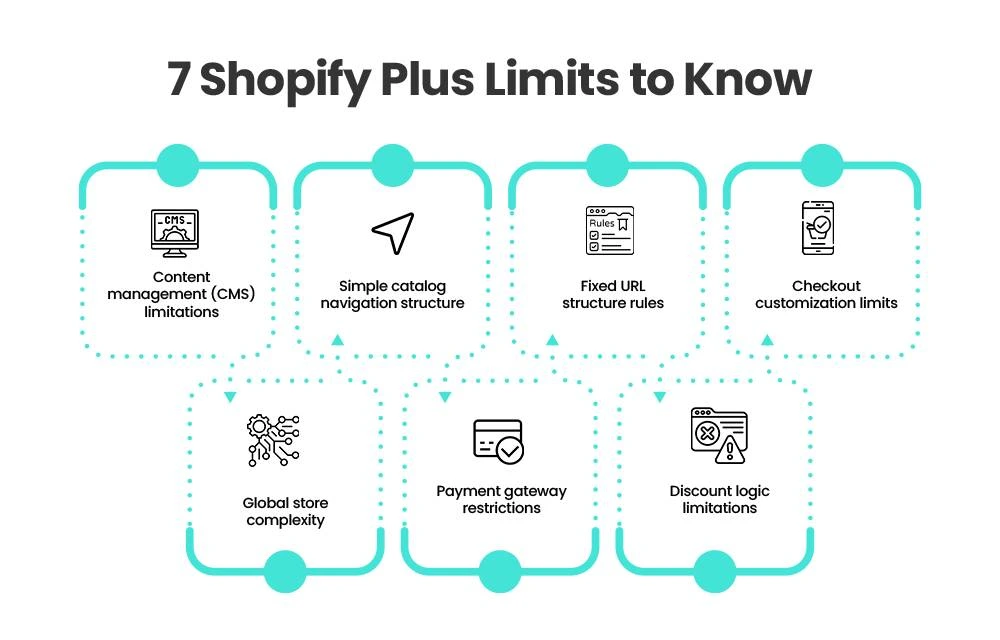
🔗 3. URL Structure Is Fixed — You Can’t Change the Prefixes
Every Shopify store uses the same URL prefixes: /products/, /collections/, /pages/. You can’t remove them, restructure them, or create custom hierarchies. That’s a platform-level decision, not a theme-level one.
For brands migrating from platforms with different URL structures, this creates a redirect challenge. For brands with deep content silos or SEO strategies built around custom URL hierarchies, it requires a rethink.
💡 What you can do:
This limitation is real but manageable with the right planning. A well-built 301 redirect map handles the migration side. For SEO, strong internal linking architecture and on-page signals do more work than URL structure alone. The brands that struggle with this are the ones who discover it after they’ve already built their sitemap on assumptions. Plan your URL architecture within Shopify’s structure from the start — not after.
This becomes especially important during replatforming projects. Brands moving from platforms like SFCC or Magento should follow a structured Shopify Plus migration plan to avoid traffic loss, redirect issues, and indexing problems during the transition.
The challenge isn’t Shopify’s URL structure itself — it’s discovering the limitation after your SEO architecture has already been planned around something else.
🛒 4. Checkout Customization Has a Hard Ceiling
Shopify Plus gives you more checkout control than any other plan — but “more” doesn’t mean “complete.” The core checkout logic is locked down. You can extend it, but you can’t rewrite it from scratch.
Checkout UI Extensions and Shopify Functions let you add conditional logic, custom fields, dynamic discounts, and B2B payment rules. What they don’t let you do is replace Shopify’s checkout engine entirely. Brands in regulated industries or those needing deeply bespoke payment flows sometimes hit this wall.
One thing worth knowing if you’re migrating from another platform: checkout.liquid — the older Plus-exclusive customization layer — is fully deprecated as of August 2025. Any checkout customizations built on that approach need to be rebuilt using Checkout Extensibility. There’s no migration path; it’s a full rebuild.
💡 What you can do:
Shopify Functions, Checkout UI Extensions, and Shopify Flow handle the vast majority of enterprise checkout requirements — conditional logic, multi-currency, B2B net terms, dynamic shipping rules. The ceiling only matters for brands that need to fully control payment processing logic at the code level. If that’s you, a headless checkout setup may be the answer.
Shopify Plus lets you extend checkout extensively — but it does not let you replace Shopify’s checkout engine itself.
🌍 5. Selling Globally Is More Complex Than It Looks
Shopify Markets has made international selling significantly easier — but it hasn’t made it simple. Cross-border commerce involves currencies, tax jurisdictions, localization requirements, and fulfillment systems that don’t always align neatly inside a single store structure.
Currency display and settlement currency don’t always match, which creates issues for reporting and reconciliation. Full localization — separate pricing, separate promotions, separate content — often requires separate storefronts rather than a single store with market rules. Inventory synchronization across regions adds another layer of operational complexity.
💡 What you can do:
Shopify Markets handles the common cases well — regional pricing, currency, basic localization. For brands that need true per-market independence, a multi-store architecture under one Plus contract (up to 10 expansion stores) gives you the separation you need. Centralizing inventory through an ERP or OMS with a Shopify API integration removes the sync challenge. Understand what “global” actually means for your operation before deciding on a single-store vs. multi-store approach.
For more on how integrations affect multi-market architecture, see Shopify Plus Integration Guide: Build the Right Stack.
International selling isn’t just a currency problem — it’s an operational, fulfillment, reporting, and localization challenge.
💳 6. Shopify Payments Doesn’t Work for Every Industry
Shopify Payments is fast, integrated, and makes checkout reporting clean. It’s also unavailable to businesses in certain categories — CBD, some supplement brands, specific health product verticals, and other regulated or high-chargeback industries. If your business falls into one of those categories, you’re on a third-party gateway by default, which means higher processing fees and additional underwriting.
This isn’t a surprise if you check before launch. It becomes a problem when brands discover it after they’ve already built their checkout experience around Shopify Payments.
💡 What you can do:
If Shopify Payments isn’t available for your category, research gateway compatibility before you start building. Several industry-specific gateways integrate cleanly with Shopify Plus. Factor the fee differential into your unit economics early — it affects margin at scale. For subscription models in restricted categories, confirm gateway compatibility with your subscription app before you commit to a stack.
The limitation isn’t the lack of payment options — it’s discovering payment restrictions after your checkout strategy is already built.
⚙️ 7. Stacking Discounts and B2B Pricing Gets Complicated Fast
Shopify Plus has solid promotional and B2B pricing tools. What it doesn’t have is a native promotion engine that handles complex stackable discount logic out of the box. Standard discount combinations are limited. Highly layered wholesale pricing — tiered by customer segment, order volume, and product category simultaneously — requires custom work.
For D2C brands running straightforward promotional calendars, this rarely matters. For B2B brands managing multi-tier wholesale pricing and complex promotional stacking, it becomes a real scoping item.
💡 What you can do:
Shopify Functions let you build server-side discount logic that handles most stacking and tiering requirements. For B2B pricing, Shopify Plus’s native company accounts and price lists handle the common cases. The gap shows up at the edge — highly customized promotional logic that would have run natively on a platform like SFCC. Plan that logic upfront, get it scoped against Shopify Functions before the build, and you won’t find it mid-project.
Most discount and B2B pricing requirements are achievable on Shopify Plus — the challenge is identifying complex edge cases before development begins.
Build Your Shopify Store From Scratch With Mastroke
Launch faster with Mastroke, an official Shopify Partner. We build structured stores with conversion-first design, clean setup, and features built to scale!!
When These Limitations Actually Become a Problem
Most brands don’t feel these limits at all. They start mattering when operational complexity increases past a certain threshold.
Here’s a practical guide to when each one becomes relevant:
| Trigger | When It Becomes Critical |
| Revenue scale | Mid to high 7-figures — automation, reporting, and integration needs increase |
| SKU volume | Thousands of SKUs across multi-attribute catalogs |
| Global expansion | Multi-region selling with real localization requirements |
| B2B and wholesale | Tiered pricing, complex discount logic, wholesale order workflows |
| Content-heavy brand | Deep editorial structure, SEO silos, dynamic landing pages |
Shopify Plus works exceptionally well for most brands. These limitations only become meaningful when scale, complexity, or customization requirements move beyond standard ecommerce operations.
Below those thresholds, Shopify Plus runs smoothly for the vast majority of use cases. Above them, knowing these limitations early is what separates a clean build from one that requires reactive re-architecture six months after launch.
Is Shopify Plus Still the Right Platform?
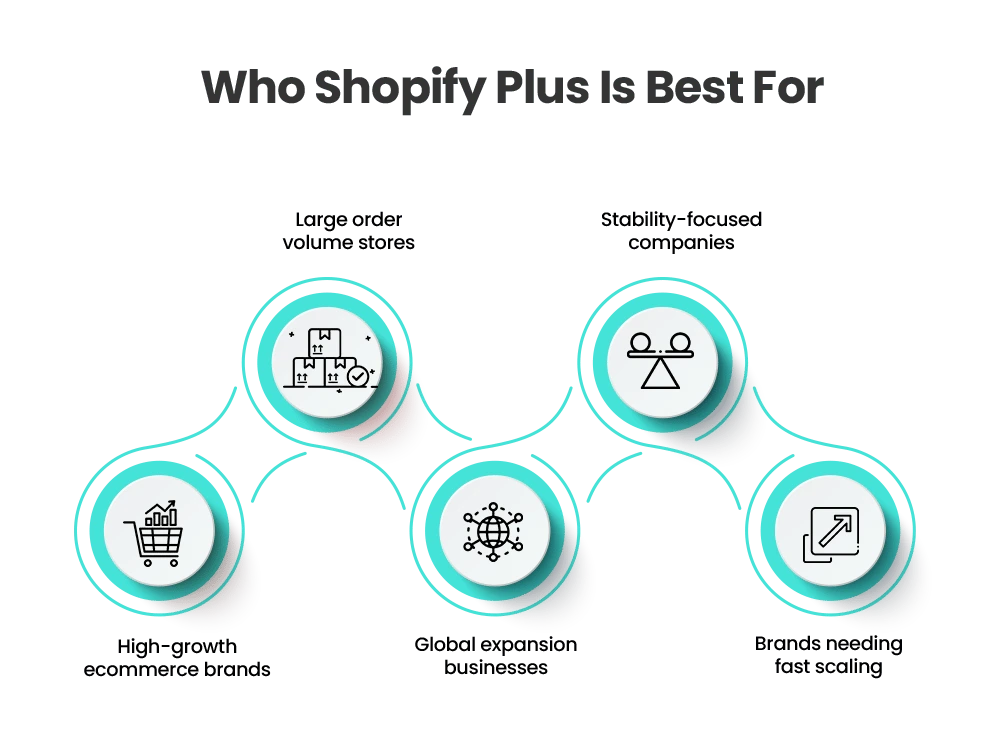
For most high-growth brands — yes. The managed infrastructure, the native B2B tools, the checkout extensibility framework, and the app ecosystem give you a serious foundation for scaling without the overhead of an open-source platform.
The brands that run into trouble aren’t choosing the wrong platform. They’re choosing it without understanding where the architectural edges are. Every platform has trade-offs. On open-source, you have full backend control but carry the full infrastructure burden. On Shopify Plus, you give up some of that control in exchange for stability, security, and speed to market.
The question isn’t whether Shopify Plus has limits. Every platform does. The question is whether those limits affect your specific operation — and whether you’ve planned around them before they show up.
The most successful Shopify Plus builds aren’t the ones with the fewest limitations — they’re the ones designed with those limitations in mind from day one.
Conclusion
These seven limitations aren’t reasons to avoid Shopify Plus. They’re reasons to go into it with a clear technical plan. The brands that scale on Shopify Plus without friction aren’t luckier — they’re better prepared. They’ve mapped their integrations, scoped their checkout logic, understood their URL structure constraints, and built their app stack intentionally.
If you’re planning to scale on Shopify Plus — or if you’re migrating from a platform like SFCC, Magento, or WooCommerce — the architecture decisions you make before you build matter more than the platform itself.
At Mastroke, we work with enterprise brands to scope, build, and scale Shopify Plus stores that are built for where the business is going — not just where it is today. Get in touch to start with a free consultation.
Frequently Asked Questions
1. What are the main Shopify Plus limitations?
Shopify Plus limitations include restricted backend control, fixed URL structures, API rate limits, and reliance on apps, all due to its SaaS architecture.
2. Do Shopify Plus limitations affect SEO performance?
Shopify Plus has fixed URL structures that limit flexibility, but strong internal linking, redirects, and on-page SEO can still deliver excellent performance.
3. Is Shopify Plus suitable for large enterprise brands?
Yes, Shopify Plus is built for enterprise brands, and with proper planning, its limitations can be managed effectively to support global and large-scale operations.
4. Can Shopify Plus checkout be fully customized?
Shopify Plus allows advanced checkout customization using extensions and scripts, but core checkout logic remains restricted for security and compliance.
5. How can brands overcome Shopify Plus limitations?
Brands can overcome limitations through smart architecture, optimized APIs, custom development, and strategic app selection to ensure scalable performance.