
This blog post explains the significant differences between launching a standard Shopify store versus launching on Shopify Plus, emphasizing that Shopify Plus requires a fundamentally different approach focused on enterprise-level infrastructure and scalability. The post outlines how enterprise brands must prioritize architectural planning, operational depth, and system integration from day one rather than simply treating it as an upgraded subscription.
For many brands, the decision to launch on Shopify Plus marks the start of a new growth phase. But most teams don’t realize how different the launch process actually is until they’re already in it.
Over the years, we’ve seen scaling brands approach Shopify Plus with two very different mindsets. Some treat it as an upgraded Shopify subscription and focus primarily on design and migration. Others recognize it for what it actually is: a foundation for high-volume, operationally complex commerce that needs to hold up under pressure from day one.
The difference shows up fast.
As brands expand into new markets, run complex promotions, integrate ERP and fulfillment systems, or manage hybrid B2B and DTC models, operational pressure increases quickly. What worked at $1M in annual revenue rarely works at $20M. Shopify Plus isn’t about adding features to a store. It’s about removing the constraints that slow you down before they become expensive problems.
This guide breaks down what genuinely changes when you launch on Shopify Plus — and how enterprise merchants should approach it from the very beginning.
SHOPIFY PLUS LAUNCH
Shopify vs Shopify Plus: What Actually Changes at Launch?
The assumption most brands carry into a Shopify Plus launch is that it’s a higher-tier subscription with more features. In practice, the difference becomes visible the moment implementation begins.
A standard Shopify launch focuses on storefront functionality. The priority is getting products live, payment gateways connected, and the design right. That works well for brands that need speed and simplicity without structural complexity.
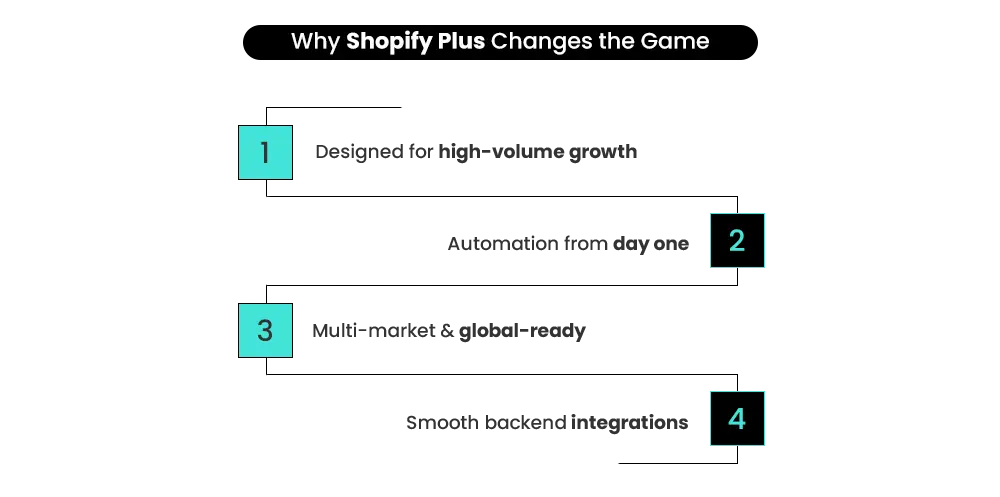
A Shopify Plus launch is built around operational depth and scale. From day one, enterprise merchants need to plan automation workflows, backend integrations, multi-market architecture, checkout extensibility, and API capacity — before the store goes live.
The goal isn’t just to open for business. It’s to launch a commerce system that can absorb aggressive growth without friction accumulating underneath.
The distinction is strategic, not cosmetic. If you’re still evaluating which plan fits your business, the Shopify vs Shopify Plus: Pricing, Features & When to Upgrade guide covers the detailed comparison before you commit.
| Area | Standard Shopify | Shopify Plus |
|---|---|---|
| Launch Focus | Speed and simplicity | Scalability and architecture |
| Checkout | Limited customization | Advanced extensibility via Shopify Functions |
| Automation | Basic workflows | Enterprise-grade Shopify Flow and Launchpad |
| API Limits | Standard throughput | Higher throughput for complex integrations |
| Multi-Store | Manual setup | Up to 10 stores (1 primary + 9 expansion) per contract |
| Pricing | From $39/month | From $2,300/month on a 3-year term |
At scale, these differences determine whether growth feels manageable or operationally expensive.
ENTERPRISE INFRASTRUCTURE
The Foundation That Comes First
When enterprise brands launch on Shopify Plus, infrastructure planning doesn’t begin at go-live. It begins with architecture — before a single product is uploaded or a theme is chosen.
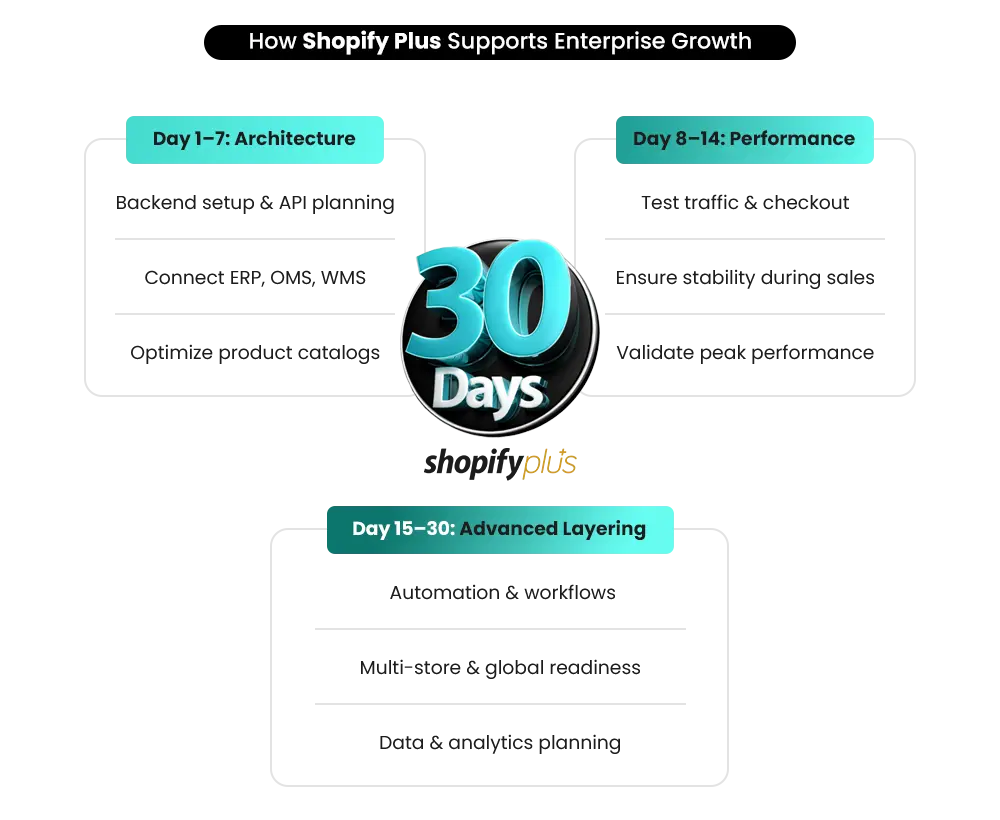
Days 1–7: Architecture and Capacity Planning
The first week is entirely about defining what needs to be built before anything visible is touched.
Key decisions made here:
- Mapping API rate limit requirements against projected integration load
- Defining how ERP, OMS, and WMS systems connect to Shopify
- Planning data flows between marketing, finance, and fulfillment
- Assessing catalog structure and how high-SKU volumes affect database performance
Shopify Plus provides higher API throughput than standard plans, which matters when you’re synchronizing large product catalogs or managing real-time inventory across multiple systems.
Getting this architecture right in week one prevents costly rework later.
Days 8–14: Performance and Scalability Validation
Once the architecture is defined, stress planning begins.
Enterprise merchants need to validate:
- How the store performs under high-traffic campaigns
- Flash sale and product drop stability at scale
- Checkout performance during traffic spikes
Shopify Plus infrastructure is designed to support high traffic volumes and large-scale commerce operations without merchants needing to manage server infrastructure manually.
But validating your specific setup — custom integrations, third-party apps, checkout extensions — before launch catches problems when they’re cheap to fix, not after they’ve affected revenue.
Days 15–30: Advanced Infrastructure Layering
The final phase before go-live adds strategic flexibility to the foundation:
- Automation framework design using Shopify Flow
- Multi-store or multi-market structuring
- Headless or composable commerce compatibility if required
- Data architecture for analytics and reporting
By this point, the launch isn’t about storefront readiness. It’s about confirming that the system can evolve as the business scales — without requiring structural rebuilds every 12 months.
📌 Key Video
CHECKOUT ARCHITECTURE
A Revenue Environment, Not a Confirmation Page
On standard Shopify, checkout is largely fixed. You can control the look to a degree, but the logic — how discounts apply, how payment methods display, how shipping options surface — is determined by the platform, not your business rules.
On Shopify Plus, checkout becomes significantly more customizable through Shopify’s checkout extensibility framework.
Checkout Extensibility lets you modify layout components, introduce dynamic messaging, and align checkout UX with your conversion strategy — without compromising platform stability or compliance.
Changes are made through Shopify’s native checkout editor, through Shopify’s native extensibility tools rather than legacy script-based customization methods.
Shopify Functions moves business logic server-side. Dynamic pricing, conditional shipping methods, and complex discount calculations run natively at the infrastructure level — which is critical during high-traffic campaigns when third-party scripts can introduce additional performance or maintenance complexity at scale.
Layered Promotions and Discount Control
Layered Promotions and Discount Control gives enterprise merchants something standard Shopify doesn’t: structured promotion stacking.
Volume discounts, campaign-triggered offers, and segmented pricing can operate simultaneously without relying on workarounds or third-party apps that break during peak traffic.
Subscription and B2B Checkout Logic
Subscription and B2B Checkout Logic can be embedded directly. Recurring revenue models, net payment terms, company-specific pricing, and tax validation workflows sit inside the checkout experience — not bolted on from outside it.
Regional Payment Routing
Regional Payment Routing ensures that customers in different markets see relevant local payment methods, in local currencies, with checkout performance that doesn’t degrade across geographies. For a deeper look at how this works in practice, the Shopify Plus checkout customization guide covers the specific tools and what each one makes possible.
At scale, checkout isn’t operational. It’s where revenue is won or lost.
AUTOMATION & GLOBAL COMMERCE
Automation as Architecture — Not an Afterthought
The most common mistake brands make when launching on Shopify Plus is treating automation as something to configure after go-live.
On Shopify Plus, automation is part of the launch itself.
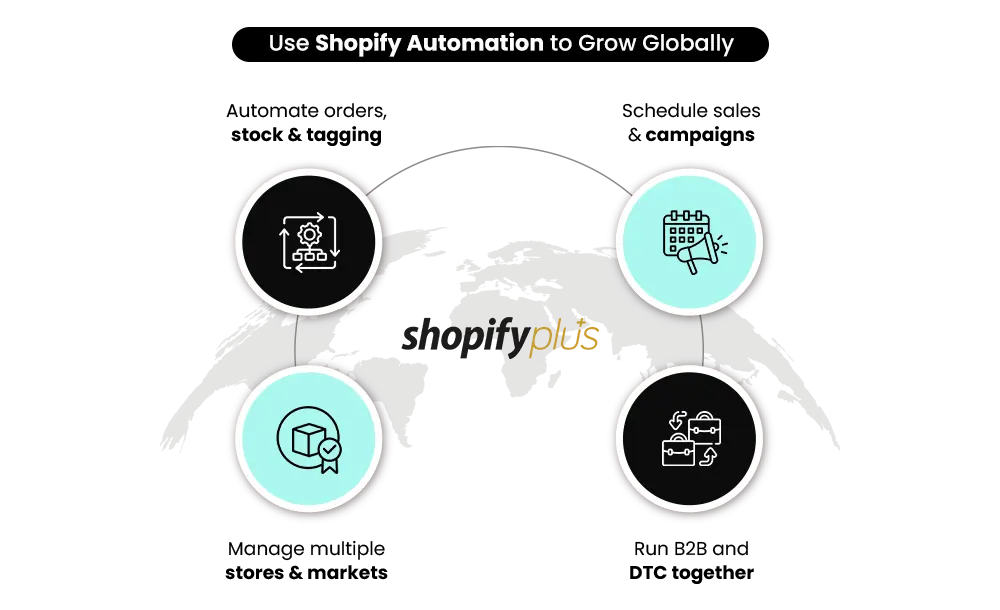
Shopify Flow is Shopify’s native automation engine — available on all plans, but most valuable at Plus volume. It lets you build rule-based workflows that run in the background from day one: tagging high-value orders, flagging fraud risks, sending low-stock alerts, segmenting customers by behavior.
The trigger-condition-action structure means workflows are defined once and executed consistently, without manual involvement.
Launchpad is a Shopify Plus-exclusive tool that handles campaign orchestration. Flash sales, product drops, pricing changes, and theme swaps can be scheduled with a defined start and end — and tracked in real time through a dashboard.
Events are set up before they happen, so the sale runs without operational scrambling when it goes live.
Automated order routing ensures orders reach the right fulfillment center based on inventory location, order value, or customer geography — without a team member making that decision manually for each one.
When automation is designed before launch rather than added reactively, operational complexity doesn’t multiply as revenue grows. The workflows scale with the business. For implementation-level detail on building these systems, Shopify Plus Automation: Practical Ways to Automate Store Operations covers specific workflow builds and how to sequence them.
Building for Global Commerce From Day One
Shopify Plus includes one primary store and up to nine expansion stores under a single contract — all the same brand, managed from a centralized organization admin. Each expansion store operates independently with its own domain, language, currency, and product catalog, but is overseen from one place.
That structure makes international expansion manageable rather than chaotic.
Regional storefronts give local teams autonomy over marketing, pricing, and merchandising without fragmenting backend operations. Each store can carry region-specific inventory, pricing, and content while your finance and operations teams work from a single dashboard.
Localization on Shopify Plus covers multi-currency, multi-language, regional pricing, and geo-routing — directing customers automatically to the right storefront based on their location.
These capabilities are integrated into Shopify’s native commerce infrastructure rather than relying entirely on external plugins.
Market-specific inventory allocation prevents overselling across storefronts. When a product is allocated to a regional store, that allocation is tracked separately from global inventory — so a flash sale in Germany doesn’t deplete stock for the US market.
Shopify Plus provides tools and integrations that help businesses manage international tax calculation and reporting across multiple markets. Tax calculation, display, and reporting adapt to the market the customer is purchasing from — without manual configuration for each country. One important constraint worth knowing: expansion stores are for one brand per contract. If your organization operates multiple distinct brands, each brand requires a separate Shopify Plus contract.
Managing B2B and DTC on One Platform
Keeping B2B and DTC operations on separate systems creates fragmented data, duplicated workflows, and operational overhead that compounds as both sides grow.
Shopify Plus puts both under one infrastructure.
Company accounts let you create B2B buyer profiles with role-based access — so procurement teams, approvers, and account managers each see what’s relevant to them.
Custom price lists ensure wholesale clients see negotiated pricing, not public rates. Volume discount structures reward bulk purchasing automatically. Net payment terms and automated invoicing workflows are built into the checkout for B2B customers. A wholesale buyer can place an order on net-30 terms without your team processing it manually.
Wholesale portals let B2B clients place orders independently through a dedicated storefront, without that experience interfering with the DTC side of the business.
Both operate under the same Shopify Plus infrastructure — same inventory, same backend, different front-end experiences.
Governance, Support, and Organizational Control
Scaling a Shopify Plus store introduces organizational complexity that standard Shopify wasn’t designed to handle. The governance tools in Plus address this directly. Role-based permissions let you assign staff access at a granular level. A regional marketing manager can update product content for their market without having access to financial data or fulfillment settings from other stores.
Access is precise, not all-or-nothing.
Organizational admin gives centralized visibility across every store in your Plus organization — orders, performance metrics, and operational status from one dashboard — while each store retains its own operational independence. Merchant Success Manager. Shopify Plus merchants receive priority enterprise support and may receive strategic success resources depending on account structure and region
These teams can help merchants with platform guidance, operational planning, and expansion strategy. They’re an operational and strategic resource you can bring into platform decisions, workflow planning, and expansion conversations. 24/7 Priority Support ensures that issues affecting live operations are handled by a team that specializes in high-volume commerce, available by phone, chat, or email regardless of your time zone.
Need a Scalable Shopify Plus Store Built for Long-Term Growth?
Mastroke builds high-performance Shopify storefronts with stronger infrastructure, cleaner UX, and scalable architecture designed for growing ecommerce brands.
Data, Reporting, and Analytics at Enterprise Scale
Data becomes more complex at Shopify Plus volume — more stores, more channels, more customer segments, more operational variables.
The reporting architecture in Plus is built for this.
Centralized reporting pulls data across all stores in your organization into one view. You’re not reconciling separate dashboards for each regional storefront.
Revenue, conversion, fulfillment, and customer behavior data consolidates into one environment.
Native integration with BI platforms — such as Looker, Tableau, or custom data warehouse setups — means your analytics team works with live Shopify data in the tools they already use.
You’re not exporting CSVs and reconciling them manually.
Customer data consolidation creates a single source of truth across your DTC and B2B customer base. Behavioral data, purchase history, and segment membership are maintained in one place — which makes personalization and re-engagement campaigns accurate rather than approximate.
LAUNCH FRAMEWORK
The Six-Step Framework for a Shopify Plus Launch
This isn’t a generic launch checklist. It’s the sequence that prevents the most expensive mistakes.
Step 1: Market Validation and Business Case Alignment
Before architecture, confirm your audience, pricing model, and value proposition against real market data.
A Shopify Plus launch is a significant infrastructure investment. The business case needs to be clear before the build begins.
Step 2: Technical Architecture Planning
Define API capacity requirements, integration dependencies, catalog structure, and traffic handling expectations.
The backend needs to be designed before the storefront is touched.
Step 3: Integration Mapping
Map every external system — ERP, OMS, WMS, CRM, payment processors — to specific integration points in Shopify Plus.
Every data touchpoint should be documented before a single connection is built.
Undocumented integrations are where most post-launch data sync failures originate.
Step 4: Automation Blueprint Design
Define Shopify Flow workflows and Launchpad campaigns before go-live.
Automation built after launch is reactive. Automation built before launch is structural.
Step 5: Controlled Staging and QA Testing
Stress-test checkout, workflows, payment paths, and third-party integrations before any traffic arrives.
Load testing should simulate your peak expected traffic — not average traffic.
Step 6: Soft Launch and Performance Validation
Release to a controlled subset of traffic first.
Monitor conversion rate, system performance, and checkout completion before scaling globally.
Issues caught in a soft launch cost a fraction of what they cost after full rollout.
PLATFORM FIT
When Shopify Plus Is Not the Right Fit
Shopify Plus is the right infrastructure for high-volume, operationally complex commerce.
It’s not the right fit for every business at every stage.
Early-Stage Brands
Early-stage brands still finding product-market fit don’t need enterprise infrastructure.
The cost and complexity will outweigh the benefit until operations genuinely demand it.
Simple Operational Models
Businesses with straightforward operations — a single storefront, a modest SKU count, no B2B complexity, no international plans — can run efficiently on standard Shopify at a fraction of the cost.
Teams Without Operational Readiness
Teams without operational readiness for automation, integrations, and workflow governance will find Plus features underutilized.
The platform is only as effective as the team’s ability to use it.
Budget and ROI Considerations
Budget-constrained businesses should calculate the actual ROI before committing.
Shopify Plus starts at $2,300 per month on a three-year term.
That investment needs clear operational justification — reduced developer costs, conversion uplift from checkout extensibility, savings from automation — not just the aspiration to be on an enterprise platform.
The right question is not whether Shopify Plus is a good platform. It is whether your business is at the scale and operational complexity where Plus delivers clear, measurable return.
AVOIDABLE MISTAKES
Common Mistakes That Derail Shopify Plus Launches
Even experienced teams make these errors. Being aware of them before you start is worth more than diagnosing them afterward.
Over-Customizing Before Validating Workflows
Heavy custom development before you’ve confirmed how the business actually operates creates technical debt that slows everything that comes after it.
Validate workflows first. Customize second.
Treating Automation as a Post-Launch Task
Shopify Flow and Launchpad built after go-live are reactively designed.
Automation built before go-live is structurally designed.
The difference in operational stability is significant.
Underestimating Integration Complexity
ERP, OMS, WMS, and BI integrations require documented mapping and structured testing.
Treating them as plug-and-play connections leads to data sync failures that surface at the worst possible time — during a campaign or a peak traffic period.
Skipping Load Testing
Traffic spikes during campaigns can break checkout and backend systems if stress testing hasn’t validated the setup.
This is one of the few mistakes that directly causes public-facing revenue loss.
Applying Standard Shopify Thinking to a Plus Launch
The planning process, the team involvement, the testing depth, and the timeline required for a Plus launch are fundamentally different from a standard Shopify setup.
Teams that treat them as the same thing consistently find themselves rebuilding things they should have built correctly the first time.
FINAL THOUGHTS
A Shopify Plus Launch Is an Infrastructure Decision — Not Just a Store Launch
A Shopify Plus launch is not a bigger version of a standard Shopify launch. It’s a different kind of project — one that begins with architecture, not design, and succeeds based on how well the system is built to scale before it ever goes live.
The brands that get the most from Shopify Plus are the ones that go in with the right operational mindset from day one.
They plan automation before it’s needed. They map integrations before they build them. They test under load before they accept real traffic. And they treat the platform as infrastructure for long-term growth rather than a feature upgrade.
If you’re planning a Shopify Plus launch in the next 90 days, infrastructure planning should begin before theme development.
Mastroke’s Shopify Plus team works with enterprise brands from architecture through go-live — building stores that are structured for scale from day one, not retrofitted for it later.
Launching Shopify Plus Without Proper Architecture Is Expensive
From automation planning to checkout extensibility and enterprise integrations, Mastroke helps brands launch Shopify Plus stores built to scale properly from day one.
Frequently Asked Questions
1. What is Shopify Plus?
Shopify Plus is Shopify’s enterprise commerce plan designed for high-volume brands that need advanced checkout control, automation, multi-store management, and stronger backend infrastructure. It includes tools like Shopify Flow, Launchpad, Shopify Functions, and 24/7 priority support.
2. What is the biggest difference between Shopify and Shopify Plus?
The biggest difference is operational flexibility. Shopify Plus gives brands advanced checkout customization, automation workflows, higher API limits, and multi-store architecture that standard Shopify plans don’t provide.
3. What changes at launch with Shopify Plus?
A Shopify Plus launch focuses heavily on architecture, integrations, automation, and scalability planning before the store goes live. Unlike standard Shopify launches, Plus launches usually involve ERP integrations, load testing, checkout extensibility, and multi-market setup.
4. Is Shopify Plus worth the investment?
For brands with complex operations, high traffic, international expansion plans, or advanced checkout requirements, yes. Shopify Plus helps reduce operational friction, improve scalability, and automate processes that would otherwise require significant manual work.
5. When should a brand upgrade to Shopify Plus?
Most brands consider upgrading when operational complexity starts slowing growth — usually around high order volumes, international expansion, B2B requirements, or when automation and checkout limitations become bottlenecks.
6. Can Shopify Plus support both B2B and DTC on the same platform?
Yes. Shopify Plus allows brands to run both B2B and DTC operations under one infrastructure using separate storefronts, custom pricing, wholesale accounts, and shared backend inventory management.
7. Does Shopify Plus improve checkout conversion rates?
Shopify Plus gives brands more control over checkout experience through checkout extensibility, payment customization, trust-building elements, and automation. Improved checkout experiences may help improve conversion performance when implemented effectively.