
This blog post explains how Shopify Plus stores can use automation to solve operational bottlenecks that emerge as they scale. It focuses on rule-based automation that handles repetitive tasks automatically, allowing teams to focus on work requiring human judgment.
Your Shopify Plus store hits a point where the operations work — until they don’t. Orders come in faster than your team can tag them. Inventory dips below safe levels, and nobody notices until a product goes oversold. A flash sale launches, and someone forgets to switch the theme back.
None of these problems is catastrophic on its own. But together, they quietly drain time, create operational pressure, and leak revenue every single week.
“Automation doesn’t replace your team — it removes the repetitive work slowing them down.”
Shopify Plus automation solves this problem by removing the small operational decisions that should never have required manual attention in the first place.
This guide breaks down what to automate, what to leave manual, and how Shopify Plus brands use automation to scale operations without creating chaos.
Always Running
Automation workflows continue operating even when your team is offline, reducing delays and operational bottlenecks.
Manual Tasks Removed
Most scaling Shopify Plus stores automate tagging, alerts, inventory monitoring, fraud checks, and internal notifications.
Small workflow automations compound quickly as order volume increases and operations become more complex.
What Shopify Plus Automation Actually Means
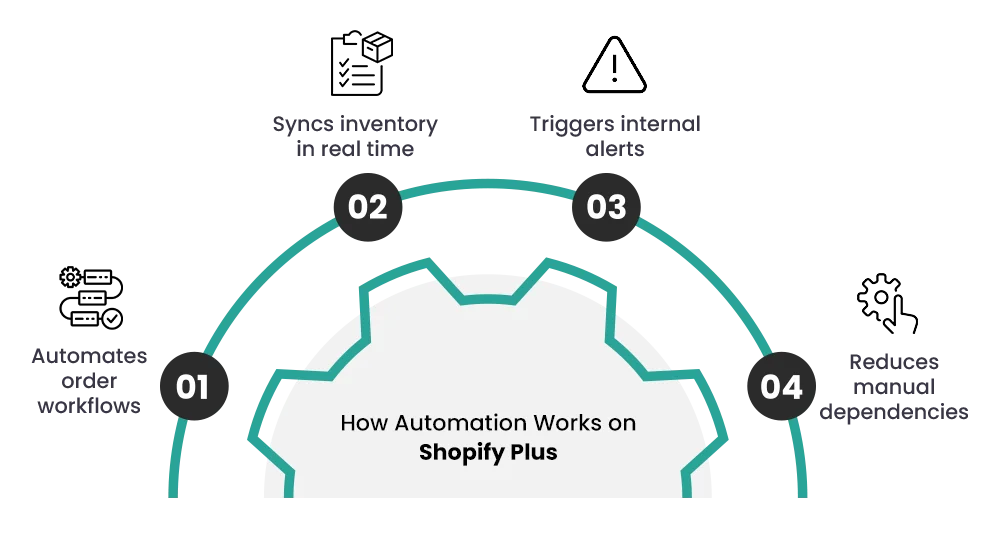
Shopify Plus automation is fundamentally rule-based.
Something happens inside your store — an order gets placed, inventory falls below a threshold, a customer returns, or a payment appears suspicious — and your store responds automatically using rules you already defined.
No one needs to remember. No one needs to click anything manually.
Think of Shopify automation as operational infrastructure — not artificial intelligence. It executes repetitive decisions consistently so your team can focus on work that actually requires judgment.
What Shopify Plus Automation Looks Like in Practice
A few real-world examples of how Shopify Plus stores use automation day-to-day:
- Orders above $500 automatically receive VIP tags and move into priority fulfillment queues
- High-risk orders pause automatically and notify operations teams through Slack
- Low-stock inventory thresholds trigger reorder alerts before overselling happens
- First-time customers enter different retention flows compared to repeat buyers
- Flash sale themes activate and deactivate automatically without manual scheduling
- Customer support tickets route to different departments based on tags or order conditions
What Shopify Automation Is NOT
Automation is not a strategy. It doesn’t decide what your workflows should be. It simply executes the rules you create.
And it’s not a “set it once and forget it forever” system either. As your store grows, your workflows evolve. Product catalogs change. Teams expand. What made sense six months ago may no longer be efficient today.
The Biggest Automation Mistake
If your workflows are unstable or constantly changing, automation will simply accelerate the chaos. The correct order is always: fix the workflow manually first, then automate it.
Why Shopify Plus Automation Matters at Scale
The larger your store becomes, the more dangerous repetitive operational work gets. Small manual tasks that felt manageable at 50 orders per day become operational bottlenecks at 500.
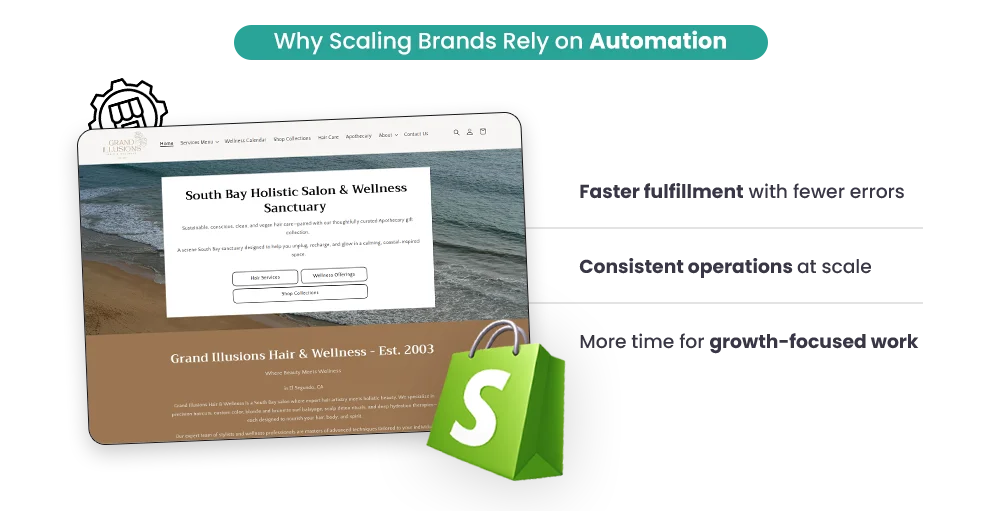
Shopify Plus automation helps scaling brands remove those bottlenecks, reduce operational errors, and build systems that continue working reliably as order volume increases.
Why Shopify Plus Merchants Hit a Wall Without Automation
Standard Shopify stores can survive on manual operations for a surprisingly long time. Shopify Plus stores usually can’t.
Higher order volume, larger catalogs, faster campaign cycles, and multi-location fulfillment create operational complexity that eventually becomes impossible to manage manually.
“The operational systems that worked at 50 orders per day often collapse at 500.”
The breaking points show up in predictable places — repetitive operational tasks, fulfillment coordination, inventory monitoring, and promotional management.
Manual Tasks Compound Faster Than Teams Expect
Tagging 50 orders per day manually might take 20 minutes. Now multiply that across inventory monitoring, fraud review, customer segmentation, reorder alerts, internal notifications, and operational emails.
At scale, senior operations staff often spend half their week repeating workflows that follow the exact same pattern every time.
Automation removes that repetitive operational drag so teams can focus on work that genuinely requires human judgment.
Peak Sales Periods Break Manual Processes
Black Friday weekend is not the time to discover that your fulfillment workflow depends on someone manually checking every incoming order. Operational mistakes during major sales events cost significantly more than mistakes during slower periods — both financially and in customer trust.
Why Automation Holds Up During High Volume
Automation workflows don’t get distracted, overwhelmed, or exhausted. Once the rules are defined correctly, the system executes them consistently no matter how high order volume gets.
Scaling Without Automation Usually Means Scaling Headcount
Every repetitive operational process you fail to automate eventually becomes another hire. That cost compounds quickly as order volume increases.
Most Shopify Plus merchants discover that the same operations team can often manage 3–5x higher order volume once core workflows are automated properly.
Operational Capacity
Well-designed automation workflows allow smaller teams to manage significantly larger order volumes efficiently.
More Consistency
Automation reduces operational mistakes caused by fatigue, oversight, and inconsistent manual processes.
Better Scaling
Automation helps stores scale operationally without increasing payroll at the same pace as order growth.
The Native Shopify Plus Automation Tools You Already Have
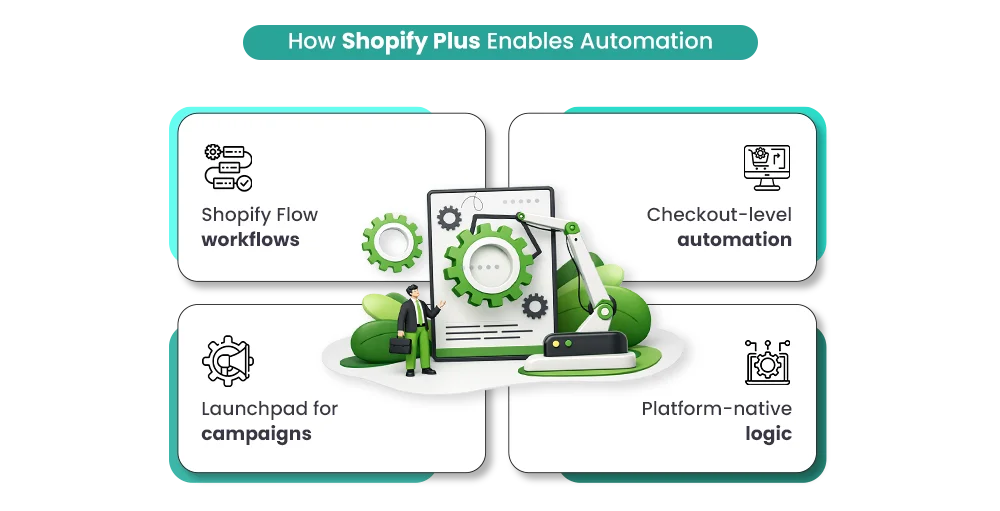
Before adding third-party apps, most Shopify Plus stores should start with the native tools already built into the platform. For most merchants, Shopify’s built-in automation infrastructure handles the majority of operational workflows reliably without introducing unnecessary complexity.
| Tool | What It Does | Best Used For |
|---|---|---|
| Shopify Flow | No-code workflow automation triggered by store events | Order tagging, fraud alerts, inventory workflows, and customer segmentation |
| Launchpad | Schedules and automates events across the store | Flash sales, seasonal campaigns, and timed product launches |
| Shopify Scripts | Custom checkout and pricing logic using Ruby | Tiered discounts, bundle offers, and customer-specific pricing |
| Shopify Functions | Backend customization for checkout, delivery, and discounts | Advanced B2B logic and complex shipping workflows |
Shopify Flow: The Operational Workhorse
For most Shopify Plus merchants, Flow is the starting point. It runs quietly in the background, requires no coding, and connects to nearly every major operational event inside the store.
Common Shopify Flow Workflows That Deliver Fast ROI
- Automatically pause high-risk orders and notify operations teams through Slack
- Tag VIP customers when lifetime spend crosses a predefined threshold
- Send low-stock alerts when inventory falls below safe levels
- Segment customers automatically for retention and email workflows
Most merchants start seeing immediate operational savings once repetitive workflows move into Flow automation.
Build Smarter Shopify Plus Automation Workflows With Mastroke
From Shopify Flow automation and Launchpad setup to advanced checkout logic and operational workflows, Mastroke helps Shopify Plus brands reduce manual work, prevent costly errors, and scale operations efficiently.
Launchpad: Built for Flash Sales and Product Drops
If your store runs seasonal campaigns, flash sales, or limited-time product drops regularly, Launchpad becomes one of the most valuable operational tools inside Shopify Plus.
It schedules campaign-related changes automatically — including themes, discounts, product visibility, and promotional logic — and reverses those changes when the event ends.
The real value isn’t convenience. It’s removing the operational failure point where someone forgets to disable a sale price or revert a campaign theme at 2 AM.
Shopify Scripts and Functions for Advanced Checkout Logic
Shopify Scripts are more technical because they use Ruby-based logic, but they unlock advanced pricing and checkout functionality that standard discount systems cannot handle.
What Scripts Handle Well
- Tiered pricing based on cart quantity
- Collection-specific bundle offers
- Customer-tag-based pricing logic
- Complex promotional structures
Why Shopify Functions Matter
Shopify is gradually moving more checkout customization capabilities toward Shopify Functions, making them increasingly important for future-proofing advanced operational logic.
Order Tagging and Routing
Most Shopify Plus stores already have the data needed for intelligent routing — they just aren’t using it automatically yet.
Order value, shipping method, product type, customer location, and purchase history can all trigger different operational workflows automatically.
High-Value New Customer Workflow
- Trigger: Order Created
- Condition: Order total above $500 AND fewer than 2 previous orders
- Action: Tag order as “high-value-new-customer” and notify the CX team
That single tag can drive fulfillment priority, support routing, loyalty treatment, and email automation simultaneously.
Fraud Detection and Risk Handling
Shopify already identifies risky orders using built-in fraud analysis. The missing piece is operational response.
Example Fraud Workflow
- High-risk orders automatically pause fulfillment
- Operations teams receive Slack notifications instantly
- Medium-risk orders receive review tags but continue processing
- Low-risk orders fulfill normally without interruption
Chargebacks are expensive — not only financially, but also for your Shopify Payments standing. Automating fraud handling helps reduce preventable risk before orders ship.
Inventory Alerts and Stock Rules
Manually checking inventory levels stops scaling long before the business does. Flow can monitor inventory automatically and trigger alerts when stock falls below predefined thresholds.
Threshold 1
“Time to reorder” alerts notify buying teams before inventory becomes critical.
Threshold 2
“About to run out” alerts prepare fulfillment and merchandising teams for low-stock scenarios.
Seasonal stores should also automate product publishing rules. When inventory hits zero, products can automatically unpublish to avoid customers landing on dead product pages. When stock returns, the workflow republishes automatically.
Customer Tagging and Segmentation
Customer tags are the foundation of Shopify personalization. Instead of manually updating customer lists, Flow updates them automatically based on behavior.
Common Customer Tags
- First Purchase: new-customer
- Second Purchase: returning-customer
- Lifetime Spend Threshold: vip
- No Purchase in 90 Days: lapsed-customer
These tags feed directly into email marketing, customer support routing, loyalty systems, and retention campaigns automatically.
Scale Shopify Plus Operations Without Scaling Manual Work
Mastroke helps growing Shopify Plus stores automate order routing, customer segmentation, fraud handling, inventory alerts, and promotional workflows using scalable systems designed around how your business actually operates.
Refund and Cancellation Notifications
Not every automation workflow is customer-facing. Some of the most valuable automations simply keep internal teams informed without forcing anyone to manually review reports all day.
- Refunds trigger internal alerts with order details and refund reasons
- High-value order cancellations notify customer experience teams immediately
- Large return requests can escalate automatically for manual review
- Support teams stay informed without monitoring dashboards constantly
Where Shopify Plus Automation Pays Off Most: Marketing and CX
Once daily operations become stable, automation starts moving into customer-facing systems. This is where Shopify Plus automation stops simply saving time and starts directly affecting revenue, retention, and customer lifetime value.
Behavioral Segmentation That Updates Automatically
Static customer lists become outdated almost immediately. Automated segmentation rebuilds customer audiences dynamically based on actual customer behavior.
A customer with three purchases in 60 days belongs in a completely different campaign than a one-time customer who hasn’t returned in six months.
Triggered Email and SMS Automation
Most major email platforms integrate directly with Shopify Flow.
Flow handles the trigger. Your email or SMS platform handles delivery.
High-Impact Customer Automation Sequences
- Welcome sequences after first purchase
- Replenishment reminders based on average reorder timing
- Win-back campaigns after inactivity periods
- Review request timing based on product category
- Delivery confirmation and loyalty point notifications
Behavior-Based Discounts and Offers
Standard discount codes treat every customer exactly the same.
Scripts and Functions allow pricing logic to respond dynamically based on customer behavior.
Examples
- VIP customers receive automatic discounts
- Lapsed customers receive reactivation offers
- High-AOV carts unlock free shipping automatically
The Customer Experience
Customers never see the operational logic behind the automation. They simply experience a more personalized and smoother shopping experience.
Common Shopify Automation Mistakes That Waste Time
| Mistake | What Happens | Better Approach |
|---|---|---|
| Automating unstable processes | Broken workflows fail faster | Fix the process manually first |
| Too many notifications | Teams begin ignoring alerts entirely | Automate for impact, not volume |
| Skipping testing | Incorrect logic affects live orders | Test workflows using draft orders first |
| Setting and forgetting workflows | Old workflows become outdated | Review automation quarterly |
Conclusion
Shopify Plus automation stops being optional once operational complexity starts growing faster than your team can manage manually.
If your store is processing hundreds of orders each month, running regular promotions, managing multiple workflows, or planning to scale aggressively, repetitive operational work quickly becomes a hidden growth bottleneck.
The merchants who benefit most from Shopify Plus automation are usually the ones who approach it as a long-term operational system — not a one-time setup project.
How Successful Shopify Plus Stores Build Automation
They start with one workflow. They test it carefully. They identify edge cases, improve the logic, and expand gradually. Over time, those small operational automations compound into major efficiency gains across the business.
Six months later, many of those same stores are handling significantly more order volume with the same operations team, fewer manual errors, and far less operational stress.
The real value of Shopify Plus automation isn’t simply saving time. It’s building operational systems that continue working reliably as your business scales.
Need Help Building Shopify Plus Automation Workflows?
At Mastroke, we help growing Shopify Plus brands build automation systems designed around how their stores actually operate — from Shopify Flow workflows and Launchpad sequences to advanced checkout logic, operational routing, customer segmentation, and inventory automation.
Workflow Automation
Custom Shopify Flow workflows for order routing, fraud handling, inventory alerts, customer tagging, and operational efficiency.
Checkout & Pricing Logic
Advanced Scripts and Shopify Functions for personalized discounts, shipping logic, checkout rules, and scalable promotional systems.
Automation Audits
We identify the workflows currently wasting operational time and prioritize the automations with the fastest ROI potential.
Frequently Asked Questions
1. What is Shopify Plus automation, exactly?
Shopify Plus automation means using built-in Shopify Plus tools like Shopify Flow, Launchpad, Scripts, and Functions to automate repetitive operational tasks such as order routing, inventory monitoring, fraud handling, customer tagging, and scheduled promotions.
2. Is Shopify Plus automation worth it for small teams?
Yes, Shopify Plus automation is especially valuable for small teams because it helps them handle larger order volumes, reduce repetitive manual work, and scale operations efficiently without needing to increase headcount at the same pace.
3. Can Shopify Flow handle marketing automation on its own?
Shopify Flow works well for triggers, customer tagging, and event-based workflows, but most advanced email and SMS campaigns still require external marketing platforms like Klaviyo or Postscript for message delivery and personalization.
4. How technical do I need to be to set up Shopify Plus automation?
Shopify Flow and Launchpad are mostly no-code tools, making them accessible for non-technical ecommerce teams. More advanced systems like Shopify Scripts and Shopify Functions usually require developer support for checkout customization and complex pricing logic.
5. When should merchants avoid setting up automation?
Merchants should avoid automation when workflows are unstable, unclear, or constantly changing because automating inconsistent processes can create larger operational issues and scaling problems.
6. What’s the difference between Shopify Scripts and Shopify Functions?
Shopify Scripts is Shopify’s older Ruby-based checkout customization system for Shopify Plus, while Shopify Functions is the newer and more flexible replacement designed for advanced backend logic, discounts, shipping rules, and checkout customization.
7. How do I know if a Shopify automation workflow is actually working?
Shopify Flow includes workflow logs and run history that show when workflows trigger and what actions are completed. Merchants should regularly review workflow performance, edge cases, operational impact, and business outcomes to ensure automations continue working correctly over time.