
📌 Key Takeaways
This section highlights the most important insights:
- Why checkout optimization is crucial for conversions
- What Shopify Plus allows you to customize in checkout
- Key features like layout, payments, and custom fields
- Best practices to reduce friction and increase conversions
- Common mistakes that lead to checkout drop-offs
- How to optimize and test checkout for better results
Looking to customize Shopify checkout and recover lost revenue? In 2026, checkout is where conversions are won—or lost. With nearly 70% of carts abandoned, even small friction points can cost you real sales. Optimizing your checkout isn’t optional anymore—it’s a direct growth lever.
For brands using Shopify Plus Checkout, the opportunity is even bigger. You’re not limited to basic branding—you can shape the entire checkout experience using modern tools, data, and strategy.
In this guide, we’ll break down everything you need to know about Shopify Plus checkout customization, including features, limitations, best practices, and how to build a high-converting checkout that actually works.
Why Shopify Plus Checkout Customization Matters
Checkout is where intent turns into action. Customers have already browsed, compared, and decided—they just need a smooth, trustworthy path to complete the purchase. But this is also where most drop-offs happen. A confusing layout, slow loading, or lack of trust signals can instantly kill conversions. That’s why brands today are focusing heavily on how they customize Shopify checkout.
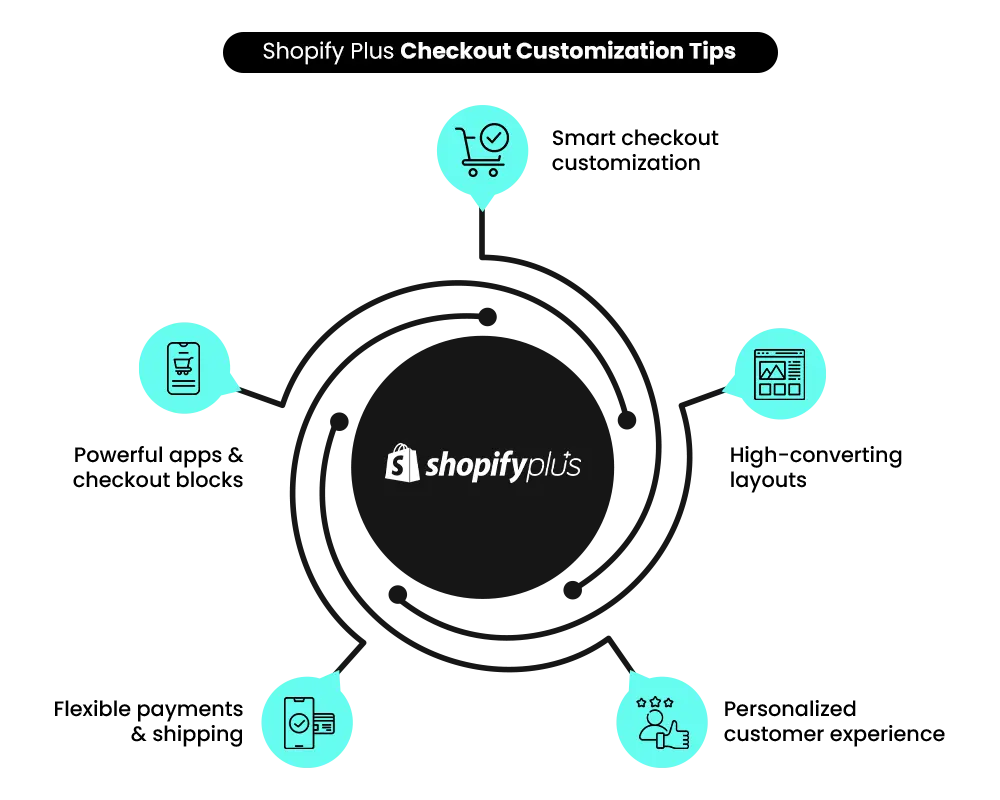
It’s not just about design—it’s about reducing friction. When done right, checkout customization improves:
- Trust and credibility
- Speed and usability
- Conversion rates
- Average order value
Modern eCommerce has shifted from “functional checkout” to experience-driven checkout, where every detail—from button color to payment order—plays a role in conversion.
Why Shopify Plus Checkout Customization Matters
Checkout is where intent turns into action. Customers have already browsed, compared, and decided—they just need a smooth, trustworthy path to complete the purchase. But this is also where most drop-offs happen. A confusing layout, slow loading, or lack of trust signals can instantly kill conversions. That’s why brands today are focusing heavily on how they customize Shopify checkout.
Shopify Plus vs Standard Shopify Checkout
Before you start customizing, it’s important to understand what Shopify allows—and what it doesn’t.
What Standard Shopify Offers
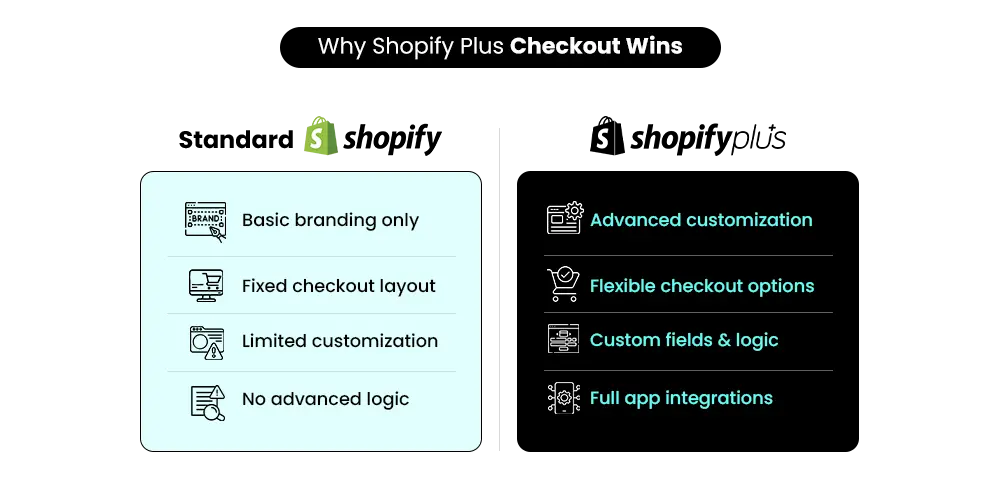
Standard Shopify plans are built for simplicity and security. They provide essential customization options such as logo placement, color changes, and font selection. However, the checkout structure itself remains fixed. You cannot deeply modify layouts or introduce advanced logic. This makes it reliable—but limiting.
What Shopify Plus Unlocks
With Shopify Plus Checkout, you move into a more flexible environment. You can:
- Use Checkout Extensibility
- Add custom UI components
- Implement advanced logic with Shopify Functions
- Integrate apps directly into checkout
This is where shopify plus customize checkout becomes a real competitive advantage.
| Feature | Standard Shopify | Shopify Plus |
| Branding | Basic | Advanced |
| Layout control | Limited | Flexible |
| Custom fields | Apps only | Apps + UI extensions |
| Checkout apps | Limited | Full access |
| API & Functions | Not available | Available |
Build Your Shopify Store From Scratch With Mastroke
Launch faster with Mastroke, an official Shopify Partner. We build structured stores with conversion-first design, clean setup, and features built to scale!!
The Evolution: Checkout Extensibility (Post-2024)
Shopify’s checkout system has evolved significantly. Earlier, developers relied on:
- checkout. liquid
- Script Editor
These methods offered flexibility but came with performance and security challenges. Now, Shopify has replaced them with a modern system:
- UI Extensions for frontend customization
- Shopify Functions for backend logic
- Check out branding tools for visual control
This shift has made it easier to customize Shopify checkout without breaking performance or compliance.
Why This Matters
The new system is:
- Faster and more stable
- Fully PCI-compliant
- Optimized for mobile by default
For brands, this means you can scale your checkout experience without worrying about technical debt.
Core Shopify Plus Checkout Customization Features
1. Branding & Visual Customization
Your checkout should feel like a continuation of your store—not a different platform. With Shopify Plus Checkout, you can align your branding by customizing:
- Logo placement (left, center, right)
- Colors for buttons, accents, and errors
- Typography for headings and body
However, Shopify enforces simplicity. As of 2026:
- You can only use a background color in the main checkout area
- Background images are limited to the order summary
This ensures readability and prevents distractions. The key here is consistency. When you customize Shopify checkout, aim for clarity over creativity.
2. Checkout Layout Control
Shopify offers two layout options:
- One-page checkout
- Three-page checkout
A one-page checkout is faster and reduces friction, making it ideal for most DTC brands. On the other hand, a three-page structure provides clearer steps and better tracking.
3. Custom Fields & Data Collection
Many businesses need additional information during checkout—but adding too much can hurt conversions. Common use cases include:
- Gift messages
- Delivery instructions
- B2B fields like GST or PO numbers
You can implement these through apps or UI extensions in Shopify Plus Checkout. The important part is placement. Fields added early in the checkout process tend to get higher completion rates. But every extra field adds friction—so only collect what’s necessary.
4. Payment & Shipping Optimization
Payment and shipping are critical decision points. Instead of overwhelming customers with options, your goal should be clarity and prioritization.
A well-optimized checkout:
- Displays the most popular payment methods first
- Highlights accelerated checkout options
- Uses smart defaults for shipping
Accelerated payments like Shop Pay, Apple Pay, and Google Pay are especially powerful. They reduce checkout time dramatically and improve conversion rates. When you customize Shopify checkout, this is one of the highest-impact areas. Payment and shipping are critical decision points. Instead of overwhelming customers with options, your goal should be clarity and prioritization.
Modern eCommerce has shifted from “functional checkout” to experience-driven checkout, where every detail—from button color to payment order—plays a role in conversion.
5. Checkout Blocks & App Integrations
Shopify Plus allows you to extend checkout functionality using apps and blocks. You can add:
- Upsell offers
- Loyalty rewards
- Custom banners
These can be placed across different checkout steps, like information, shipping, and payment. However, it’s important to strike a balance. Too many elements can slow down the experience. Smart shopify plus customize checkout to focus on value—not volume.
6. Post-Purchase & Thank You Page Customization
Checkout doesn’t end at payment—it extends into post-purchase. With Shopify Plus checkout customization, you can:
- Add upsell offers after payment
- Collect feedback through surveys
- Enable “Buy Again” functionality
This stage is often overlooked, but it’s a powerful opportunity to increase customer lifetime value.
📌 Key Video
Advanced Capabilities with Shopify Plus
For brands with more complex needs, Shopify Plus offers deeper customization. You can build custom UI elements using React-based extensions and define business logic through Shopify Functions.
For example, a global brand can display region-specific payment methods (like UPI in India or Klarna in Europe), while a B2B store can apply custom discounts, minimum order rules, or shipping logic directly at checkout. This level of flexibility allows businesses to tailor the checkout experience based on customer type, location, and purchase behavior—making it far more effective than a one-size-fits-all approach.
This allows you to:
- Create custom discount rules
- Implement conditional checkout flows
- Customize shipping logic
B2B brands can also unlock features like:
- Net payment terms
- Company accounts
- Bulk ordering workflows
Additionally, Shopify Plus Checkout supports multi-currency and multi-language setups, making it ideal for global brands.
Shopify Checkout Limitations
While Shopify Plus is powerful, it’s not fully open. You cannot:
- Completely redesign checkout like a custom-coded system
- Modify the core structure deeply
- Add background images to the main checkout area (2026 update)
These limitations exist to maintain security, speed, and compliance. Understanding these constraints helps you make smarter decisions when you customize Shopify checkout.
Want a deeper look at these limitations? Read: 7 Shopify Plus Limitations That Premium Brands Must Be Aware Of.
UX & CRO Best Practices for High-Converting Checkout
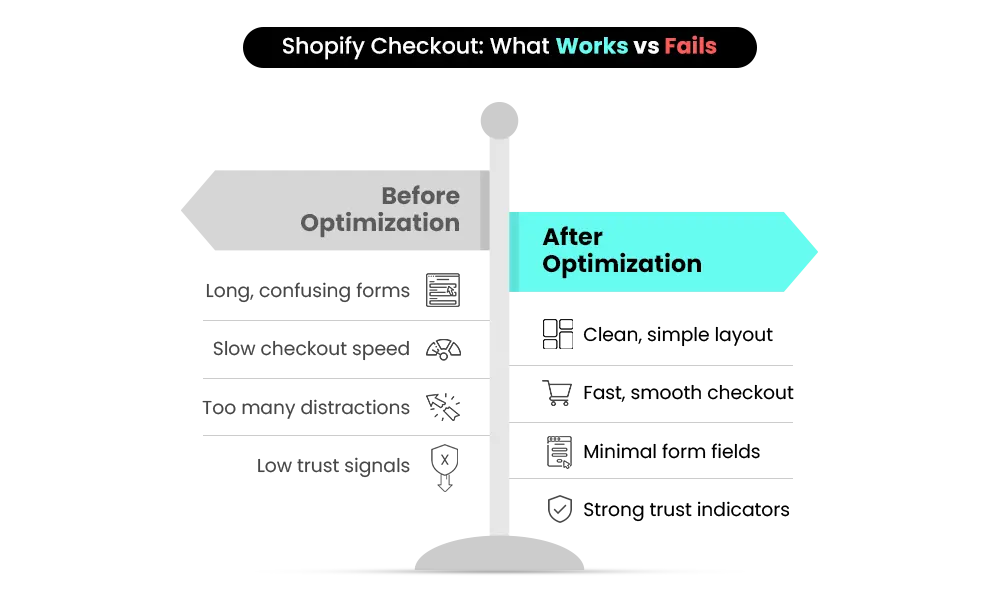
A high-converting checkout is not about adding more—it’s about removing friction. Start with simplicity. Clean layouts, minimal distractions, and clear navigation improve focus and reduce confusion.
Trust is equally important. Customers need reassurance before making a payment. This can be achieved through visible payment logos, security badges, and clear return policies. Form optimization is another key factor. Reducing the number of fields, enabling autofill, and providing clear error messages can significantly improve completion rates.
Finally, use smart defaults. Pre-selecting common shipping options and highlighting popular payment methods helps users move faster through the process.
| Area | Optimization | Impact |
| Forms | Reduce fields | Higher conversions |
| Payments | Enable Shop Pay | Faster checkout |
| Design | Minimal layout | Better clarity |
| Speed | Optimize load time | Lower drop-offs |
| Trust | Add badges & policies | Increased confidence |
Testing & Analytics for Checkout Optimization
Customization without testing is guesswork. To improve performance, track key metrics such as:
- Checkout conversion rate
- Step-wise abandonment rate
- Time to complete checkout
Tools like Google Analytics 4 and Shopify analytics provide valuable insights. A/B testing different variations—such as layout changes or payment order—helps you understand what works best. Continuous testing is essential when you customize Shopify checkout.
Legal & Compliance Considerations
Checkout must also meet legal requirements. Ensure you include:
- Transparent pricing (including taxes)
- Delivery timelines
- Return policies
- Privacy compliance (GDPR, etc.)
- Consent checkboxes
These elements not only ensure compliance but also build trust.
Implementation Strategy
A structured approach leads to better results. Start by auditing your current checkout experience. Identify where users drop off and what might be causing friction.
Then:
- Define clear customization goals
- Choose the right apps or extensions
- Test changes before going live
- Monitor performance closely
- Avoid over-customization—adding too many elements or steps can create confusion and hurt conversions
Optimization is an ongoing process, not a one-time task.
Common Mistakes That Hurt Checkout Performance
Even with advanced Shopify Plus checkout features, many brands reduce conversions by optimizing the wrong things. The biggest mistake is doing too much—adding extra fields, apps, or design elements that create friction and increase drop-offs. Checkout should prioritize clarity, not creativity.
Mobile-first design is essential, and performance must be monitored, as slow load times hurt conversions. Finally, always test changes—without data, you can’t measure impact. Checkout success depends on simplicity and speed.
The Future of Shopify Checkout
Checkout is shifting from a static flow to a personalized experience. Shopify Plus is becoming more adaptive, using customer data to tailor checkout, prioritize payments, and speed up repeat purchases.
One-click payments and AI-driven experiences will define the future, while deeper extensibility enables more customization without sacrificing performance. As brands scale globally, localization will also be key. Checkout is no longer just functional—it’s a competitive advantage.
Final Thoughts: Turning Checkout into a Growth Engine
Your checkout is where conversions are decided. When you customize Shopify checkout, focus on simplicity, speed, and trust rather than adding unnecessary complexity. Shopify Plus Checkout gives you the tools to create a seamless, high-converting experience—but results come from strategy, not just features.
Every improvement, from layout to payment flow, should make buying easier for your customers. If you want to unlock the full potential of Shopify Plus checkout customization, don’t leave it to guesswork.
Let Mastroke audit and optimize your checkout for higher conversions, better UX, and real revenue growth.
Build Your Shopify Store From Scratch With Mastroke
Launch faster with Mastroke, an official Shopify Partner. We build structured stores with conversion-first design, clean setup, and features built to scale!!
What can you customize in Shopify Plus checkout?
You can customize branding, layout selection, payment methods, custom fields, checkout blocks, and post-purchase elements.
Can you fully customize Shopify checkout like a custom-coded website?
No, Shopify maintains certain structural limitations, but Plus offers advanced flexibility through extensions.
What is Checkout Extensibility in Shopify Plus?
It’s Shopify’s framework that allows customization using UI extensions, Functions, and APIs.
Can I add custom fields to Shopify checkout?
Yes, through apps or UI extensions in Shopify Plus.
What are the best practices for optimizing Shopify Plus checkout?
Focus on simplicity, mobile optimization, faster payments, fewer fields, and continuous testing.