This blog post explains how Shopify Online Store 2.0 (launched in 2021) gives merchants drag-and-drop control over their entire store without needing developers, while legacy themes still require coding for basic changes. It outlines the hidden costs and limitations of staying on legacy themes as the Shopify ecosystem continues to evolve.
Every time you ask your developer to move a banner, add a section to a product page, or wire up a new review app, you wait. And the invoice arrives either way. If you’re still running a legacy Shopify theme, that friction isn’t bad luck — it’s the architecture. Shopify Online Store 2.0 was built to reduce that dependency by giving merchants far more control inside the theme editor, and the gap between what legacy themes can do and what OS 2.0 makes possible has only grown since 2021.
Shopify OS 2.0 gives merchants drag-and-drop flexibility across every page — without touching code.
This guide breaks down what actually changed, where the hidden costs of staying on a legacy theme exist, and how to decide whether migration is the right move for your store right now.
What Is Shopify Online Store 2.0?
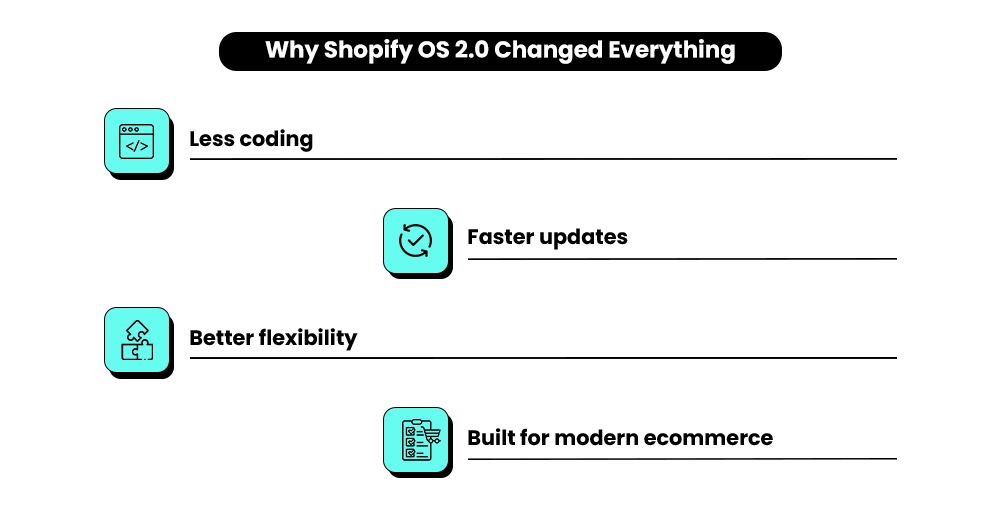
Shopify Online Store 2.0 is the theme architecture Shopify launched in June 2021. In simple terms, it gave merchants the ability to add, remove, and rearrange sections on every page directly from the visual editor — without touching code.
Before OS 2.0, that flexibility only existed on the homepage. Product pages, collection pages, cart pages, and blog layouts were mostly hardcoded inside Liquid files.
Want to add a size guide to one product page?
Before OS 2.0, that was a developer ticket. With Shopify OS 2.0, it’s usually a 30-second drag-and-drop action.
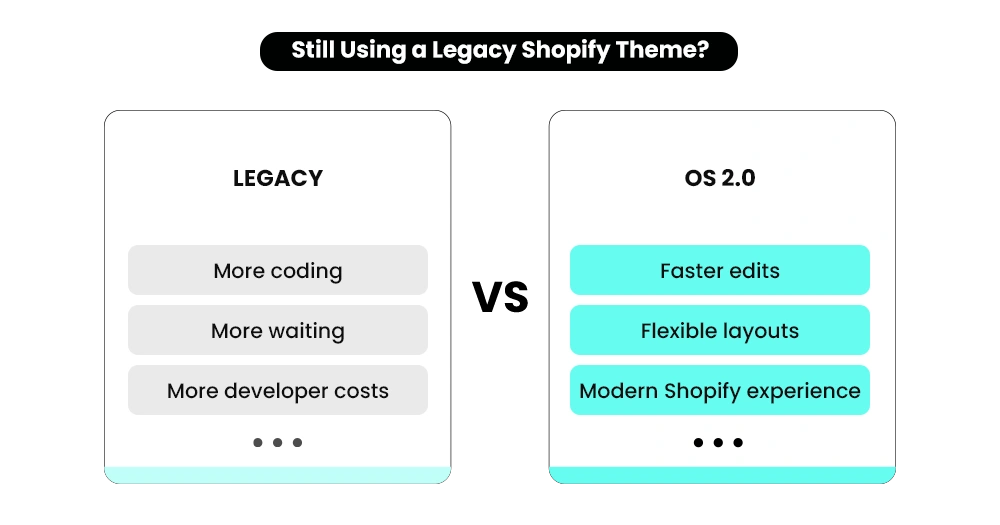
Most customizations required developer involvement and manual code editing.
Merchants can visually customize store sections without technical knowledge.
Faster workflows, lower maintenance costs, and quicker marketing execution.
Why Legacy Themes Feel Restrictive
The older framework is now called legacy or vintage. Shopify hasn’t forced merchants off it, but every theme published in the Shopify Theme Store since 2021 is built on OS 2.0. Every major Shopify app released in the last few years assumes you’re already running the newer architecture.
The platform has already moved forward. The real question is whether your store infrastructure has moved with it.
Shopify Resources
Read Shopify’s Official Documentation
Explore Shopify’s technical breakdown of Online Store 2.0 architecture, sections everywhere, app blocks, and advanced customization capabilities.
Need Help Migrating From a Legacy Shopify Theme?
Mastroke helps Shopify brands rebuild outdated storefronts into scalable Online Store 2.0 experiences with cleaner architecture, reusable sections, and app-friendly development.
Why Is Staying on a Legacy Theme Getting More Expensive?
Most merchants don’t migrate because their store “still works.” That’s the trap. A legacy theme works the way Shopify worked in 2020. The platform, the apps, and your customers’ expectations have all changed since then.
Most of the time, you don’t notice these costs accumulating.
You just notice that things take longer and cost more than they should. The costs don’t arrive as one big invoice. They build quietly over time.
Developer Hours for Routine Changes
On a legacy theme, nearly every layout adjustment requires a code edit. Adding a new section to a product page, installing an app that needs to display on a specific page, adjusting the cart layout — all developer jobs.
A properly built OS 2.0 theme lets merchants handle the vast majority of layout changes themselves through the visual editor, cutting out a significant chunk of those recurring development costs.
For stores that rely on a developer for even basic layout work, that recurring dependency can add up to thousands in annual dev fees that simply disappear once you have direct editor control.
App Compatibility Is Breaking Down
Newer apps either don’t install properly on legacy themes, or they install in a limited way — manual code injection, no clean uninstall, and conflicts when you update the theme. If you’ve been frustrated by apps that partially work or leave behind code you didn’t know was there, this is why.
As the Shopify theme app extensions framework has matured, more app developers are building exclusively for OS 2.0. Legacy support is quietly disappearing across the ecosystem.
Performance Is Falling Behind
Legacy themes were built before modern asset-loading standards became the norm. Slower load times hurt both SEO rankings and conversion rates.
Portent’s site speed research across 100 million pageviews found that ecommerce sites loading in 1 second convert at 2.5x the rate of sites loading in 5 seconds — and Think with Google’s mobile speed benchmarks show that as load time goes from 1 second to 10 seconds, the probability of a visitor bouncing increases by 123%.
If you’re paying for traffic to a slow storefront, you’re paying for clicks that leave before they convert.
Customization Debt Keeps Growing
Every custom code edit added over the years lives inside your theme files. The longer you stay on a legacy theme, the more difficult future migrations become. The longer you wait, the more there is to untangle — and the higher the eventual migration cost becomes.
If your store is running paid ads right now, these costs aren’t abstract. Every extra second of load time and every app that doesn’t install cleanly is quietly eating into your return on ad spend.
OS 2.0 vs Legacy
Differences That Actually Change How You Manage Your Store
Here’s the side-by-side. But the table only matters if you understand what each row means for your store in practice.
| Capability | Legacy / Vintage Themes | Shopify Online Store 2.0 |
|---|---|---|
| Sections on every page | Homepage only | All page types — product, collection, blog, cart |
| Installing apps | Requires theme code edits | App blocks drag directly into sections |
| Template format | Liquid only | JSON templates with reusable sections |
| Custom product data | Hardcoded Liquid edits | Metafields with dynamic sources |
| Theme editor control | Limited to the homepage | Full visual control across the store |
| Performance foundation | Older asset-loading patterns | Built for speed with minimal JavaScript |
| App compatibility | Declining support | Full theme app extension support |
Sections on Every Page — Not Just the Homepage
This is the change that eliminates the most developer dependency. On a legacy theme, your product pages, collection pages, and cart have a fixed structure baked into the code. To add a size guide section to a specific product, you need a developer. To add a trust badge strip above the add-to-cart button, you need a developer.
On OS 2.0, you add sections from the theme editor the same way you’ve always customized your homepage.
That means you can test a different product page layout for one SKU, measure the impact, and roll it out — or roll it back — without filing a ticket or waiting for availability.
App Blocks Instead of Code Injection
When you install a review app, upsell tool, or loyalty widget on a legacy theme, the app injects code directly into your theme files. That code may break the next time you update the theme. Uninstalling often leaves orphaned snippets behind that still load in the background. Two apps sometimes conflict in the same section.
OS 2.0 solved this with theme app extensions — apps now drop into your theme as self-contained blocks you manage from the editor.
Add them, remove them, reorder them. When you uninstall an app, its block goes with it. No leftover code, no conflicts, no manual cleanup. For a store running six or more apps — typical once you’re past the early stage — this alone is worth the migration cost.
JSON Templates and Reusable Sections
Under the hood, OS 2.0 themes use JSON templates instead of pure Liquid — and that architectural change is what makes everything else above it possible.
The practical effect: sections become modular.
Build a social proof strip once and add it to your homepage, product pages, and landing pages. Update the design once, and it updates everywhere. Legacy themes force you to either duplicate code across files or pay a developer to set up custom snippets for each page type.
Metafields for Custom Product Data
Metafields let you attach custom data to products — ingredient lists, size guides, care instructions, compatibility specs — and display it dynamically through your theme without hardcoding anything. On a legacy theme, surfacing custom product data required custom Liquid edits for each template.
On OS 2.0, you connect a metafield to a theme section in the editor, and the data populates automatically across every product that uses that template.
For stores with large catalogs or technical products that need detailed specifications, this is the difference between a store that’s easy to maintain and one that’s a constant management burden.
Performance & SEO
How Shopify OS 2.0 Affects Speed and SEO
Speed matters for conversion. It also matters for search rankings. The 2.0 framework was built with performance in mind from the ground up. Dawn, Shopify’s reference theme built alongside the new architecture, was designed to minimize JavaScript and use native browser features wherever possible. The result is a lighter, faster foundation than anything legacy themes were built on.
Themes built on Dawn’s patterns tend to perform better on Core Web Vitals — the page speed and stability signals Google uses for ranking.
Compared to legacy themes still loading older asset patterns, OS 2.0 themes also handle structured data more cleanly and render better on mobile — which matters when most of your traffic arrives on a phone. If your store is working on improving search visibility or conversion rate and you’re still on a legacy theme, the architecture itself may be one of your constraints.
Before committing to a full rebuild, it’s worth understanding whether your store needs a redesign or just a theme refresh — that distinction can save you significant time and budget.
App Compatibility in 2026 — Why This Is the Most Pressing Reason to Migrate
App developers have largely moved on from legacy support. The gap isn’t subtle anymore. Most new review apps, bundling tools, subscription platforms, and personalization tools launch as OS 2.0-only or with significantly limited legacy functionality.
Theme app extensions — the clean, modular way apps integrate with your theme — only work on OS 2.0.
Legacy support is quietly being dropped across the ecosystem, and the pace is picking up. If you install a modern app on a legacy theme, you’re usually looking at a manual code injection setup, no clean uninstall path, and a risk of breakage every time you update the theme.
What should take five minutes takes hours and a developer.
For a store that’s actively adding tools — a new subscription app, a better review platform, a bundling or upsell tool — running on legacy is a real operational constraint. If you’re planning to install anything new in the next 12 months, migrating first is the smarter sequence.
Need a Faster Shopify Store That Converts Better?
Slow themes, bloated scripts, and outdated storefront architecture quietly hurt conversions. Mastroke helps brands improve Core Web Vitals, mobile experience, and storefront performance without unnecessary rebuilds.
Is Migrating to Shopify OS 2.0 Worth It for Your Store?
For most stores, yes — and the cost of waiting keeps growing. Here’s how to think about it honestly.
Migration makes clear sense if:
- You’re running paid traffic and want to test product page layouts without filing developer tickets every time.
- You’re planning to add new apps in the next year.
- Your current speed scores are hurting SEO or conversion rate.
- You’ve accumulated years of custom code edits that are making the theme harder to work with.
You can take more time if:
- You’re mid-rebrand or planning a full redesign anyway — fold the migration into that project rather than doing two jobs separately. If you’re not sure which path makes sense, this guide on how to choose the right Shopify theme for your store helps clarify the decision before you commit to anything.
- A critical app your business depends on hasn’t released a 2.0-compatible version yet (rare, but it happens). If you’re inside a major sales window — don’t migrate two weeks before Black Friday.
How to Migrate to Shopify OS 2.0 Without Losing Customizations or SEO
Migration isn’t as dramatic as it sounds when it’s planned properly. The stores that run into trouble are the ones that treat it like a copy-paste job.
Audit your current theme
Document every custom section, every app code injection, every Liquid edit your developer made over the years.
This is the list that has to be recreated or replaced in the new theme — miss something here and you discover it post-launch from a customer complaint.
Choose your 2.0 theme
Dawn is Shopify’s open-source reference theme and the easiest to maintain long-term. Paid themes like Impulse, Prestige, and Empire offer more design flexibility out of the box.
Choose based on your actual content and conversion needs — not aesthetics alone.
Build a duplicate theme, not on your live store
In Shopify, go to Online Store > Themes, click the three-dot menu on your current theme, and select Duplicate. Work on the copy entirely. Never edit your live theme during migration — that’s how you take your store down mid-afternoon.
Recreate customizations as sections and blocks
Anything hardcoded in your legacy theme becomes a reusable section in the 2.0 version.
This is where the long-term flexibility comes from — you build it once, you can move it anywhere.
Move custom product data to metafields
Custom product content that lived in Liquid edits gets migrated to metafields, then connected to dynamic sources in the new theme.
Don’t skip this — it’s the most common thing that goes missing post-migration.
Reinstall and reconfigure every app
Apps running via code injection on your legacy theme need to be reinstalled as app blocks on the new one. Don’t assume settings carried over. Test every app individually — some will need to be reconfigured from scratch.
Preserve your SEO structure
Page URLs, redirects, structured data, meta titles, and meta descriptions all need to be confirmed in the new theme before launch.
A sloppy migration can drop rankings that took months to build.
Switch and monitor closely for two weeks
Watch your analytics, conversion rate, and search positions. Most issues surface in the first 10 to 14 days post-launch.
For stores with significant customization, this is a three-to-six-week project. For simpler stores, a clean migration typically takes five to 10 days with an experienced developer.
Mistakes That Derail Migrations — and How to Avoid Them
These aren’t the same warnings as the checklist above. These are the patterns that catch stores off-guard even when the technical steps go smoothly.
Migrating at the Wrong Time
Running a migration during a peak sales period — holiday season, a product launch, a live promotion — is a real risk.
Even a minor post-launch issue becomes a revenue problem when traffic is high.
Build the new theme, test it thoroughly, then schedule the switch for a quiet window.
Picking the Wrong 2.0 Theme for Your Catalog
Dawn is clean and fast, but it’s designed for stores with a focused product range. If you have a large catalog with complex filtering needs, a theme like Impulse or a section-first build will serve you better.
Picking a 2.0 theme based on how the demo looks rather than how it handles your actual products is one of the most common and costly mistakes merchants make.
Not Briefing Your Customer Support Team Before Launch
A new theme changes how your store looks and navigates. If a customer contacts support with a question about where something is, your team needs to already know.
Brief them before you switch — not after the first confused email arrives.
Treating Launch as the Finish Line
The first two weeks post-launch are part of the project. Check Core Web Vitals scores, monitor conversion rate by device, and verify that every app is behaving correctly.
Issues that surface during this window are much cheaper to fix immediately than they are to diagnose three months later.
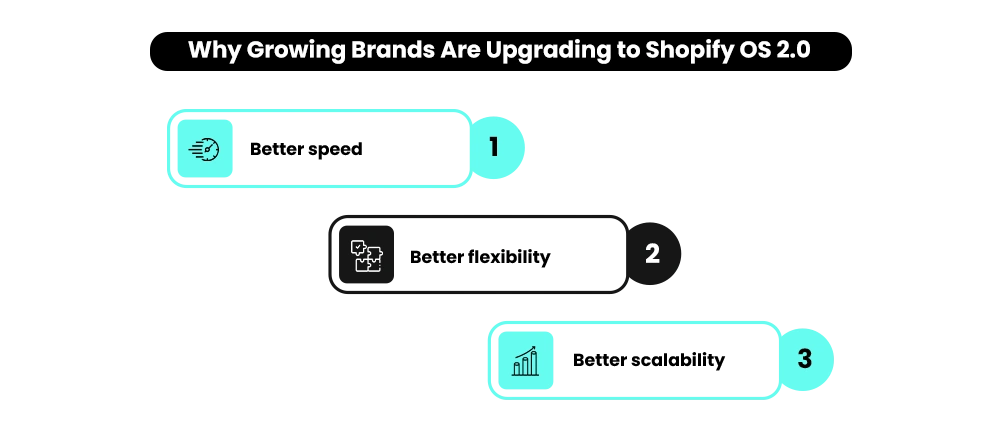
Shopify Online Store 2.0 Is No Longer Optional for Growing Stores
Shopify Online Store 2.0 is where the platform actually lives now. Legacy themes still run, but they run in an environment that’s increasingly working against them — apps that don’t integrate cleanly, a performance foundation that’s falling behind, and developer dependency for changes that should take minutes.
If your store is running ads, adding new apps, or planning any growth in the next 12 months, the developer costs and performance constraints from a legacy theme are real money.
The migration cost is a one-time investment. The cost of staying on a legacy theme is ongoing and compounding.
If you’re planning to migrate soon, doing it before your next big growth push is almost always the better sequence — the disruption is far more manageable in a quieter window than in the middle of scaling.
Need a Clear Migration Plan Before You Commit?
Mastroke helps Shopify brands audit legacy themes, rebuild storefront architecture, and migrate to OS 2.0 without losing SEO, performance, or custom functionality.
Explore Shopify Store Redesign Services →
FAQs
1. What is Shopify Online Store 2.0 in simple terms?
Shopify Online Store 2.0 is the theme framework Shopify launched in June 2021 that lets you add, remove, and rearrange sections on every page type — not just the homepage — directly from the theme editor. It also introduced app blocks for clean app integration without code injection, JSON templates, and native metafield support. Every Shopify theme published since 2021 is built on this framework.
2. Will my store break if I migrate from a legacy theme to Shopify OS 2.0?
Not if you do it properly. The standard approach is to duplicate your current theme, build the new OS 2.0 version in that copy, recreate your customizations as sections and blocks, test everything thoroughly, and only switch your live store once everything works. Stores break when people migrate directly on the live theme without testing — that mistake is completely avoidable.
3. How long does a Shopify theme migration take?
For a store with light customization, a clean migration typically takes five to 10 days with an experienced developer. Stores with heavier custom code, complex app integrations, or large catalogs can take three to six weeks. The audit and documentation phase at the start usually takes longer than most merchants expect — but skipping it is what causes problems post-launch.
4. Do I need to migrate if my legacy theme still works fine?
It works today, but the costs of staying on it are real and growing. You’ll pay more in developer hours for routine changes, deal with app compatibility issues, and face a harder migration the longer the custom code accumulates. If you’re running ads, adding new apps, or planning any store growth, the case for migrating is strong. If your store is genuinely stable and you’re not changing anything, you have more flexibility on timing — but the direction is the same.
5. Will migrating hurt my SEO rankings?
Only if the migration is handled poorly. URLs, redirects, structured data, meta titles, and meta descriptions all need to be preserved or correctly mapped during the switch. A well-planned migration typically has no negative SEO impact and often improves rankings over time because OS 2.0 themes have better performance foundations and cleaner structured data handling.
6. Can I make layout changes on Shopify OS 2.0 without a developer?
For most day-to-day changes — adding sections, reordering content blocks, adjusting layouts, managing app placements — yes. The whole point of OS 2.0 is giving merchants direct control over their store’s structure from the visual editor. You’ll still need a developer for custom integrations, advanced Liquid work, or specific design requirements, but routine layout changes no longer require a ticket.
7. How much does a Shopify theme migration typically cost?
Costs vary depending on how much custom work exists on the legacy theme. A simpler migration handled by a freelance developer tends to run in the low thousands. A migration handled by an agency — with a proper audit, customization rebuilding, and full testing — typically runs higher depending on store complexity. The key variable is how many accumulated code edits have to be carefully recreated in the new theme, which is why the scoping phase matters so much upfront.