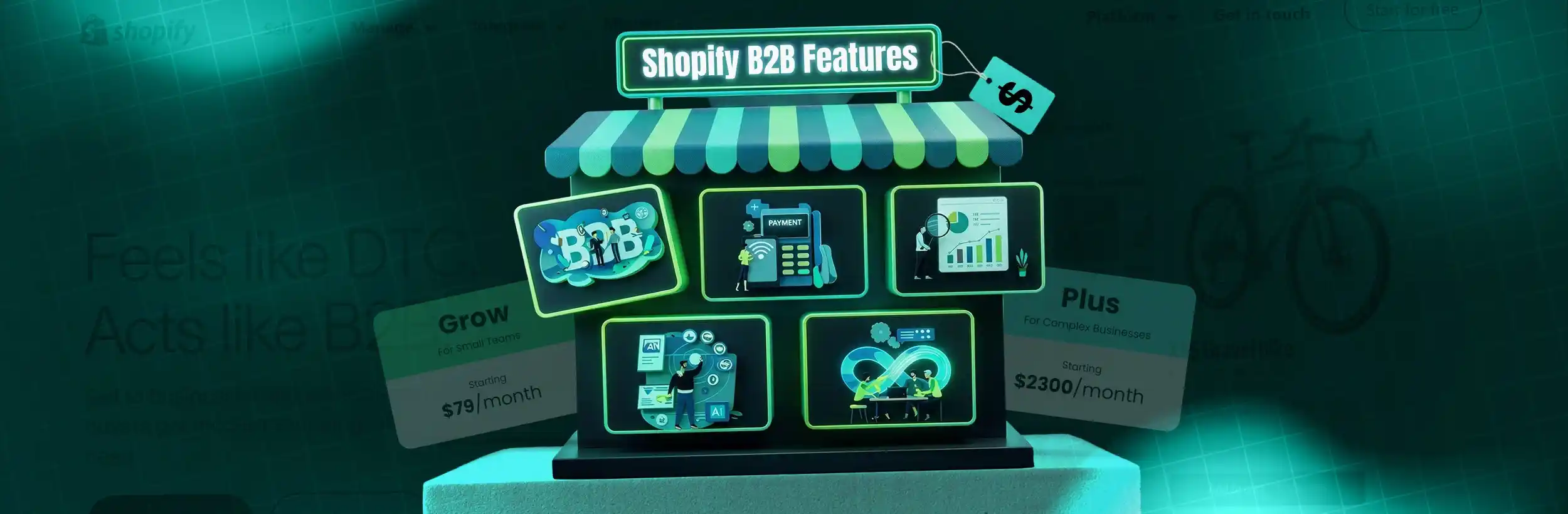
This blog post examines Shopify's recent expansion of B2B features to Basic, Grow, and Advanced plans, which were previously only available on Shopify Plus. It analyzes whether these newly accessible B2B capabilities provide sufficient functionality for real wholesale operations or just limited access under a new structure.
For years, the answer to “Can I run wholesale on Shopify without upgrading to Plus?” was essentially no. Native Shopify B2B features — company accounts, custom pricing, payment terms — were locked behind a Shopify Plus plan that starts at $2,300 per month on a 3-year contract.
What Changed on April 2, 2026?
Shopify officially announced that native Shopify B2B features are now available on Basic ($39/month), Grow ($105/month), and Advanced ($399/month) plans — at no extra cost.
For the first time, a merchant on the Basic plan can access company profiles, custom catalogs, net payment terms, and a proper B2B checkout experience without relying on third-party apps or an enterprise-level subscription.
Global B2B Ecommerce Market
The global B2B ecommerce market is projected to reach $36 trillion in 2026, growing at 14.5% annually.
Digital B2B Sales Interactions
Around 80% of B2B sales interactions now happen through digital channels, reflecting how modern buyers prefer to purchase.
But access is not the same as capability.
This guide breaks down exactly what Shopify B2B includes on each plan, what remains exclusive to Shopify Plus, and how to decide whether standard Shopify B2B is enough for your business — or whether you need more.
What Is Shopify B2B?
Shopify B2B is a built-in set of features that lets businesses sell wholesale directly through Shopify — without a separate platform, a separate storefront, or a collection of third-party apps patched together to replicate basic functionality.
In plain terms: it’s the infrastructure that makes your Shopify store work for business buyers, not just individual consumers.
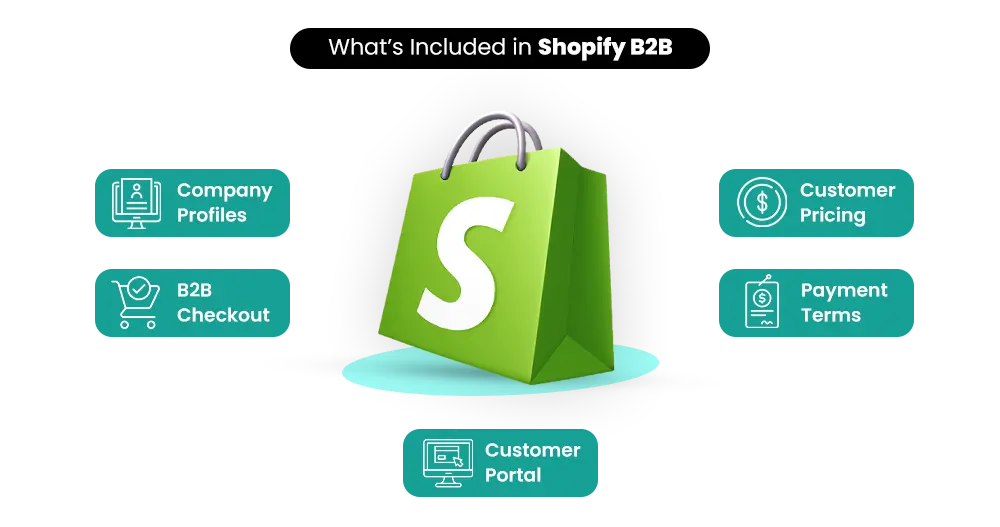
Shopify B2B means company accounts instead of individual customer profiles. Custom pricing for specific buyers or buyer groups. Bulk ordering. Net payment terms so buyers can pay after receiving goods.
And a checkout experience designed for how businesses actually buy — with purchase orders, payment flexibility, and the ability to reorder without friction.
The Biggest Change in 2026
What changed on April 2, 2026, is not what Shopify B2B does. It’s who can access it. Previously, these features required Shopify Plus. Now Shopify B2B is available on every paid Shopify plan.
Why This Change Matters Commercially
Before this update, a wholesale brand had two realistic options: upgrade to Shopify Plus at $2,300/month minimum, or stitch together five or six third-party apps to approximate B2B functionality. Neither was a clean solution.
The April 2026 announcement removes that barrier. Shopify B2B is now a native part of the platform — embedded directly in the admin, not bolted on — for merchants at every stage.
The timing reflects where the market has moved. Shopify’s own research on B2B ecommerce trends shows that two-thirds of B2B buyers will abandon a purchase entirely if their preferred payment terms aren’t available.
Why This Matters
If you’re currently managing wholesale pricing manually, chasing buyers for payment, or turning down wholesale enquiries because your store can’t handle them, Shopify B2B gives you a direct fix.
B2B GMV Growth
Shopify reported that B2B GMV on the platform grew 96% year-over-year in 2025.
Buyers Want Payment Flexibility
Two-thirds of B2B buyers abandon purchases if preferred payment terms aren’t available.
The scale of what’s at stake is real. Shopify reported that B2B GMV on the platform grew 96% year-over-year in 2025. That growth happened largely among Plus merchants. This update opens that same infrastructure to everyone.
What Shopify B2B Features Are Available on All Plans
Shopify’s Help Center documents the exact features available by plan. Here’s a clear breakdown of what Basic, Grow, and Advanced merchants now get — and where the specific limits are.
1. Company Profiles and Multi-User Accounts
Instead of individual customer accounts, Shopify B2B lets you create company-level profiles — with multiple users, multiple shipping locations, and role-based access permissions.
A retailer can have their purchasing manager and logistics coordinator both logged into your wholesale store under one company account, each managing their own piece of the workflow.
This reflects how B2B purchasing actually works: decisions and orders involve multiple people, and your platform needs to support that without friction.
2. Custom Pricing and Up to 3 Active Catalogs
Shopify B2B lets you create separate product catalogs with customer-specific pricing. Different buyer groups see different prices — a retailer sees one price, a distributor sees another, a trade account sees a third.
Key Limit on Basic, Grow & Advanced Plans
You can have up to 3 active catalogs assigned across your B2B markets at any one time.
This is a hard limit — if you assign all 3 to one B2B market, you have no remaining allocation.
Shopify Plus removes this limit entirely. On Plus, you can create and assign an unlimited number of B2B catalogs.
Catalogs on non-Plus plans are assigned at the B2B market level, not directly to individual company accounts.
3. B2B Checkout Experience
The Shopify B2B checkout is designed for bulk ordering — buyers can place large orders efficiently and complete transactions suited to business purchasing behavior.
Available on All Plans
- Standard B2B checkout
- Vaulted payment cards
- ACH bank transfers (US only)
- Purchase order number entry
Plus & Advanced Only
- Contextual checkout customization
- Market-specific checkout experiences
- Advanced customer-specific checkout logic
4. Net Payment Terms
Net payment terms are one of the most practically important features in the Shopify B2B suite. Net 15, Net 30, and Net 60 terms allow buyers to receive goods and pay within a defined window afterward.
Without this capability, wholesale customers often have to pay upfront — creating unnecessary friction that doesn’t match how most business buyers operate.
Two-thirds of B2B buyers walk away from a purchase if preferred payment terms aren’t offered.
5. Self-Serve Buyer Portals
Modern B2B buyers increasingly want to manage their own accounts without having to contact your team for routine tasks.
Shopify B2B’s self-serve portal gives buyers the ability to:
- View their complete order history
- Reorder products in a few clicks
- Manage company information and delivery locations
- Update stored payment methods
61% of B2B buyers now prefer purchasing without sales representative involvement.
6. Shopify Flow Automations for B2B
Shopify Flow — Shopify’s built-in workflow automation tool — works with Shopify B2B features on all plans.
You can automate tasks like:
- Automatically tagging new B2B company accounts when they’re approved
- Sending notifications when net payment due dates approach
- Flagging unusually large orders for internal review
- Triggering reorder reminders based on historical purchasing patterns
This removes manual work from recurring B2B operations without requiring additional third-party automation tools.
Don't Just Access Shopify B2B — Actually Build It Right
Most stores turn on B2B features and stop there. The ones winning wholesale aren’t just enabled — they’re properly set up with the right pricing, workflows, and customer experience from day one.
Exact Feature Comparison by Plan
The table below is built directly from Shopify’s official B2B features by plan documentation.
| Feature | Basic ($39/mo) |
Grow ($105/mo) |
Advanced ($399/mo) |
Shopify Plus ($2,300+/mo) |
|---|---|---|---|---|
| Company Profiles & Multi-User Accounts | ✅ | ✅ | ✅ | ✅ |
| B2B Market Catalogs | Up to 3 active | Up to 3 active | Up to 3 active | Unlimited |
| Direct Catalog Assignment to Companies | ❌ | ❌ | ❌ | ✅ |
| Custom Pricing per Buyer Group | ✅ | ✅ | ✅ | ✅ |
| Net Payment Terms (Net 15/30/60) | ✅ | ✅ | ✅ | ✅ |
| Deposit Requirements & Partial Payments | ❌ | ❌ | ❌ | ✅ |
| Vaulted Payment Cards | ✅ | ✅ | ✅ | ✅ |
| ACH Payments (US only) | ✅ | ✅ | ✅ | ✅ |
| PO Numbers at Checkout | ✅ | ✅ | ✅ | ✅ |
| Contextual Checkout Customization | ❌ | ❌ | ✅ (Advanced) | ✅ Full |
| Shopify Flow Automations | ✅ | ✅ | ✅ | ✅ + Plus triggers |
| Self-Serve Buyer Portal | ✅ | ✅ | ✅ | ✅ |
| Multi-Location Company Accounts | ✅ | ✅ | ✅ | ✅ |
Source: Shopify Help Center — B2B features by plan (April 2026)
What You Don’t Get on Basic, Grow & Advanced
The table above shows the gaps clearly. Here’s what each limitation means in practice for a real Shopify B2B operation:
The 3-Catalog Limit
If your wholesale business needs distinct pricing for more than three buyer categories — for example, retailers, distributors, trade accounts, and international resellers — you’ll hit this limit.
You can create more than 3 catalogs, but only 3 can be active and assigned at any time.
This forces either consolidation of buyer tiers or an upgrade to Shopify Plus for unlimited catalog management.
No Direct Catalog-to-Company Assignment
On Basic, Grow, and Advanced plans, catalogs are assigned to B2B markets, not directly to individual company accounts.
This means all companies within the same market share the same catalog and pricing.
You can still create different pricing groups by placing companies into separate markets — but unique company-level pricing requires Shopify Plus.
No Partial Payments or Deposit Requirements
For wholesale businesses where deposits, milestone payments, or installment-based ordering are standard, these configurations are Plus-only.
If deposit-based ordering is central to your B2B workflow, this becomes a hard limitation on standard plans.
No Advanced Checkout Customization on Basic & Grow
Contextual checkout customization begins at the Advanced plan level — while the full version remains exclusive to Shopify Plus.
Basic and Grow merchants receive the standard B2B checkout experience without the ability to customize it per market or customer type.
For smaller wholesale operations with straightforward pricing and a limited number of buyer groups, these limits may not become a constraint immediately.
But for businesses managing complex multi-tier pricing, individual company-level arrangements, or deposit-based workflows, these limits eventually become the operational ceiling.
Shopify B2B vs. Shopify Plus — The Real Difference
The question for most merchants is not whether standard plans now have Shopify B2B access. They do.
The real question is whether standard Shopify B2B is enough for your specific operations.
| Area | Basic / Grow / Advanced | Shopify Plus |
|---|---|---|
| Plan Price | $39 – $399/month | $2,300/month (3-year) |
| Catalog Count | 3 active maximum | Unlimited |
| Catalog Assignment | By B2B market group | Per specific company and location |
| Payment Flexibility | Net terms + vaulted cards + ACH | Net terms + deposits + partial + per-fulfillment requests |
| Checkout Customization | Standard (Advanced adds contextual) | Full contextual customization |
| Shopify Flow | Standard triggers | Standard + Plus-exclusive B2B triggers |
| Multi-Storefront | Single store + Shopify Markets | Up to 9 expansion stores |
| Support Level | Standard plan support | Dedicated launch manager + 24/7 priority |
The Real Difference
The core difference isn’t access — it’s the depth and flexibility your Shopify B2B operations can reach as they grow more complex.
To understand the full scope of what Shopify Plus offers beyond its B2B capabilities, read our guide: Shopify Plus for Enterprise Growth: Features & Benefits
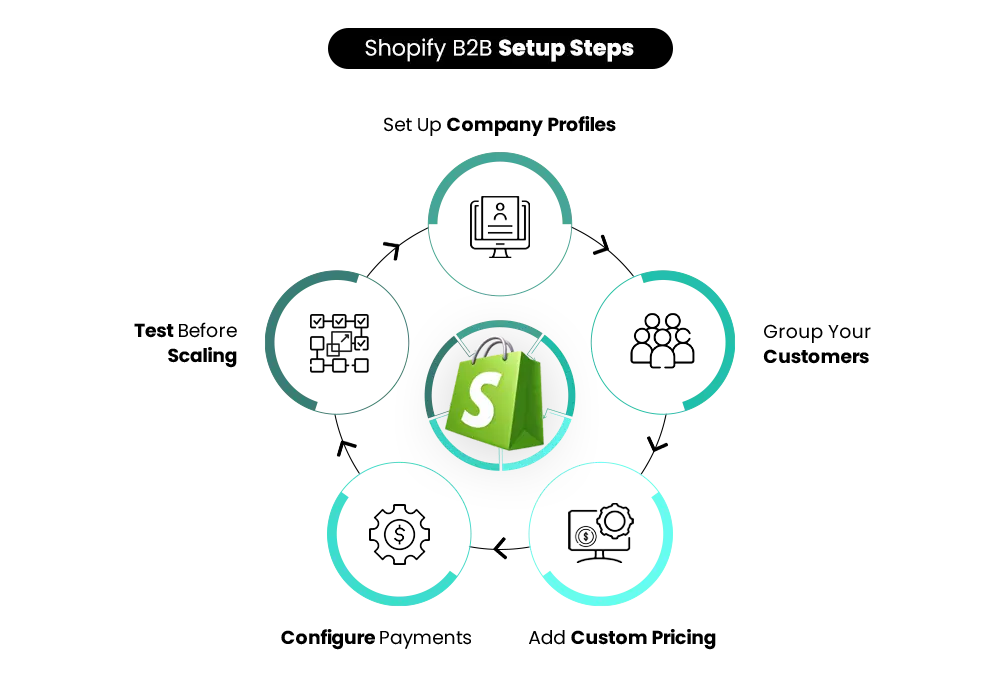
How to Set Up Shopify B2B on Your Store
Getting your Shopify B2B operations running doesn’t require complex technical work on standard plans.
Here’s the practical sequence:
Enable Shopify B2B via Markets
In your Shopify admin, go to Settings → Markets and create a B2B market.
This separates your wholesale channel from your DTC experience within the same store, giving B2B buyers a dedicated environment.
Create Company Profiles
Go to Customers → Companies and add the businesses you’ll be selling wholesale to.
Set up user access, assign company team members, and add shipping locations for each business account.
Build Your Catalogs
Create up to 3 catalogs with product selections and pricing rules specific to your B2B buyers.
Assign each catalog to the appropriate B2B market and plan your buyer tiers carefully around the 3-active-catalog limit.
Configure Payment Terms
Set payment terms like Net 15, Net 30, or Net 60 based on your buyer relationships.
Enable vaulted payment cards if buyers want faster repeat ordering with saved payment methods.
Test the Full Buyer Experience
Log in as a test company account and complete the entire ordering process from start to finish.
- Browse the B2B catalog
- Add products to cart
- Apply purchase order numbers
- Select payment terms
- Complete checkout
Verify pricing accuracy and confirm the buyer portal works correctly before launch.
Migrate & Communicate With Existing Buyers
If you’re moving buyers from manual ordering processes, spreadsheets, or another wholesale platform, communicate the transition clearly.
Give buyers time to create accounts, understand the workflow, and adapt before fully switching over.
What Works Well — and Where Shopify B2B Setups Typically Fail
The most effective Shopify B2B implementations have a few things in common.
What Successful Shopify B2B Stores Do Well
- Start with simple pricing structures. The 3-catalog limit is easier to manage with clearly defined buyer groups like retailers and distributors.
- Create frictionless B2B checkout experiences. Modern B2B buyers expect checkout flows that feel as smooth as consumer ecommerce.
- Use Shopify Flow automations early. Automating approvals, reminders, and notifications reduces manual operational overhead immediately.
Where Shopify B2B Setups Usually Fail
Many merchants try to replicate every feature of a legacy wholesale platform immediately.
- Overcomplicated approval workflows requiring custom development
- Too many buyer tiers for the available catalog structure
- Adding unnecessary third-party apps that recreate data fragmentation
- Building complexity before operational scale actually requires it
Start with Shopify B2B’s native capabilities first. Add complexity only when your actual buyer relationships and order volume genuinely require it.
The Broader B2B Ecommerce Shift — Why This Update Makes Sense Now
The April 2026 Shopify B2B expansion isn’t a random product decision. It reflects where the market has clearly arrived.
Self-Serve Purchasing Preference
61% of B2B buyers prefer purchasing without sales representative involvement.
Millennial B2B Buyers
Millennials now make up 73% of all B2B buyers and expect consumer-grade digital experiences.
Opening Shopify B2B to all plans is Shopify recognizing that mid-market merchants shouldn’t have to choose between a $2,300/month platform upgrade and managing wholesale through spreadsheets.
Who Should Use Shopify B2B on Standard Plans?
✅ Shopify B2B on Standard Plans Is a Good Fit If:
- You’re launching a wholesale channel alongside an existing DTC operation
- Your buyer types can be organized into 3 segments or fewer
- Your payment workflow uses standard net terms like Net 15, Net 30, or Net 60
- You want to move wholesale buyers away from manual processes like spreadsheet pricing and email orders
- You want native B2B functionality without a major platform investment
❌ Standard Shopify B2B May Not Be Enough If:
- You manage more than 3 buyer categories with separate pricing structures
- You need unique catalogs assigned directly to specific companies or locations
- Your wholesale workflow depends on deposits or installment-based payments
- You’re operating across multiple international B2B markets with different pricing structures
- You need advanced checkout customization based on customer type or market
When to Upgrade to Shopify Plus for B2B
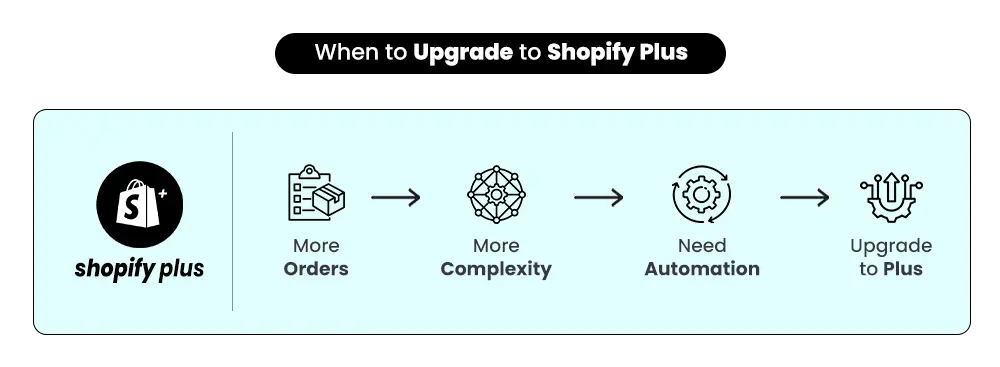
Upgrading to Shopify Plus for Shopify B2B makes financial and operational sense when your wholesale operations have outgrown what standard plans can accommodate — but not before.
Clear Signs It’s Time to Upgrade
- You’ve consistently hit the 3-catalog limit and are creating workarounds
- Wholesale buyers need deposit or installment payment options
- You require company-level pricing rather than broad market-level pricing
- You’re expanding into multiple international B2B markets with independent pricing structures
- Your team spends significant time managing manual wholesale operations
Upgrading too early often means paying $2,300/month for enterprise capabilities your operations don’t yet require.
If you’re evaluating whether Shopify Plus makes sense financially for your B2B operations, read:
How Shopify Plus Works — and Who Actually Needs It
Need Help Setting Up Shopify B2B the Right Way?
From B2B store configuration and catalog setup to payment terms, automation, and scalable wholesale workflows — Mastroke helps businesses launch and grow Shopify B2B operations with the right strategy from day one.
Integration Considerations as Your Shopify B2B Operations Scale
As your Shopify B2B volume grows, the operational complexity around it grows as well.
Inventory Coordination
Inventory accuracy becomes increasingly important when large wholesale orders draw from the same stock pool as retail customers.
Financial Reporting
Managing net payment terms alongside instant DTC transactions creates more complex accounting and reconciliation workflows.
Fulfillment Operations
Coordinating wholesale and retail fulfillment from shared inventory requires tighter operational synchronization.
This is often the point where ERP integration becomes the next logical step for growing Shopify B2B businesses.
When manually syncing Shopify, accounting systems, and warehouse operations starts causing delays or errors, ERP integration becomes less of an optimization and more of an operational necessity.
For more on scaling operations with ERP systems, read:
Shopify Plus ERP Integration Guide (2026): What Works, What Fails, and How to Get It Right
Conclusion — What This Means for Your Business
The April 2, 2026 Shopify B2B update is a genuine commercial shift.
Native wholesale functionality is no longer an enterprise-tier feature. Every paid Shopify plan now includes the core tools needed to run a real B2B operation.
For businesses currently managing wholesale manually — through spreadsheets, email pricing, or disconnected systems — this is a strong opportunity to move into a centralized native workflow.
A Basic Shopify plan at $39/month now includes company accounts, custom catalogs, net payment terms, and a native B2B checkout experience — without requiring additional apps or enterprise pricing.
The limitations on standard Shopify B2B plans are real and worth understanding clearly before building your wholesale setup around them.
But for most businesses launching or expanding wholesale operations, those limitations are not the immediate constraint.
Need Help Setting Up Shopify B2B?
At Mastroke, we help businesses configure, migrate, and scale Shopify B2B operations — from initial setup through to advanced Shopify Plus workflows built for growth.
FAQs
1. When did Shopify add B2B to all plans?
Shopify officially expanded native Shopify B2B features to Basic, Grow, and Advanced plans on April 2, 2026. Before this update, B2B functionality like company accounts, catalogs, and payment terms was only available on Shopify Plus.
2. Is Shopify B2B available without Shopify Plus?
Yes, Shopify B2B is now available on all paid Shopify plans. Merchants on Basic, Grow, and Advanced can access company profiles, custom catalogs, payment terms, and B2B checkout without upgrading to Shopify Plus.
3. How many B2B catalogs can I create without Shopify Plus?
Shopify B2B on standard plans allows up to 3 active catalogs across B2B markets. Businesses needing unlimited catalogs or highly customized company-level pricing may eventually require Shopify Plus.
4. Can I run both B2B and DTC on the same Shopify store?
Yes, Shopify allows businesses to manage both wholesale and direct-to-consumer sales from the same store, inventory system, and admin dashboard while providing separate pricing and buying experiences for each customer type.
5. Does Shopify B2B support payment terms?
Yes, Shopify B2B supports Net 15, Net 30, and Net 60 payment terms on all plans. Buyers can also use vaulted payment cards and ACH payments where available.
6. Can I offer deposits or partial payments on Shopify B2B?
Deposit requirements and partial payment workflows are currently available only on Shopify Plus. Standard Shopify plans support regular net payment terms but not advanced payment configurations.
7. Do I need technical expertise to set up Shopify B2B?
Most merchants can set up basic Shopify B2B functionality directly from Shopify admin without development support. More advanced workflows, ERP integrations, or custom B2B operations may require technical assistance.
8. What is the main difference between Shopify B2B on standard plans and Shopify Plus?
Standard Shopify plans provide core B2B functionality, while Shopify Plus offers more scalability and flexibility through unlimited catalogs, advanced checkout customization, company-level pricing assignments, and deeper automation capabilities.
Scale Your Wholesale Business With Shopify B2B & Shopify Plus
Whether you’re launching wholesale for the first time or upgrading complex B2B operations, Mastroke helps brands build scalable Shopify B2B systems with optimized workflows, custom pricing structures, and enterprise-ready solutions.