This blog post explains why most Shopify landing pages fail to convert visitors into customers despite having traffic. It provides a comprehensive guide on how to optimize landing pages by addressing specific conversion barriers and implementing strategic improvements.
Traffic is the easy part. Getting a visitor to act on a page they’ve never seen, from a brand they don’t know — that’s where most landing pages fail.
According to Shopify’s own research, the average ecommerce bounce rate sits between 36% and 47%. That means nearly half of every visitor your ads are paying for leaves without taking a single action. The problem isn’t the traffic. It’s what happens to it when it lands.
Most landing pages are built to look good. Not to reduce hesitation, answer the right questions at the right moment, or make deciding feel easier than leaving. That’s a page problem — and it’s fixable. These 12 fixes address the specific reasons visitors bounce, in the order you should tackle them.
What Is Shopify Landing Page Optimization?
Shopify landing page optimization is the process of making it easier for a visitor to take action — not just making the page look better.
Most merchants think optimization means redesigning the layout or adding more content. It doesn’t. It means removing every point of friction standing between a visitor and a decision.
That includes:
- Whether your value is communicated clearly.
- How logically your page is structured.
- Whether trust is built quickly.
- How obvious the next step feels.
Fix those four things — and your Shopify conversion rate improves. Leave them unaddressed — and no amount of ecommerce traffic or paid ads traffic will change the numbers.
The Three Questions Every Visitor Is Silently Asking
When someone lands on your page, they’re not reading it linearly. They’re scanning for answers to three questions — and they’re doing it fast:
What is this, and is it for me?
Can I trust this brand?
What happens when I click?
If the page doesn’t answer all three — quickly and in that order — the visit ends there. Value gets communicated too late. Trust signals appear where no one’s looking. The next step feels unclear or risky. Visitors don’t tell you when something feels off. They just leave, and your bounce rate quietly grows while the page looks fine. Every fix below addresses one or more of these three questions.
Also Read – 10 Shopify Performance Optimization Strategies (That Improve Speed & Conversions)
Shopify Landing Page Optimization: Quick Summary Of What Actually Improves Conversions
Before diving into the strategies, here’s a quick snapshot of what separates a page that converts from one that doesn’t.
Use this as a quick audit. Go through each row and honestly place your current page in one of the two columns. Where you land in the left column — that’s your starting point.
Shopify Landing Page Optimization: 12 Proven Strategies That Actually Improve Conversions
Every problem identified above has a fix. These strategies go in order — start from the top, work your way down. Don’t jump ahead.
1. Limit the First Screen to One Message and One Action Only
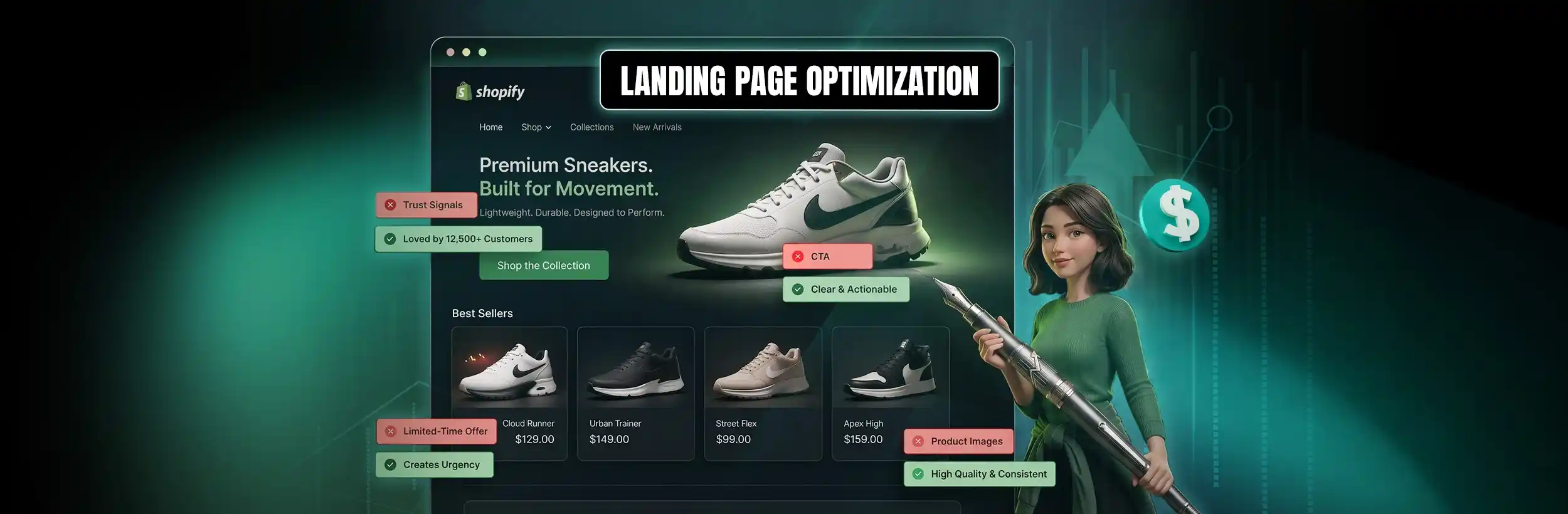
Your hero section is a first screen moment — the only real chance to tell a visitor whether they’re in the right place. Everything a visitor sees before they scroll needs to do one job: make them want to keep going.
Here’s what belongs there:
- Headline — one line that says what the product does and who it’s for. “Skincare for Sensitive Skin That Clears in 7 Days” works. “Welcome to Glow Studio” doesn’t.
- Subheading — one supporting line that adds context or removes the biggest doubt upfront. Keep it under 15 words.
- One CTA button — not “Shop Now.” Something like “Get My Kit” or “Start My Trial” where the visitor knows exactly what happens when they click.
Remove from the first screen: navigation menu, announcement bar, secondary links, social icons. On a landing page, navigation is an exit route — it takes visitors away from the one action you need them to take.
Shopify lets you create a separate template without header navigation for landing pages. If you’re building from scratch, page builders like GemPages, PageFly, or Shogun make removing navigation a single toggle in their templates.
Here’s a quick test: Cover your logo. Can a stranger figure out what you sell, who it’s for, and what to do next almost immediately? If not, your first screen is probably your first conversion problem.
2. Rewrite Headlines to Answer “What Do I Get?”
Your headline decides whether a visitor continues or leaves. If it tells them what the product is, they pause to figure out whether it’s relevant. If it tells them what they get, they move. The difference in practice:
- “Premium Skincare Range” → makes the user think
- “Reduce Dry Skin in 7 Days Without Harsh Chemicals” → removes that step
Use a simple structure: result + who it’s for + optional timeframe. “Clear Acne in 10 Days for Oily Skin” — the value is clear without effort. Keep it to one line. If the outcome isn’t obvious within one read, hesitation starts — and that’s where most drop-offs begin.
3. Keep Every Section Pointed at the Same Outcome
Every section on your landing page should push the same result the visitor came for. If sections start talking about different things — brand history, general features, tangential benefits — users slow down and start doubting.
Say your page is selling “reduce hair fall in 14 days.” Scroll through and check:
- Product section → shows how it reduces hair fall
- Images → show actual usage or results
- Reviews → mention reduced hair fall specifically, not packaging or delivery
- FAQs → address doubts around results, timelines, or safety
Any section not contributing to that single outcome is creating noise. Remove it or rewrite it to support the same result. Equally, don’t repeat content across sections — if the benefit has already been stated, stating it again in different words doesn’t reinforce it, it dilutes attention.
When every section builds toward the same conclusion, users don’t have to connect dots across the page. They understand faster and move forward.
Good traffic. Low sales. Your page needs fixing.
Mastroke finds exactly where your page loses buyers and fixes it. So the traffic you’re already getting starts turning into actual sales.
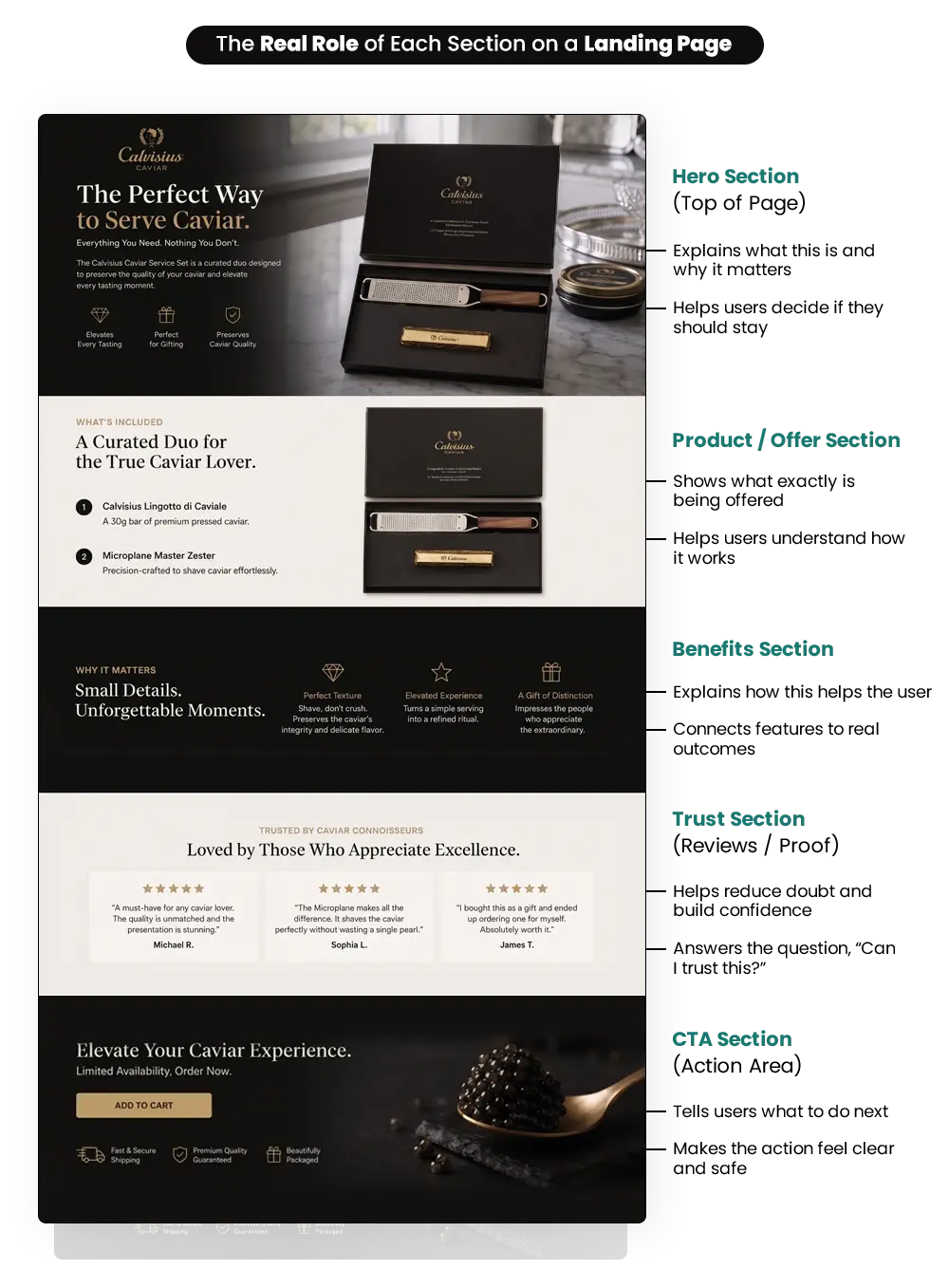
4. Arrange Your Sections Around How Users Actually Decide
Users move through a landing page in a fixed decision sequence. If your sections don’t match that sequence, they encounter key information too late and leave early. The right order:
If any of these appear out of sequence, users miss them entirely. Structure follows decision logic — not visual balance.
5. Show One Choice at Each Step — Not All Choices at Once
When a visitor hits your page, they’re trying to make one decision: should I buy this? Every extra decision you give them before that one is answered slows the whole process down.
Three CTA buttons on the first screen — Buy Now, Add to Cart, View Details — force the visitor to choose between actions before they’ve even understood the product. All size and colour variants shown upfront start a comparison process before a purchase decision has been made. Price buried after multiple sections means users are scrolling just to figure out whether it fits their budget.
Nothing on the page is broken. But the path isn’t clear.
Fix it specifically:
- One CTA on the first screen. Let variant selection happen after the click.
- Price visible without scrolling — at or near the primary CTA.
- No competing actions within the same visual zone.
When the next step is obvious, users don’t stop to deliberate.
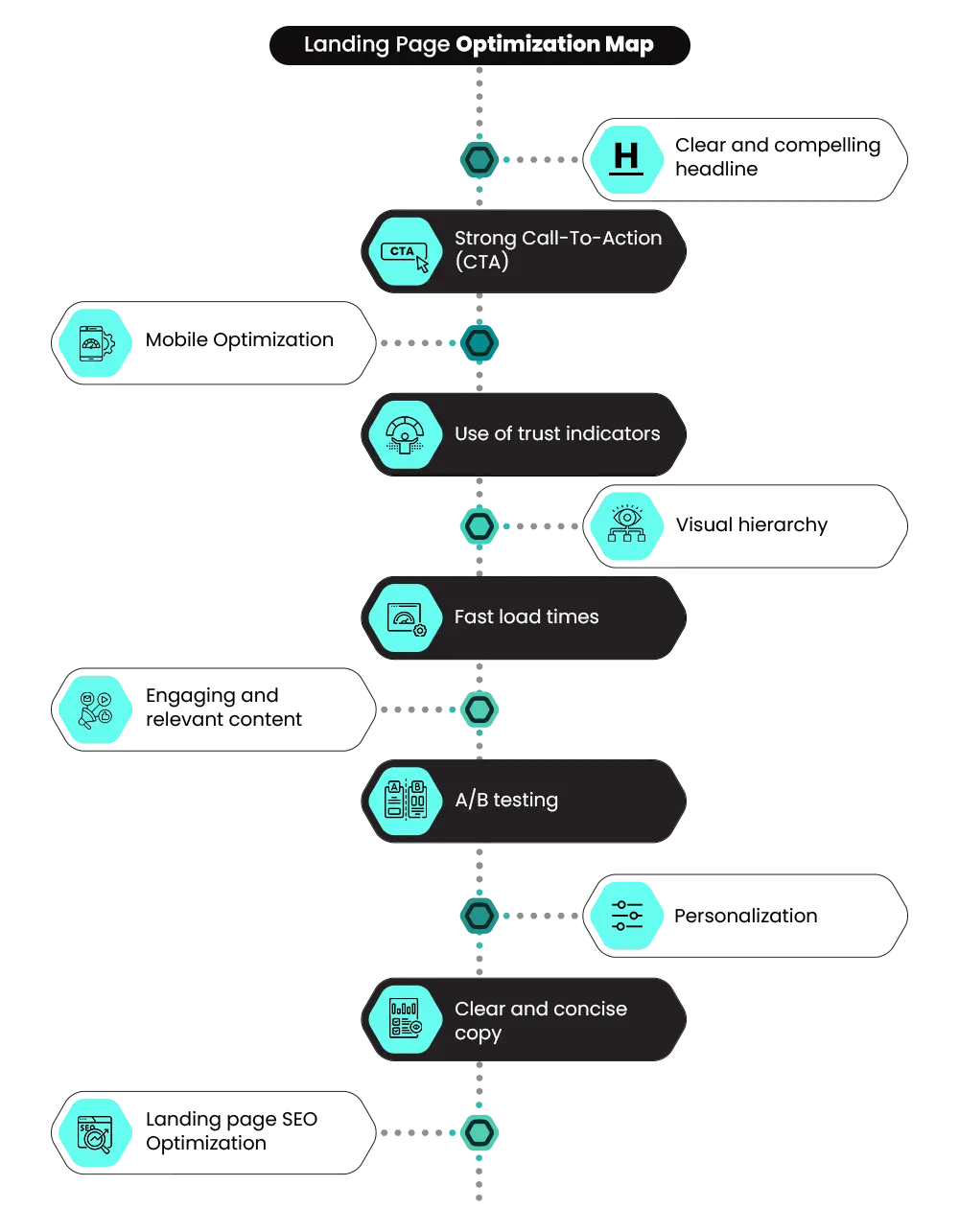
6. Repeat the Same CTA at the Points Where Decisions Actually Happen
After reading a strong benefit, a user’s natural next move is to act on it. If there’s no CTA nearby, they scroll looking for one — and that scroll costs momentum.
Place the same CTA (not different versions — the same one) at three positions:
- First screen — to capture visitors who arrive ready
- Below your strongest benefit or proof section — to capture visitors who have just become convinced
- Before the policies section — to capture visitors who’ve removed their final doubt
Not different buttons. Not different actions. The same next step is repeated, where the decision happens. When users don’t have to search for what to do next, they act immediately.
7. Place Proof Directly Beside the Claim It’s Supporting
Users don’t trust claims on their own. The moment a benefit is read — “reduces hair fall in 14 days” — the immediate next thought is: has this worked for someone else?
What most pages do: state the claim in one section, group all reviews at the bottom. The user has to scroll, search, and manually connect the two. Most don’t bother — and that’s where trust breaks.
What to do instead: Place a relevant review or result directly below the claim it supports. If a section says “results in 14 days,” the proof immediately beneath it should come from a customer who says exactly that. Generic reviews (“great product!”) don’t work here — the proof needs to match the specific benefit being claimed.
When claim and proof appear together, the user doesn’t need to verify anything separately. The decision moves forward.
8. Show Policies and Pricing Where Buyers Are Looking
Happy Returns and the National Retail Federation (2025) research found that 81% of consumers read return policies before making a purchase. Shoppers also commonly drop off when they don’t trust the site with their payment information.
Both of these are information problems. And both are solved not by adding new trust signals, but by placing existing information where buyers are actually looking.
Before placing an order, a buyer wants to know: Can I return this? When will it arrive? Who do I contact if something’s wrong? On most Shopify landing pages, those answers sit in a footer link, a separate policy page, or a menu no one clicks when they’re mid-decision. Fix it specifically:
- Return terms: displayed near the product, not the footer
When these answers are on the page rather than somewhere else, the decision to buy stops competing with the fear of getting it wrong.
9. Make Your Product Images Consistent Across the Page
Users judge a page before reading a single word. If your product images look like they came from different sources — one white background, one lifestyle shot, one that resembles a marketplace listing — the product feels unreliable.
Mixed lighting, different framing, different visual styles: this is how supplier images look. It signals the product isn’t unique to your store. What to fix:
- Same background across all product images (white or consistent lifestyle setting)
- Same framing — product appearing in the same position and proportion every time
- One or two real-use images that show the product being used in context, styled consistently with the rest
When all visuals follow one style, the page feels controlled. The product feels owned. Strong visual consistency improves perceived quality before the user reads a single claim.
10. Replace Generic CTAs With Outcome-Based Copy
“Buy Now,” “Shop Now,” and “Add to Cart” all describe the action. They don’t tell the user what they’re getting.
“Get Clear Skin in 7 Days” closes the loop — the outcome is already in the button. The user doesn’t have to project forward to imagine the result, because the CTA carries it.
Your CTA should not need surrounding text to explain what happens. It should carry the intent and the result together. If the product solves a problem, say it in the button. If it delivers a specific result, make that result the action. When the button itself answers “what do I get?”, the decision feels immediate.
📌Related Video
11. Use a Heatmap to Find the Exact Point Where Visitors Stop
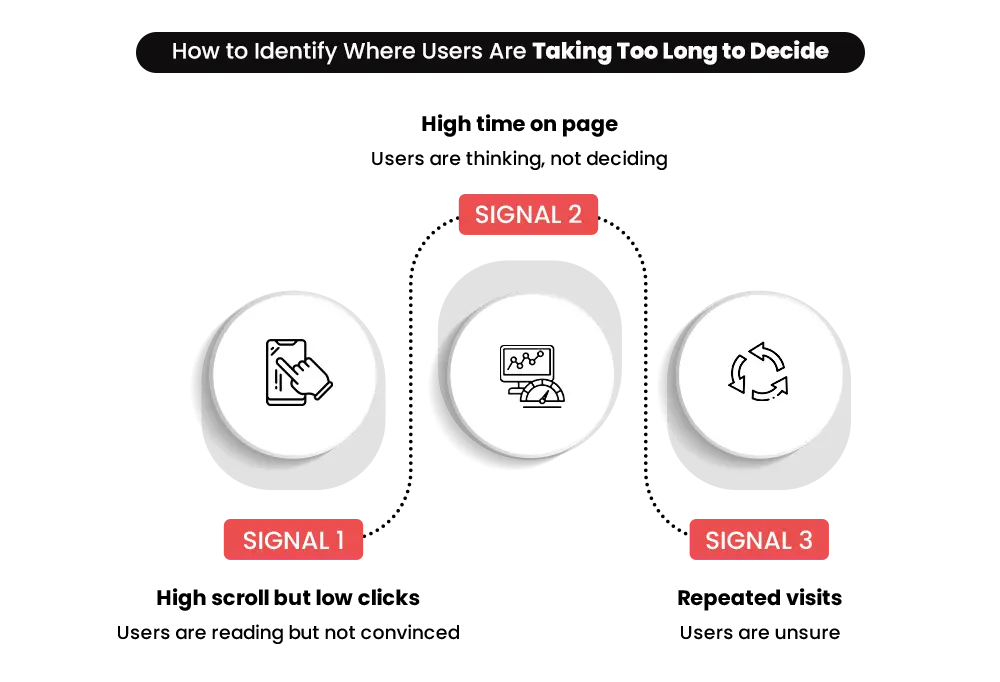
Every fix above is based on common patterns. But your store has a specific drop-off point — a particular element where your visitors consistently stop, pause, or leave. Generic fixes won’t find it. Behavioral data will.
Install Microsoft Clarity — it’s free, integrates directly with Shopify, and shows scroll maps, click heatmaps, and session recordings. Hotjar offers similar functionality. How to use it on your landing page:
- Watch five session recordings of visitors who didn’t convert
- Note where they stop scrolling — that’s often where friction or drop-off begins
- Look for repeated clicks, taps, or hesitation around specific elements — those usually signal confusion or unclear messaging
- Fix that one specific issue before changing anything else
A heatmap turns a guessing exercise into a precision fix.
12. Fix Speed and Mobile Layout — Both Affect Every Strategy Above
A headline that takes four seconds to appear isn’t being read. A CTA above the fold that loads last doesn’t convert. Every fix on this list becomes ineffective the moment the page is slow or the layout breaks on a small screen.
The most common culprits on Shopify landing pages: uncompressed product images, third-party app scripts loading on pages where they serve no purpose, and themes built for desktop that were never properly adapted for mobile.
What to check:
- Run your landing page URL through Google PageSpeed Insights — the Opportunities section names exactly what’s slowing it down
- Target a Largest Contentful Paint (LCP) under 2.5 seconds — Google’s Core Web Vitals threshold
- On mobile, check four things: headline readable without pinching, CTA large enough to tap comfortably, offer and trust signal visible before the first scroll, forms auto-fill-friendly
For a deeper look at what’s slowing your Shopify store beyond landing page load time, the Shopify performance optimization guide covers the broader set of speed and experience issues worth addressing.
Final Thought – What Actually Improves Landing Page Conversions
Most merchants spend months adjusting ads, testing audiences, and changing creatives — while the landing page stays untouched. That’s where the real problem sits.
Your page is either making decisions easier or harder for every visitor who lands on it. There’s no middle ground. A headline that doesn’t answer the right question, a CTA that doesn’t tell the visitor what comes next — each one costs you more than it looks like individually.
None of this requires a full rebuild. It requires knowing exactly where the friction is and fixing it in the right order.
FAQ: Questions That Come Up When Your Page Isn’t Converting
If users are visiting but not acting, something is breaking in between. These questions help uncover where that break usually happens.
1. Why are visitors leaving my landing page without clicking anything?
This usually happens when the page doesn’t make the value clear fast enough. Visitors try to understand what they’re getting within seconds. If that isn’t obvious, they don’t explore further. They leave without interacting, even if the product is relevant. Early confusion around value, use, or outcome is one of the biggest reasons for silent drop-offs.
2. How do I know if my landing page has too much content or too little?
If users scroll through multiple sections but don’t take action, the page likely has too much noise or distraction. If they leave without scrolling, the page may lack clarity or trust signals early on. The right balance depends on how quickly a visitor can understand the product, trust it, and feel ready to move forward.
3. How do I know what is actually causing drop-offs on my landing page?
Drop-offs show where users leave, but they don’t explain why. To understand the cause, you need to look at behavior—how far users scroll, where they pause, and what they interact with. These signals reveal where decisions slow down or break. Identifying that exact point is key to making meaningful improvements.
4. Why does my landing page work for some users but not others?
Different users arrive with different intent, awareness levels, and expectations. If your page speaks clearly to one group, others may not find it relevant. This creates inconsistent results. When messaging, structure, or flow doesn’t match user intent, some users convert while others drop, even though they are seeing the same page.
5: How often should I update my landing page?
A: Any time your traffic source changes (new campaign, new audience), your page should be reviewed against that audience’s intent. Beyond that, after any significant product change, after running a sale that changed buyer expectations, or any time your bounce rate starts climbing without a traffic explanation. Use heatmap data to make changes based on what users actually do — not assumptions about what might work.
When the Issue Isn’t One Page — It’s the Whole Structure.
Some problems run deeper than a single page. If visitors are dropping off across multiple pages — not just one landing page — the issue isn’t the copy or the CTA.
It’s the structure underneath them. Navigation that creates detours. Product pages that don’t build toward a decision. A layout that was never built around how buyers actually move. A Shopify store redesign fixes the structure, not just the surface.
Not sure what's stopping your store from selling?
Most merchants fix the wrong things because they don’t know where the real problem is. Talk to Mastroke and get a clear picture of what’s hurting your sales and what to fix first.