📌 Key Takeaways
The ideas explored in this blog:
- What do product images fail to do on most Shopify stores?
They look complete, yet users still check descriptions or reviews to confirm basic details. The challenge isn’t adding more images—it’s deciding what those first few visuals should actually communicate. - How does variant selection quietly break buying flow?
Each selection forces users to re-check price, images, or availability. Keeping this smooth isn’t just about reducing reloads—it depends on how the interaction is structured across changes. - Why does the cart slow users down instead of moving them forward?
Right before checkout, users are asked to evaluate again through offers or extra inputs. The real question is what should stay in the cart—and what should be removed to keep momentum intact. - What makes mobile product pages harder to decide on?
Users scroll past images and spacing before reaching delivery or return details. What matters isn’t adding more content—it’s deciding what should appear early enough to support the decision. - Why do discounts and offers often reduce conversions?
Multiple offers create comparison instead of urgency. The issue isn’t whether to offer discounts—but how many, and how clearly they should be presented.
Your Shopify store might be asking customers to work too hard. And that’s exactly why, instead of buying, they’re leaving.
Not because they didn’t like the product or weren’t interested, but because getting to a decision felt like effort. Users pause and reconsider instead of moving forward. Where clarity is missing or trust takes time to build, users don’t move forward. This is where User Experience starts to affect outcomes.
It is not just about design. It is about how easily someone can move from interest to decision without confusion. Poor Shopify website usability and underlying Shopify user experience issues increase hesitation. According to reports, nearly 70% of carts are abandoned due to poor user experience. Improving Shopify UX is about reducing effort and making decisions easier.
In this blog, we’ll break down where this effort shows up, how it affects decisions, and what you can change to make your store easier to buy from.
The Real Problem — Your Store and Your Users Don’t Think the Same Way
Most Shopify stores are built around how the business sees the product, not how users move toward a decision. That gap is where User Experience starts to weaken. A user moves through your store in three stages, and each stage comes with a different expectation.
- Understanding Stage – At this point, the user is trying to figure out what your store offers and whether it is relevant. If this is not clear quickly, they don’t explore further.
- Evaluation Stage – Here, the user assesses whether the product is worth considering. For example, if a product page lists features but does not explain outcomes, the user is left uncertain. This shows clear gaps in how the product page supports decisions
- Decision Stage – In such cases the user is close to buying but still needs confidence. If checkout introduces friction like unclear delivery timelines, hesitation increases, often leading to Shopify checkout issues.
If a Shopify store user experience aligns with how users think, decisions feel easier. But if it doesn’t, then users are left figuring things out on their own. Next, let’s look at where your store starts to feel off from a user’s perspective.
Where Your Shopify Store Feels “Off” to a User (Even If It Looks Fine)
The gap between what your store shows and what users expect to understand appears in small moments across the journey. And it’s here, between the expectation and reality, that the common shopify ux mistakes start to appear.
Moment 1: Landing feels unclear
When a user arrives, the page may look polished, but the purpose is not immediately clear. A fashion store might display multiple collections upfront without explaining what makes it different, leaving the user unsure where to begin.
Moment 2: Browsing feels effortful
As users explore further, navigation starts to slow them down. Categories may exist, but they don’t match how people think, totally going against Shopify navigation best practices.
Moment 3: Product page feels incomplete
At this stage, hesitation becomes visible. Information is present, but it does not answer key questions, directly pointing to a lack of Shopify product description optimization. In many cases, features are listed, but details like usage, fit, or delivery expectations are harder to locate.
Moment 4: Checkout feels risky
Closer to purchase, small uncertainties appear. Unexpected costs or unclear return policies can make the process feel uncertain enough to stop, making it difficult to reduce cart abandonment on Shopify.
Users don’t analyze these moments step by step. They simply sense that the User Experience requires more effort than expected. If you’re exploring how store structure influences performance beyond UX, there’s a detailed breakdown you can continue with – The Ultimate Guide to Shopify Store Setup and Optimization (Start from Scratch)
What ‘Good Shopify UX’ Actually Looks Like (Beyond Design)
A store does not improve just because it looks better. It improves when users can move forward without needing to figure things out. That’s what strong shopify ux best practices and shopify ux improvements do. It reduces hesitation points and supports decisions at the right moment.
Many Shopify stores focus on layout and visuals, assuming that it will improve conversions. The real shift happens when the journey matches how users decide, not how aesthetical it looks. You can look at this through a simple lens.
At each step, the experience should answer what the user is already thinking.
- Can they understand what the product offers without spending time exploring?
- Can they trust it without searching across multiple sections?
- And when they are ready, can they complete the purchase without friction?
If these questions are not answered quickly, users start compensating. They revisit sections, compare alternatives, or delay the decision instead of moving forward. The difference becomes clearer when you compare common patterns:
| Area | What Disrupts Decisions | What Supports Decisions |
| Homepage | Requires effort to understand | Sets context immediately |
| Navigation | Expands choices unnecessarily | Helps narrow down options |
| Product Page | Leaves gaps in key information | Resolves concerns in the right order |
| Checkout | Raises last-minute questions | Feels expected and consistent |
| Speed< | Breaks interaction flow | Keeps actions responsive |
A store doesn’t convert better because it has more. It converts better when users don’t have to work as hard to reach a decision. Next, we’ll break down where that extra effort shows up and how to remove it in a practical way using Shopify UX optimization tips.
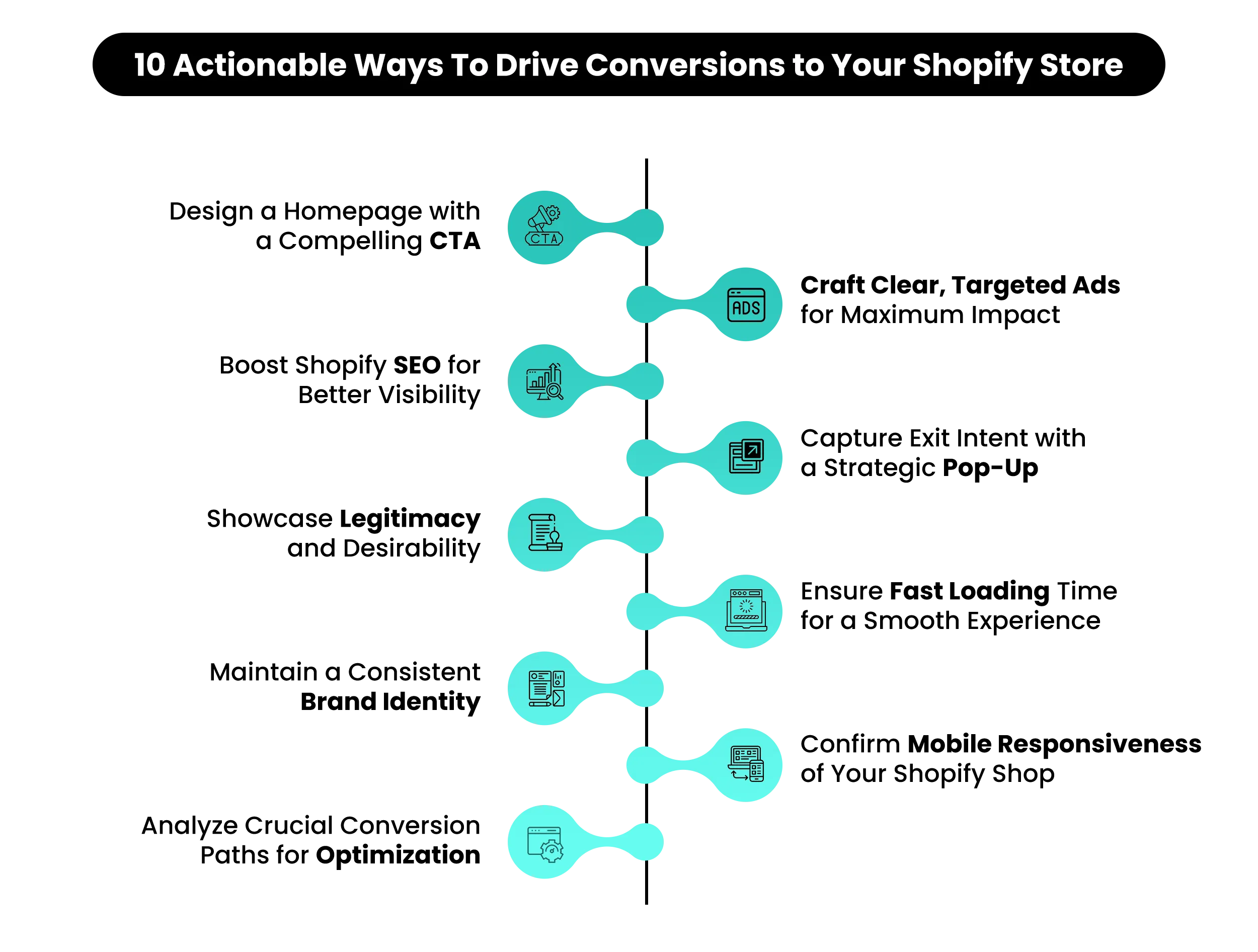
10 Practical Shopify UX Strategies (That Actually Improve Conversions)
A user doesn’t decide in one step. They move forward, pause, reconsider, and sometimes stop without a clear reason. Those pauses are not random. They come from small moments where your Shopify store stops making things easy, which often leads to Shopify conversion problems.
This section focuses on those moments.
1. Product Images Are Showing the Product, Not Explaining It
Problem: Images look clean, but don’t reduce uncertainty. Most Shopify product pages use high-quality images, but they don’t answer basic questions. Users still wonder how big the product is, how it fits, or how it’s used.
As a result, they move to the description or reviews to confirm things that images could have made clear immediately. This is a common issue in Shopify product image optimization.
Strategy: Product images should do more than display the item. The first few visuals should help users understand usage, scale, and outcome without reading. For example, showing the product in a real-life context, close-ups of key features, or before/after results reduces the need to search elsewhere. When images answer questions early, users rely less on text and move faster toward a decision.
2. Variant Selection Breaks Flow More Than You Think
Problem: Selecting variants interrupts the experience. On many Shopify stores, choosing a size or color reloads images or shifts the layout. Price updates, availability changes, and small jumps in layout force users to re-check what they selected. This breaks continuity.
Users take time to confirm and come back instead of continuing. This is one of the overlooked Shopify UX issues that affects interaction flow.
Strategy: Keep variant interaction stable and predictable. Variant changes should feel smooth and consistent. The layout should stay stable, and key elements like price and Add to Cart should remain in place.
When selection feels effortless, users don’t second-check every step. They stay focused on completing the purchase instead of verifying each choice.
3. Cart Page Makes Customer Pause Instead of Progress
Problem: The cart introduces new decisions at the wrong time. Many Shopify carts add upsells, discount fields, shipping estimators, or notes. Instead of moving forward, users are asked to evaluate again. This slows momentum right before checkout, where the goal should be completion, not reconsideration.
Strategy: Let the cart confirm, not complicate. The cart should feel like a quick checkpoint. It should reassure users that everything is correct, not introduce new choices. Such issues are directly tied to Shopify cart abandonment fixes and help reduce cart abandonment on Shopify.
Keeping the cart simple—showing products, totals, and a clear checkout button—helps users move forward without distraction. Remember, a simplified cart improves Shopify checkout UX and supports smoother decision flow.
4. Mobile Product Page Is Forcing Too Much Scrolling
Problem: Key details are pushed below long sections. On many Shopify product pages, mobile users see a long image carousel first, followed by spacing, then description, and only later details like delivery, returns, or reviews.
By the time users reach these, they’ve already scrolled a lot just to confirm basic things. This delays confidence and increases drop-offs, especially on mobile, where attention is shorter.
Strategy: Bring decision-making elements above the scroll-heavy sections. Details like delivery timelines, return policies, ratings, and key benefits should appear early, not after long descriptions or multiple images.
This doesn’t mean removing content, but changing its order using Shopify theme customization or product page blocks. Improving this helps increase your Shopify store’s mobile conversion rate and overall usability.
5. Microcopy Is Missing Where Users Usually Hesitate
Problem: Buttons don’t answer small but important questions. “Add to Cart” or “Buy Now” buttons often appear without any supporting context. Users may still wonder about delivery, returns, or payment safety. These small doubts don’t always stop users immediately, but they slow down the decision.
Strategy: Use small text to reduce hesitation at key points. Adding short lines near CTAs—like delivery timelines, return policies, or guarantees—can remove uncertainty without adding clutter. This works because it answers questions at the exact moment they arise.
Users don’t need to search elsewhere, which keeps the decision moving. It will support better Shopify CTA optimization and align with Shopify call-to-action tips.
6. Discounts Create More Confusion Than Urgency
Problem: Multiple offers compete for attention. Popups, banners, and discount codes often overlap. Users are unsure which offer applies or whether they are getting the best deal. Instead of creating urgency, this creates confusion.
Strategy: Keep offers simple and easy to understand. One clear offer works better than multiple competing ones. Suppose users immediately understand what they’re getting, they don’t go back to compare or verify. Clarity increases action more than urgency alone.
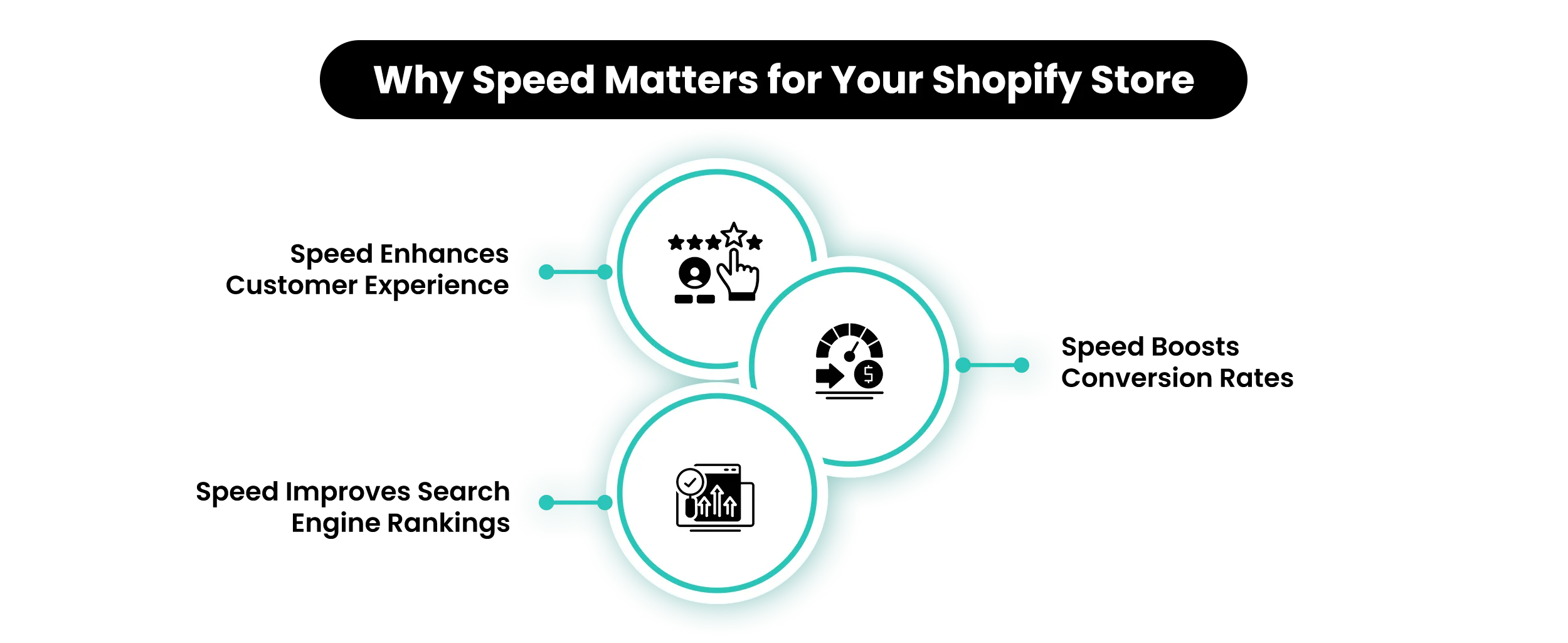
7. Loading Delays Break Decision Flow
Problem: Small delays during actions slow users down. On many Shopify stores, actions like selecting a variant, applying a filter, or adding to cart take a moment to update.
Images reload, prices change with a delay, or the cart takes time to open. These delays may seem minor, but they interrupt the flow. Users pause to check if the action worked, which slows the decision.
Strategy: Make every action feel immediate and responsive. When someone selects a size, applies a filter, or clicks “Add to Cart,” the response should feel instant. This can be improved by reducing heavy apps, optimizing images, and avoiding scripts that delay updates.
In a nutshell, if actions feel smooth and immediate, users don’t stop to recheck, and the journey continues without interruption.
8. Reviews Are There, But They Don’t Help Users Decide
Problem: Reviews exist, but don’t answer real questions. You have reviews, but they are long, generic, or hard to scan. Users go through them but still don’t get clear answers about fit, quality, or usage. This is a common gap in Shopify trust signals.
Strategy: Make reviews easier to understand quickly. Highlight key points like size, quality, and real usage. Use summaries or filters so users can find relevant feedback faster. When reviews answer specific questions, they improve buying confidence.
9. Product Pages With Too Much Space Between Important Details Break the Buying Journey
Problem: Users lose track while scrolling. On many Shopify product pages, there is too much spacing between sections—images, description, reviews, and policies are spread out. Such layouts create friction in the Shopify product page ux. Users scroll a lot, but key details don’t stay connected. They forget what they saw earlier and have to scroll back to confirm.
Strategy: Optimize Shopify product pages by keeping related information closer together. Important details like product benefits, price, delivery, and trust signals should appear close to each other.
Where users don’t have to scroll up and down to connect information, the page feels easier to understand, and decisions happen faster.
10. Shipping Costs Appear Too Late Leading To Customers Reconsidering
Problem: The final price changes at the last step. Shipping is added only at the final step, so users move through the product page and cart without knowing the full amount. If the total increases at checkout, they pause and reconsider, which generally leads to a high Shopify Cart abandonment rate.
Strategy: Reduce the gap between the expected and the final price. Users don’t react to how shipping is calculated; they react when they see it. However, for third-party carrier deliveries in Shopify, the exact shipping cost is calculated only at checkout based on location and order details.
This means users often see the final price later than expected. So the issue is not accuracy, it’s visibility. In cases where the users understand the cost earlier, the final price feels expected.
Bring your vision to life with Mastroke, an official Shopify Partner. We design and develop high-converting, scalable Shopify stores with clean structure and future-ready features—built to grow with your business.Improve your Shopify store UX with Mastroke
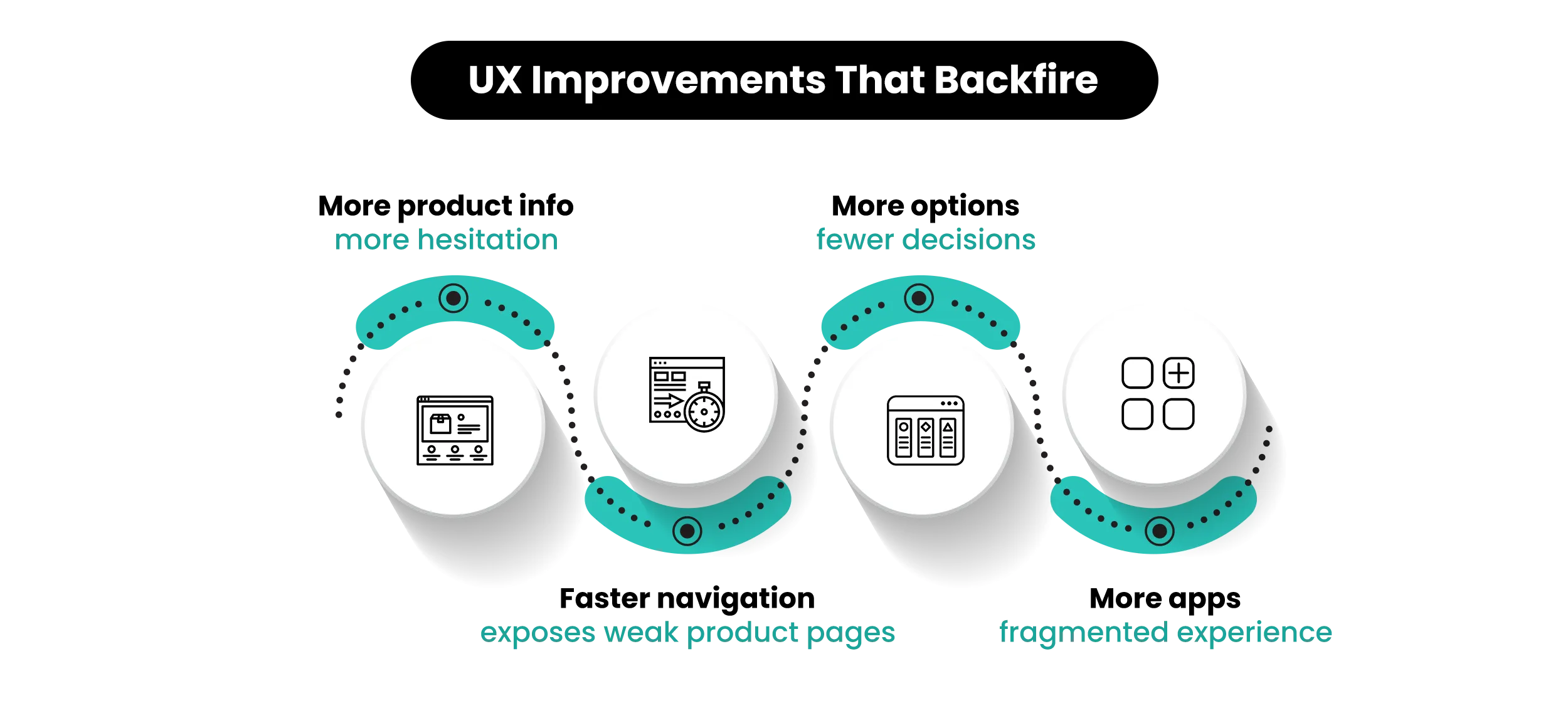
Why Some UX Fixes Might Improve One Metric but Hurt Another
Improving one part of your Shopify store might change how users behave in the next step. When one stage becomes easier, users tend to move forward faster, which can put more pressure on what comes after.
- Faster navigation — brings users to product pages quicker, but exposes weak product content faster, increasing drop-offs.
- More information — answers questions, but adds cognitive load that slows buying decisions.
- Fewer options — simplifies selection, but can reduce confidence if the choice feels limited.
- Surface-level fixes — don’t remove friction, they shift it further down the funnel.
- Early improvements — can move hesitation forward, making users drop off closer to checkout.
- Real optimization — improves how users move through the entire journey, not just one part.
How to Actually Approach Shopify UX Improvements
Before making changes, it helps to understand where the journey is actually breaking using Shopify analytics for UX.
1. Start with Where Users Drop Off (Not Where You Think the Problem Is)
Instead of redesigning randomly, read what your Shopify data is already showing.
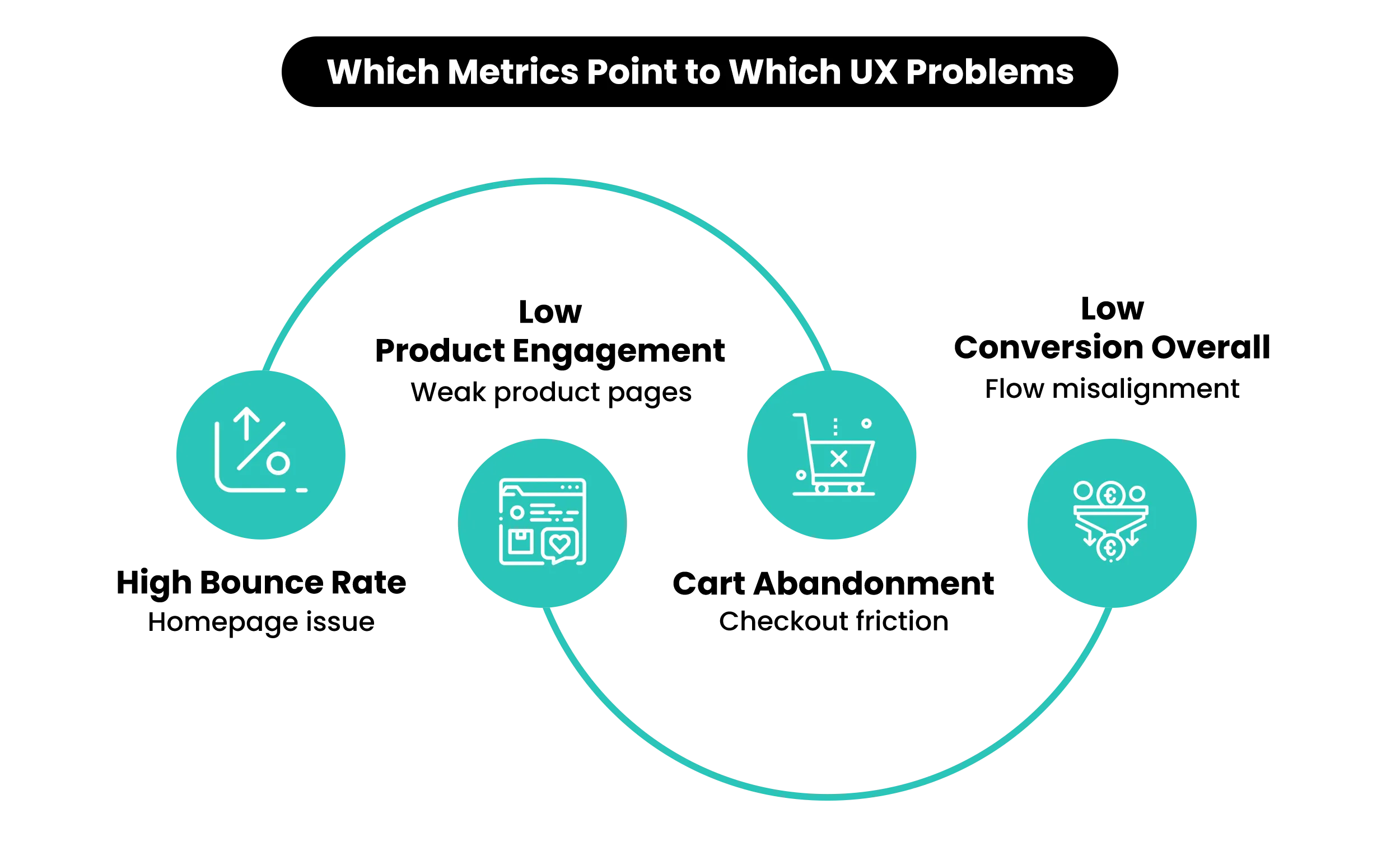
- A high bounce rate usually points to an unclear homepage.
- Cart abandonment highlights issues like shipping clarity or final cost.
Your store already shows you where UX is breaking. You just need to know how to read them correctly.
2. Fix the Highest-Impact Stage First
Not every problem needs to be fixed first. Focus on the step where users stop moving forward.
- If users are leaving from the homepage, the issue is usually in the first screen—headline, product clarity, or what the store is about.
- When users view products but don’t click “Add to Cart,” the gap is in product pages—missing delivery info, unclear pricing, or lack of trust signals near the CTA.
- If users add to cart but don’t check out, the issue is in the cart or checkout—unexpected shipping cost, extra steps, or no clear total.
Not all UX issues are equal. Some block the entire journey.
3. Avoid Layering Fixes Without Removing Friction
Wherever a functionality issue arises in the store, the usual response is to install an app—reviews, popups, urgency timers, bundles. Each one solves a small problem.
But together, they create a crowded interface. Multiple popups, sticky bars, and widgets compete for attention and interrupt the flow. Instead of solving friction, this shifts it into distraction. Every addition should make the purchase smooth—not add new decisions.
4. Think in Flows, Not Pages
A Shopify store is not a set of separate screens. It’s a sequence users move through.
Homepage → Collection → Product → Cart → Checkout
If the homepage feels premium but the product page feels cluttered, the experience breaks. In the same way, if product pages build interest but checkout introduces new doubts, momentum drops. If each page feels like a reset, your UX is disconnected.
Want to have look at how to setup a store (including pages) right from the start then read – The Ultimate Guide to Shopify Store Setup and Optimization (Start from Scratch)
📌 Key Video
>
>
When UX Problems Stop Being Visible (But Still Cost You Sales)
You’ve made improvements across your Shopify store. Pages are cleaner, information is present, and nothing feels obviously broken. Still, sales don’t increase in the same way.
What’s actually happening
The issue here is not that users don’t understand your store. The problem is that they are delaying decisions.
A user opens a product, scrolls through images, checks the price, then opens another product to compare. After that, they may come back, scroll again, and then leave. This behavior shows the store is not helping them decide on one go. They feel the need to re-check before acting.
Where do UX problems show up inside a Shopify store ?
This doesn’t appear in one place; it shows up across small moments in the journey.
- While browsing collections, users keep opening different products instead of choosing one.
- Inside product pages, they move up and down to confirm details like pricing or delivery.
- During selection, even small changes like choosing a variant make them pause and check again.
After adding an item, attention shifts to the cart to confirm if the action worked. Closer to checkout, uncertainty increases when the final cost is not clear early enough.
Why are UX issues difficult to notice in a Shopify Store ?
These actions don’t look like clear problems in analytics. Users are active, sessions look normal, and pages are being viewed. What’s missing is the final step—users are not moving from checking to deciding.
What actually needs to change ?
The focus here is not on adding more content or features. It is reducing the need to re-check.
- Details like delivery or pricing stay visible, users don’t scroll back.
- If the cart clearly confirms actions, they don’t need to verify again.
- When the total cost feels expected, hesitation near checkout reduces.
- Removing these small pauses helps users move forward without second-guessing.
The moral of the story is that improving UX is less about changing elements and more about understanding how decisions are happening across the store.
Also Read – Why Shopify Stores Fail After Launch: 16 Reasons Your Store Isn’t Getting Sales
Final Note
Your store might not be missing anything—but it may still be asking users to work harder than they should before deciding. The complexity doesn’t sit in one place. It appears across the journey, which is why continuous UX optimization is important.
The real issue isn’t a lack of information. It’s misalignment with how users actually make decisions.And that’s not always easy to spot. The signals are subtle and spread out. If your store feels fine but still isn’t converting, the problem usually runs deeper than design.
That’s usually where Mastroke comes in—with a structured UX audit that connects these patterns to what your store is actually showing. Sometimes, this leads to small structural fixes. Other times, it reveals the need for a more considered redesign once the gaps are clear.
Launch faster with Mastroke, an official Shopify Partner. We build structured stores with conversion-first design, clean setup, and features built to scale!!Build Your Shopify Store From Scratch With Mastroke
FAQ – Questions on Where Shopify Conversions Break
These questions reflect the common challenges merchants struggle with UX issues and conversions.
Q1. Why is my Shopify store getting traffic but not converting?
Traffic means users are reaching your store, but something in the journey is slowing down decisions. This usually shows up when users browse products, compare options, or leave before taking action. The focus should be on identifying where they pause—homepage, product page, or checkout—and improving that step.
Q2. How do I know if my Shopify user experience is actually bad?
If users visit multiple pages but don’t take the next step—like adding to cart or moving to checkout—the issue is in how the store guides decisions. The store works, but it makes users think too much before acting.
Q3. What is the most important part of Shopify UX to fix first?
Start with the stage where users stop moving forward. If they leave early, the homepage needs clarity. In case they don’t add to the cart, then product pages need better support. On the other hand if they abandon later, the issue sits in the cart or checkout.
Q4. Why do users abandon checkout even after adding products to the cart?
At this stage, users are close to buying, so even small uncertainties matter. Unexpected shipping costs, unclear delivery timelines, or missing trust signals can make them pause and leave.
Q5. What should a high-converting Shopify product page always include?
A product page should help users decide without searching. Clear pricing, delivery details, returns, product use, and visible trust signals should be easy to find without scrolling back and forth.