Mastroke Blogs

WooCommerce to Shopify Migration Blog Banner Image

Woocommerce to Shopify Migration: The Ultimate Checklist for Merchants

Quick AI Summary AI Generated

This blog post explains why WooCommerce stores eventually hit performance and maintenance limitations as they grow, and how migrating to Shopify can solve these issues. It presents the case for migration by highlighting the operational burden of managing WooCommerce's plugins, hosting, and infrastructure versus Shopify's managed platform approach.

Every WooCommerce store hits a wall at some point. Maybe your store slows down during sales events and you spend Black Friday refreshing your server monitor instead of watching orders come in. Maybe a plugin update breaks your checkout — again.

Maybe your developer bills keep climbing just to keep things running and you’re starting to wonder:

“Is this platform working for me — or am I working for it?”

These aren’t random problems. They’re signs that WooCommerce has reached its limit for your business at its current stage of growth.

+7%

Conversion Increase

Research shows that a 1-second improvement in page load speed can increase conversions by up to 7%.

53%

Mobile Users Leave

53% of mobile users abandon pages that take longer than 3 seconds to load.

$378B

Annual GMV

Shopify now processes $378 billion in annual GMV, making it one of the largest commerce infrastructures globally.

For WooCommerce stores dependent on hosting quality and plugin performance for speed, every traffic spike becomes a gamble.

Shopify was built differently.

  • Hosting, security, and updates are handled automatically
  • Checkout is optimized and battle-tested at scale
  • Infrastructure is designed for high-growth ecommerce businesses
  • Performance stays stable during traffic spikes and sales events

This guide walks you through the complete WooCommerce to Shopify migration process:

  • What to do before you touch anything
  • How to migrate products, customers, and orders safely
  • How to protect your SEO rankings during migration
  • The mistakes that cost merchants traffic and revenue
  • How to launch Shopify without downtime or checkout issues
WooCommerce to Shopify Migration

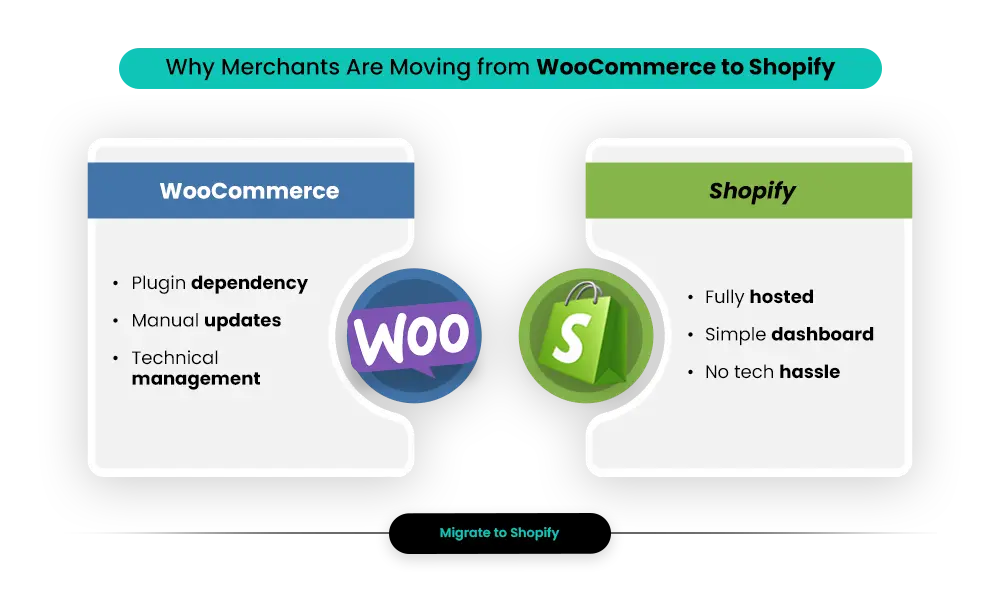
Why Merchants Are Moving from WooCommerce to Shopify

Nowadays, the pattern is consistent.

A merchant starts on WooCommerce because it’s free and flexible. Then the plugins start piling up — SEO plugins, security tools, shipping integrations, review systems, checkout customizations, backup tools, performance optimizers.

30+

Average Plugins Per WooCommerce Store

According to StudioWombat’s 2026 WooCommerce report, the average WooCommerce store runs on around 30 plugins.

Each plugin becomes a dependency. Each update becomes a risk. And every plugin conflict becomes another debugging session.

As the business grows, the maintenance overhead grows with it.

What started as a “free platform” slowly becomes a full-time operational burden — where the team spends more time maintaining the store than growing the business.

Planning a WooCommerce to Shopify Migration?


Mastroke helps brands migrate from WooCommerce to Shopify without losing SEO rankings, customer data, or store performance. From redirects and integrations to theme setup and post-launch support, we handle the migration properly from start to finish.
Talk to Shopify Migration Experts

Why WooCommerce Merchants Migrate to Shopify

1. Server & Hosting Management

WooCommerce runs entirely on your hosting infrastructure.

Traffic spikes, server scaling, PHP compatibility, database optimization, caching layers, backups, SSL certificates, and security patches all become your responsibility.

Shopify handles infrastructure, hosting, performance optimization, and security automatically at the platform level.

2. Plugin Conflicts & Maintenance Tax

Every WooCommerce plugin is built and maintained by a separate developer operating on a different update schedule.

When plugins conflict, stores break — often during the worst possible moment.

  • Checkout failures
  • Broken payment gateways
  • Theme conflicts
  • Database errors
  • Slow admin performance

Shopify replaces much of this complexity with native features and a curated ecosystem of over 8,000 apps.

3. Performance During Traffic Spikes

WooCommerce stores often require manual scaling before major campaigns or high-traffic events.

Merchants frequently spend Black Friday monitoring servers instead of managing growth opportunities.

Shopify Handles Scale Automatically

Shopify’s infrastructure handles Black Friday traffic the same way it handles a normal Tuesday — without manual intervention.

4. Checkout Conversion Performance

Shopify’s checkout is one of the most extensively optimized checkout systems in ecommerce.

15–17%

Higher Mobile Conversion

Independent analysis shows Shopify checkout can improve mobile conversion rates by 15–17% compared to WooCommerce equivalents.

Shop Pay Advantage

Shop Pay accelerated checkout provides additional conversion lift for returning customers with stored payment details.

What Migration Data Shows

92%

Migration Satisfaction

92% of merchants report satisfaction after migrating away from WooCommerce.

60.8%

Choose Shopify

Shopify is the destination platform for 60.8% of WooCommerce migrations.

20–30%

Operational Savings

Merchants typically reduce operational overhead by 20–30% after moving to Shopify’s managed infrastructure.

Signs It’s Time to Migrate to Shopify

If any of these describe your current WooCommerce experience, migration has moved from “eventually” to “now”.

  • Your store consistently loads in more than 3 seconds on mobile
  • A plugin update broke something in the last six months and required developer intervention
  • You dread Black Friday or major launches because your hosting can’t reliably handle traffic spikes
  • Your team spends meaningful time every month on maintenance instead of growth
  • You’ve experienced a security issue or are uncertain about your current security posture
  • Adding channels like wholesale, international selling, or social commerce has become operationally difficult
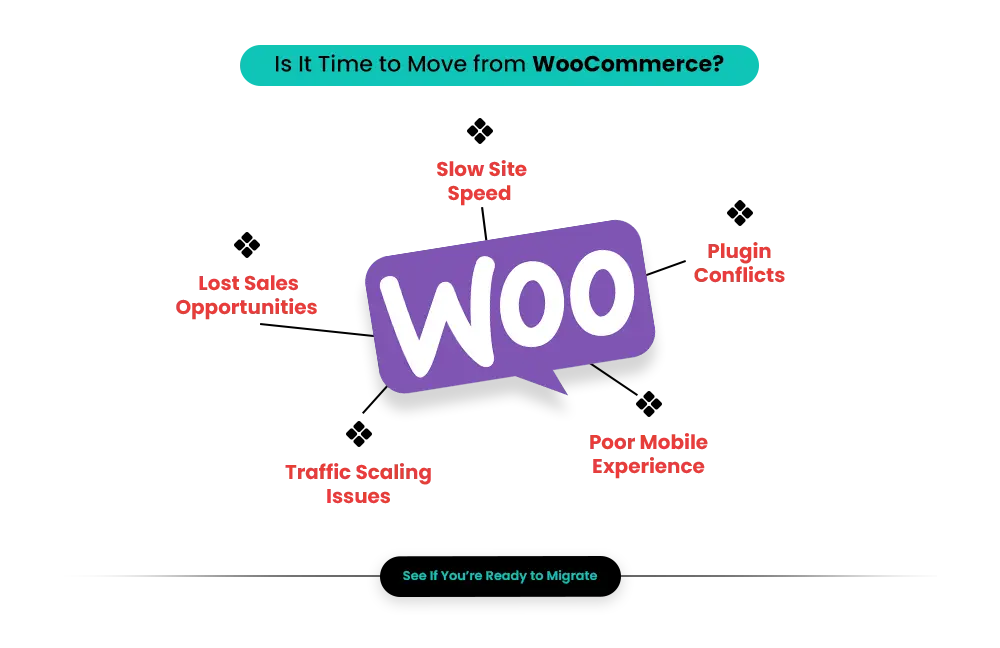
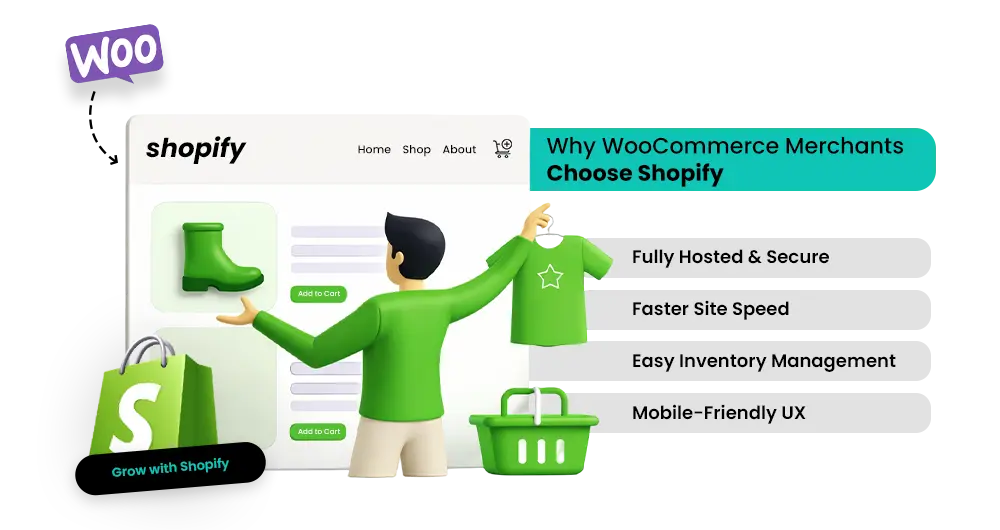
Signs It’s Time to Migrate to Shopify

Pre-Migration Checklist: What to Do Before You Touch Anything

Preparation separates a migration that protects your rankings, data, and revenue from one that creates months of cleanup work. Complete these steps before any data moves.

✅ Back up your entire WooCommerce store

  • Export everything — products, orders, customer records, media files, and database.
  • Keep it somewhere separate from your live environment — this is your safety net.

✅ Crawl your entire site and document every URL

  • Use Screaming Frog, Ahrefs, or your Google Search Console sitemap to get a complete list of every indexed URL.
  • WooCommerce product URLs use /product/item-name/. Shopify forces /products/item-name/.
  • Every single URL needs a 301 redirect. Do not start migration without this document.

✅ Record all SEO metadata

  • Export your meta titles, meta descriptions, and image alt text from WooCommerce.
  • These do not transfer automatically and rebuilding them after migration is time-consuming.

✅ Audit your current WooCommerce plugins

  • List every active plugin and identify its Shopify equivalent.
  • Many WooCommerce plugins for caching, security, and sitemaps are handled natively by Shopify.

✅ Choose your Shopify plan

Basic
$39/mo
Grow
$105/mo
Advanced
$399/mo
Plus
$2,300/mo

Select based on your traffic volume, feature requirements, and whether you need B2B functionality. You can upgrade later.

✅ Set up a Shopify staging store

  • Build and test everything in a staging environment before touching your live domain.
  • This protects your customers and your revenue during the transition.

✅ Plan your customer communication

  • Customer passwords cannot be migrated from WooCommerce to Shopify for security reasons.
  • All customers will need to reset their passwords on the new store.
  • Plan your launch communication with a clear password reset process and explanation.

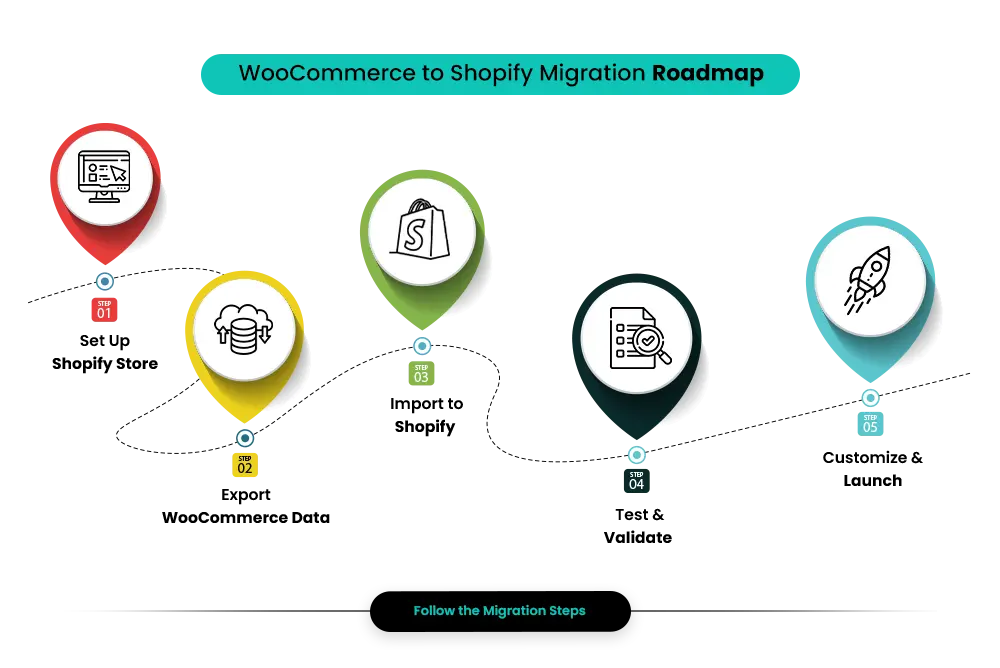
Step-by-Step WooCommerce to Shopify Migration

STEP 1

Set Up Your Shopify Store

Create your Shopify account and select your plan. Choose a theme, configure payment gateways, shipping zones, and tax settings before any data moves.

If your store relies on Shopify Payments, confirm it’s available in your country before committing.

STEP 2

Export Your WooCommerce Data

Export products, customer records, and order history using CSV files or plugins like WP All Export.

Use this migration as an opportunity to clean your catalog, remove discontinued products, and standardize naming conventions.

STEP 3

Import Data into Shopify

Shopify’s Store Importer app works well for smaller stores, while tools like LitExtension or Cart2Cart handle larger migrations.

Important: Historical orders will appear as archived records, and customer passwords cannot be migrated.

STEP 4

Validate and Test Everything

Before launch, verify products, pricing, checkout flow, shipping rules, taxes, emails, and mobile responsiveness. Always place real test orders before going live.

STEP 5

Set Up 301 Redirects and Go Live

Upload your complete redirect map before switching domains.

  • Submit your new sitemap to Google Search Console
  • Monitor crawl errors and organic rankings
  • Track traffic carefully during the first 4–6 weeks
  • Audit redirects immediately if rankings don’t stabilize

WooCommerce to Shopify for Better Performance

Protecting Your SEO During Migration

The Core SEO Risk

WooCommerce product URLs use:

/product/item-name/

Shopify strictly uses:

/products/item-name/

This structure is not configurable. That means nearly every product and collection URL changes during migration.

Why “Just Add 301 Redirects” Isn’t Enough

APPWRK’s 2026 migration research found that stores can still lose 20–35% of organic traffic even after implementing redirects — because of missing image alt text, broken internal links, lost review schema, and crawl inefficiencies caused by Shopify URL changes.

SEO Task What to Do Why It Matters
Map every URL before migration Create a spreadsheet mapping every old WooCommerce URL to its new Shopify URL. Include products, collections, blog posts, and static pages. Every unmapped URL becomes a 404 error that hurts rankings and user trust.
Implement 301 redirects Upload your redirect map before switching domains using Shopify’s native redirect tool or a redirect app. Redirects transfer SEO authority from old URLs to new ones.
Transfer SEO metadata Recreate meta titles, descriptions, image alt text, and schema markup manually inside Shopify. Missing metadata directly affects rankings and click-through rates.
Submit new sitemap Submit your Shopify XML sitemap inside Google Search Console immediately after launch. Helps Google index your new URLs faster.
Audit internal links Update blog posts and navigation links to point toward new Shopify URLs instead of old WooCommerce links. Broken internal links waste crawl budget and damage UX.
Monitor performance for 4–6 weeks Track rankings, crawl errors, indexing, and organic traffic weekly after launch. Helps catch SEO issues before they become long-term ranking problems.

Important Migration Reality

A temporary ranking fluctuation during the first few weeks after migration is normal. What matters is whether rankings stabilize after proper redirects, sitemap submission, and crawl corrections are completed.

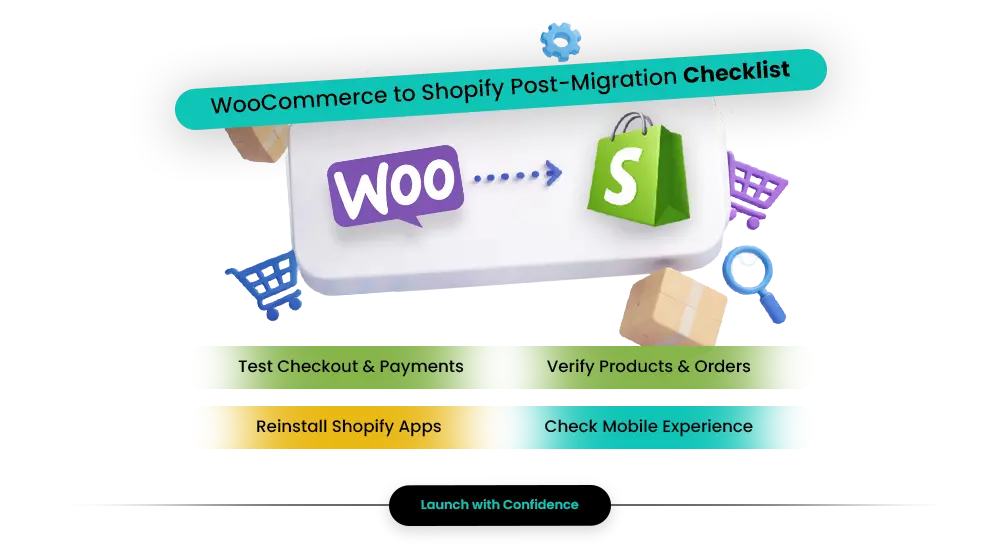
WooCommerce to Shopify Post-Migration Checklist

  1. Post-Migration Checklist

    Data transfer is not the end of the migration. What happens after go-live determines whether the switch delivers the performance improvement you migrated for.

    ✅ Run a Complete Store Test

    Place a real test order through your full checkout flow and verify every customer-facing step works correctly.

    ✅ Verify Migrated Data

    • Spot-check products, variants, pricing, and images
    • Verify inventory levels and customer records
    • Confirm past orders appear correctly

    ✅ Reconnect Integrations

    Reconnect and individually test every external system:

    • Email marketing platforms
    • ERP systems
    • Accounting software
    • Fulfillment partners

    ✅ Check Mobile Experience Across Devices

    Test your store on both iPhone and Android devices through the complete purchase journey — homepage, collection pages, product pages, cart, and checkout.

    ✅ Communicate With Your Customers

    Email your customer list about the new store launch, explain the password reset process clearly, and highlight improvements customers will notice immediately.

    ✅ Monitor Your Speed Score

    Run PageSpeed Insights within the first week after launch and resolve any performance issues before they impact conversion rates or SEO.

    Pair this with a structured Shopify CRO audit to catch conversion gaps early before they cost you revenue on the new store.

    Common Migration Mistakes — and How to Avoid Them

    Common Mistake What Actually Happens The Fix
    Skipping the URL crawl before migration Products and pages become 404 errors before redirects go live, damaging SEO rankings. Crawl your site with Screaming Frog or export your Search Console sitemap before migration starts.
    Treating migration as data transfer only Organic traffic drops because metadata, schema, and internal links were not migrated correctly. Audit SEO separately from product data migration.
    Rushing the go-live date Customers discover broken checkout flows and missing products during live traffic. Test everything in staging before launch — delays are cheaper than broken sales.
    Forgetting customer password reset communication Customers cannot log in, increasing support requests immediately after launch. Prepare customer emails and reset instructions before go-live.
    Replicating WooCommerce’s plugin stack Store performance suffers and maintenance overhead returns. Audit plugins first — many WooCommerce tools are replaced by native Shopify functionality.
    Using theme migration tools WooCommerce themes do not translate properly into Shopify’s Liquid architecture. Choose a Shopify theme and customize it to match your branding instead.

    Which Migration Method Is Right for Your Store?

    Manual CSV Import

    Right for: stores with fewer than 100 simple products and minimal SEO traffic.

    What it misses: order history, redirects, and complex variant structures.

    Cost: your time. Simple migrations take days; complicated ones can take weeks.

    Automated Migration Tools

    Right for: stores with hundreds or thousands of products and meaningful SEO traffic.

    Tools: LitExtension, Cart2Cart, and similar migration platforms.

    Cost: typically $100–$500+ depending on store size and complexity.

    Shopify Expert or Agency

    Right for: stores with complex integrations, heavy SEO dependence, or revenue-sensitive operations.

    What it covers: data migration, SEO preservation, integrations, testing, launch support, and post-launch monitoring.

    Cost: freelancers typically charge $75–$200+/hour, while agencies work on project-based pricing.

    Realistic Migration Timelines in 2026

    Store Size No. of Products Realistic Timeline
    Small Under 500 1–2 weeks
    Medium 500–5,000 2–4 weeks
    Large / Complex 5,000+ or custom functionality 4–12 weeks

    WooCommerce to Shopify Migration RoadmapExperts

    What Changes — and What You Gain

    ✅ What You Gain

    • Managed infrastructure — no more servers, hosting bills, or database optimization
    • Consistent performance under traffic spikes without manual scaling
    • Built-in PCI-DSS compliance and SSL — not your problem to configure
    • 8,000+ App Store integrations with Shopify’s performance standards applied
    • One-page checkout and Shop Pay optimized for conversion at global scale
    • 20–30% reduction in operational overhead on average, freeing your team to focus on growth

    ⚠️ What Changes

    • Unlimited checkout customization requires Shopify Plus
    • URL structure is fixed — you cannot control whether URLs say /products/ or /product/
    • Deep WordPress/PHP customization is replaced by Shopify’s Liquid template language
    • Shopify Payments unavailability in some markets adds a permanent transaction fee on every sale

    When WooCommerce Remains the Better Choice

    • Your business is deeply content-led and WordPress editorial tools genuinely drive revenue
    • You have highly specialized backend logic requiring direct database access
    • You operate under strict data sovereignty requirements that mandate self-hosting
    • Your technical team wants to own and maintain the full stack as a competitive advantage

    For most merchants, none of those apply. WooCommerce’s complexity is overhead, not an asset. Businesses looking for consistent performance during traffic spikes without manual scaling often move to Shopify for its managed infrastructure and speed-focused ecosystem.

    Learn more about Shopify performance optimization strategies that improve speed and conversions.

    Advanced Tips: Maximizing Your Shopify Store After Migration

    TIP 01

    Start Lean With Apps

    Do not reinstall every WooCommerce function as a Shopify app immediately. Audit what you truly need first. More apps mean more scripts and slower performance.

    TIP 02

    Rebuild Your Best Blog Content

    Instead of redirecting high-performing WooCommerce blog posts, rebuild them natively inside Shopify with improved content while preserving publication dates.

    TIP 03

    Activate Multi-Channel Selling

    Connect Instagram, TikTok Shop, Google Shopping, Amazon, and other channels through Shopify’s native integrations after migration stabilizes.

    TIP 04

    Monitor Speed Weekly

    The first month after migration is when performance issues usually surface. Monitor PageSpeed Insights and Core Web Vitals weekly during this period.

    TIP 05

    Audit Your Integration Stack

    Migration is the perfect opportunity to evaluate your ERP, CRM, email marketing, and fulfillment tools and remove outdated systems.

    Conclusion

    Migrating from WooCommerce to Shopify is a strategic business decision — not just a technical migration. Done correctly, it removes the operational overhead limiting your performance, scalability, and growth potential. Done poorly, without proper SEO planning, redirect mapping, testing, and customer communication, it creates expensive recovery work that lasts for months.

    Migration Timeline Summary

    Small Stores
    1–2 weeks
    Mid-Sized Stores
    2–4 weeks
    Large / Complex
    4–12 weeks

    Planning a WooCommerce to Shopify Migration?

    Mastroke helps merchants migrate safely with SEO protection, theme development, integration setup, and post-launch support.

    Migrate to Shopify Without Losing SEO or Sales


    From URL redirects and SEO preservation to checkout setup and integration migration, Mastroke helps WooCommerce brands move to Shopify with a clean, scalable, and conversion-focused setup built for long-term growth.
    Start Your Shopify Migration

FAQs

1. How long does WooCommerce to Shopify migration take?

Migration timelines depend on your store size and complexity. Small stores with fewer than 500 products usually take 1–2 weeks. Medium stores with 500–5,000 products typically require 2–4 weeks. Large stores with complex integrations, heavy SEO traffic, or custom functionality can take 4–12 weeks. Most migration time goes into testing, SEO validation, and quality checks rather than the data transfer itself.

2. Will my SEO rankings drop after migrating to Shopify?

SEO rankings do not necessarily drop if the migration is handled correctly. The biggest SEO risk comes from URL changes, since WooCommerce uses /product/item-name/ while Shopify uses /products/item-name/. Every old URL requires a proper 301 redirect. Meta titles, descriptions, image alt text, schema markup, and internal links must also be preserved manually to avoid ranking losses.

3. What data cannot be migrated from WooCommerce to Shopify?

Customer passwords cannot be migrated due to security restrictions, so customers must reset their passwords after launch. WooCommerce themes also cannot transfer because Shopify uses a completely different templating system called Liquid. Historical orders can be imported, but they appear as archived records rather than active orders.

4. How much does WooCommerce to Shopify migration cost?

Costs vary depending on store size and migration method. Automated migration tools generally cost between $100–$500+, while freelance Shopify experts typically charge $75–$200+ per hour. Agency-led migrations cost more but include SEO protection, integrations, testing, and post-launch support. In most cases, fixing a poor migration costs significantly more than doing it correctly the first time.

5. Do WooCommerce themes work on Shopify?

No. WooCommerce themes are built on WordPress and PHP architecture, while Shopify uses its own Liquid framework. Themes are not transferable between the platforms. Most merchants choose a Shopify theme and customize it to match their branding while improving performance and mobile experience.

6. Can I migrate customer accounts and order history to Shopify?

Yes. Customer records and historical order data can be migrated to Shopify. Customers can still access previous orders inside their accounts after launch. However, passwords must be reset because they cannot be transferred securely between platforms.

7. Should I use a migration tool or hire a Shopify expert?

Automated migration tools are suitable for smaller stores with simple catalogs and limited SEO dependency. Stores with strong organic traffic, complex integrations, custom WooCommerce functionality, or high revenue dependency should consider hiring a Shopify migration expert or agency to reduce the risk of SEO loss, downtime, or checkout errors.

8. Why are 301 redirects so important during WooCommerce to Shopify migration?

Shopify forces a different URL structure than WooCommerce, meaning every product URL changes during migration. Without proper 301 redirects, old URLs become 404 errors and lose their accumulated SEO authority. Redirect mapping is one of the most critical technical steps in the entire migration process.


Don’t forget to share this post!

Enjoyed reading our blogs?

If you find our content informative & valuable and want to know more about our services.
Connect today!

    EXPLORE OUR BLOGS

    Our Top Blogs

    How to Fix a Low Google Ads Quality Score on Your Shopify Landing Pages?

    — May 11, 2026
    Read blog →

    Google Shopping Campaigns for Shopify: Structure, Bidding, and Feed Optimization

    — May 11, 2026
    Read blog →

    How to Use Customer Reviews in Your Marketing & Sales Content: 10 Ways to Maximize Their Impact for Your Shopify Store

    — May 07, 2026
    Read blog →

    How to Run a Shopify CRO Audit: The 7-Point Framework We Use with Every Client

    — May 07, 2026
    Read blog →

    Best Shopify Review Apps to Build Trust and Drive More Sales (Free + Paid)

    — May 04, 2026
    Read blog →

    How to Handle Negative Reviews on Shopify Without Losing Customers

    — May 01, 2026
    Read blog →

    This will close in 0 seconds

    This will close in 0 seconds

    Shopify Tips

    Your Shopify Store Might Be
    Underperforming

    Get your Store Score and uncover hidden issues affecting conversions, performance, and growth.

      This will close in 0 seconds