
Ecommerce growth doesn’t break systems gradually—it exposes limitations overnight. One moment, your website handles traffic smoothly; the next, a marketing campaign goes viral, and your platform struggles with speed, checkout failures, or integration breakdowns. This is where Shopify Plus migration becomes a strategic necessity.
Migrating to Shopify Plus is more than switching platforms—it builds a future-ready infrastructure for scale, automation, and global expansion. Shopify Plus stores handle over 10,978 peak checkouts per minute and support ₹65,000 crore+ in total sales, demonstrating its enterprise-level capacity.
A well-executed migration improves performance, reduces operational friction, enhances customer experience, and prepares your business for sustained growth. Without a clear roadmap, migration can affect SEO, data integrity, and UX.
This guide covers planning, timelines, challenges, best practices, and agency support.
What is Shopify Plus and Why Brands Are Migrating
Shopify Plus is Shopify’s enterprise-grade ecommerce platform designed for high-growth businesses handling large volumes of traffic and transactions. Unlike standard Shopify plans, Shopify Plus offers advanced customization, automation, and integration capabilities, making it ideal for enterprise-level operations.Shopify Plus is built for fast-growing D2C brands, B2B businesses, and enterprise retailers managing complex operations and high transaction volumes.
At its core, Shopify Plus allows brands to balance simplicity and flexibility. Through APIs, Shopify Scripts, and Shopify Flow, businesses can create highly customized workflows and checkout experiences without worrying about infrastructure maintenance.
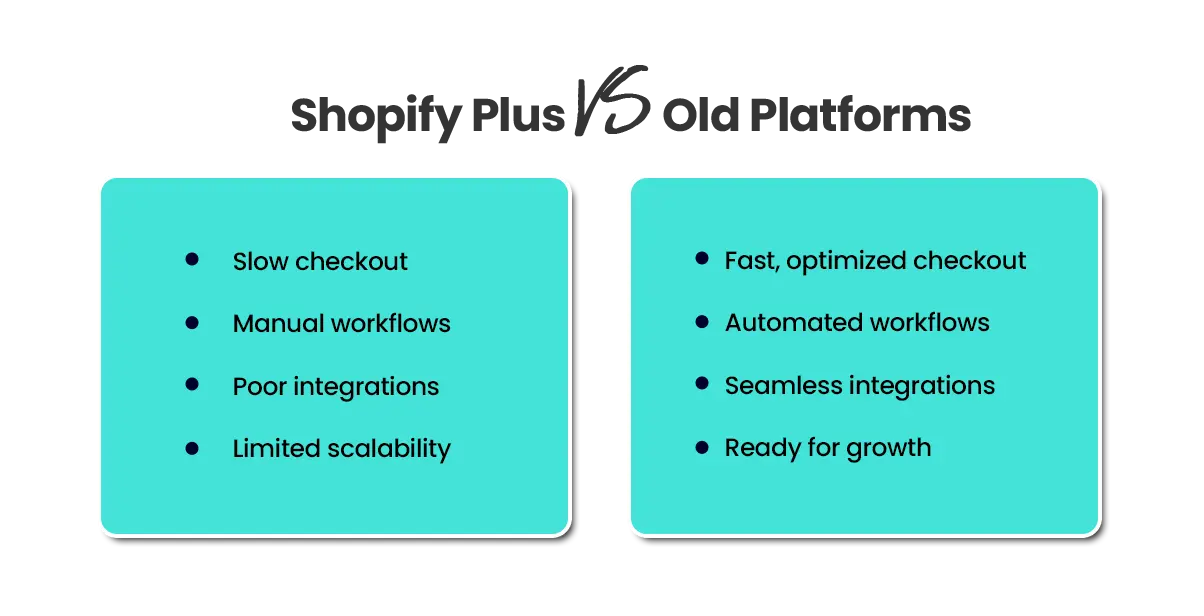
Brands are increasingly opting for Shopify Plus migration because it removes technical bottlenecks and enables growth in ways smaller platforms cannot. For example, Shopify Plus can handle flash sales, scale globally, integrate seamlessly with ERP or CRM systems, and reduce manual operational tasks.
For a deeper understanding of how Shopify Plus is evolving, read our blog on Shopify Plus in 2026: Key Trends, Features, and Growth Opportunities to explore the latest innovations shaping enterprise ecommerce.
Why Businesses Switch to Shopify Plus
Migrating to Shopify Plus offers several strategic benefits:
- Scalability for Traffic Spikes: Flash sales or viral campaigns are no longer risky events.
- Advanced Automation: Shopify Flow automates tasks like inventory updates, order notifications, and customer segmentation.
- Customizable Checkout: Shopify Scripts allow brands to offer unique discounts, shipping options, and loyalty rewards.
- Integration-Friendly: Connect your store with ERP, CRM, PIM, and marketing tools for seamless operations.
- Lower Operational Costs: Maintenance, updates, and infrastructure overhead are reduced.
Many brands have reported significant improvements in conversion rates and operational efficiency after migrating to Shopify Plus. For instance, a retailer experiencing frequent checkout errors on their legacy platform saw a 35% increase in successful transactions within the first month of migration.
Whether your business is considering a Magento to Shopify Plus migration or a Salesforce to Shopify Plus migration, Shopify Plus provides the speed, flexibility, and reliability that enterprise-level businesses require to grow.
When Should You Consider Shopify Plus Migration?
Knowing the right time to migrate is critical. Shopify Plus migration should not be approached as an afterthought; instead, it should be strategically timed to align with business growth and operational needs.
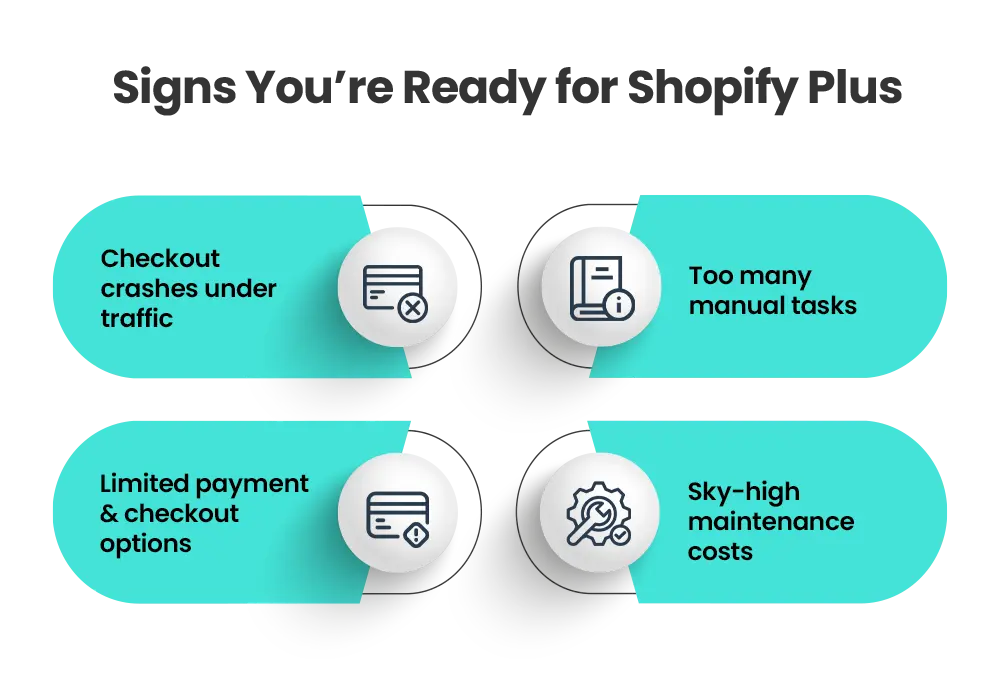
Signs You’re Ready to Migrate
- Frequent Downtime During Peak Events: If your current platform fails under high traffic, you’re risking sales.
- Complex Backend Operations: Manual processes that slow fulfillment, inventory, or +reporting indicate a need for automation.
- Limited Checkout Options: If your checkout process cannot support promotions, subscriptions, or complex workflows.
- High Development & Maintenance Costs: Spending too much on custom fixes is a warning sign.
- Poor Integrations with Modern Tools: Inability to connect ERP, CRM, or marketing tools limits scalability.
Additionally, businesses often consider Shopify Plus migration when entering new markets, launching new product lines, or preparing for global expansion. The platform’s multi-currency, multi-language, and international shipping capabilities make scaling overseas much simpler. Delaying migration when facing these issues can cost more than the migration itself, including lost revenue, inefficient operations, and potential reputational damage.
Benefits of Shopify Plus Migration
A Shopify Plus migration provides a combination of performance, operational, and strategic benefits.
Immediate Benefits
- Higher Conversion Rates: One of Shopify Plus’ standout features is its optimized checkout, which reduces cart abandonment.
- Improved Performance: High-speed infrastructure ensures smooth operations during peak traffic.
- Reduced Operational Friction: Automation through Shopify Flow eliminates repetitive manual tasks.
Long-Term Advantages
- Security & Compliance: Shopify Plus is PCI-compliant, offers advanced fraud protection, and secures customer data at scale.
Cost Efficiency: Over time, reduced infrastructure and maintenance costs free up resources for growth - initiatives.
- Global Expansion Support: Multi-currency, multi-language, and international shipping features simplify global sales.
- Better Scalability: Easily integrate new tools, apps, and systems without overhauling your platform.
Shopify Plus migration is more than a platform change—it is an investment in business growth and operational efficiency.
Build Your Shopify Store From Scratch With Mastroke
Launch faster with Mastroke, an official Shopify Partner. We build structured stores with conversion-first design, clean setup, and features built to scale!!
Pre-Migration Planning: Building a Strong Foundation
Every successful Shopify Plus migration starts with proper planning. Skipping this step often leads to delays, errors, or failed execution, especially for growing or complex stores.
1. System Audit
A detailed system audit should be the first step. Review your existing platform’s data, including product catalogs, customer records, order history, SEO assets, and integrations. This helps identify outdated, duplicate, or inconsistent data that could create issues during migration.
2. Data Cleanup & Structuring
Before migrating, clean and organize your data to avoid errors later. Remove duplicate products and customer records, standardize SKUs and categories, and fix incomplete product data such as missing descriptions, images, or pricing. Well-structured data ensures smoother migration and better performance after launch.
3. Define Goals
Set clear objectives to guide the migration process. This may include improving website speed, enhancing user experience, enabling advanced checkout customization, or strengthening integrations with ERP and CRM systems.
4. Team Planning
A well-aligned team ensures smooth execution. Developers manage migration and integrations, SEO specialists handle redirects and rankings, and stakeholders define goals and approve decisions. Clear roles help reduce errors and speed up the process.
5. Select Migration Method
Choosing the right method depends on your store’s complexity. Small stores can use CSV imports, medium businesses can rely on migration tools, while enterprise brands benefit from API-based or agency-led migrations for better accuracy and scalability.
5. Additional Considerations
Beyond the core steps, businesses should prepare for staff training, check app compatibility, plan inventory management, and communicate changes to customers. It’s also important to have a backup and rollback plan in place and ensure compliance with regulations like GDPR or CCPA for international operations.
Shopify Plus Migration Checklist: Step-by-Step Guide
A structured migration involves several phases. Each phase is critical for ensuring data integrity, operational continuity, and SEO protection.
1. Data Extraction & Mapping
All product, customer, and order data should be cleaned, normalized, and aligned with Shopify’s structure. Poor data mapping can lead to mismatches, lost orders, or incorrect inventory. Consider running multiple dry-run migrations to verify accuracy.
2. Store Configuration
Set up taxes, shipping rules, currencies, and payment gateways. Shopify Plus allows advanced checkout customization, including discount rules, loyalty programs, and dynamic pricing. For B2B stores, tiered pricing or volume discounts can be configured directly through Shopify Scripts.
3. Design & Development
Redesign your storefront to enhance user experience and conversion rates, rather than simply copying the old design. Mobile optimization is crucial, as over 70% of online sales now come from mobile devices.
Consider:
- Optimizing page load speeds
- Streamlining checkout flows
- Enhancing product discovery
- Creating personalized recommendations for repeat buyers
4. Integration Setup
Connect ERP, CRM, PIM, and marketing tools through APIs or middleware. Proper testing ensures systems communicate seamlessly post-migration. Automation of repetitive workflows like order fulfillment or customer segmentation can save hundreds of hours per month.
5. SEO Migration
Preserve search rankings by implementing:
- URL mapping and 301 redirects
- Metadata transfer and canonical tags
- Sitemap and robots.txt updates
- Structured data validation
Proper SEO planning prevents traffic loss, maintains keyword rankings, and ensures your store retains visibility post-migration.
Shopify Plus Migration Timeline: Detailed Breakdown
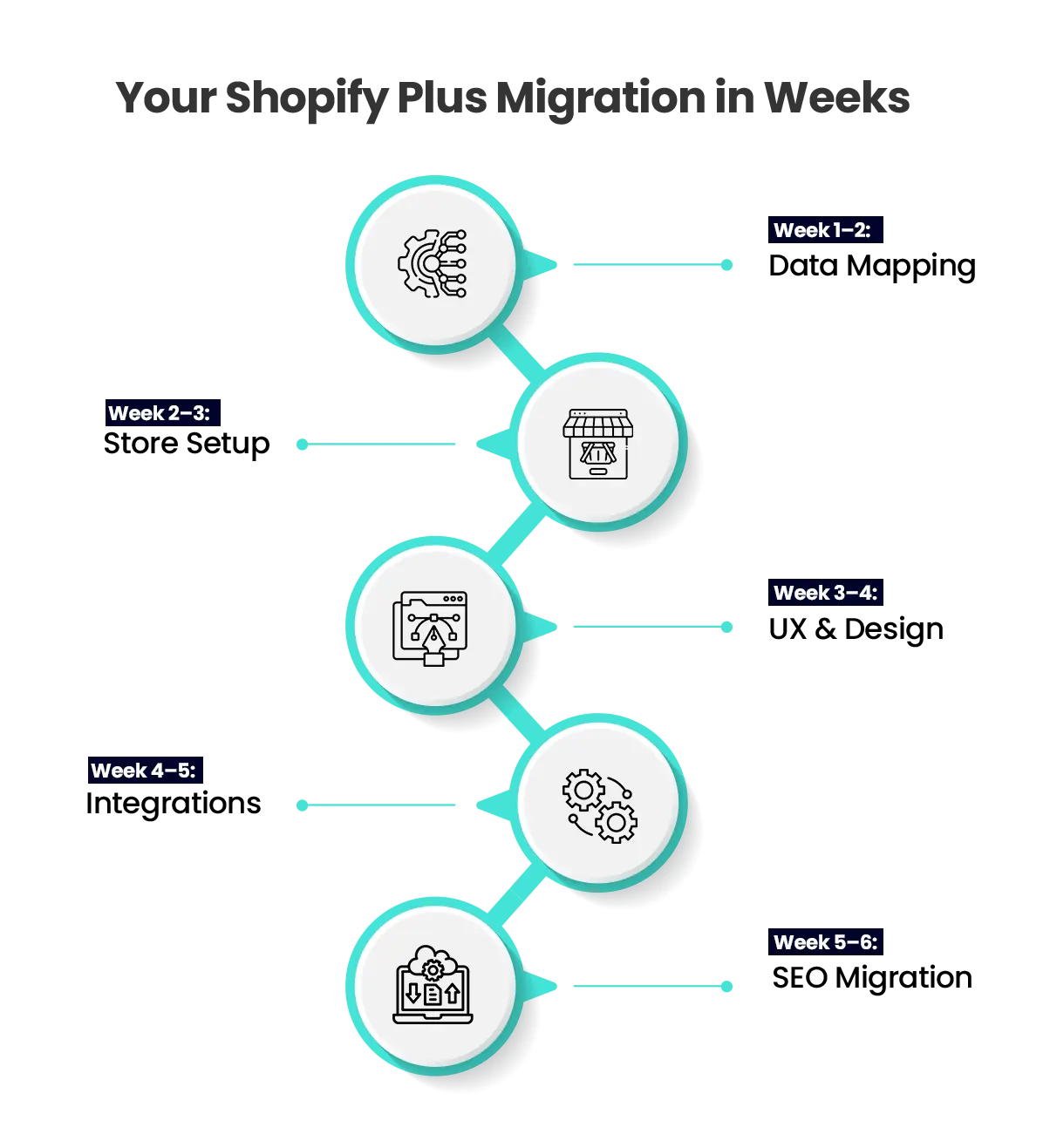
A realistic timeline ensures minimal disruption while maintaining project momentum.
| Phase | Duration | Key Activities |
| Planning & Audit | 1–2 weeks | Audit data, define migration strategy |
| UX & Development | 2–4 weeks | Design, theme setup, mobile optimization |
| Data Migration | 2–3 weeks | Import data, validate integrity |
| Integrations | 2–4 weeks | ERP/CRM/PIM API setup, testing |
| Testing & QA | 1–2 weeks | Functional, load, and user testing |
| Launch & Monitoring | 1 week | Go-live, performance optimization |
For large-scale businesses, especially in B2B ecommerce or enterprise retail, timelines may extend depending on custom requirements, multi-store setups, or third-party integrations. Including buffer periods for unforeseen issues ensures smooth execution.
Common Shopify Plus Migration Challenges
Even with careful planning, migrations involve technical and strategic challenges.
Data Inconsistencies: Platform differences may lead to mismatched product, order, or customer data.
Suggestion: Validate and map all data fields properly before migration to ensure accuracy.
SEO Risks: Missing redirects, broken links, or incorrect canonical tags can cause traffic loss.
Suggestion: Create a complete redirect plan and test all URLs before going live.
- Integration Complexity: Legacy systems require thorough testing of APIs and middleware.
- Suggestion: Test all integrations in a staging environment before final deployment.
- Performance Issues: Unoptimized scripts, apps, or front-end elements can slow the store post-launch.
- Suggestion: Optimize code, remove unnecessary apps, and test site speed before launch.
- User Experience Gaps: Testing across devices and journeys is essential to avoid friction.
- Suggestion: Conduct end-to-end testing on mobile, desktop, and checkout flows.
Pro Tip: Conducting pre-migration audits and test migrations can prevent 80–90% of these common issues Documenting all changes also ensures team alignment and accountability.
Best Practices for a Smooth Shopify Plus Migration
Following proven best practices ensures a smoother migration with minimal risks and better long-term performance.
| Best Practice | Description |
| Use a Staging Environment | Test all changes before going live to avoid unexpected issues |
| Run Test Migrations | Validate data accuracy and identify errors early |
| Proactive SEO Management | Implement 301 redirects, maintain URL structure, and update sitemaps |
| Avoid Peak Sales Periods | Reduce the risk of downtime or revenue loss during launch |
| Post-Launch Monitoring | Track performance, conversions, and fix issues continuously |
Additionally, use analytics dashboards to monitor KPIs like checkout completion rates, load times, and revenue per visitor during and after migration.
These practices ensure your Shopify Plus migration is efficient, measurable, and aligned with long-term growth.
Do You Need a Shopify Plus Migration Agency?
For small stores, internal teams may handle migration. However, enterprise-level migrations often require technical expertise, structured processes, and proven frameworks
In-House Team vs Shopify Plus Agency
In-House Team:
Best suited for small stores with simple requirements and limited integrations. Internal teams rely on existing skills, which can slow down the process if advanced technical challenges arise. Migration timelines may be longer, and there is a higher risk of data errors, SEO issues, or performance gaps. Post-migration support is usually limited, and scaling later may require additional rework.
Shopify Plus Agency:
Ideal for large or complex businesses with advanced requirements. Agencies bring specialized Shopify Plus expertise, structured workflows, and proven migration frameworks. They ensure faster execution, reduced downtime, and accurate handling of integrations like ERP, CRM, and PIM systems. Agencies also focus on SEO preservation, performance optimization, and long-term scalability, with ongoing support after migration.
When to Hire an Agency
You should consider a Shopify Plus agency if your business involves large product catalogs, complex workflows, multiple integrations, or platform migrations like Magento or Salesforce to Shopify Plus. It’s also essential if you need post-migration optimization and continuous performance monitoring.
Key Benefits of a Shopify Plus Agency
Working with a professional agency ensures a structured migration process with minimal risk. It enables faster execution, reduces downtime, and improves overall performance, user experience, and conversion rates. Most importantly, agencies provide dedicated support and help align the migration with long-term business growth.
Build Your Shopify Store From Scratch With Mastroke
Launch faster with Mastroke, an official Shopify Partner. We build structured stores with conversion-first design, clean setup, and features built to scale!!
Final Thoughts: Is Shopify Plus Migration Worth It?
At its core, Shopify Plus migration is about unlocking growth without limitations. While migration requires careful planning and execution, the long-term benefits far outweigh the effort, making it a strategic investment for high-growth ecommerce businesses. A successful Shopify Plus migration is not just about moving data—it’s about transforming your ecommerce foundation.
At Mastroke, we specialize in delivering seamless, high-performance migrations tailored to your business objectives. From planning to execution and optimization, we handle every step with precision.
Whether you’re planning a Woocommerce to Shopify Plus migration or transitioning from another platform, Mastroke ensures your migration is fast, secure, and growth-focused.
Ready to Scale Without Limits? Partner with Mastroke to unlock your store’s full potential.
FAQs
Q1. What is Shopify Plus migration?
It is the process of moving your ecommerce store to Shopify Plus from another platform, ensuring all data, content, and SEO are safely transferred.
Q2. How long does Shopify Plus migration take?
Typically, it takes 4–12 weeks depending on store size, complexity, and integrations involved.
Q3. Will SEO be affected during migration?
With proper planning, 301 redirects, and audits, SEO impact can be minimized while preserving rankings.
Q4. Can I migrate from Magento to Shopify Plus?
Yes, many brands migrate from Magento to Shopify Plus to gain speed, scalability, and easier backend management.
Q5. What data can be migrated?
Products, customers, orders, content, and SEO data can all be safely transferred during migration.
Q6. Do I need a migration agency?
For complex migrations, agencies ensure smoother execution, reduce risks, and optimize post-migration performance.