Shopify is rolling out updates faster than ever—but what do they actually mean for your store?
New features keep getting added, but results don’t always follow. Stores still struggle to get discovered, conversions stay unpredictable, and it’s often unclear which updates actually make a difference.
Because the challenge is not access or using the Shopify updates. It’s knowing what to focus on. If you’re like most merchants, you don’t need more features—you need clarity on what actually helps your store grow.
If you have been following the latest Shopify updates 2026, you have likely noticed this shift. According to studies, global ecommerce sales are expected to cross $8 trillion by 2027,. Getting found by customers is becoming harder than building a store itself.
From Shopify AI product discovery to delivery, payments, and retail improvements, these updates are making stores more responsive and easier to scale.
Not every update will matter equally. Some directly improve operations, while others only make sense at a certain stage of growth. This guide breaks down the latest Shopify updates, what they actually change, and which ones are worth focusing on for your store right now.
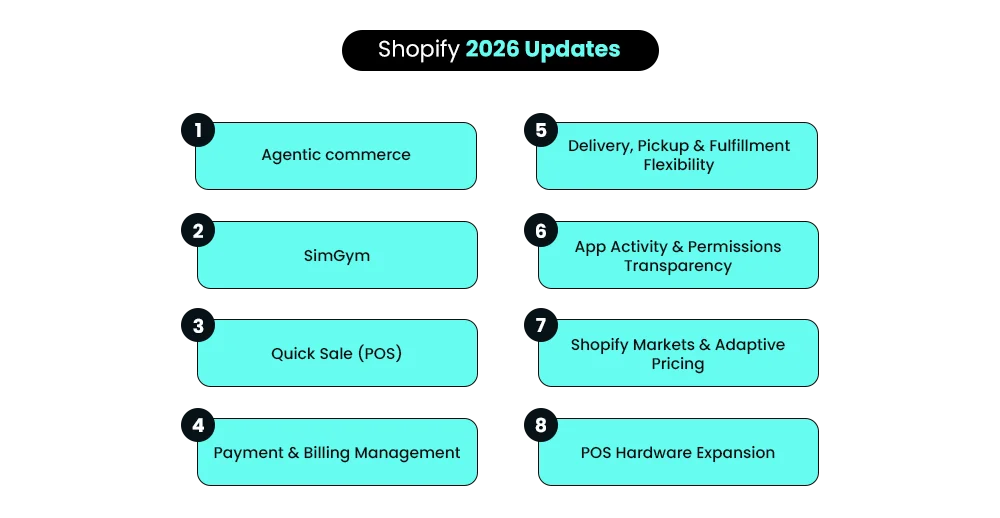
9 Latest Shopify Updates Every Merchant Should Know in 2026
1: Customers Will Soon Be Able to Discover, Compare, and Buy Your Products Directly Through AI Platforms
About the Update
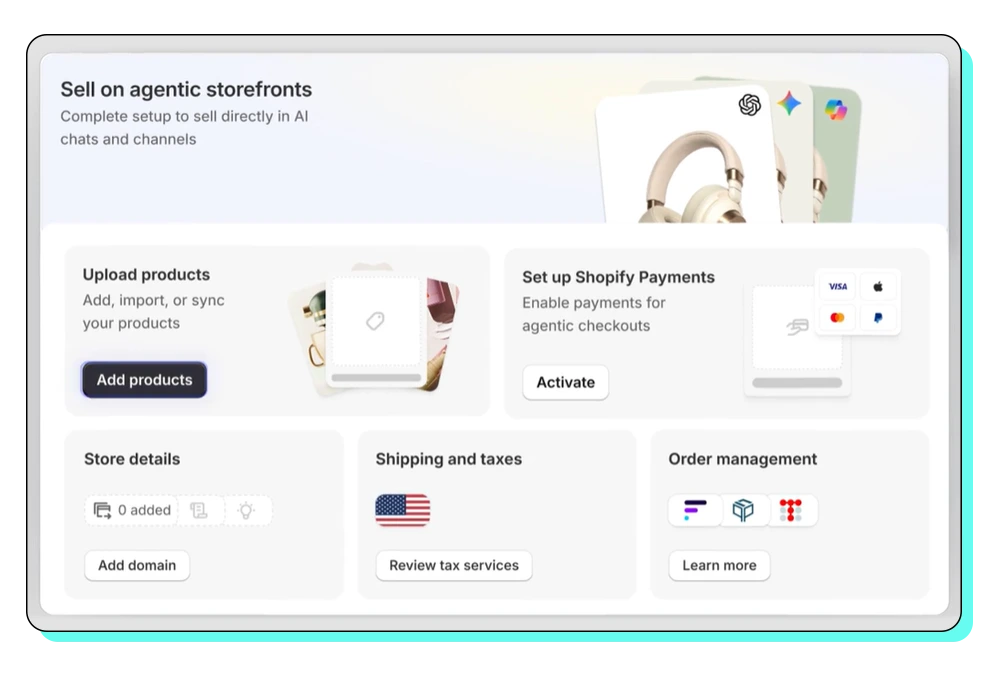
Shopify now makes your product data accessible to AI tools, allowing them to read, understand, and recommend your products in responses. This means your products can be discovered and compared through AI tools, not just on your website. This is part of Shopify AI commerce and early Shopify agentic commerce, where your product catalog is no longer limited to your store.
This means, instead of just relying only on your website, your products can now appear inside AI tools where customers actively search, explore, and evaluate what to buy.
Shopify outlines its direction for this shift here – Shopify’s agentic commerce plan—but go through the rest of this section first so it makes more sense in context.
What This Update Shifts
This Shopify update changes how discovery begins. Customers can now:
- Find products through AI platforms
- Compare options without opening multiple store tabs
- Decide whether to buy or not on the AI tool itself.
In simple terms buying process becomes more assisted and less store-dependent. For merchants, this means your store is no longer the first touchpoint. Your product data is.
How can you utilize this for your store?
This Shopify update depends on how your product data is structured.
- Products are easier to interpret
- Visibility improves across AI-led discovery
- The chances of being recommended increase
The clearer your product information is, the easier it is for AI to show your product to customers.
Special Note
This feature is still in its early rollout phase. Shopify has started integrating with tools like Microsoft Copilot, but it is still growing.
Also Read – Sell on AI Platforms with Shopify: The Future of eCommerce Starts Now – ChatGPT, Google Gemini, Copilot
2: Order Online, Pick Up In-Store — With Inventory Fulfilled From Other Locations
About the Update
Shopify now allows you to offer a pickup in-store option at checkout. Basically customers can collect their online orders from a selected physical store.
It also allows something called store transfer. This means if a product is not available at one store, Shopify can bring it from another store and fulfill the order.
If you want to understand the exact setup later, you can refer to Shopify’s guide on in-store pickup setup. Go through it after this section so the context is clear.
What This Update Shifts
This update improves how inventory is used across locations, making pickup more reliable and reducing missed orders.
For customers, this means:
- More products available for pickup
- Fewer stock limitations at specific stores
Simply put Shopify can still complete the order by moving the product. For merchants, it connects inventory across locations and supports a more reliable Shopify omnichannel retail setup.
How can you utilize this for your store?
To use this Shopify update effectively, align your pickup setup with your inventory system. You can:
- Allow customers to pick up orders
- Use Shopify to move products between locations
- Tell customers when their order will be ready
This is especially useful if you operate across multiple stores or warehouses and want to avoid losing orders due to location-based stock gaps. A clear Shopify delivery options setup also helps reduce confusion at checkout and supports better decision-making.
Special Note
In this case by default, pickup is available only if all items in an order are in stock at the selected location. If not, Shopify can trigger store transfers, which may increase processing time. Remember this feature only works properly if your inventory is set up correctly.
You also need clear in-store order handling. Orders must be prepared, marked ready, and handed over correctly. So while this Shopify update improves flexibility, it also adds operational responsibility. If your setup is unclear, it can lead to delays or poor customer experience.
3: AI Can Now Test Your Shopify Store Like Real Customers Before You Make Changes
About the Update
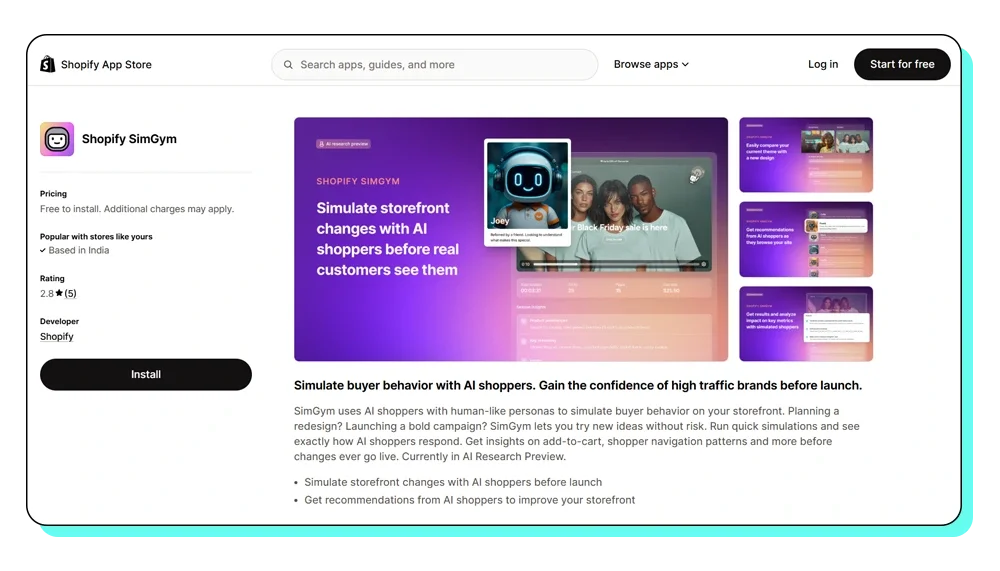
SimGym is one of the more practical Shopify updates focused on decision-making before launch. It uses AI to act like real customers. It shows how people might use your store.
A key part of this Shopify update is theme comparison. You can test your current live theme against another theme from your library and see which one performs better based on add-to-cart behavior.
If you want to know how it works in detail, you can explore the – SimGym app listing – or go through – Shopify’s SimGym documentation. It’s worth checking after this section so the use case is clearer.
What This Update Shifts
You can test before making changes live. You get an early view of how your store might perform before going live. It highlights:
- What people click on first
- Points of confusion
- Drop-off moments before purchase
This becomes especially useful when improving Shopify conversion optimization without risking current performance.
How can you utilize this for your store?
Use SimGym when you are making changes that directly affect user experience. You can compare themes before publishing or test structural changes to see how users move through your store. This makes it easier to improve the Shopify user experience without depending entirely on post-launch data.
Special Note
This feature is still being tested and is not available to everyone. To use this feature, your store must:
- Use a Liquid storefront
- Have Shopify Network Intelligence enabled
- Not be password-protected
Also, it may not fully match real customer behavior.
4: Get Full Visibility Into What Apps Are Doing in Your Store
About the Update
You can now see what installed apps are doing inside your store. Just go into your app settings and see exactly:
- What data an app can access.
- How frequently it uses that access.
- When permissions were added or changed.
This includes Admin API activity over the last 30 days, a breakdown of sensitive data access, and permission history.
Shopify’s developer breakdown of this feature is available – Manage apps.
What This Update Shifts
This improves how you evaluate and manage apps over time. Earlier, merchants mostly relied on what apps requested during installation. Now, you can see how those permissions are actually being used over time.
You can track which apps are actively accessing store data and which ones are sitting idle. As a result Shopify app management becomes more transparent and easier to control.
How can you utilize this for your store?
Use this feature to regularly review your app ecosystem. You can identify apps that:
- Remove apps you don’t use
- Reduce unnecessary access
- Keep your store simple
This is where a structured Shopify app audit checklist becomes useful. Many stores install multiple tools but rarely review them. Cleaning this up supports better Shopify performance optimization.
Special Note
This mostly works for third-party apps. Shopify’s own apps may not show full details.
Native Shopify apps may not show the same level of activity detail. This Shopify update focuses on improving Shopify app transparency, so merchants can clearly understand what apps are doing behind the scenes.
5: Sell Anywhere Using Your Phone With Shopify’s New Quick Sale Feature
About the Update
Quick Sale lets you create and complete orders directly from your phone. You don’t need a full POS system or any additional hardware. You can add products manually or scan them, create custom charges, apply discounts, and accept payments using Tap to Pay, payment links, or cash.
If you want to see the full workflow, you can go through Shopify’s guide here: Shopify Quick Sale.
What This Update Shifts
This change simplifies in-person selling. Transactions can now be completed directly from your phone, reducing dependency on full POS setups.
- Faster checkout
- Makes mobile selling more flexible
- Makes selling possible without any POS hardware
For merchants using Shopify POS features, this creates a faster alternative for straightforward sales.
How can you utilize this for your store?
Use Quick Sale when speed and flexibility matter. It works well for:
- Pop-ups and events
- Quick in-store billing
- Situations where a full POS setup is not practical
Such a feature is especially useful when you need to process orders quickly without setting up a full retail system. You can create orders, collect payments, and handle receipts or refunds without switching systems.
Special Note
This works best for simple sales, not for complex store setups. While it includes useful actions like discounts, shipping details, and refunds, it does not replace advanced POS capabilities like detailed reporting or complex order handling.
It works best as a complementary tool alongside your main POS setup, not a replacement. Another piece of good news the Quick Sales feature is now available in all countries. No matter which country you’re accessing Shopify from, you can use this feature.
Your mobile phone can become your best salesperson, with no geographic limits.
Bring your vision to life with Mastroke, an official Shopify Partner. We design and develop high-converting, scalable Shopify stores with clean structure and future-ready features—built to grow with your business.Build your dream Shopify store today
6: Failed Payments Can Pause Your Store — Manage Payment Methods to Avoid It
About the Update
Shopify now allows better control over billing by supporting multiple payment methods and backup options.
You can add more than one payment method, even of the same type (like multiple cards), and assign a primary and a backup.If one payment fails, Shopify will try the other one. Here’s how Shopify manages billing methods inside the platform – Shopify’s billing guide.
This Shopify update improves Shopify billing management and reduces the risk of failed charges.
What This Update Shifts
This makes billing more reliable. Instead of depending on one payment method, you now have a fallback in place. This helps prevent disruptions in apps, subscriptions, and store operations that rely on active billing.
How can you utilize this for your store?
Set up at least one backup payment method inside your billing settings.
- Add a reliable primary method
- Add a backup payment method
- Check your subscriptions regularly
This helps reduce payment failures on Shopify and keeps your store running without disruptions.
Plus becomes important as your store grows and depends on multiple paid apps and services. It helps maintain continuity and avoids unexpected downtime.
Special Note
You cannot edit a payment method. You have to add a new one if needed.
Also, available payment methods vary by region, and some options may not be supported. Even though this setup is simple, missed configurations can lead to failed charges and paused services.
7: Shopify Now Adjusts Product Pricing by Market So Customers See Full Costs Upfront, Including Duties, Taxes, and Fees
About the Update
Shopify has introduced adaptive pricing in Managed Markets to simplify international pricing. Instead of setting prices manually for each region, Shopify now adjusts them automatically based on your domestic price. This includes duties, taxes, currency conversion, and cross-border fees.
Customers see a complete price upfront, without added costs at checkout. Shopify explains how this pricing is calculated here: Smarter international pricing.
This Shopify update makes Shopify international selling more structured and supports region-based pricing without manual effort.
What This Update Shifts
This update changes how pricing is experienced across markets.
- Pricing is derived from your base store price.
- Duties, taxes, and fees are included before checkout
- Exchange rates are stabilized instead of fluctuating frequently
This creates a more consistent multi-currency Shopify experience and reduces unexpected costs for customers. It also removes price surprises, which are a common reason for checkout drop-offs in international orders.
How can you utilize this for your store?
Adaptive pricing simplifies how international prices are presented. Customers see a complete price upfront. This reduces confusion during checkout and more.
- Shopify handles pricing
- Reduces manual work
- Improves trust with customers
It also keeps payouts aligned with your base pricing. Shopify manages currency conversion and cross-border fees. For growing stores, this reduces manual pricing effort and supports a more consistent Shopify global expansion approach.
Special Note
This feature is not available everywhere and depends on when your store was setup.
Prices are updated on a fixed cycle, which helps keep them consistent rather than constantly changing. If you’ve set fixed prices for a market, those remain unchanged and won’t follow adaptive adjustments.
Some products, like gift cards, are not included in this pricing model.
8: New Shopify POS Hub Connects All Your Checkout Hardware for Reliable In-Store Sales
About the Update
Shopify has expanded its POS hardware ecosystem to support more reliable in-store operations.
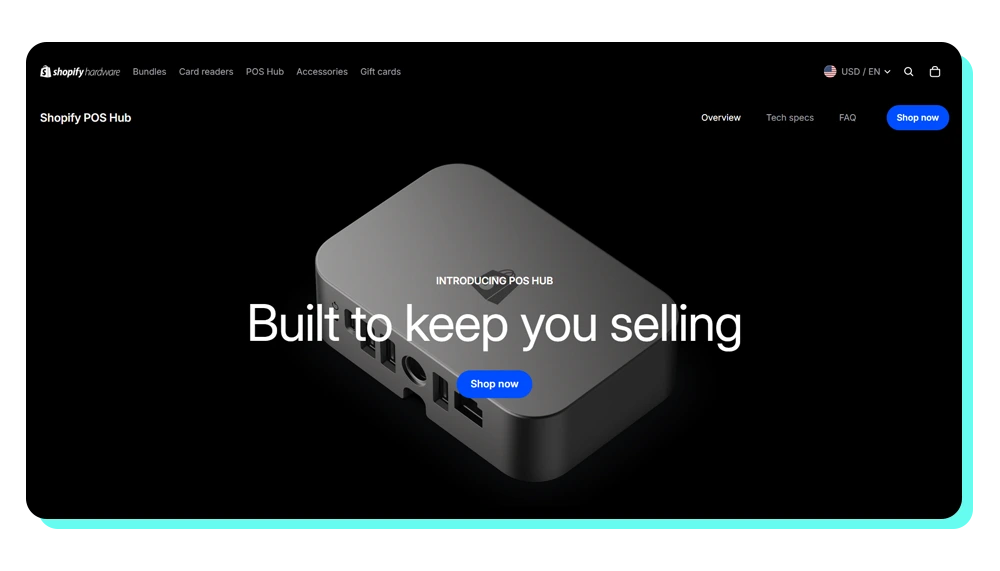
At the center of this is the POS Hub, a device that connects your tablet to essential checkout hardware like card readers, scanners, and printers through a single wired setup.
A system to connect all your store devices in one place. This reduces dependency on Bluetooth connections and keeps all devices connected in one place.
What This Update Shifts
In this case, the Shopify update simplifies how in-store systems work by centralizing device connections.
- A more stable hardware connection.
- Fewer checkout interruptions.
- Better coordination between devices.
This supports a more reliable Shopify retail setup, especially for stores handling consistent in-person sales.
How can you utilize this for your store?
This becomes useful when your store handles regular in-person transactions. A more stable setup reduces disruptions during checkout, especially during busy hours.
- Fewer device disconnections
- Smoother billing experience
For stores scaling offline, this supports a smoother Shopify POS experience without constant troubleshooting.
Special Note
POS Hub is still evolving, with some features expanding over time and compatibility improving across devices. It supports key hardware like card readers, barcode scanners, receipt printers, and cash drawers.
However, setup depends on compatible devices and hardware availability in your region. This means adoption may vary depending on your current retail setup and location.
9: Shopify Now Automatically Copies Cart Data to Orders at Checkout
About the Update
Customer details added during checkout now move directly into the order. When a customer adds information during the buying process, it can now carry forward into the final order without manual handling.
This works when the same data field exists in both the cart and the order. You can review how this works at a technical level here: Shopify Metafield Capabilities. It helps keep customer inputs consistent from checkout to fulfillment.
What This Update Shifts
This Shopify update changes how custom data flows through checkout. Everything moves automatically.
- Data added at cart level now flows into orders.
- No need for manual transfer or workarounds.
- Better continuity between checkout and backend.
Order handling becomes more accurate, especially for stores with custom inputs.
How can you utilize this for your store?
This becomes useful when your store collects additional inputs during checkout. For example, details like gift messages, delivery preferences, or custom selections can move directly into the order.
- No need to reprocess or manually attach data later.
- Better accuracy in fulfillment and communication.
It also supports more advanced Shopify store customization, where customer inputs are part of the order context.
Special Note
This works only when cart and order metafields share the same structure. The same field must exist in both cart and order.
- Namespace and key must match.
- Syncing must be enabled on the order metafield.
Setup may require developer support depending on your store.
Quick Summary Table: Which Updates Matter Most?
| Update | When It Matters Most | Who It’s For |
| Delivery & Pickup Flexibility | When you manage multiple locations or local orders | Retail + local brands |
| Agentic Commerce | When you want visibility in AI-driven discovery | All merchants |
| SimGym | When testing changes before scaling becomes critical | Scaling stores |
| App Transparency | When your store relies on multiple apps | All merchants |
| Quick Sale POS | When handling high-volume in-store sales | Offline sellers |
| Payment Management | When managing recurring costs and subscriptions | All merchants |
| Adaptive Pricing | When expanding into international markets | Global sellers |
| POS Hardware | When building a stronger retail setup | Retail brands |
| Metafields | When handling custom products or data-heavy orders | Custom stores |
Stay Ahead of Your Shopify Store Growth with Mastroke
Shopify updates can improve your store, but only when they are applied with the right structure. More or less all merchants have access to the Shopify’s new features of 2026, but results differ because these are not used in alignment.
What actually drives growth is how well your store connects product data, checkout flow, apps, and pricing decisions. That’s where Mastroke helps—turning Shopify updates into real outcomes through better setup and optimization, not added complexity.
The goal is not to use more features, but to build a store that adapts and performs consistently.
Also Read – How to Plan Your Shopify Store Growth in 2026?
Conclusion: Updates Don’t Grow Stores—Alignment Does
Shopify is evolving quickly, with frequent Shopify updates shaping how stores function.
However, growth still depends on how well your store is structured. More tools and features increase flexibility, but they also require better decisions. If your store feels updated but not optimized, the problem is rarely the platform. It is how everything is working together.
Focusing on structure and clarity is what turns Shopify updates for merchants into consistent results.
Launch faster with Mastroke, an official Shopify Partner. We build structured stores with conversion-first design, clean setup, and features built to scale!!Build Your Shopify Store From Scratch With Mastroke
FAQs – Common Questions About These Shopify Updates
Here are some quick answers to your most common questions to help you understand what these Shopify updates mean, how they affect your store and what to do next.
1. What are the latest Shopify updates in 2026?
A: Recent Shopify updates include Shopify AI commerce, adaptive pricing with Shopify Markets, Shopify in-store pickup, SimGym testing, and improved app transparency. Shopify is improving how customers find your products, how you manage your store, and how you sell both online and offline.
2. What is agentic commerce?
A: Agentic commerce is when AI tools can discover, compare, and eventually buy products on behalf of customers. Instead of browsing websites, customers can rely on AI to recommend and complete purchases for them.
3. Can customers really buy products directly through AI?
A: Not fully yet. Today, AI tools help customers discover and compare products, but most purchases still happen on your Shopify store. Full AI-based checkout is still in early stages.
4: How do these Shopify updates affect my store?
A: These updates help your products get discovered in more places, improve checkout reliability, and give you better control over operations and pricing across markets.
5: Do I need to change anything to benefit from these updates?
In most cases, no major changes are needed. But keeping your product data accurate, pricing structured, and store setup clean will help you get the most out of these updates.
6: I run a small store—does Shopify Agentic Commerce really apply to me?
A: Yes, but only with proper structure. Shopify agentic commerce depends on clean data, so Shopify product data optimization becomes important even for small stores. Even small stores can benefit because this is about getting discovered, not about how big your store is.
7. How does Shopify Markets with adaptive pricing actually help me sell globally?
A: It supports Shopify international selling by showing localized prices with duties and taxes included, improving clarity and trust. This reduces confusion at checkout and builds trust, which can help improve international sales.
8. What is SimGym and when should I use it?
A: SimGym is one of the recent Shopify updates that lets you test store changes before launch. It is useful for redesigns or improving shopify store performance. Use it when you are redesigning your store or changing layouts so you don’t accidentally reduce your sales.
9. What is Quick Sale and do I really need it?
A: Quick Sale lets you create orders and take payments directly from your phone without a full POS setup. It’s useful for pop-ups, events, or quick in-store sales, but not necessary if you only sell online.
10. What is Shopify POS hardware and should I invest in it?
A: Shopify POS hardware connects your billing devices like card readers and scanners into one system. It’s helpful if you have a physical store and want fewer checkout issues. If you only sell online, you don’t need it.
11. What does cart-to-order sync actually do?
A: It takes customer inputs from checkout—like notes, gift messages, or delivery instructions—and saves them directly in the order. This saves time and reduces mistakes, especially if you handle custom or personalized orders.