This blog post explains how to properly handle negative reviews on Shopify stores instead of deleting them. It emphasizes that responding well to bad reviews can actually build buyer trust and increase sales conversion rates.
A 1-star review just landed on your Shopify store.
It’s sitting right on your product page, and every buyer who visits can see it. Your first instinct might be to delete it, and if you’re using a third-party review app like Judge.me or Loox, you technically can. But that’s still the wrong move. Deleting a legitimate complaint doesn’t fix what caused it, and buyers notice when a store has nothing but 5-star ratings. A suspiciously perfect score is its own red flag.
Negative reviews on Shopify are far better handled in public. Ignoring them, or quietly scrubbing them, costs you buyer trust either way — just in different directions.
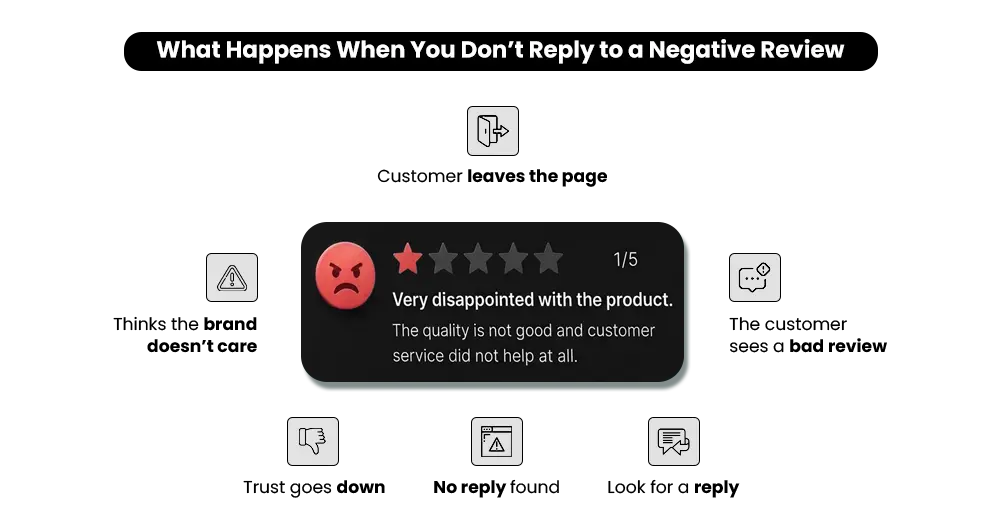
The review itself rarely kills the sale. The silence after it does. No response, no acknowledgment, and the next buyer reads that as: this brand doesn’t deal with problems. That impression forms in seconds, and it sticks.
By the end of this guide, you’ll know exactly how to handle bad reviews on Shopify — what to respond to, how to say it, and how to turn every complaint into a reason the next buyer chooses you anyway.
Do Negative Reviews Really Affect Sales on Shopify Stores?
Yes — and more than most merchants realise.
Negative reviews on Shopify don’t just sit there. They actively shape what a buyer thinks about your store before they even read your product description. Here’s what that looks like in real terms.
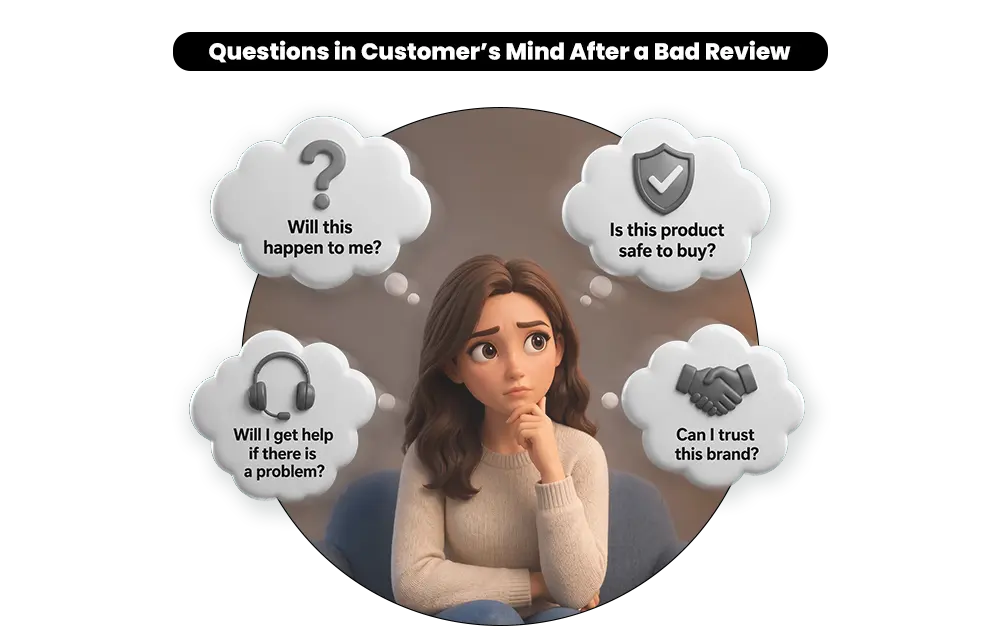
A buyer finds your product. The price works. They’re genuinely interested. They scroll down and see a 2-star review — sitting there unanswered. Something shifts in that moment:
- It’s no longer “do I want this product?”
- It becomes “can I trust this store?”
- And then: “what happens if something goes wrong with my order?”
According to Capital One Shopping’s online reviews research, 80% of consumers are more likely to choose a business that responds to all reviews — a rate that is 158% higher compared to businesses that don’t respond at all.
Buyers aren’t searching for perfection. They’re looking for one signal: if something goes wrong, will this brand deal with it? An unanswered complaint tells them it won’t.
That’s why handling negative reviews on Shopify matters — not just for the unhappy customer who wrote the review, but for every buyer who reads that page after them. This is the foundation of a serious Shopify store reputation.
There’s a related problem that makes all of this worse. A single bad review carries far more weight when it sits next to very few positive ones. A store with four reviews and one 1-star looks completely different from a store with forty reviews and one 1-star — and buyers feel that gap immediately.
Responding well is only half the answer. The other half is making sure you have enough review volume so one complaint doesn’t define the whole page. If that system isn’t in place yet, here’s how to build a review collection system that runs automatically for your Shopify store.
What Most Shopify Stores Get Wrong When Responding to Bad Reviews
Getting a bad review feels urgent. So merchants respond fast — and that’s exactly where it goes wrong.
Poor negative review management isn’t always about ignoring reviews. Most of the time, it’s about responding the wrong way. Here’s what that looks like in practice across most Shopify stores:
- Responding defensively — The buyer says the product didn’t match the photos. The store replies: “Our products meet industry standards and are quality checked before dispatch.” The buyer reading that tomorrow sees a brand protecting itself, not helping them.
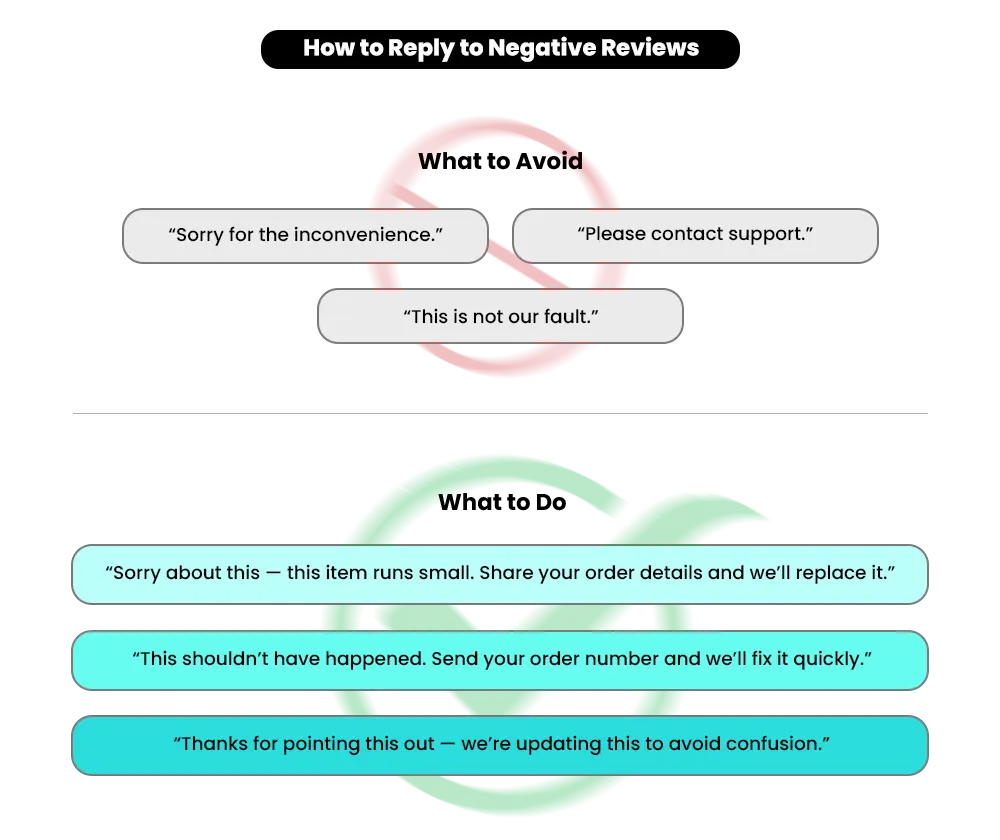
- The copy-paste apology — “Sorry for the experience, please contact our support team.” Same reply under three different complaints, three different products. Buyers notice. It tells them nobody actually read the review — and nobody cared enough to respond properly.
- Over-apologising without resolving — “We are so sorry this happened, we truly value your feedback and will look into this.” Sounds caring on the surface. But the next buyer still doesn’t know what went wrong or whether it got fixed — so it gives them nothing to hold on to.
- Ignoring reviews completely — A buyer asks in their review why delivery took three weeks. No response. The next buyer with the same concern finds silence and walks away without purchasing.
Each of these feels like damage control. None of them actually works. The complaint stays. The weak response stays right alongside it.
Your review response strategy isn’t only about what you say — it’s about who you’re really writing for.
Your Response Isn’t Just for the Reviewer — It’s for the Next Buyer
Here’s something worth understanding before you write a single reply.
The person who left that review has already had their experience. They may or may not come back. But the next buyer — the one who hasn’t purchased yet and is reading that thread right now — they’re still deciding. Your response is written for them.
Every reply you post on a Shopify product review is public. It stays there permanently, read by far more people than just the original reviewer. That changes everything about how you respond to negative reviews on Shopify.
Stop writing to satisfy the unhappy customer. Start writing to reassure the next buyer reading that thread.
Here’s the difference in practice:
- Wrong: “We’re sorry you felt this way. Please email us at support@store.com.” — Tells future buyers nothing.
- Right: “The sizing runs slightly larger than standard — we’ve added a size guide to the product page. Happy to help with an exchange if needed.” — Answers the concern for every buyer reading that page from this point forward.
Before you hit publish on any response, make this your filter: if someone reads this tomorrow before buying, what will they think? That one question changes what you write every single time.
Respond, Ignore, or Escalate? A Framework for Every Review Type
Not every negative review on Shopify needs a public response. Responding to everything without a clear reason can look just as unconvincing as ignoring everything. The decision needs to be based on what the review signals — not how it makes you feel.
Here’s a simple framework to guide the right call every time:
| Review Type | What It Signals | What to Do |
|---|---|---|
| Specific product or delivery issue | Real friction a buyer actually faced | Respond publicly with clarity and a next step |
| Emotional but vague | Frustration without useful detail | Acknowledge it and invite specifics privately |
| Repeated complaint pattern | A system or product problem | Respond publicly, fix the root issue internally |
| Spam or clearly irrelevant | No buying impact | Ignore or report for removal |
| Wrong-fit buyer | Expectation mismatch | Clarify the use case publicly for future buyers |
For reviews that are fake or violate platform policies, Shopify has a formal process to report and remove them through the Shop channel. You can find the full guidance in Shopify’s Shop product reviews help documentation. If you’re collecting reviews through a third-party app, check the app’s own moderation panel — most allow you to unpublish reviews that are clearly spam or abusive.
Use this table every time a new review lands. It removes the guesswork from how to handle bad reviews on Shopify and makes sure every decision you make protects your Shopify store’s reputation rather than quietly undermining it.
Reviews look fine. Conversions don’t. Find the gap
Mastroke identifies what’s breaking buyer confidence before purchase. Fix the gaps that are holding your sales back.
How to Handle Negative Reviews on Shopify — A Practical Four-Step Response Framework
Let’s make this concrete. Here’s a real complaint sitting on a product page:
“The jacket looks completely different from the photos. The colour is darker, and the material feels cheap. Really disappointed.”
Here’s exactly how to respond to negative reviews on Shopify, step by step.
Step 1 — Acknowledge What Happened Without Defending Yourself
Name the experience directly. Don’t explain why it happened. Don’t bring up your quality process. Just show the buyer — and every future reader — that you actually heard them.
“You’re right that the jacket photographs lighter than it actually appears in person.”
That single line tells every future buyer your brand reads complaints and takes them seriously. It’s not a script. It’s honesty — and buyers can feel the difference.
Step 2 — Address the Exact Issue by Name
Generic responses get scrolled past because they could apply to any complaint. When you name the specific problem — colour difference, sizing, late delivery, wrong item — it shows the next buyer that you understood precisely what went wrong.
“We’ve updated the product photos to show the colour more accurately and added a full material description to the listing.”
This does something powerful. It tells future buyers the problem has already been fixed. That’s what builds real product page trust — not the absence of complaints, but visible proof that complaints get addressed.
Step 3 — Give a Clear Next Step With a Timeline
“We’ll look into it” is not a next step. It’s how you avoid giving one. A specific action with a timeline shows every buyer reading this that your store actually follows through.
“Send your order number to support@store.com and we’ll arrange an exchange or full refund within 24 hours — whichever works better for you.”
A note on timing: Aim to respond within 24 to 48 hours. A reply posted a week later still helps future buyers — but a fast response signals an active, attentive brand. A slow one tells buyers nobody is watching.
Step 4 — Keep It Short and Move the Resolution Offline
Say enough publicly to show accountability. Then move the detailed conversation to email or DM. Long public back-and-forths create confusion, not confidence. The public response is for future buyers. The actual resolution happens privately.
All Four Steps as One Complete Reply
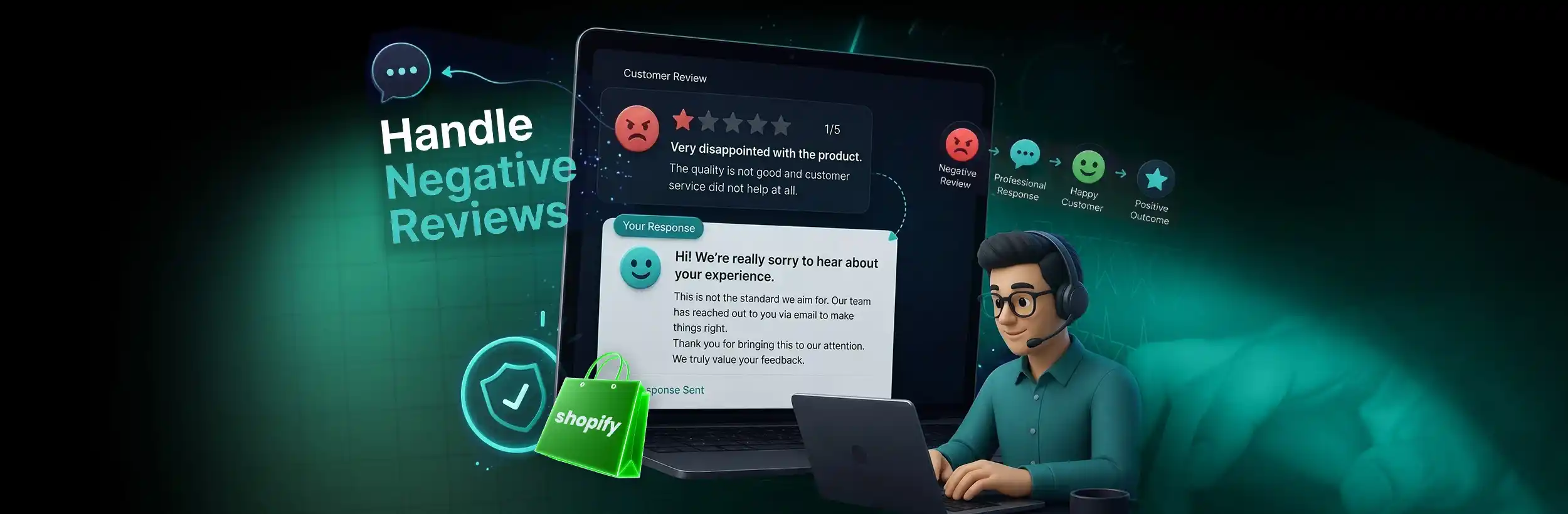
“You’re right that the jacket photographs lighter than it actually appears — we’ve updated the product photos and added a full material description so future buyers aren’t caught off guard. This shouldn’t have been a surprise when your order arrived. Send your order number to support@store.com and we’ll arrange an exchange or full refund within 24 hours.”
Every step in this framework has one goal: making the next buyer feel confident enough to purchase. And the revenue impact of that is well-documented. According to Fera.ai’s review statistics research, businesses that respond to at least 25% of their reviews earn an average 35% more revenue.
That’s what a consistent approach to handling bad reviews on Shopify builds — not overnight, but one honest reply at a time.
Can a Negative Review Actually Help You Win More Sales?
A well-handled complaint does something a 5-star rating simply cannot. It shows how your brand behaves when something goes wrong. And that’s exactly the signal first-time buyers are looking for before they commit.
Here’s what a properly handled negative review tells the next buyer:
- It proves accountability — You named the problem and didn’t deflect from it. That alone is often enough to stop a hesitant buyer from leaving the page.
- Signals follow-through — A specific next step in your response tells the next buyer that their order will be in safe hands. Before they’ve even purchased.
- Builds a visible track record — Three complaints, three direct honest responses. A buyer scrolling through doesn’t need to read every word. They see the pattern — and that pattern is what converts them.
Think about two stores selling similar products. Store A has a 5.0 rating with zero responses to any review. Store B has a 4.6, with every complaint handled clearly and directly. Store B wins more often — because it proves something Store A can’t.
That’s what strong online review management builds on your Shopify store reputation: a track record that future buyers can actually see, read, and trust.
But if you’ve sorted your responses and your conversion rate still isn’t moving, the problem usually runs deeper than the replies themselves. Where your reviews appear on the page, how specific they are, and whether they’re visible at the right point in the buying journey all matter just as much as how you respond to the bad ones. If that gap sounds familiar, read more about why your Shopify reviews may not be improving your conversion rate — and what to fix.
📌Related Video
What Bad Reviews Are Actually Telling You About Your Store
Bad reviews aren’t only a reputation problem. They’re a diagnostic tool — and most merchants ignore that part entirely.
Every piece of customer feedback on Shopify is pointing to something specific in your store. Here’s how to read it properly:
- Sizing or colour complaints — Your product photos or descriptions are creating the wrong expectation. Add measurements, multiple angles, and accurate colour notes directly to the listing before you write a single response.
- Repeated delivery complaints — One late order is an exception. Three is a fulfilment problem. Flag it internally and update your estimated delivery window on the product page so the next buyer isn’t surprised.
- The same quality issue across multiple reviews — No response fixes a product that genuinely underdelivers. Solve the product first. Then respond to the reviews.
- Wrong-fit buyers — Your listing isn’t clearly stating who the product is for and who it isn’t. Fix the description. The right buyers will self-select, and the wrong-fit complaints will stop.
A complaint handled well publicly builds product page trust. A complaint that also fixes something in the backend is better — because the next complaint of the same type won’t happen.
Update your product descriptions and listing details directly from your Shopify admin Products section. Start there before responding to any review that flags a listing issue — otherwise you’re putting a bandage on a problem that’s still bleeding.
Conclusion: Handle Negative Reviews on Shopify Without Losing the Next Sale
Negative reviews on Shopify are not going away. Every store gets them — and the stores that grow aren’t the ones with the fewest complaints. They’re the ones that respond better.
An unanswered complaint pushes buyers away. A clear, direct response does the opposite — it builds trust exactly where buyers are making their final decision.
Acknowledge the issue. Name it specifically. Give a real next step with a timeline. And write every response as if the next buyer is already reading it — because they are.
That’s the shift from reacting to complaints to having a system. And that system, built one honest reply at a time, is what good online review management actually looks like.
FAQ: Handling Negative Reviews on Shopify
Negative reviews raise a lot of questions. Here are the most common ones — answered clearly, so you know exactly what to do next.
Q: Can I delete negative reviews on my Shopify store?
A: It depends on where the reviews live. If you’re using a third-party review app like Judge.me, Loox, or Fera, you can unpublish or delete individual reviews from the app’s moderation panel. For reviews submitted through Shopify’s Shop channel, you can’t delete them directly — you can only report ones that violate Shopify’s policies and wait for Shopify to investigate. Either way, deleting a legitimate complaint rarely helps you. Buyers notice when a store has nothing but 5-star reviews, and that suspicion costs you more than the complaint itself.
Q: Should I respond to every negative review on Shopify?
A: Not every review needs a public response. Spam, irrelevant content, and reviews that clearly violate platform policies can be ignored or reported. But any review that raises a real product, delivery, or service issue should be responded to publicly — these are the ones future buyers read before deciding to purchase. Use the decision framework in this guide to make the right call each time rather than reacting to how the review made you feel.
Q: Can I ask a customer to change their negative review?
A: You can — but only after genuinely resolving the issue. Resolve the problem completely first, follow up with the customer directly, and let them decide freely whether to update their review. Never make a review update a condition of the resolution, and never ask before the issue is fixed. Pushing for it before you’ve actually helped anyone always makes things worse.
Q: Do negative reviews affect Shopify SEO?
A: Yes, indirectly. Product reviews add user-generated content to your product pages that search engines index and value. A natural mix of positive and negative reviews signals authenticity to Google — a page with only 5-star ratings can look managed and trigger algorithmic scepticism. What hurts your SEO performance more than the reviews themselves is unanswered complaints increasing your bounce rate, which tells Google buyers aren’t finding what they’re looking for on your page.
Q: How do I deal with fake negative reviews on my Shopify store?
A: You can’t prevent them entirely, but you can act quickly. Report them through your review app’s moderation panel or through the Shopify Shop channel with as much documented evidence as you have — no matching order, suspicious account details, or content that has nothing to do with your product all strengthen a removal case. While the report is being reviewed, respond publicly in a measured way so future buyers can see you’re aware and paying attention.
Q: Should I show negative reviews or hide them?
A: Always show them. A page with only 5-star reviews looks managed, and buyers pick up on that immediately. A 4.6 rating with a few honest complaints and clear, direct responses consistently outperforms a suspicious 5.0 with none. The negative reviews themselves aren’t what’s hurting your store — it’s leaving them unanswered that damages trust.
Q: Does responding to negative reviews on Shopify actually improve conversions?
A: Yes — directly. A public response to a complaint tells the next buyer that this brand pays attention and follows through. That single signal reduces hesitation right at the moment buyers are deciding whether to purchase. Consistent review management isn’t just reputation work — it is conversion work, and the two aren’t as separate as most merchants think.
Not Sure Where Else Your Store Is Losing Buyers?
Reviews are one piece of the trust puzzle. But if you’re seeing unanswered complaints, product pages that don’t convert, or traffic that consistently drops off before checkout, reviews aren’t the only thing breaking trust.
A Shopify store performance audit maps exactly where buyers drop off, what’s creating friction at the product and checkout level, and what needs to be fixed first to stop the leak. If your store is getting traffic but not enough sales, that’s where to start.
Catch the exact moment your buyers drop off
Find where decisions start to fall apart across your product pages and checkout. Then fix the gaps that are stopping buyers from completing the purchase.