This blog post explains how to build an effective Shopify Plus integration strategy for high-volume ecommerce businesses. It emphasizes that poorly chosen integrations can actually harm performance and revenue, despite seeming helpful on the surface.
It happens during your biggest sale of the year. Checkout breaks. Customers drop off. And nobody on your team can figure out which of your 15 apps is the problem.
This is more common than you’d think. Merchants add apps one by one over months. Each one made sense at the time. But together, they slow the store down, conflict with each other, and become impossible to manage.
Revenue starts leaking — and the cause isn’t too little technology. It’s too much of the wrong kind.
Google’s research shows that 53% of mobile users leave a site that takes more than three seconds to load. Every extra second reduces conversions by around 7%. Every unnecessary app is quietly costing you sales.
This guide is for Shopify Plus merchants who want to stop adding tools and start building a stack that actually grows revenue. If you’re still getting familiar with the platform itself, start here: how Shopify Plus works and who actually needs it.
Why Your Integration Strategy Is a Revenue Decision
Most merchants think of integrations as back-end tools. But they affect your customers too — the wrong setup creates friction at checkout, slows your pages down, and costs you sales you never knew you lost.
For busy Shopify Plus stores, even small improvements in page speed lead to real revenue gains. A store that loads in one second converts much better than one that takes five. You can see this difference in your actual order numbers.
The right integrations do four things that directly affect your revenue:
- Remove human error — things like order tagging, inventory alerts, and fraud checks happen automatically, without anyone manually touching them
- Give you reliable data — when your tools are properly connected, you’re making decisions based on live information, not last week’s spreadsheet
- Improve the shopping experience — faster checkout, personalized emails, and loyalty rewards all help turn browsers into buyers
- Handle busy periods without breaking — a setup built for 100 orders a day may collapse during a big sale. The right stack handles sudden spikes without any issues
Without a clear plan, even the most powerful platform will underperform. The tools you choose either help your store grow — or quietly hold it back.
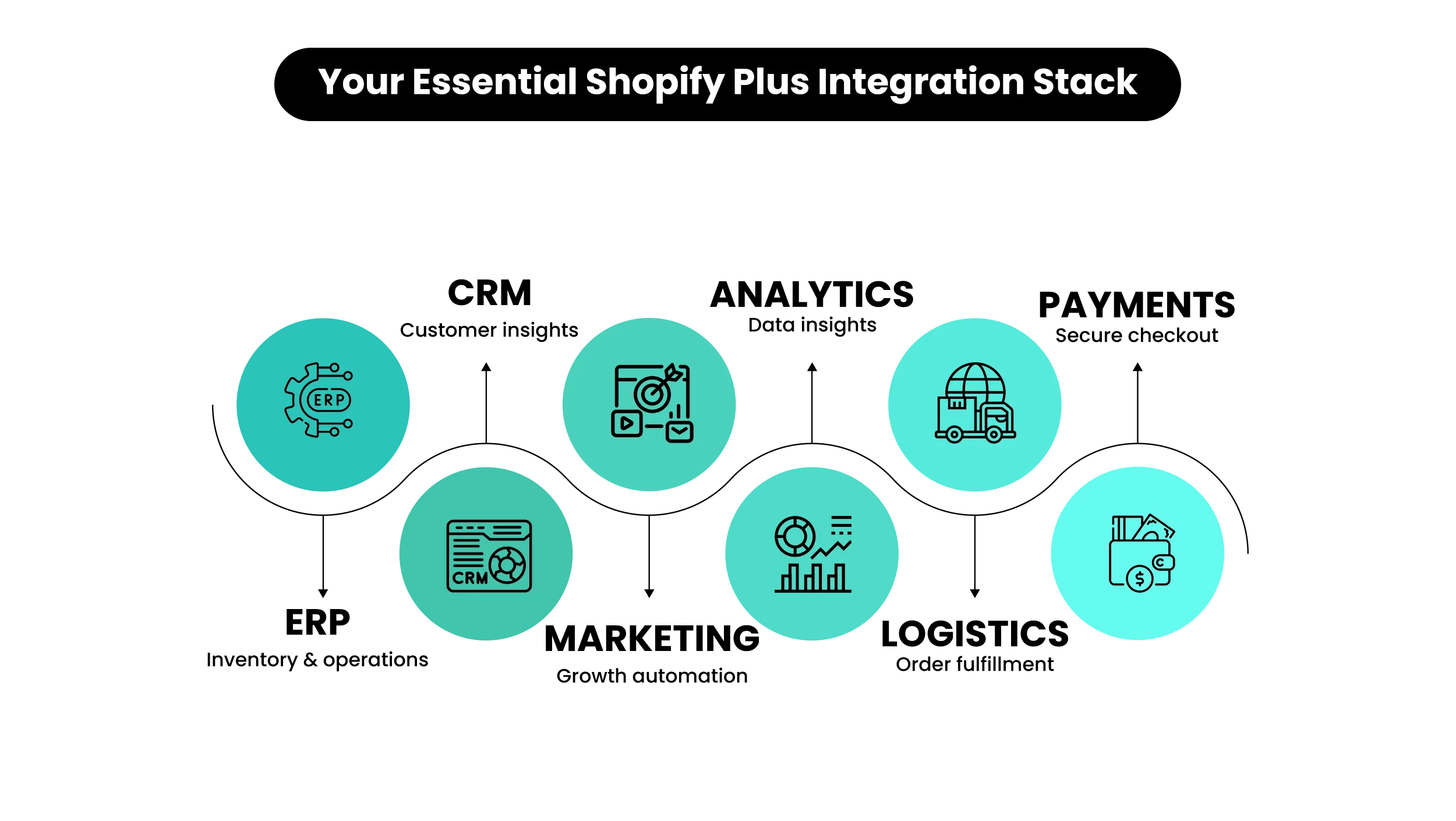
The 6 Core Categories Every Shopify Plus Stack Needs
Before picking tools, understand what each one is actually for. Every app in your stack should serve one clear purpose. Here’s a simple breakdown:
| Category | What It Does | Popular Tools | What to Watch Out For |
| ERP (Stock & Finance) | Manages inventory, orders, and financials in one place | NetSuite, SAP, MS Dynamics | Make sure it syncs frequently and can handle your order volume |
| CRM (Customer Data) | Stores customer info, helps with segmentation and retention | HubSpot, Salesforce, Klaviyo | Watch for overlap with your email tool — don’t pay for the same thing twice |
| Marketing & Email | Sends automated emails, SMS, and campaigns | Klaviyo, Omnisend, Attentive | Make sure email flows don’t clash with your CRM= |
| Analytics | Tracks performance and gives you clear reports | Glew, Looker, GA4 | Check how fresh the data is — outdated reports lead to bad decisions |
| Logistics & Fulfillment | Manages shipping, tracking, and warehouse partners | ShipBob, ShipStation, EasyShip | Test it during busy periods, not just normal days |
| Payments & Fraud | Handles checkout and flags suspicious orders | Stripe, PayPal, Signifyd | Every extra step at checkout loses customers |
Quick check: If two tools in your current stack do the same job, you’re probably paying twice. Fix that before adding anything new.
ERP is often the trickiest integration to get right — it connects your store to your stock levels and finances, so mistakes are costly. Before choosing one, read our detailed guide: Shopify Plus ERP integration: what works and how to get it right.
How to Build Your Stack: A 4-Step Framework
Building a good integration stack isn’t about finding the highest-rated apps. It’s about finding the right tools for your business right now.
Step 1: Map Your Workflows Before You Shop for Tools
Before looking at any app, write down every process that involves orders, customers, or stock. Where does information move between systems? Where do people have to step in manually? Where have mistakes happened in the last six months? These problem areas tell you exactly what to fix first.
Step 2: Check That Tools Actually Work With Shopify Plus
Some apps are built specifically for Shopify — these tend to be faster, more stable, and easier to set up. Others connect through a general API (a technical bridge between two systems), which gives more flexibility but can also break more easily. For important tools like your stock management or customer database, always ask the vendor directly: how does your Shopify Plus connection work, and how do you handle updates when Shopify changes something?
Step 3: Prioritize by Revenue Impact
Not all tools are equally important. Ask one simple question about each: does this directly increase sales, cut costs, or reduce mistakes? If the answer is no to all three, it can wait.
For example: a loyalty app that brings customers back to buy again — that passes immediately. A design testing tool that needs two months of data before showing any results — that’s not a priority right now.
Step 4: Always Test Before Going Live
Every integration must be tested in a safe copy of your store (called a staging environment) before switching it on for real customers. Things that work fine on a normal day can break completely during a big sale. This step isn’t optional — it’s the best way to avoid a checkout failure in front of thousands of customers.
Recommended stack by business size:
- Smaller stores (up to $2M in annual sales): CRM + Email Automation + Payment Gateway. Keep it simple. A fast, reliable store matters more than extra features at this stage.
- Growing stores ($2M–$10M): Add stock management, logistics, and analytics. These become essential once order volumes get serious.
- Large stores ($10M+): Full stack — stock management, customer database, order management, warehouse partner, reporting tools. At this level, you may also want to explore a headless setup (where your storefront is separated from the back end) for better performance.
📌 Key Video
>
>
Real-World Stack Examples
Here’s what a sensible integration stack actually looks like at different business sizes.
- A store doing $3M–$5M typically needs: an email and CRM tool (Klaviyo handles both well), a payment processor like Shopify Payments or Stripe, a logistics app for shipping and tracking, and GA4 for basic analytics. That’s four tools. Adding more at this stage usually creates more problems than it solves.
- A store growing from $10M to $25M needs to add stock management software — this is the point where keeping track of inventory and finances manually becomes too risky. A fraud detection tool also becomes important here, along with a proper reporting platform once GA4 can no longer answer your business questions clearly.
- A store at $50M+ runs a full stack — stock management, customer database, marketing automation, advanced reporting, multi-carrier shipping, and global payment processing, often with custom connections tying everything together. At this level, working with an experienced integration partner isn’t a luxury — it’s a necessity.
The Integration Mistakes That Are Costing You Real Money
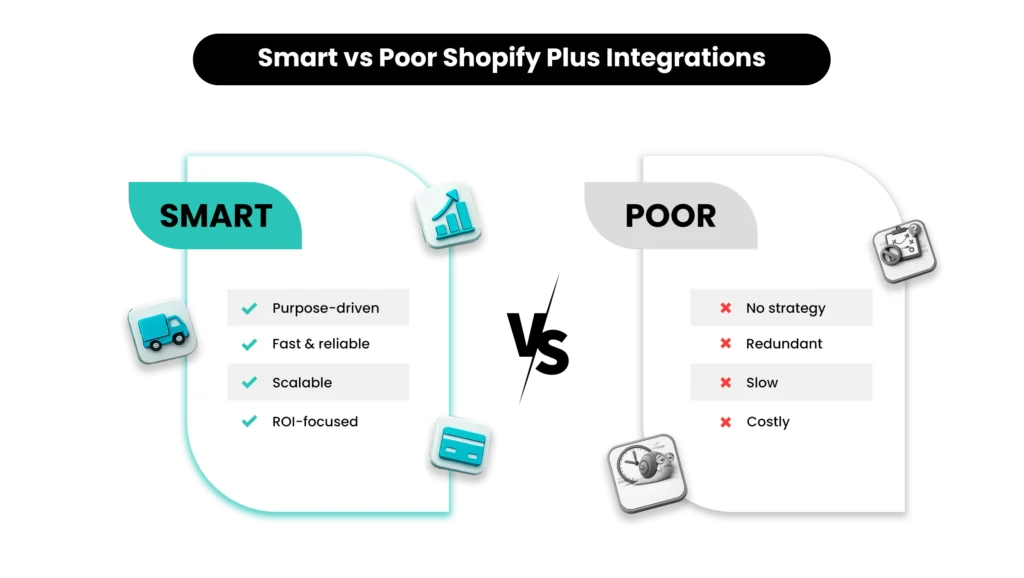
These aren’t rare edge cases. These are patterns that show up repeatedly across Shopify Plus stores — and every one has a real cost.
Mistake 1: Too Many Apps Slowing Your Store Down
Every app that loads on your storefront adds to how long your pages take to open. A poorly built app can add anywhere from a fraction of a second to nearly a full second on its own. With ten or more apps running at once, that adds up to several seconds of extra load time — and lost sales.
If you’re not sure how much your current apps are slowing things down, start here: 10 ways to boost sales with Shopify Plus speed optimization. Every three months, go through your apps and ask: did this tool directly contribute to sales or save us meaningful time in the last 90 days? If not, remove it.
Mistake 2: Paying for the Same Thing Twice
Two email platforms. Two loyalty tools. Two analytics dashboards — because different team members installed them at different times without checking what was already there. Beyond the wasted money, duplicate tools mean your customer data is split across two places, which makes it harder to make good decisions. Pick one tool per job and stick with it.
Mistake 3: Not Thinking About Busy Periods Until It’s Too Late
A setup that works fine at 200 orders a day may completely fall apart at 2,000. Big sales events — Black Friday, product launches — expose every weak point in your setup. Test for high traffic before you need it. Finding a critical failure during a live sale is one of the most avoidable and expensive mistakes you can make.
Mistake 4: Keeping Tools Without Measuring Results
“We use this tool” is not a reason to keep paying for it. Every integration should have a clear goal: what improvement in sales, cost savings, or time saved should it deliver? If you can’t answer that, you’re paying on assumption, not evidence.
Mistake 5: Choosing Cheap Apps That Cost More in the Long Run
A $19/month app that slows every page down could be costing you far more in lost sales than a $200/month tool that runs cleanly and quickly. The monthly subscription price is rarely the real cost — page speed impact is.
Build Your Shopify Plus Store From Scratch With Mastroke
Launch faster with Mastroke, an official Shopify Plus Partner. We build enterprise-grade stores with conversion-first design, seamless migration, and features built to scale revenue at every stage.
The Hidden Costs Nobody Warns You About
- Paying for overlapping tools. When two apps do the same job, you pay for both. Across two or three overlapping categories, that’s often hundreds of dollars a month in waste that nobody is actively tracking.
- Developer time to keep things running. Custom or poorly documented integrations need regular attention from a developer. At typical hourly rates, even a few support issues per month adds up to a significant annual cost.
- A slower checkout. Apps that load on your checkout page can slow it down — and in some cases, break it entirely. Even a slightly slower checkout has a measurable impact on how many orders get completed. Most merchants don’t notice until a performance review surfaces it.
- Emergency fixes during busy periods. When an integration breaks during a peak sales event and nobody understands how it was set up, the cost isn’t just lost revenue — it’s paying a developer emergency rates to diagnose and fix something under pressure, often with no documentation to guide them. Preventing problems is always cheaper than fixing them.
Best Practices for Managing Your Stack Long-Term
- Review your stack every three months. List every installed app, what it costs, and what result it’s supposed to produce. Measure it against that result. If you can’t measure it, the app doesn’t stay. Also check Shopify’s built-in speed report to make sure performance hasn’t dropped since your last review.
- Write down how everything works. Every integration, every automated workflow, every connection between systems should have basic notes: what it does, what it connects, who looks after it, and what to do if it breaks. This feels unnecessary until something goes wrong at 9pm before your biggest sale.
- Test your full setup before every major campaign. Before Black Friday, a product launch, or any high-traffic event — run your integrations under realistic conditions. Find the weak points in a test environment, not in front of real customers.
- Define what success looks like before you install anything. What will you measure to know this tool is working? Set that target upfront. Without a clear goal defined in advance, tools tend to stay installed indefinitely — whether they’re delivering value or not.
📌 Related Video
>
>
Choosing Integrations That Scale With You
When evaluating any new tool, ask four questions before committing:
- Can it handle growth? Will it still work reliably when your order volume is 10 times what it is today?
- Is the vendor dependable? Is the app actively maintained? Do they offer clear support during peak traffic periods?
- Can you see the ROI within 60–90 days? Can you clearly connect this tool to a specific improvement — more sales, lower costs, fewer errors?
- Will it grow with your business model? Does it support selling in multiple countries, multiple currencies, or to business customers if that’s where you’re heading?
On that last point — if you sell to other businesses as well as direct to consumers, your tools need to handle both without creating separate, disconnected data. It’s worth understanding what Shopify’s B2B features cover across different plans before deciding which integrations you actually need.
Conclusion
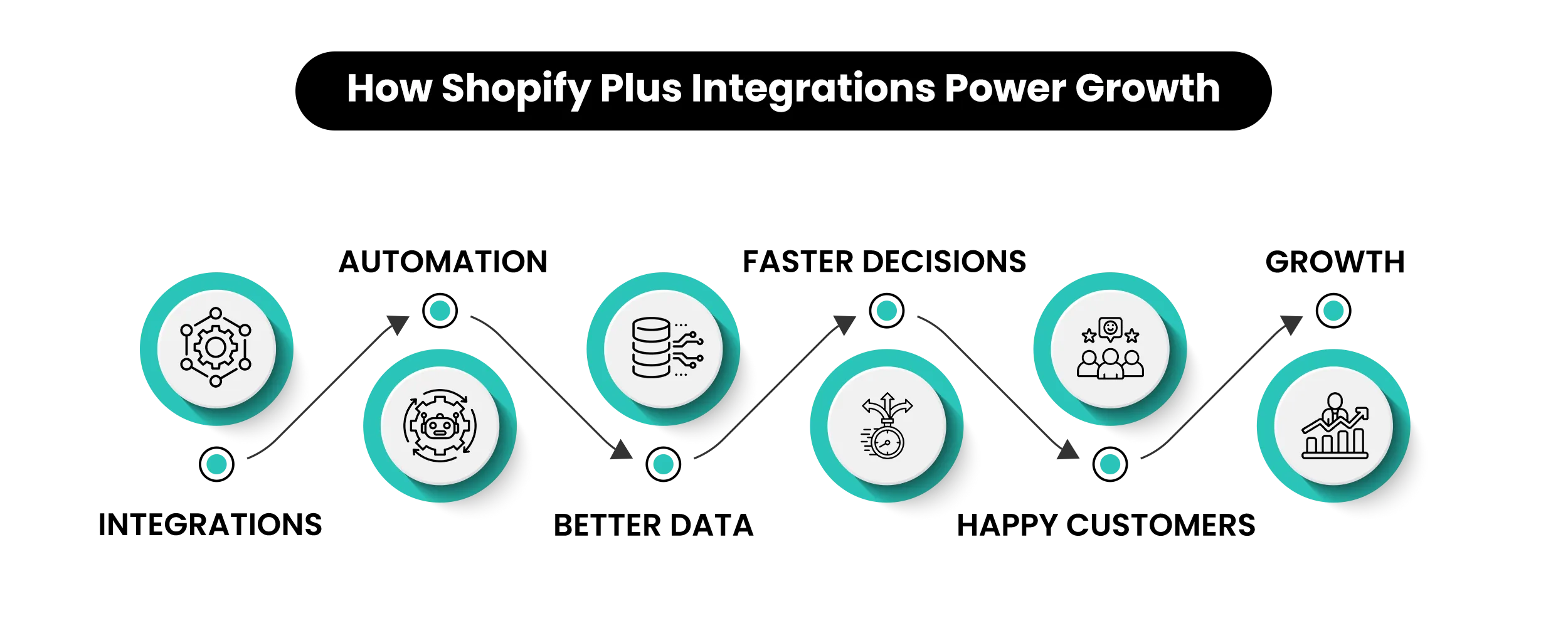
Your Shopify Plus integrations aren’t just tools. They’re the foundation that determines whether your store grows or gets stuck. A lean, well-chosen, well-maintained stack will always outperform a bloated one — in speed, in reliability, and in revenue.
The merchants who scale successfully aren’t the ones with the most apps. They’re the ones who treat every integration as a real business decision, measure its impact, and cut what isn’t working.
Audit what you have. Build what you need. Measure everything.
At Shopify Plus, we help Shopify Plus brands plan, build, and improve their integration stacks — from the first conversation through to ongoing quarterly reviews. If your current setup is creating more problems than it’s solving, let’s talk about what a cleaner stack looks like for your business.
Build Your Shopify Plus Store the Right Way
Bring your vision to life with Mastroke, an official Shopify Plus Partner. We design and develop high-converting, enterprise-ready stores with clean architecture and future-proof features — built to scale as your revenue grows.
Frequently Asked Questions
Q1: What are the most important integrations for a Shopify Plus store?|A:The highest-impact ones are usually stock and order management (ERP), a customer database with email automation (CRM), and analytics. Start with these before adding anything else. Every tool you add after that should solve a specific, clearly defined problem.Q2: How many apps is too many for Shopify Plus?|A:There’s no fixed number — it depends on what each app actually does for your business. Any app that slows your store down without delivering a measurable result is one too many. A quarterly review where you measure each app against a clear goal is the best way to keep things lean.
Q3: How do I know if an integration is slowing my store?|A:Use Google PageSpeed Insights or Shopify’s built-in speed score (found under Online Store → Themes → Speed). The most reliable way to test is to add and remove apps one at a time in a staging environment and measure load time each time. Many apps in the Shopify App Store also show a performance impact rating — check this before installing.
Q4: Are custom integrations worth the cost?|A:For complex needs that off-the-shelf apps genuinely can’t handle — selling in multiple regions, advanced B2B workflows, high-volume stock sync — custom integrations usually deliver better results than trying to patch things together with several overlapping apps. The key requirement is proper documentation and a clear plan for keeping it maintained.
Q5: How often should I review my integration stack?|A:At minimum, every three months. Also do a focused review four to six weeks before any major sale or platform change — that’s when integration failures are most costly. Don’t wait for something to break during a busy period to find out an app hasn’t been updated in months.