Running an online store should feel effortless—but for many store owners, it slowly turns into a juggling act. Pages start loading slower than they should, the admin panel feels clunky, and managing ads becomes more frustrating than profitable. That’s usually the moment when merchants begin to consider a BigCommerce to Shopify Migration seriously.
Over the years, Shopify has grown into the world’s most popular e-commerce platform. Shopify currently powers over 4.6 million live stores and holds 28% of the US e-commerce market share. This level of adoption isn’t accidental—it reflects why so many brands now view Shopify as a long-term growth partner rather than just another e-commerce tool.
A BigCommerce to Shopify Migration isn’t about chasing trends or copying competitors. It’s about choosing a platform that’s easier to manage day-to-day, offers greater flexibility, and supports growth without adding unnecessary complexity or stress.
Why Businesses Are Switching: The Stats Speak
One of the biggest drivers behind a BigCommerce to Shopify migration is simple: market dominance. In the United States alone, Shopify powers nearly 29% of all ecommerce websites, while BigCommerce holds a much smaller slice of the market. This gap matters.
Platforms with larger user bases tend to attract better app developers, receive faster feature updates, and offer stronger third-party integrations—giving merchants a clear competitive edge.
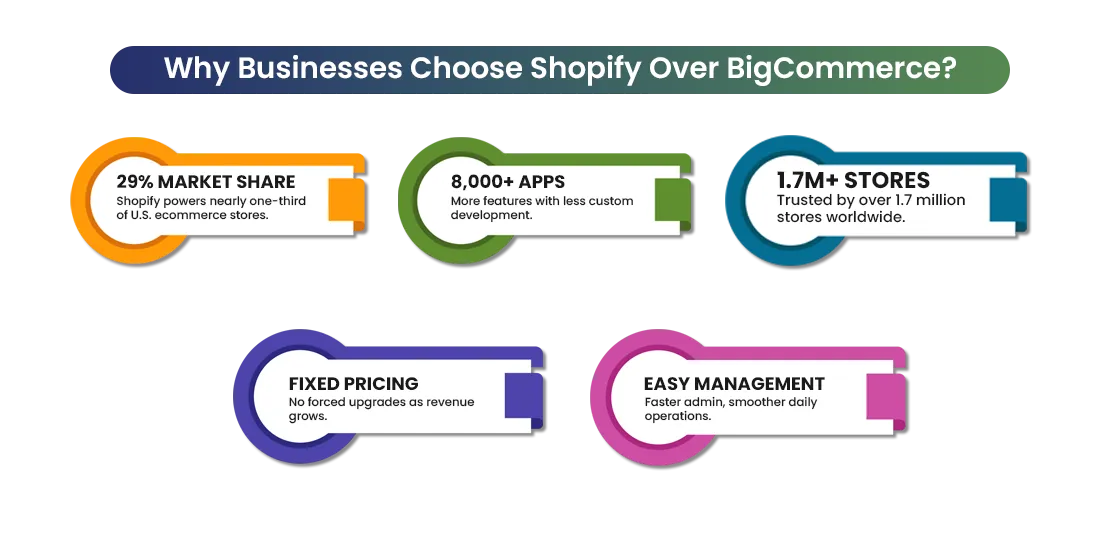
Pricing structure is another major deciding factor. BigCommerce requires merchants to upgrade their plans once annual revenue crosses certain thresholds, which can cause costs to rise unexpectedly just as a business begins to scale.
Shopify follows a fixed pricing model, making expenses easier to predict and long-term financial planning more straightforward. For many growing brands, this clarity around costs becomes a strong motivation to migrate BigCommerce to Shopify as they plan for sustainable growth.
Apps also play a critical role in everyday store operations—and this is where Shopify truly shines. Shopify’s App Store offers over 8,000 apps, compared to roughly 1,000 apps available on BigCommerce. This massive ecosystem allows merchants to easily add features like subscriptions, upsells, automation, customer reviews, and advanced analytics—often without the need for custom development.
Is Shopify Better Than BigCommerce for Growing Stores?
For growing ecommerce businesses, Shopify often proves to be the more practical choice compared to BigCommerce. As stores scale, simplicity, speed, and flexibility become critical—and these are areas where Shopify consistently performs well.
For teams moving from BigCommerce to Shopify, the intuitive dashboard makes daily tasks such as product updates, promotions, and inventory management faster, clearer, and far less error-prone, even with limited resources.
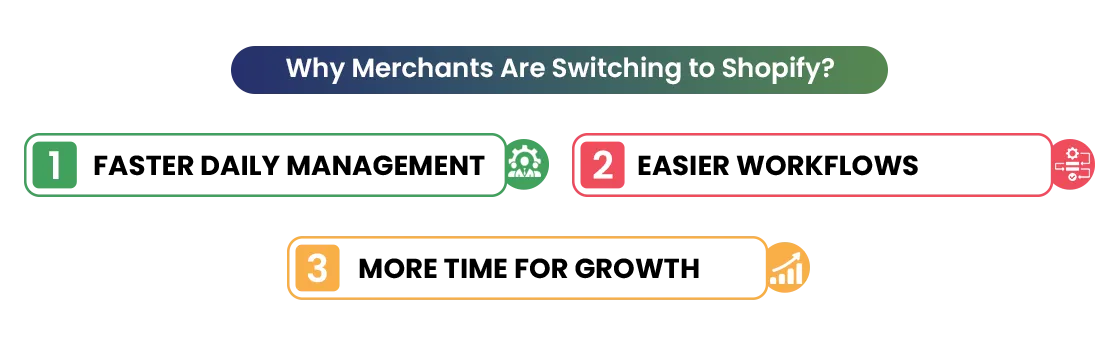
Shopify’s broad app ecosystem makes it easy for growing brands to introduce advanced features like automation, subscriptions, and marketing tools without depending heavily on custom development.
When combined with predictable pricing and reliable performance across both desktop and mobile, Shopify offers a platform that supports steady growth and gives businesses the confidence to migrate BigCommerce to Shopify without adding unnecessary operational complexity.
BigCommerce vs Shopify: What Merchants Actually Experience
When merchants talk about the real difference between platforms, it usually comes down to daily experience—especially for teams moving from BigCommerce to Shopify. The gap becomes obvious after launch, when store owners begin managing products, pages, and promotions on a regular basis.
BigCommerce
- Dashboard feels complex and less beginner-friendly
- Product and page updates take more steps
- Store management can feel slow and confusing
- Some tasks require extra setup or technical help
- Harder to manage for solo owners or small teams
Shopify
- Clean, simple dashboard that’s easy to use after you transfer BigCommerce to Shopify
- Faster product, page, and collection management
- Everyday tasks feel smoother and more intuitive
- Most features work with minimal setup
- Ideal for small teams and solo store owners
This ease of use is one of the main reasons merchants choose to move from BigCommerce to Shopify. For growing businesses, saving time on daily tasks means more focus on sales, marketing, and long-term growth.
When Does a Store Need Migration?
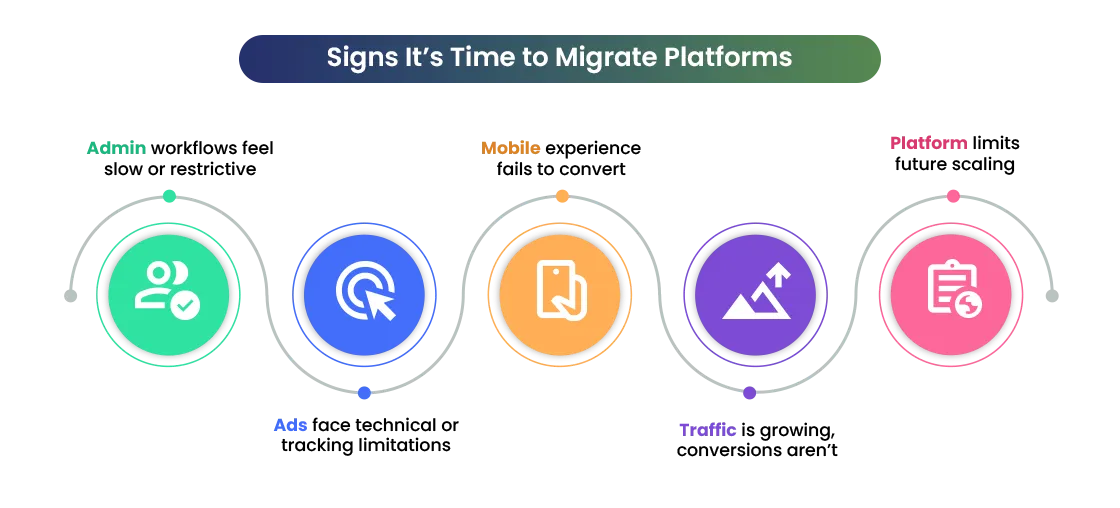
Not every store needs to move right away—but some signs are too important to ignore. Many merchants start considering a BigCommerce to Shopify migration when customers struggle to navigate the site, ads get rejected due to technical or structural issues, or the backend feels overly complex for everyday tasks.
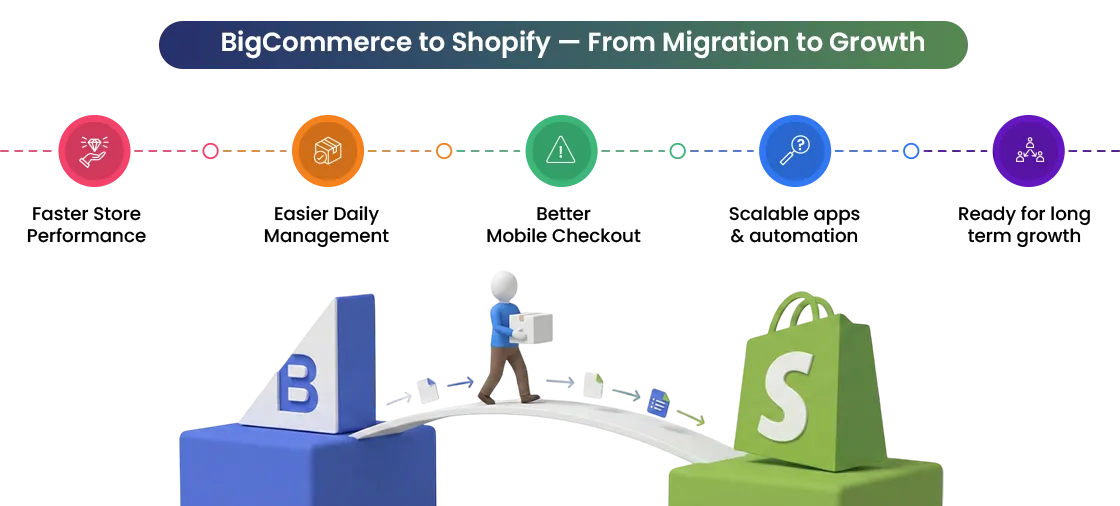
Another clear signal is stalled growth. When traffic is coming in but conversions remain low, the platform itself may be holding the store back. Shopify’s streamlined checkout experience and strong mobile optimization often help improve customer flow and conversions—without the need for heavy customization or technical effort.
Pre-Migration Planning: Lay the Foundation for Success
A successful BigCommerce to Shopify migration always starts with proper planning. Rushing into migration without a clear plan often leads to missing data, broken pages, or SEO issues. When the process is broken into simple steps, it becomes much easier to manage and far less risky for merchants.
Choosing the Right Migration Approach
| Store Type / Approach | Best For | Key Considerations |
| Small Stores | Small product catalogs, limited variants, minimal integrations | Can use Shopify import tools or CSV files with lower complexity |
| Large or Complex Catalogs | Large inventories, custom pricing, heavy SEO reliance | Requires careful data handling, redirects, and testing |
| DIY Migration | Budget-conscious stores with simple setups | Higher risk of data errors, broken links, and SEO issues |
| Professional Migration Services | Growing or established businesses | Better accuracy, SEO protection, faster execution, and lower post-launch risk |
The goal at this stage is simple: understand what you have, what you need, and what you want to improve after moving from BigCommerce to Shopify.
Step 1: Define Your Migration Goals
Before starting your BigCommerce to Shopify migration, be clear about why you are moving. Some merchants want lower platform costs, others want better speed, easier store management, or smoother advertising performance.
When your goals are clear, every decision during the migration becomes easier and more focused. Clear goals also help you avoid unnecessary work and keep the migration aligned with your business needs.
Step 2: Audit Your Existing Store
The next step is reviewing your current BigCommerce store carefully. Go through your products, categories, customer data, orders, blogs, pages, and installed apps. This is a good time to remove outdated products, unused content, or integrations that no longer add value.
Cleaning up before migrating from BigCommerce to Shopify makes your new store lighter, faster, and easier to manage. It also reduces the risk of errors during data transfer.
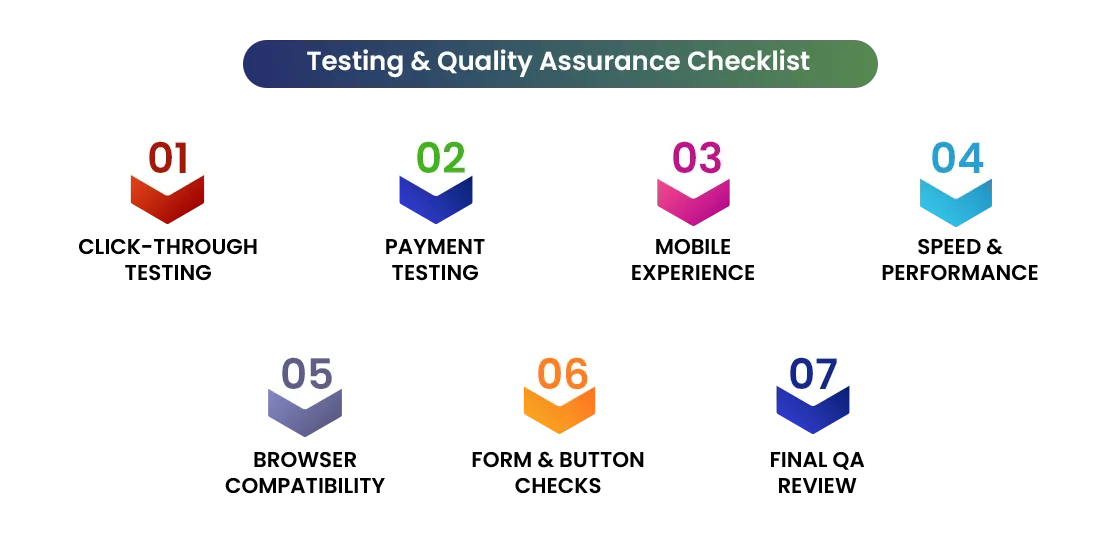
Step 3: Plan the Right Timeline
Most BigCommerce to Shopify migration projects take between 2 to 6 weeks, depending on store size and complexity. Choosing the right timing is important. Avoid migrating during high-sales periods, major promotions, or holiday seasons.
A well-planned timeline gives you enough room for testing, fixing issues, and launching smoothly without affecting customers. This step is especially important for a smooth Shopify store migration.
Step 4: Choose the Best Migration Method
Not all stores need the same migration approach. Small stores can often migrate using CSV files or Shopify’s built-in import tools. Larger or more complex stores usually benefit from professional Shopify migration services, which help ensure accuracy and save time.
Choosing the right method early helps build a strong foundation for your BigCommerce to Shopify migration and avoids costly rework later.
Backing Up Your BigCommerce Data: Insurance for Your Store
Before starting a BigCommerce to Shopify migration, backing up your data is a critical step. A proper backup protects your store from data loss and gives you peace of mind during the migration process.
- Products & Inventory: Export your entire product catalog—covering titles, descriptions, pricing, variants, images, SEO details, and custom fields—so every item transfers accurately when you migrate from BigCommerce to Shopify, with no data loss or gaps.
- Customer Information: Back up customer records such as names, email addresses, billing details, and purchase history. Passwords cannot be transferred, so customers will need to reset them after migration.
- Order History: Save your complete order history, but prioritize recent orders for migration. Older orders can be stored separately for accounting and reporting.
- Content & Media: Export blogs, pages, banners, images, and downloadable files. This helps maintain brand consistency and SEO value on your new Shopify store.
- Technical Setup: Record custom code, API keys, and third-party integrations to reconnect after the BigCommerce to Shopify migration.
Shopify Store Setup: Building the Future of Your Store
Setting up your Shopify store the right way is a key step in a successful BigCommerce to Shopify migration. From choosing the right plan to preparing payments and shipping, each decision directly impacts performance, SEO, and customer experience.
Shopify Store Setup Checklist
| Setup Area | What to Do | Why It’s Important |
| Shopify Plan | Choose a plan based on products and traffic | Supports smooth scaling |
| Domain Strategy | Keep old domain or rebrand with redirects | Protects SEO rankings |
| Theme Selection | Pick a mobile-first, fast theme | Improves conversions |
| Essential Apps | Install SEO, email, analytics apps | Avoids rework later |
| Payments & Shipping | Configure gateways, validate shipping zones, and review tax settings | Ensures payment compatibility, accurate shipping rates, and readiness to sell immediately |
After completing these steps, your Shopify store becomes a strong foundation for transfer BigCommerce to Shopify. Installing essential apps early, setting up payments correctly, and choosing a conversion-focused theme helps avoid issues after launch.
Importing Data: Moving Everything Safely
Importing data is the most important step in a BigCommerce to Shopify migration, as it moves the core of your business to Shopify.
- Products: Migrate product titles, descriptions, SKUs, variants, prices, and inventory using CSV files.
- Customers: Transfer names, emails, and order history. Passwords cannot be migrated, so customers must reset them after you migrate from BigCommerce to Shopify.
- Orders: Move recent orders for support continuity and archive older orders for records.
- Content & Media: Update internal links, review SEO titles, and ensure images are correctly linked.
Note: Careful data handling ensures a smooth and professional Shopify store migration.
Recreating Custom Features & Functionalities
When moving from BigCommerce to Shopify, review all custom features your store currently uses. Identify custom scripts, pricing rules, filters, or checkout logic that support key operations.
Shopify’s app ecosystem often replaces heavy custom development. Many features that required custom coding on BigCommerce can be handled with apps on Shopify, making the store easier to manage and scale.
After setting up core features, reconnect all third-party tools such as email platforms, accounting software, inventory systems, and CRMs. Professional Shopify migration services can help recreate complex features during the BigCommerce to Shopify migration.
Testing & Quality Assurance: Catch Errors Before Customers Do
Thorough testing is essential to ensure your store runs smoothly after migration. Below mentioned are some steps that you should keep in mind while migrating to Shopify:
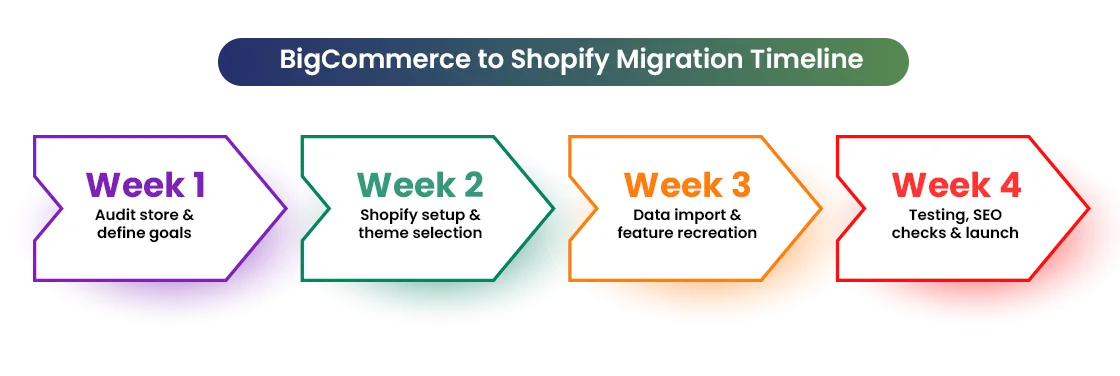
1: Click-Through Testing
- Open product and collection pages
- Put items to the cart and then proceed to checkout
- Check forms, links, and buttons for errors
2: Payment Testing (Shopify Test Mode)
- Place test orders using different payment methods
- Confirm transactions process correctly
3: Mobile Experience Testing
Test on real phones and tablets
Check spacing, buttons, and checkout flow
4: Performance & Speed Checks
- Use Google Page-Speed Insights and Shopify analytics
- Identify speed and performance issues
5: Cross-Browser Testing
- Test on Chrome, Firefox, Safari, and Edge
- Ensure consistent design and functionality
Proper testing helps deliver a faster, smoother, and more reliable shopping experience.
Final Launch & Domain Pointing
The final launch is the most exciting part of a BigCommerce to Shopify migration. Before switching traffic, review all critical settings: DNS records, payment gateways, shipping rules, emails, and installed apps. Testing in a staging or preview environment first is essential—place real-like test orders, check confirmation emails, and review the full checkout experience.
Choose a low-traffic time to update your domain. Most domain changes take 15–30 minutes, and customers usually won’t notice. Clear communication with your team and partners ensures smooth execution. Post-launch, monitor analytics, user behavior, and error logs closely. Keep a rollback plan ready for any unexpected issues.
Post-Migration Optimization & Growth
Migration is just the beginning. Once your Shopify store is live, track metrics like traffic, conversion rate, bounce rate, and SEO performance. This helps you understand how the store is adapting post-migration. Team training is vital. When everyone understands apps, workflows, and reports, daily operations become smoother.
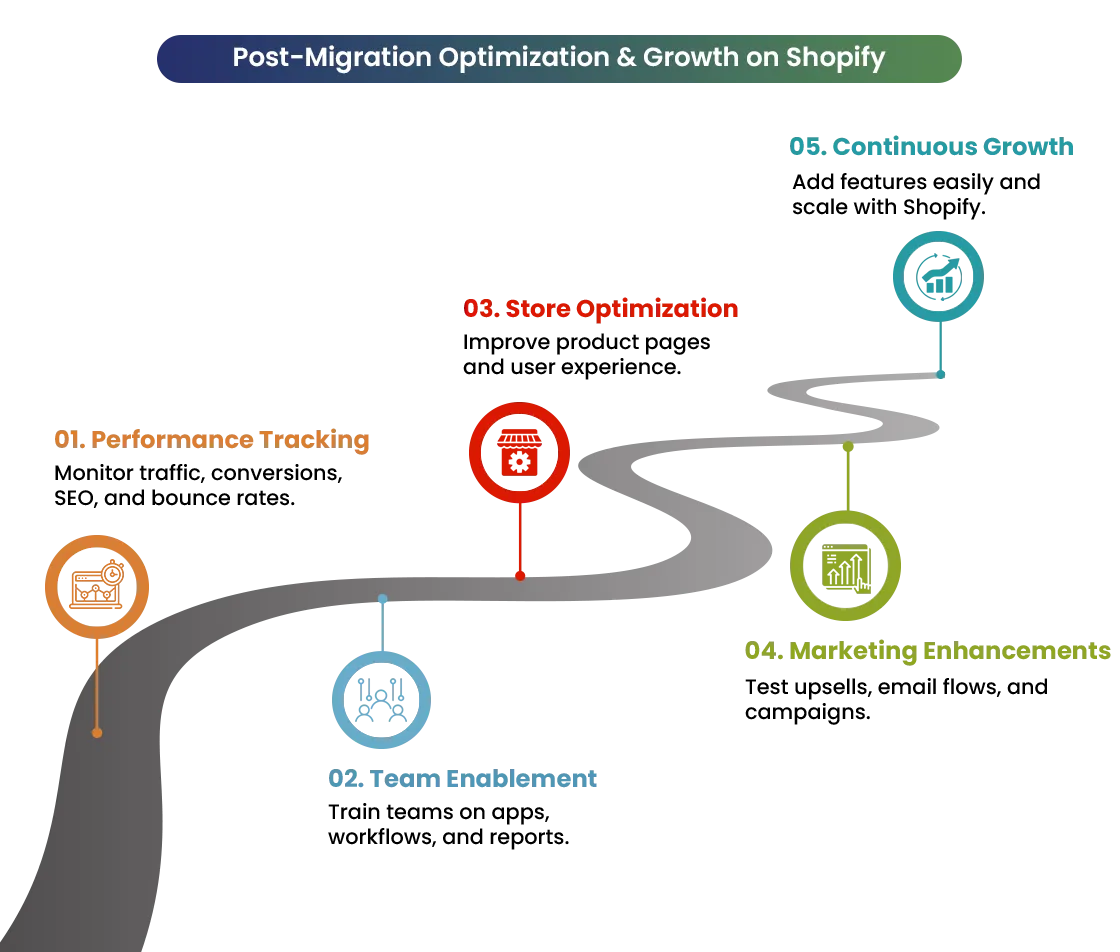
Over time, focus on continuous improvements: optimize product pages, experiment with upsells, improve email flows, and test marketing campaigns. Shopify’s ecosystem makes it easy to add new features without technical stress. Properly transferring BigCommerce to Shopify ensures your store is future-ready.
Compare results from BigCommerce and Shopify—many merchants see better speed, lower maintenance, and higher conversions within weeks. Using migrate from BigCommerce to Shopify solutions strategically ensures long-term benefits.
Success Stories & Case Studies
Example 1: Cost Savings and Better Efficiency
A medium-sized online store using BigCommerce frequently hit sales limits, forcing plan upgrades. After moving to Shopify, they selected a fixed pricing plan and used only essential apps.
This reduced monthly platform costs and simplified operations, showing why a careful BigCommerce to Shopify migration is a smart move.
Example 2: Higher Conversion Rates and Improved Mobile UX
An apparel brand migrated from BigCommerce to Shopify to improve mobile performance. After choosing a mobile-first Shopify theme and simplifying checkout, page load speed improved and cart abandonment dropped, showing the power of proper shopify store migration.
Example 3: Less Maintenance and Streamlined Workflow
A direct-to-consumer brand relied on heavy custom code on BigCommerce. After migration, most custom features were replaced with Shopify apps. This reduced technical errors, cut maintenance time, and allowed the team to focus more on marketing instead of troubleshooting.
The Bottom Line
Migrating from BigCommerce to Shopify is more than a technical change—it’s a growth opportunity. A well-planned migration improves workflows, strengthens SEO, and creates a better shopping experience. With faster speed, easier management, and better tools, merchants can focus on selling instead of fixing issues.
Shopify powers millions of stores worldwide, offers excellent scalability, and provides access to thousands of apps for marketing, automation, and analytics. Whether a small business or a growing brand, Shopify adapts as your business grows. If you’re planning a BigCommerce to Shopify migration, now is the right time. Professional assessment can help avoid risks, protect SEO, and ensure a smooth transition.
If you’re planning a smooth and SEO-safe move to Shopify, Mastroke helps brands migrate without data loss, downtime, or traffic drops. From planning to post-launch optimization, Mastroke ensures your Shopify store is built to scale from day one.
FAQs (Frequently Answered Questions)
1. Will I lose my existing data?
No. Products, customers, orders, and content can be safely migrated using proper backups.
2. How long will my store be offline?
Most migrations have little to no downtime. Domain switching usually takes 15–30 minutes.
3. Can all products, customer data, and order history be transferred?
Yes. Product catalogs, customer records, and order history can be moved, though older orders are archived.
4. Will my third-party apps still work?
Many BigCommerce apps have Shopify alternatives. Most integrations can be reconnected easily.
5. How can I preserve my SEO rankings?
By keeping URL structures, using 301 redirects, and migrating metadata, SEO rankings are protected during transfer from BigCommerce to Shopify.
5. Should I hire Shopify migration services or migrate myself?
You can migrate yourself if your store is small and simple, but for larger or SEO-sensitive stores, hiring Shopify migration services is safer.