
Running a Shopify Plus store is exciting, but it rarely feels simple. As order volumes grow and promotions become more frequent, everyday operations start to pile up. Small tasks repeat, processes stretch, and teams often find themselves spending more time managing workflows than growing the business. This is where Shopify Plus automation quietly becomes one of the most valuable tools for scaling without chaos.
Most Shopify Plus merchants deal with the same repetitive tasks every day — tagging orders, monitoring inventory, sending routine emails, and reviewing reports. Individually, these tasks seem minor. Together, they consume valuable time and increase the risk of human error as the business grows.
Shopify Plus automation is not about adding complexity. It is about creating consistency. By using built-in workflows and automation tools, merchants can let their stores handle routine operations automatically, without constant manual involvement.
Shopify Plus merchants automate millions of decisions monthly, running custom workflows that can boost average order value by up to 20% through rule-based automation. Many Shopify Plus stores run hundreds of background workflows daily, improving efficiency and often increasing AOV through rule-based logic.
Shopify Plus already provides powerful automation capabilities. The challenge lies in knowing what to automate, when to automate, and how to do it safely. This guide focuses on practical, real-world automation strategies that help stores operate smoothly and scale with confidence.
What Does Shopify Plus Automation Actually Mean?
Shopify Plus automation is not about turning your store into a robot-run business. It’s about reducing the small, repetitive tasks that quietly slow your team down every day. Instead of manually checking orders, tagging customers, or reacting to issues after they happen, automation lets your Shopify Plus store respond automatically based on clear rules.
In simple terms, Shopify Plus automation means setting up workflows where your store knows what to do when something happens. An order is placed. Inventory drops. A customer buys again. A payment looks risky. Instead of someone stepping in every time, the system takes action for you.
Want to learn more? Read our blog: “Why Brands Upgrade to Shopify Plus: Benefits, Costs & When to Switch.”
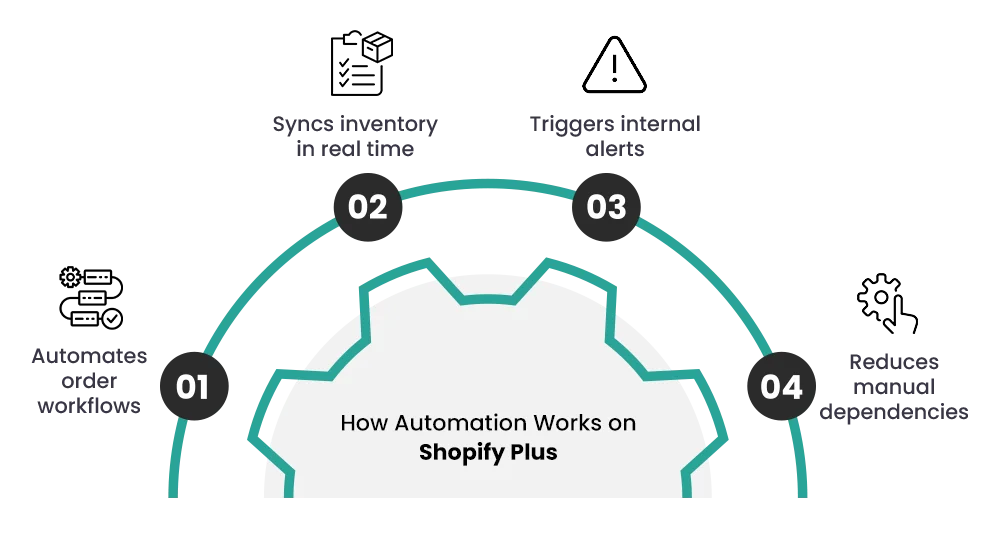
What automation looks like in day-to-day operations?
For most Shopify Plus merchants, automation shows up in very practical ways:
- Orders are automatically tagged based on product type, location, or risk level
- High-risk orders are flagged for review before fulfillment
- Customers are tagged when they purchase, return, or repeat buy
- Inventory alerts trigger before stock runs out
- Notifications are sent to teams without manual follow-ups
This kind of Shopify Plus workflow automation keeps operations clean and predictable, especially when order volume increases.
What automation is — and what it is not?
Automation is:
- Rule-based actions triggered by real store activity
- A way to reduce human error in repetitive tasks
- A method to keep operations consistent at scale
Automation is not:
- Guesswork or AI making random decisions
- A replacement for strategy or human oversight
- Something you set once and never review
Good Shopify Plus operational automation supports your team. It doesn’t remove control—it removes unnecessary effort
Before & After: Shopify Plus Automation
Implementing Shopify Plus automation transforms ecommerce operations from reactive and manual to structured and scalable. Here’s how the shift looks in practical terms:
Operations & Inventory
- Before: Manual stock checks, risk of overselling, and delayed updates.
- After: Automatic stock-based triggers, product hiding, and low-stock alerts.
Marketing & Customer Experience
- Before: Manual tagging, discount setup, and campaign handling.
- After: Automatic customer segmentation, loyalty triggers, and fully scheduled flash sales via Launchpad.
Risk & Fraud Management
- Before: Time-consuming manual fraud reviews.
- After: High-risk orders are flagged or paused instantly using defined conditions.
Customer Support Efficiency
- Before: Manual tracking updates and ticket creation.
- After: Automated notifications and support ticket triggers for faster resolution.
Checkout & B2B Customization
- Before: Limited checkout flexibility and heavy app dependence.
- After: Customized checkout logic using Shopify Functions.
Overall, automation reduces errors, saves time, and creates predictable systems that support high-volume growth.
Why Shopify Plus merchants automate more than regular Shopify stores?
Shopify Plus stores operate at a different level. Higher traffic, faster launches, multiple locations, and complex promotions create more moving parts. Manual processes that work on standard Shopify often break under Plus-level volume.
With global retail sales expected to reach $32.8 trillion by 2026 and 79% of sales leaders already reporting revenue growth, even small operational delays can directly impact revenue. At this scale, efficiency is no longer optional—it becomes a competitive advantage.
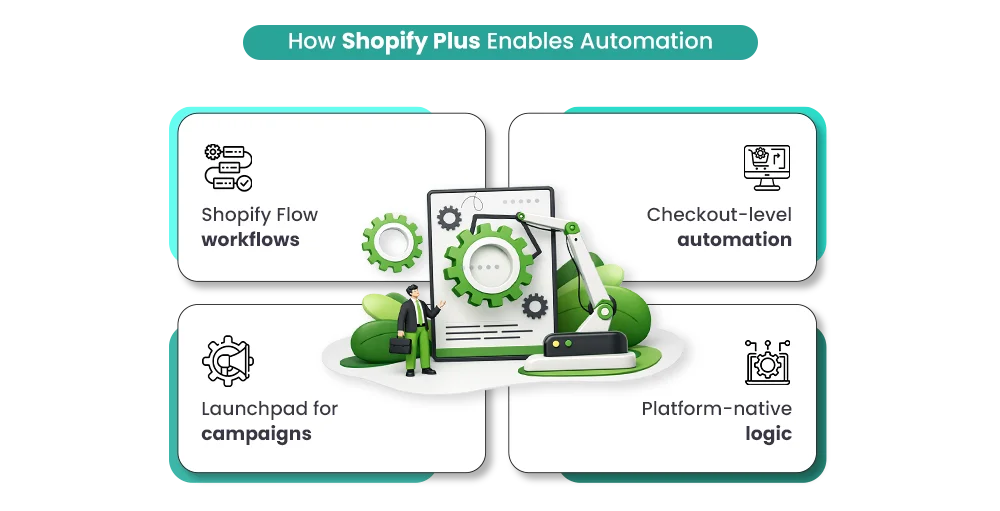
That’s why Shopify Plus automation tools like Shopify Flow, Scripts, and Launchpad are built specifically for advanced workflows. They allow merchants to manage growth without constantly adding staff or slowing down decision-making. In short, Shopify Plus automation helps stores run smoother, faster, and with far fewer surprises—exactly what scaling brands need.
Why Shopify Plus Merchants Automate Store Operations?
Shopify Plus merchants usually don’t plan to automate everything from day one. Automation becomes a need when growth starts exposing cracks in daily operations. Below are the most common reasons why Shopify Plus automation quickly becomes essential.
Reason 1: Too much manual work eats up valuable time
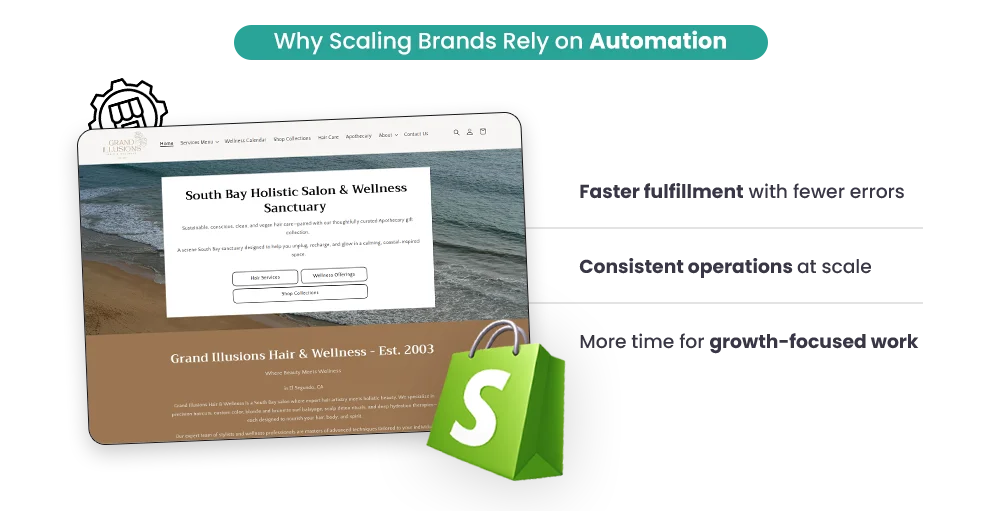
As order volume increases, small tasks multiply fast. Manually tagging orders, checking inventory levels, updating customer data, or sending routine emails takes hours every week. Shopify Plus automation removes this repetitive workload so teams can focus on strategy, growth, and customer experience instead of admin tasks.
Reason 2: Fewer human errors during high-volume periods
Manual processes break under pressure. Missed tags, wrong fulfillment routing, or delayed responses often happen during sales and launches. With Shopify Plus workflow automation, actions follow clear rules every time, reducing mistakes and keeping operations consistent—even during peak traffic.
Reason 3: Faster order processing and fulfillment
Speed matters on Shopify Plus. Automated order tagging, routing, and risk checks allow teams and warehouses to act instantly. Shopify Plus operational automation ensures orders move smoothly from checkout to delivery without unnecessary delays.
Reason 4: Easier scaling without hiring too fast
Growth shouldn’t mean doubling your team overnight. Shopify Plus automation tools help stores handle more orders, customers, and campaigns without constantly adding staff, making scaling more efficient and sustainable.
Reason 5: Better visibility and control
Automation doesn’t remove control—it improves it. Clear workflows, alerts, and logs help merchants see what’s happening across the store in real time. With Shopify Plus automation, decisions become proactive instead of reactive.
Together, these reasons explain why automation isn’t optional for growing Plus merchants—it’s what keeps modern Shopify Plus stores fast, accurate, and scalable.
Built-In Shopify Plus Automation Tools You Already Have
One of the biggest advantages of being on Shopify Plus is that automation is already built into the platform. Many merchants think automation always requires third-party apps, but Shopify Plus comes with native tools designed specifically for high-volume stores. These tools handle common operational and promotional tasks without adding extra complexity or cost.
Understanding these Shopify Plus automation tools helps merchants automate smarter—by using what’s already available — before adding apps or custom development.
Core Shopify Plus Automation Tools
Shopify Plus Automation Tool |
What It Does |
When It’s Most Useful |
|
Shopify Flow |
Creates automated workflows triggered by store events |
Order tagging, fraud checks, inventory alerts, and customer tagging |
| Launchpad | Schedules and automates sales events and product launches |
Flash sales, seasonal promotions, timed product drops |
|
Shopify Scripts |
Customizes checkout logic and discount behavior |
Tiered discounts, BOGO offers, customer-specific pricing |
Shopify Flow: Automation for daily operations
Shopify Flow is the backbone of Shopify Flow automation. It allows merchants to build rule-based workflows without coding. When something happens in the store—like an order being placed or inventory dropping—Flow automatically takes action.
Common Shopify Plus automation examples using Flow include:
- Automatically tagging high-risk or VIP orders
- Sending alerts when stock reaches a set threshold
- Routing orders to different fulfillment locations
- Tagging customers based on purchase behavior
- Flow is especially useful for Shopify Plus operational automation, where consistency and speed matter more than manual oversight.
Launchpad: Automation for sales and launches
Launchpad is designed for merchants running frequent promotions or large-scale launches. Instead of manually turning settings on and off, Launchpad automates everything around a scheduled event.
With Launchpad, Shopify Plus merchants can:
- Schedule theme changes for sales
- Publish or hide products automatically
- Apply discounts at a fixed time
- Roll back settings once the event ends
This form of Shopify Plus workflow automation is critical during high-traffic events when timing mistakes can cost revenue.
Shopify Scripts: Automation at checkout
Shopify Scripts allows deeper control over pricing and discounts at checkout. Unlike standard discount rules, Scripts apply logic dynamically based on cart contents or customer data.
Scripts are commonly used for:
- Tiered pricing based on quantity
- Customer-specific discounts
- Complex BOGO and bundle offers
While Scripts require some technical setup, they unlock powerful Shopify Plus automation tools for brands with advanced pricing strategies.
Why using native tools first matters
Starting with built-in Shopify Plus automation reduces dependency on apps, keeps workflows stable, and ensures better performance during peak traffic. For many merchants, native tools handle 60–70% of automation needs before additional tools are required.
Used together, these tools form the foundation of a clean, reliable Shopify Plus workflow automation—setting the stage for scalable growth without operational chaos.
Practical Ways to Automate Daily Store Operations on Shopify Plus
This is where Shopify Plus automation delivers real, everyday value. These aren’t complex systems — just smart workflows that remove manual effort and keep operations smooth, even during peak periods.
1. Order Tagging and Routing
Instead of manually sorting orders, Shopify Plus can instantly categorize them based on product type, location, order value, or shipping method. High-priority or international orders are automatically directed to the correct fulfillment team, reducing delays and manual errors.
2. Fraud Checks and Order Review
With Shopify Flow, high-risk orders are flagged in real time. Teams are alerted immediately, fulfillment can be paused if needed, and low-risk orders move forward without disruption — balancing speed with security.
3. Inventory Alerts and Stock Rules
Stock levels are continuously monitored, triggering alerts when inventory drops below defined thresholds. Products can be marked as low stock automatically, helping teams reorder on time and prevent overselling.
4. Customer Tagging Based on Behavior
Customer profiles update dynamically based on purchase behavior. First-time buyers, repeat customers, and VIP shoppers are identified automatically, supporting smoother operations and targeted engagement.
5. Refunds, Cancellations, and Notifications
Refunds and cancellations trigger automatic internal notifications and tagging, keeping records organized and reducing confusion during high-volume periods.
Together, these Shopify Plus automation workflows reduce friction in daily operations — giving teams more time to focus on growth instead of repetitive tasks.
Want a deeper perspective before upgrading? Also read: “Is Shopify Plus Overhyped or Actually Worth It?”
Shopify Plus Automation for Marketing and Customer Experience
Once daily operations are under control, Shopify Plus automation becomes a powerful growth tool. Marketing and customer experience improve when messages, offers, and actions happen automatically—based on real customer behavior, not guesswork.
1. Customer Segmentation Automation
With Shopify Plus workflow automation, customers are automatically grouped by actions like first purchase, repeat orders, total spend, or product interest. These segments update in real time, so your marketing always targets the right audience without manual list management.
2. Email And Sms Triggers
Using Shopify Flow automation and connected marketing tools, emails and SMS messages can be triggered automatically. Welcome emails, abandoned cart reminders, order updates, and re-engagement messages go out at the right moment—without your team pressing send.
3. Personalized Discounts And Offers
Automation allows discounts to be applied based on customer behavior. For example, VIP shoppers can receive exclusive offers, or inactive customers can get a win-back discount. This makes promotions feel personal while staying fully automated.
4. Post-Purchase Automation
After an order is completed, automation can trigger thank-you emails, review requests, product care tips, or loyalty point updates. This creates a smooth, professional experience that builds trust and repeat purchases.
With the right Shopify Plus automation tools, marketing becomes consistent, personal, and scalable—without adding more work for your team.
Common Automation Mistakes Shopify Plus Merchants Make
Shopify Plus automation is powerful, but only when used the right way. Many merchants rush into automation and end up creating more problems instead of solving them. Here are the most common mistakes—and how to avoid them.
Mistake 1: Automating too early
Some merchants try to automate everything before their processes are stable. If your order flow or inventory logic keeps changing, automation will only add confusion. Automation works best once workflows are clear and repeatable.
Mistake 2: Automating broken processes
Automation does not fix bad processes—it makes them faster. If refunds, tagging, or fulfillment rules are already messy, Shopify Plus workflow automation will amplify those issues instead of solving them.
Mistake 3: Over-automation
Too many triggers, tags, and rules can overwhelm teams and customers. For example, sending multiple emails or alerts for one action creates noise. Smart Shopify Plus operational automation focuses on impact, not volume.
Mistake 4: No testing before going live
Launching automation without testing is risky. A small logic error can tag the wrong orders or trigger incorrect discounts. Always test workflows with draft or low-risk orders first.
Mistake 5: Ignoring performance tracking
Many merchants set up automation and never review the results. Without tracking outcomes, you won’t know what’s working. Good Shopify Plus automation examples include regular reviews and small improvements over time.
Avoiding these mistakes helps automation stay reliable, efficient, and supportive—rather than disruptive.
When to Use Apps vs Native Shopify Plus Automation
Choosing between native tools and apps is a common decision for Shopify Plus merchants. The right choice depends on complexity, scale, and control.
Shopify Plus Automation Options Comparison
| Automation Need | Native Shopify Plus Automation | Automation Apps | Custom Workflows |
| Order tagging & routing | Shopify Flow handles this well | Usually not needed | Only for very complex logic |
| Inventory alerts & rules | Shopify Flow + native inventory | Useful for advanced forecasting | Needed for multi-system sync |
| Fraud checks & order review | Built-in + Flow automation | Helpful for advanced fraud scoring | Rarely required |
| Customer tagging & segmentation | Native Flow workflows | Useful for deep personalization | Needed for custom CRM logic |
| Discount & checkout logic | Shopify Scripts | Limited app flexibility | Custom logic for enterprise rules |
| Email & SMS automation | Basic native triggers | Best handled by apps | Custom for omnichannel setups |
| Marketing personalization | Limited natively | Strong app ecosystem | High-cost, high-control option |
Rule of thumb: Use native Shopify Plus automation tools first. Add apps only when native workflows can’t meet your needs.
How to Get Started with Shopify Plus Automation (Step-by-Step)
Getting started with Shopify Plus automation doesn’t mean changing everything at once. The smartest approach is slow, clear, and practical. Here’s a simple step-wise way to do it.
Step 1: Audit repetitive tasks
List tasks your team repeats daily or weekly—order tagging, inventory checks, customer tagging, email notifications, or manual reviews. These are the best candidates for Shopify Plus workflow automation.
Step 2: Pick one low-risk workflow
Start small. Choose a simple automation like order tagging or low-stock alerts. This helps your team understand how Shopify Plus automation works without risking live operations.
Step 3: Use native tools first
Begin with Shopify Flow automation and other built-in Shopify Plus automation tools. Native tools are stable, faster, and designed for high-volume stores.
Step 4: Test before going live
Run tests using draft orders or limited conditions. Check tags, notifications, and actions to ensure the workflow behaves exactly as planned.
Step 5: Monitor and refine
Once live, review logs and results regularly. Fix gaps, remove unnecessary triggers, and improve logic as your store grows.
Step 6: Scale automation gradually
After core operations are stable, expand into marketing and customer experience automation. Slow scaling keeps Shopify Plus operational, automation reliable and effective.
This step-by-step approach ensures automation supports growth—without creating confusion or risk.
Final Thoughts: Is Shopify Plus Automation Right for Your Store?
If your Shopify Plus store is growing, automation isn’t a luxury — it’s essential for stability. Shopify Plus automation helps manage higher order volumes, complex promotions, and rising customer expectations without increasing operational pressure. It’s especially valuable for brands running frequent launches, handling sales spikes, or operating with lean teams. Automation adds speed, consistency, and accuracy where manual processes often fail.
The real value of automation isn’t just speed—it’s predictability. When routine tasks run smoothly in the background, merchants gain the confidence to scale, experiment, and grow without chaos.
Thinking about setting up Shopify Plus automation the right way? At Mastroke, we help growing brands design practical automation workflows that fit real business operations—clean, reliable, and built to scale.
Let’s make your Shopify Plus store work smarter, not harder.
Frequently Asked Questions (FAQs)
1. What is Shopify Plus automation?
Shopify Plus automation refers to using built-in tools like Shopify Flow, Scripts, and Launchpad to automate repetitive store operations and workflows.
2. Is Shopify Plus automation worth it for small teams?
Yes. Shopify Plus automation helps small teams manage high order volumes without hiring quickly or increasing manual workload.
3. Can Shopify Flow automate marketing tasks?
Shopify Flow supports basic marketing triggers like customer tagging, but advanced email and SMS automation usually requires apps.
4. Are Shopify Plus automation tools hard to set up?
Most native Shopify Plus automation tools are no-code or low-code and can be set up without technical expertise.
5. When should merchants avoid automation on Shopify Plus?
Automation should be delayed if workflows are unstable or constantly changing. Clear processes should come first.