
This blog post explains why speed optimization is crucial for Shopify Plus stores, highlighting how slow load times directly impact conversions and revenue. It provides practical strategies and techniques to improve Shopify store performance, addressing common bottlenecks and offering actionable solutions for enterprise-level ecommerce brands.
Picture this: your Shopify Plus store is getting strong traffic. The ads are running. The products are solid. But the revenue figures aren’t matching the visitor numbers often because of poor Shopify Plus speed optimization— and nobody on the team can pinpoint why.
Before revisiting the product mix or the ad creative, check something simpler: how long does your store take to load on a phone?
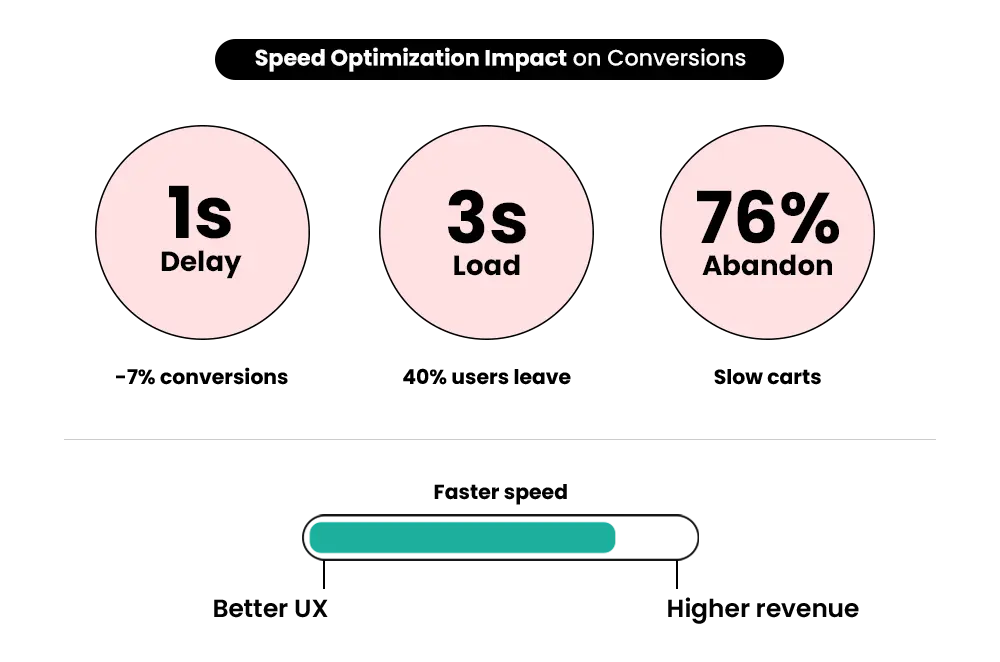
If the answer is more than three seconds, you’re likely losing more than half your mobile visitors before they’ve seen a single product. Google’s mobile performance research shows that 53% of mobile users abandon a page that takes longer than three seconds to load. And mobile now accounts for more than 70% of traffic to most Shopify stores.
The revenue impact is specific. According to research cited by Google and Deloitte, a one-second delay in page load time reduces conversions by up to 7%. For a store generating $200,000 per month, that’s roughly $14,000 in avoidable monthly revenue loss — from a problem that has known, fixable causes.
Shopify’s own analysis of speed and conversion data, published in early 2026 using real store data, found something especially relevant for Shopify Plus brands: high-volume, mature stores see the biggest absolute revenue gains from speed improvements. Effective Shopify Plus speed optimization directly impacts conversions and SEO.
This guide covers the ten fixes that move the needle most, the 2026 data behind each, and what to measure so you know whether it’s working.
Why Speed Is a Bigger Problem on Shopify Plus Than Most Brands Realize
Shopify’s own infrastructure is genuinely good. The platform runs on fast servers, a global Cloudflare CDN, and base themes optimized for performance. According to the CrUX Technology Report (June 2025), Shopify ranks #2 among all CMS platforms for Core Web Vitals pass rates — better than WordPress, Magento, WooCommerce, and most others.
The speed problems Shopify Plus brands face almost never come from the platform. They come from what gets added to it over time.
Here’s What the 2026 Data Shows
Median Mobile LCP
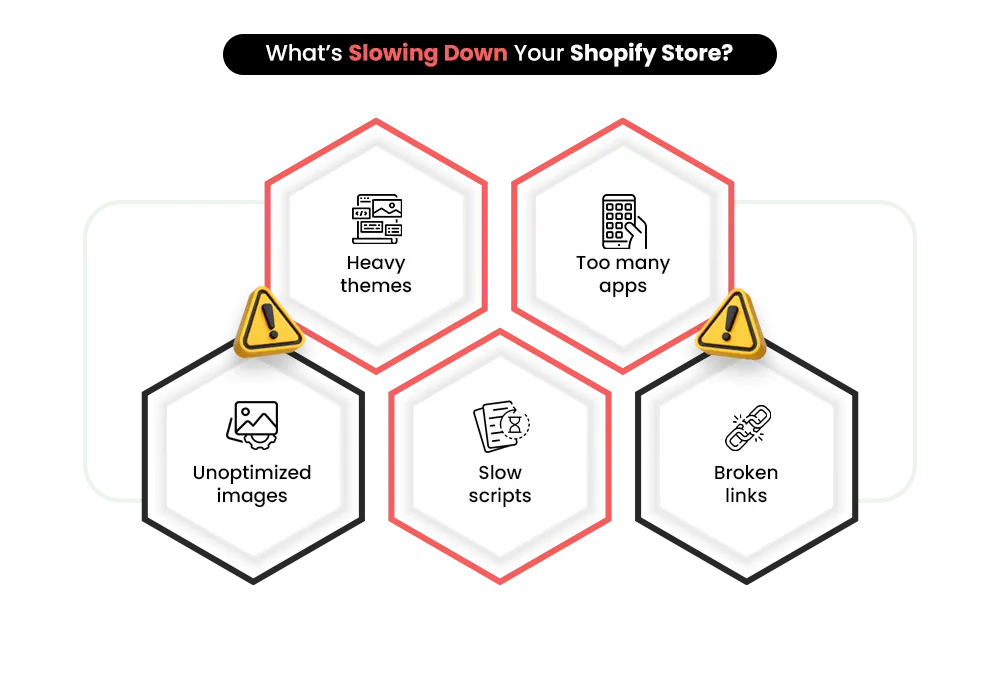
CoreDash found that Shopify stores with more than 8 active app scripts typically experience a median mobile LCP above 3.0 seconds.
Better Speed Performance
Stores running 3 or fewer app scripts generally maintain mobile LCP scores under 2.0 seconds, leading to smoother user experiences.
Stores Passing Core Web Vitals
According to Shero Commerce benchmarks, only 48% of Shopify stores currently pass all three Core Web Vitals on mobile devices.
Bounce Rate Increase
Google data shows bounce rate can increase by 90% when page load time rises from 1 second to 5 seconds.
Pages loading in under 2 seconds can achieve up to 15% higher conversion rates compared to stores taking 5 seconds or longer to load. For Shopify Plus brands investing heavily in paid traffic, slow performance directly impacts both conversions and SEO visibility.
For Shopify Plus brands running paid acquisition, this double problem is especially costly: paying for traffic that’s hitting a slow store, while also missing out on organic traffic due to poor Core Web Vitals rankings.
To understand how your integration stack contributes to these performance issues, read: Shopify Plus Integrations — The Stack That Works and What to Avoid
What’s Slowing Your Shopify Plus Store Down
Three categories account for the vast majority of speed problems on Shopify Plus stores:
-
Frontend Issues
Frontend issues are usually the most visible when you run a PageSpeed audit: unoptimized hero images, bloated themes with excessive animations and scripts, and render-blocking JavaScript that delays the browser from showing content.
-
App and Script Overload
App and script overload is the most common root cause for growing Shopify Plus stores. Every app installed adds JavaScript that runs on every page visit. A single poorly coded review widget can hurt performance more than ten lightweight utility apps. The cumulative effect compounds quickly.
-
Infrastructure Issues
Infrastructure issues tend to show up at scale: high API request volumes during peak events, redirect chains that add unnecessary HTTP requests, and third-party scripts that load synchronously and block everything else.
10 Fixes That Actually Improve Performance
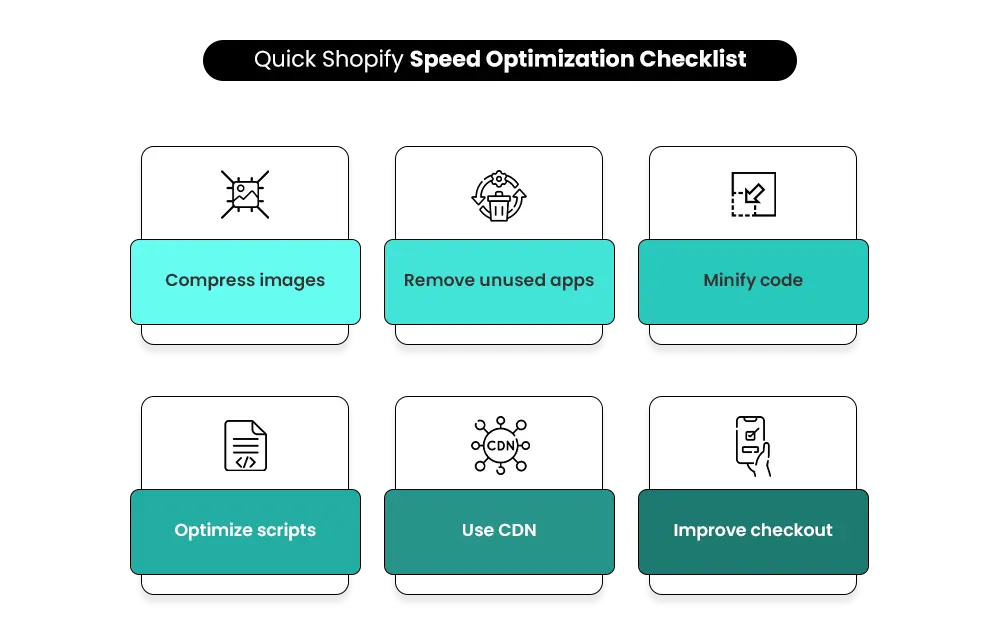
1. Switch to a Performance-First Theme
Your theme sets the performance ceiling for your entire store. A theme loaded with animations, sliders, large video backgrounds, and dynamic elements increases page weight before a single product image loads.
Shopify’s Dawn theme is the consistent benchmark in 2025–2026 performance data. It’s Shopify’s own performance-first theme, built with Core Web Vitals compliance in mind, and regularly scores among the highest on independent benchmarks. If your current theme scores below 50 on mobile PageSpeed Insights, migrating to Dawn often delivers better ROI than incremental optimization of a bloated theme.
When evaluating any theme, test its actual Core Web Vitals scores — not just the marketing copy. Many premium themes claim to be “fast” while adding significant JavaScript payloads.
2. Optimize and Compress Every Image Before Uploading
Images are the single most common cause of poor LCP scores on Shopify Plus stores. The hero image or primary product image is almost always the LCP element, which means if it’s large, uncompressed, or in the wrong format, your most important performance metric fails before anything else loads.
Practical fixes:
- Convert to WebP format — typically 25–35% smaller than JPEG at equivalent visual quality
- Resize images to actual display dimensions before uploading — don’t upload a 4,000px image and let CSS scale it down
- Compress using TinyPNG or Shopify’s native compression before upload
- Add fetch priority=”high” to your hero image in your theme code so the browser prioritizes it over other assets
These changes target the LCP element directly. For many Shopify Plus stores, image optimization alone moves the LCP from “Needs Improvement” to “Good.”
3. Enable Lazy Loading for Below-the-Fold Content
Lazy loading delays images and videos that are outside the visible screen area from loading until the user scrolls to them. This reduces the total data loaded on the initial page visit and improves perceived load speed, especially on long product pages and collection pages.
Add the loading=”lazy” attribute to image tags in your theme for below-the-fold content. One critical exception: do not apply lazy loading to your above-the-fold hero image. Applying it there will delay the LCP element and hurt your Core Web Vitals score — the opposite of what you want.
4. Clean Up and Minify Your Code
Over time — especially after adding and removing apps — stores accumulate significant code debt. Unused CSS, redundant JavaScript, and leftover theme code from previously uninstalled apps are invisible but they slow down every page load.
Key actions:
- Minify CSS and JavaScript files
- Check your theme files for leftover code from apps that were uninstalled — this is extremely common and the performance cost remains after removal
- Use async and defer attributes for non-critical JavaScript to prevent it from blocking page rendering
- Use PurgeCSS to identify and strip unused styles
- Optimize Liquid templates by reducing nested loops and redundant API calls
5. Audit Your App Stack — Then Cut It
This is the highest-impact optimization most Shopify Plus stores haven’t done properly.
Every app running on your store adds JavaScript. The apps that are essential earn their performance cost through measurable revenue contribution. Many apps are redundant, forgotten, or providing marginal value that doesn’t justify what they cost in load time.
Here’s a structured audit approach:
- List every installed app and its monthly subscription cost
- For each app, identify one specific metric it improves (conversion rate, repeat purchase rate, email opt-ins) and verify you’re actually measuring it
- Test your store using PageSpeed Insights before and after disabling each app — this shows the exact load time cost of each one
- Remove any app that can’t answer: “Did this tool contribute measurably to revenue or save operational costs in the last 90 days?”
- Where two apps serve similar functions, consolidate to one
The data from CoreDash confirms the pattern clearly: stores with 3 or fewer app scripts maintain a median LCP under 2.0 seconds. Stores with 8 or more active scripts have a median LCP above 3.0 seconds. Every app you keep without a clear revenue justification is a performance cost you’re paying for nothing.
For a full framework on managing your integration stack — not just for performance but for ROI — read: Shopify Plus Integrations: The Stack That Works and What to Avoid
6. Manage Third-Party Scripts and Tracking Codes
Analytics tools, ad pixels, live chat widgets, and other third-party scripts frequently load before critical page content, blocking rendering and increasing Time to Interactive.
Fixes that work:
- Consolidate scripts through Google Tag Manager — one container instead of multiple individual script tags loading independently
- Load non-critical scripts with defer or async so they don’t block page rendering
- Audit for duplicate tracking codes — it’s common after agency transitions to find the same pixel loaded twice
- Remove scripts from tools or campaigns you’re no longer actively using
For Shopify Plus stores with many integrations and tracking configurations, this step alone can recover 200–500ms of page load time.
7. Use Shopify’s CDN Properly
Shopify’s CDN is powered by Cloudflare and is active on every Shopify store by default. It serves your store’s assets from servers physically close to each visitor, reducing latency. This infrastructure is one of the main reasons Shopify outperforms many other platforms on Core Web Vitals.
The optimization here is ensuring your assets are actually being served through Shopify’s CDN rather than loading from external third-party sources that bypass it. Use Chrome DevTools (Network tab) to check whether images, fonts, or scripts are loading from external domains — these won’t benefit from the CDN’s speed advantage.
8. Eliminate Redirect Chains and Fix Broken Links
Each redirect in a chain adds an additional HTTP request before a page can load. A three-redirect chain (A → B → C) can add 300–600ms to load time before any content starts rendering. At scale, across a large catalog, unchecked redirects create significant cumulative drag.
Practical steps:
- Audit your store with Screaming Frog or a similar crawler to identify redirect chains
- Replace chains with direct 301 redirects to the final destination URL
- Fix or remove broken links — they hurt both user experience and send negative signals to search engines
- Keep URL structures clean when setting up promotional or seasonal campaigns, which are a common source of redirect accumulation
9. Optimize Checkout Speed and Stability
Checkout is where conversions happen — or don’t. A slow or unstable checkout page is one of the most direct and measurable causes of abandoned purchases. Amazon’s widely cited research suggests every 100ms of additional load time costs approximately 1% in sales — at the checkout stage, where intent is highest, that relationship is even more direct.
Key optimizations:
- Enable Shop Pay as an accelerated checkout option — it pre-fills returning customer data and consistently outperforms standard checkout in completion rates
- Reduce required form fields to the minimum necessary — every extra field adds friction
- Audit scripts and apps running on checkout pages specifically — they add load time at the most critical point in the purchase flow
- Test checkout performance under peak load conditions before major traffic events
For more on how Shopify Plus handles performance under high-traffic pressure, read: How Shopify Plus Handles High Traffic — A Practical Breakdown for Enterprise Ecommerce
10. Monitor Performance Consistently — Not Just Once
Speed optimization is not a one-time project. Every new app install, theme update, tracking code addition, or code deployment can degrade performance. Stores that maintain strong Core Web Vitals scores do so through regular monitoring, not single audits.
Recommended cadence:
- Monthly: Run PageSpeed Insights on your homepage, top product pages, and highest-traffic collection pages — both mobile and desktop
- After every change: Check Shopify’s built-in speed report (Online Store → Themes → Speed) after any new app install, theme update, or code change
- Before every major event: Run a full performance review four to six weeks before Black Friday, product launches, or any high-traffic campaign
- Ongoing: Monitor Google Search Console’s Core Web Vitals report for real field data from your actual visitors
The key distinction: PageSpeed Insights gives lab data (simulated test conditions). Google Search Console’s Core Web Vitals report gives field data from real Chrome users visiting your actual store. Both matter — but field data reflects what your customers actually experience.
The key distinction: PageSpeed Insights gives lab data (simulated test conditions). Google Search Console’s Core Web Vitals report gives field data from real Chrome users visiting your actual store. Both matter — but field data reflects what your customers actually experience.
Is Your Shopify Plus Store Losing Revenue Due to Slow Load Times?
Mastroke helps Shopify Plus brands improve Core Web Vitals, reduce load times, optimize checkout performance, and build faster shopping experiences designed to increase conversions and scale revenue.
Core Web Vitals in 2026 — The Correct Metrics
Core Web Vitals are the three metrics Google uses to assess page experience as a ranking factor. Getting these right matters both for SEO and for understanding what’s actually affecting your conversions.
| Metric | What It Measures | 2026 Target | Common Shopify Cause of Failure |
|---|---|---|---|
| LCP — Largest Contentful Paint | How quickly the main visible content loads | Under 2.5 seconds | Unoptimized hero image, render-blocking scripts |
| INP — Interaction to Next Paint | How quickly the page responds to any click or tap | Under 200ms | Multiple app scripts competing for main-thread time |
| CLS — Cumulative Layout Shift | Whether page elements move around while loading | Below 0.1 | Images without defined dimensions, late-loading banners |
Important: INP replaced FID (First Input Delay) as an official Core Web Vital in March 2024. If you’re still seeing FID in reports or audits, those results are using outdated metrics. FCP (First Contentful Paint) and TTI (Time to Interactive) are useful diagnostic tools but they are not Core Web Vitals and are not used as Google ranking signals.
According to a 2026 analysis citing Google data, meeting Core Web Vitals thresholds can contribute to a 10–20% improvement in search rankings. Stores that pass all three are also 24% less likely to see single-page abandonment — a signal that correlates with content quality in Google’s evaluation.
Speed Audit Checklist
| Area | Specific Action | Recommended Tool | Priority |
|---|---|---|---|
| Hero Image | Convert to WebP, compress, add fetchpriority=”high” | TinyPNG, theme editor | High |
| App Stack | Audit quarterly, test each app’s load-time cost | PageSpeed Insights (before/after) | High |
| CSS & JS | Minify, remove unused code, defer non-critical scripts | Theme editor, PurgeCSS | Medium |
| Tracking Scripts | Consolidate in GTM, defer non-critical | Google Tag Manager | High |
| CDN Usage | Verify all assets served via Shopify CDN | Chrome DevTools Network tab | Medium |
| Checkout | Enable Shop Pay, reduce form fields, audit scripts | Shopify admin | High |
| Redirects | Identify and clean redirect chains | Screaming Frog or Sitebulb | Medium |
| Core Web Vitals | Monitor LCP, INP, CLS monthly | Google Search Console | High |
Advanced Techniques for High-Traffic Shopify Plus Stores
For enterprise Shopify Plus stores managing heavy order volume, global traffic, and complex integrations, basic optimization may not be enough. Here’s what goes beyond the fundamentals:
API Call Optimization
Shopify Plus stores running multiple integrations (ERP, CRM, WMS) make frequent API calls that can queue up during peak periods. Review which integrations are making synchronous API calls — those that wait for a response before continuing — and work with your integration partner to move as many as possible to asynchronous or webhook-based triggers.
Load Testing Before Peak Events
Tools like k6 or Loader.io let you simulate the traffic volume of your expected peak and measure where your stack breaks down. Discovering a failure point during a Black Friday test run costs you nothing. Discovering it at 11pm during the actual event is expensive. Run load tests four to six weeks before any major campaign.
Edge Caching
Shopify’s CDN already handles caching for most assets. For Shopify Plus stores using headless architecture (Hydrogen/Oxygen), edge-side rendering can deliver personalized content without the CLS and INP penalties that come from client-side JavaScript injection — one of the most significant performance advantages available at the enterprise level.
Leftover Code Audits
Run a systematic audit of your theme files looking for JavaScript from apps that are no longer installed. This code continues loading silently after an app is removed. A development partner can identify and strip these in a few hours — the performance recovery can be significant for stores that have cycled through many apps over time.
To understand how Shopify Plus infrastructure supports enterprise-level performance at scale, read: Shopify Plus for Enterprise Growth: Features & Benefits
When to Bring in a Shopify Plus Speed Expert
Many improvements are accessible without a developer. Choosing a performance-first theme, removing unused apps, compressing images, and consolidating scripts through Google Tag Manager are all within reach for a merchant with basic technical confidence. These changes can move a store from “Needs Improvement” to “Good” on Core Web Vitals without writing a line of code.
You’re likely ready to handle it in-house if:
- Basic optimizations haven’t been done yet — there’s meaningful low-hanging fruit
- Your mobile PageSpeed score is between 50–70
- The changes needed are on the list above: image compression, app removal, script deferral
You likely need expert Shopify Plus support if:
-
- Your store has persistent slow load times despite completing basic optimizations
- Mobile PageSpeed score is below 50 and basic changes haven’t moved it
- Checkout performance is inconsistent under load
Conclusion
Page speed is one of the highest-ROI improvements available to a Shopify Plus brand — and it’s also one of the most underinvested. Most stores are losing measurable revenue every day from problems they haven’t diagnosed yet.
Start with the highest-impact fixes: hero image optimization, app audit, and Core Web Vitals measurement. Build from there with consistent monthly monitoring. And if basic fixes aren’t moving your scores, it’s time to go deeper.
At Mastroke, we help Shopify Plus brands audit, diagnose, and fix performance issues — from foundational speed work through to Liquid optimization, API performance, and advanced caching. If your store is underperforming and you want to know exactly why, let’s run a performance review together.
Improve Core Web Vitals & Speed Up Your Shopify Plus Store
Slow-loading pages can hurt conversions, SEO rankings, and customer experience. Mastroke helps Shopify Plus brands identify performance bottlenecks, optimize site speed, and improve overall ecommerce performance.
How much revenue can a slow Shopify Plus store cost?
Even a one-second delay in page load time can reduce conversions by up to 7%. For high-volume Shopify Plus stores, slow performance can result in significant monthly revenue loss.
What is a good Shopify Plus speed score in 2026?
A strong Shopify Plus store should aim for an LCP under 2.5 seconds, INP under 200ms, and CLS below 0.1 to meet Google’s Core Web Vitals standards.
Do too many Shopify apps slow down store performance?
Yes, every Shopify app adds scripts that affect load time. Stores with fewer active app scripts generally achieve much better mobile speed performance and Core Web Vitals scores.
Does Shopify speed optimization improve SEO rankings?
Yes, improving Core Web Vitals and reducing page load time can positively impact search rankings, user experience, and organic visibility on Google.
What is INP in Core Web Vitals?
INP (Interaction to Next Paint) measures how quickly a page responds to user interactions like clicks and taps. Poor INP usually happens due to heavy app scripts and excessive JavaScript.
How can I improve Shopify Plus speed quickly?
Start by optimizing images, removing unused apps, enabling lazy loading, reducing third-party scripts, and cleaning unused CSS or JavaScript files.
Does Shopify’s CDN help improve performance?
Yes, Shopify’s Cloudflare-powered CDN helps deliver assets faster by serving files from locations closer to the visitor, reducing latency and improving load times.
How often should Shopify Plus speed optimization be performed?
Shopify Plus speed optimization should be an ongoing process. Run monthly audits and monitor performance after every app installation, theme update, or major campaign launch.