As your business grows, your e-commerce platform needs to grow too. But over time, the one you started with can begin to slow you down. Pages load more slowly, managing orders takes more time, and adding new features feels harder than it should. When daily operations start becoming a struggle, it’s a sign that something needs to change. Instead of settling or rebuilding everything from scratch, many businesses choose to migrate to Shopify.
Moving to Shopify gives you a platform designed to handle growth without adding complexity. A smooth Shopify migration lets you bring over your existing data while keeping your store structure intact. That means you can improve performance, simplify management, and create a better shopping experience without disrupting your day-to-day operations.
For businesses planning an e-commerce migration, choosing a platform that supports long-term growth makes all the difference. Shopify offers a balanced mix of flexibility and ease, helping you focus less on technical issues and more on serving your customers.
Why Are Businesses Choosing to Migrate to Shopify in 2026?
So why are so many businesses leaving platforms that technically still work? It’s because e-commerce has changed quickly—and in 2026, “working” isn’t enough anymore.
Today, success isn’t about having the most features. It’s about speed, smooth checkout, and the ability to grow without constant technical roadblocks. This shift is easy to see in Shopify’s growth. Today, Shopify powers over 9.7 million stores and drives nearly $8.88 billion in yearly revenue, with that number steadily rising as bigger brands make the switch.
One major reason businesses decide to migrate to Shopify is the move toward performance-first SaaS commerce. Many teams are worn out from managing servers, handling security updates, and relying on developers just to keep their stores stable. With Shopify, hosting, infrastructure, and security are handled automatically. That frees businesses to focus on selling, not fixing.
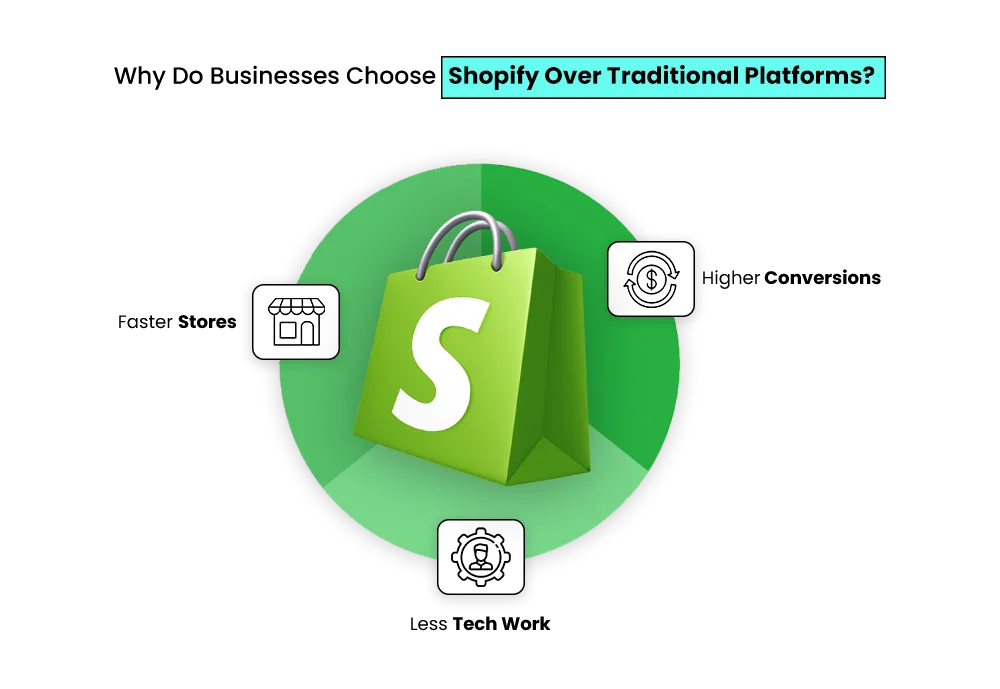
Checkout experience is another big factor. Shopify’s mobile-first checkout is built to convert, and it consistently performs better than older or custom systems. On average, Shopify stores convert about 15% better than competitors, with some seeing gains as high as 36%, driven by faster load speeds and built-in features like digital wallets, buy-now-pay-later options, and one-click payments.
Then there’s scalability. Whether it’s a growing startup, a fast-moving DTC brand, or a global enterprise, Shopify grows without forcing major rebuilds. Costs also become more predictable—no surprise development bills, no hosting headaches, and no stressful upgrades.
On top of that, Shopify keeps moving forward. During the 2025 Summer Editions alone, Shopify rolled out over 150 new features across AI, B2B, and international selling. This pace of innovation is hard for legacy platforms to match and often becomes the tipping point for businesses considering migrating to Shopify.
That’s why migration today isn’t about rescuing a broken store. It’s a growth decision—one that helps businesses stay fast, flexible, and ready for what’s next.
Build Your Shopify Store From Scratch With Mastroke
Launch faster with Mastroke, an official Shopify Partner. We build structured stores with conversion-first design, clean setup, and features built to scale!!
Who Will Need This Shopify Migration Guide?
If managing your online store feels more complicated than it should, this guide will likely speak to you. It’s written for growing e-commerce businesses that have started to outgrow their current platform and want a simpler way to scale.
Maybe you’re using WooCommerce, Magento, BigCommerce, or a custom-built system. Over time, things slow down—pages take longer to load, plugins clash, mobile checkout feels awkward, and even small updates require developer support. When those issues begin to hold back growth, many businesses choose to migrate to Shopify for a platform that’s easier to manage and built to grow.
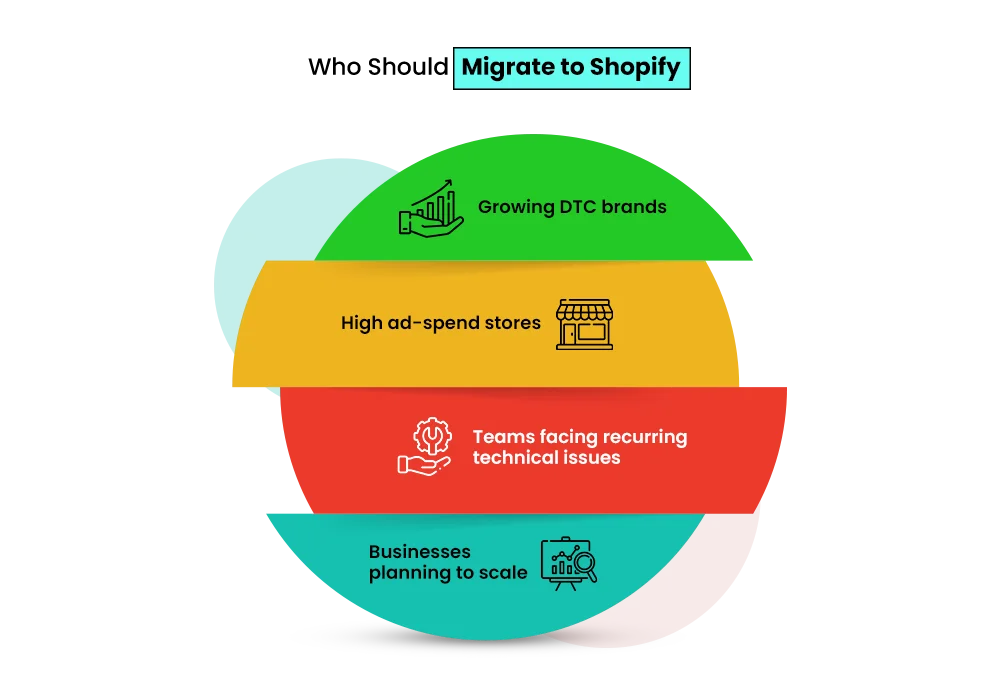
This guide is especially useful for:
- DTC brands running paid ads and needing a faster, better-converting checkout
- Founders and marketing teams who want to make changes without relying on developers
- High-growth stores planning international expansion, subscriptions, or multiple sales channels
- Larger teams exploring Shopify Plus migration for better performance and long-term stability
If organic traffic plays an important role in your growth, this guide will help you plan ahead. If customer experience directly impacts your revenue, you’ll find practical insights here. And if you want a platform that supports your business as it grows—rather than slowing it down—you’re in the right place.
What Is Shopify Migration?
Migrate to Shopify means moving your store from another platform to Shopify without losing what matters most—your products, customers, or search visibility. It’s not a simple copy-and-paste task. Think of it as a planned upgrade that helps your store run faster, stay organized, and scale more easily.
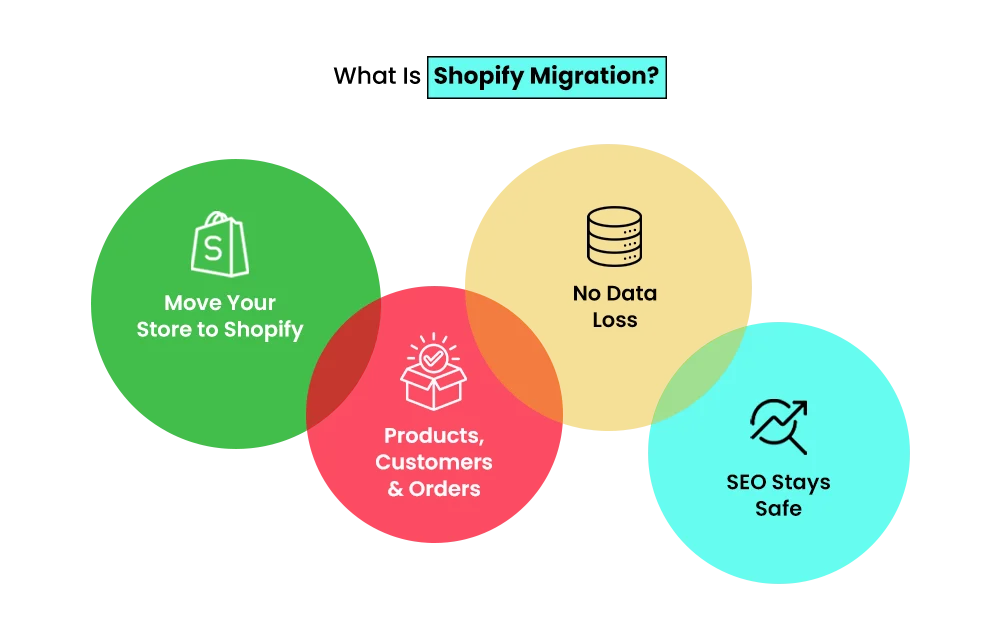
During a Shopify migration, the essential parts of your store move with you, including:
- Products and collections
- Customer accounts and order history
- Pages, content, and existing URLs
- SEO data and proper redirects
- Payment and shipping settings
How the migration is handled depends on the size and setup of your store.
- Basic migration works well for smaller stores that need a clean and quick move of products, pages, and checkout.
- Advanced or custom migration suits growing brands with added complexity, such as third-party apps, subscriptions, or custom features.
- Shopify Plus migration is designed for high-volume and enterprise-level stores that need stronger performance, automation, and room to scale without limits.
Most brands migrate to Shopify from:
- WooCommerce
- Magento
- BigCommerce
- Custom-built platforms
The reason is simple. Shopify removes technical chaos and lets businesses focus on selling — not fixing.
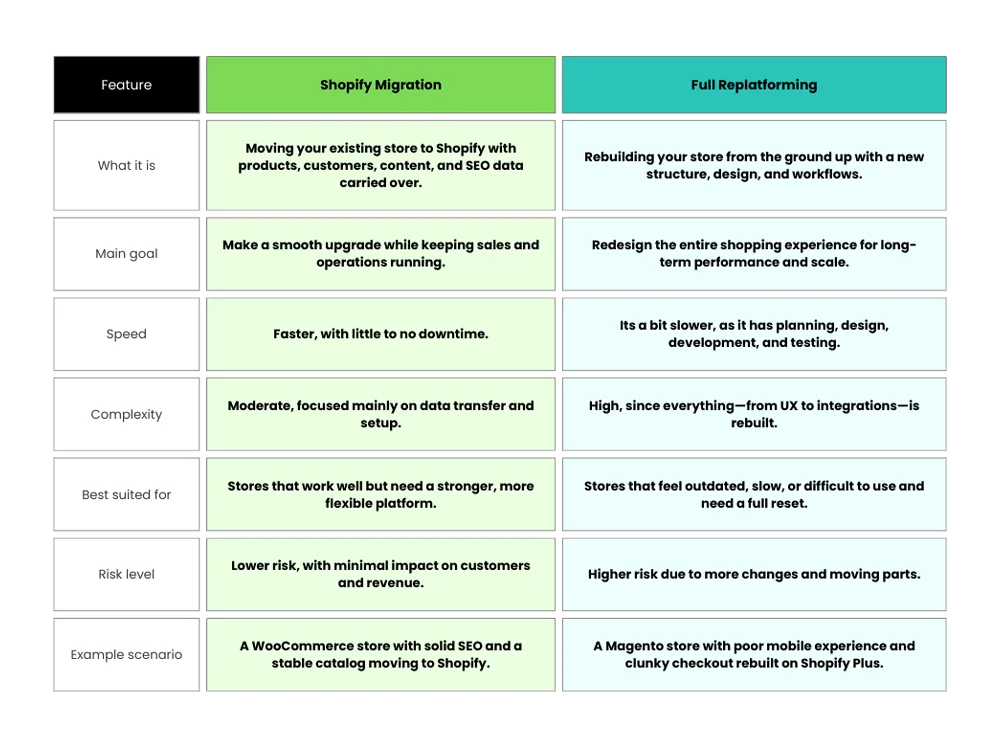
Shopify Migration vs Replatforming: What’s the Difference?
While these terms are often used interchangeably, they’re not the same. Understanding the difference between a Shopify migration and full replatforming helps you choose the right approach based on your store’s current condition and growth goals.
Here’s a simple breakdown.
Shopify Migration Statistics & Trends (2025–2026)
Here are some Shopify migration stats & trends that you can look at:
-
Global E-commerce Is Still Growing
Global e-commerce continues to expand, with online sales expected to account for 20.5% of global retail and total market value nearing $6.88 trillion by the end of 2026. While growth remains steady, brands are becoming more selective about the platforms they rely on to support that growth—especially as selling across regions becomes more common.
-
Why Businesses Are Rethinking Their Platforms
As e-commerce operations scale, managing servers, updates, and performance internally becomes harder to justify. Many brands now see e-commerce migration as a strategic move rather than a technical task.
Cloud-based SaaS platforms are replacing legacy systems because they reduce operational complexity and allow teams to focus on sales, not maintenance. This shift has made Shopify migration a natural next step for businesses looking for flexibility and reliability.
-
Adoption and Performance Pressures
Regional growth is shaping platform decisions. Latin America, growing at over 12% year over year, along with expanding markets across Asia-Pacific, is pushing brands to adopt platforms that support localization and cross-border selling.
At the same time, performance matters more than ever. With the average global conversion rate at around 1.58%, even small improvements in speed, mobile experience, and checkout can have a meaningful impact.
-
Technology Driving Replatforming Decisions
Payment and technology trends are also influencing replatforming to Shopify. Digital wallets now account for 66% of global online spending, while mobile commerce continues to rise. On the operations side, stabilized freight costs and growing use of AI for inventory, support, and workforce planning are encouraging brands to choose platforms built for long-term, global scale.
Pre-Migration Checklist: What to Prepare Before Moving to Shopify
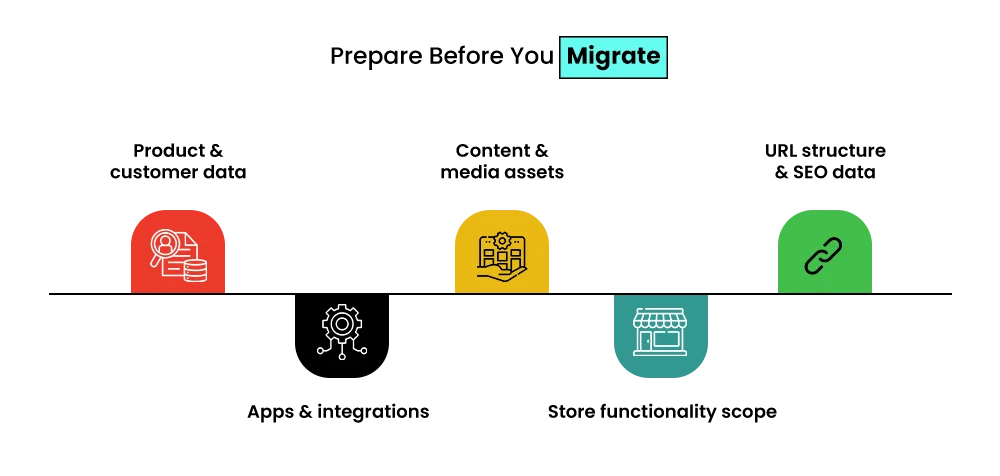
Before jumping into Shopify, you need a solid game plan. Treat this as your pit stop before the big race—skip it, and you risk crashes, slowdowns, and lost data.
✔ Business & Data Audit
Review and inventory all products, customers, and orders
Track SKUs, images, variants, and stock levels
Verify customer emails, addresses, and purchase history
Prepare historical order data for migration
Collect all content and media, including blogs, banners, videos, and pages
✔ SEO Audit & URL Mapping
Map all existing URLs to their Shopify equivalents
Document meta titles, meta descriptions, and alt text
Identify top-performing pages and keywords
Plan 301 redirects to protect rankings after you migrate to Shopify
✔ Technology & Integrations Review
List all payment gateways and shipping tools
Audit CRM, ERP, email marketing, and analytics platforms
Decide which tools to migrate, replace, or upgrade
✔ Shopify Plan Selection
- Basic Shopify: Best for small catalogs and startups
- Advanced Shopify: Ideal for growing and scaling stores
- Shopify Plus: Designed for high-volume, enterprise, and international brands
Prep properly, and your decision to migrate to Shopify becomes smooth, fast, and stress-free—no crashes, no data loss, just results. If your store has complex data, custom fields, or multiple integrations, this is often the point where working with a Shopify migration specialist can reduce risk and speed up timelines.
Step-by-Step Shopify Migration Process
Follow the below listed steps below for a smooth Shopify migration of your store:
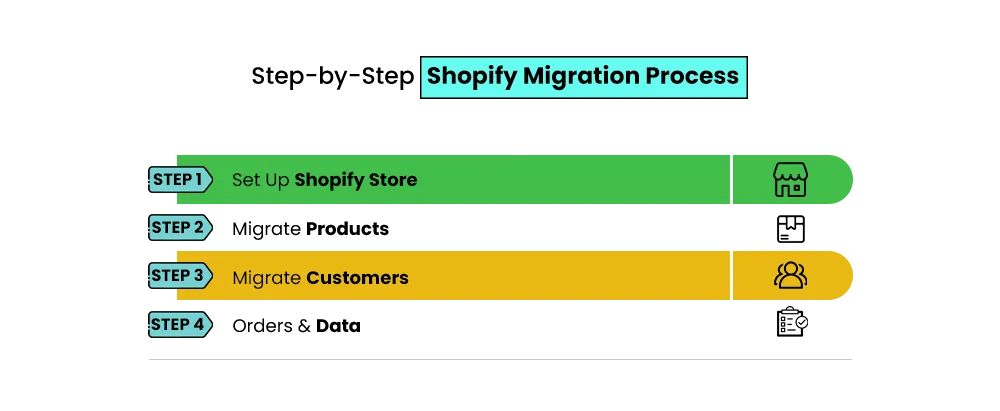
Step 1: Set Up Your Shopify Store
Start by creating your Shopify account and choosing a plan that fits your business needs. Configure your store settings, including currency, tax rules, payment gateways, and shipping zones. This is your foundation—get it right from the start to avoid headaches later.
Step 2: Product Migration
Clean and format your product data before importing. Make sure SKUs, descriptions, variants, and collections are accurate. Don’t forget high-quality images and any videos that showcase your products. Organized, complete product data ensures a smooth transition.
Step 3: Customer Migration
Move your customer database carefully. Include names, emails, addresses, and order histories. Remember: for security reasons, passwords cannot be migrated, so prepare a clear plan to prompt customers to reset their passwords. Keep privacy and compliance in mind.
Step 4: Order & Historical Data Migration
Transfer past orders, payment records, and shipping info. Some legacy systems may have limitations, so always check what can and cannot be migrated to Shopify. Follow best practices to keep your historical data accurate and accessible for customer support and reporting.
Step 5: Content Migration
Move all essential pages: About Us, FAQs, policies, and blog posts. Preserve SEO by keeping metadata and URL structure consistent where possible.
Step 6: Media & Asset Migration
Optimize images and videos for web performance. Proper file organization and compression ensure fast load times without sacrificing quality.
Step 7: Apps, Integrations & Third-Party Tools
Reconnect your reviews, loyalty programs, subscriptions, and marketing automation tools. Audit existing integrations, and migrate to Shopify or replace apps as needed to maintain functionality and enhance the customer experience.
SEO-Safe Shopify Migration: Best Practices
The idea to migrate to Shopify is exciting—but don’t forget SEO. Preserving your hard-earned search rankings should be a top priority. Start by maintaining your URL structure wherever possible. If URLs change, implement a 301 redirect strategy to forward old links to new pages—this keeps both users and search engines happy.
Next, use canonical tags to prevent duplicate content issues and ensure your pages are properly indexed. Update your XML sitemap and submit it to Google Search Console right after migration. This helps search engines discover your new site structure quickly.
Post-launch, monitor rankings and traffic closely. Track high-value pages, top keywords, and organic traffic trends to catch any issues early. Small fixes, like adjusting meta tags or correcting broken links, can save big SEO headaches.
Follow these steps, and your Shopify migration won’t just be smooth—it’ll be search-engine safe and traffic-friendly. Brands that rely heavily on organic traffic often benefit from having SEO experts involved during migration planning, not just after launch.
Post-Migration Checklist (Launch & Optimization)
Now you have migrated to Shopify, and your Shopify store is live. It’s time to fine-tune everything for performance, conversions, and growth.
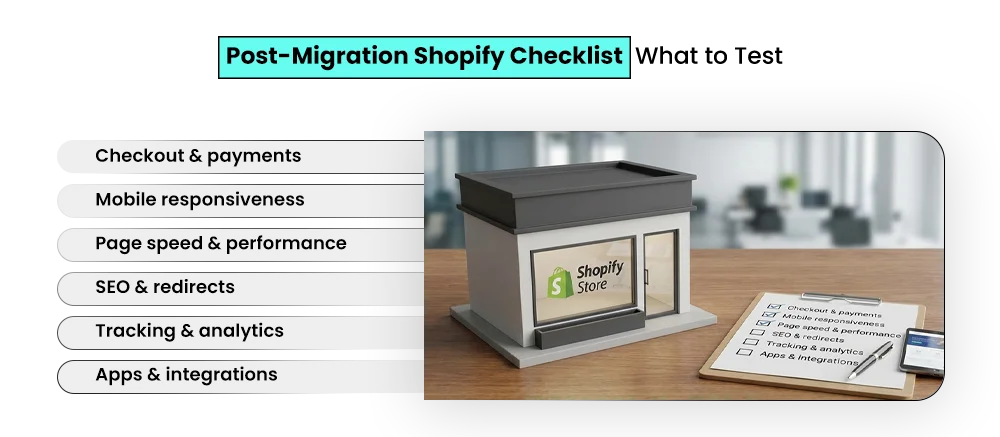
1. Store Testing
- Test all checkout scenarios from the product page to the payment confirmation
- Verify every payment method works correctly
- Check mobile, tablet, and desktop experiences across major browsers
2. Performance & Speed Optimization
- Optimize images and media files
- Remove unused or unnecessary apps
- Streamline scripts to improve Core Web Vitals
- Ensure fast load times across all pages
3. Analytics & Tracking Setup
- Configure GA4 and conversion tracking
- Set up event tracking for key user actions
- Verify data accuracy before scaling campaigns
4. Customer Communication
- Send migration or relaunch announcements
- Restart email and SMS campaigns
- Re-engage loyalty members and past customers
A few final checks at this stage can turn a smooth launch into a conversion-driving powerhouse.
AI, Automation & Shopify Migration in 2026
In 2026, AI and automation are game-changers for Shopify stores. AI-assisted product management means your inventory updates, variant mapping, and pricing adjustments can happen in minutes instead of hours.
Automated data mapping and SEO handling ensure all your old URLs, meta tags, and redirects move seamlessly—no more worrying about losing hard-earned rankings. AI can even flag missing images, broken links, or duplicate content, saving you tons of headaches.
Post-migration, AI continues to shine by personalizing storefronts. Dynamic product recommendations, smart upsells, and tailored content mean each visitor gets a unique shopping experience, boosting conversions instantly.
Finally, AI plays a crucial role in retention and growth. Predictive analytics, churn prevention, and automated email campaigns keep your customers engaged while your store scales.
Headless Shopify Migration: Is It Worth It in 2026?
Ever felt limited by Shopify’s standard themes? Headless commerce breaks the rules. It separates your frontend (what customers see) from the backend (Shopify’s engine), giving you total control to build lightning-fast, custom, and conversion-focused stores.
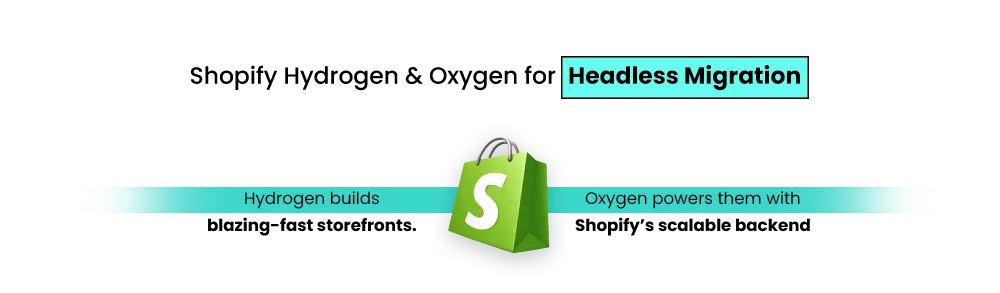
Shopify’s Hydrogen & Oxygen duo makes this possible:
- Hydrogen: A React-based framework for dynamic, interactive storefronts.
- Oxygen: Shopify-hosted backend—no server headaches, instant scalability.
- Why it matters: Faster load times, smoother mobile experience, and ultimate design freedom.
Well-known brands use headless setups to create faster, more engaging shopping experiences. Product pages load quickly, designs feel smoother, and checkout flows are optimized to convert.
However, headless migration isn’t right for every business. It costs more, takes longer to implement, and requires experienced developers. For smaller or less complex stores, standard Shopify is often the better choice.
Future-Proof Shopify Migration Checklist (2026 Ready)
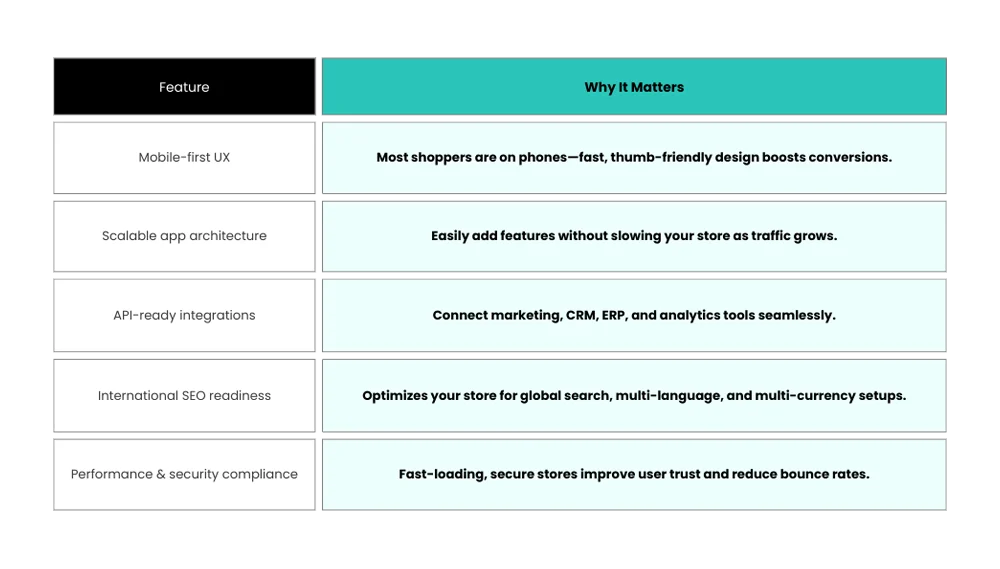
Future-proofing your Shopify store isn’t just a nice-to-have—it’s survival in the fast-paced e-commerce world of 2026. Shoppers expect lightning-fast mobile experiences, seamless integrations, and a store that can scale with your business without breaking a sweat.
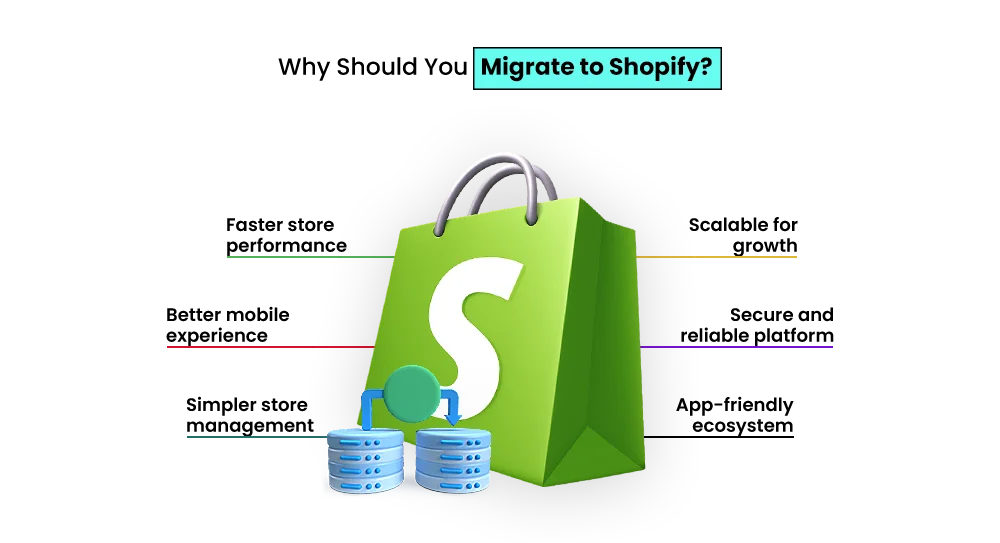
Security, performance, and international readiness aren’t optional—they’re table stakes. To make sure your migration isn’t just a move but a launchpad for growth, focus on these core elements:
Common Shopify Migration Challenges & How to Avoid Them
- Data loss risks – Always back up products, customers, and orders before starting. Validate after migration to ensure nothing is missing.
- SEO traffic drops – Map old URLs to new ones, implement 301 redirects, and preserve meta titles, descriptions, and alt text.
- Broken redirects – Test all redirects before going live. Utilize tools like Screaming Frog to identify and resolve 404 errors.
- App compatibility issues – Audit your current apps, find Shopify equivalents, and test integrations in a staging environment.
- Timeline management – Plan realistic timelines with buffer days, prioritize tasks effectively, and communicate clearly with your team.
Migrate to Shopify: Tools and Services You Can Use
- CSV & Bulk Import Tools – Ideal for small stores or simple migrations. Export your products, customers, and orders, then import them into Shopify. Quick, cheap, but limited for complex setups.
- Dedicated Migration Apps – Tools like Cart2Cart, LitExtension, or Matrixify automate migration from WooCommerce, Magento, BigCommerce, and more. Faster, safer, and minimize human errors.
- SEO Redirect Managers – Ensure all your old URLs point to the correct new pages. Preserve search rankings and avoid losing traffic post-migration.
- When to Use a Migration Agency – For complex stores with thousands of products, custom fields, multiple integrations, or Shopify Plus setups. Agencies handle everything: data, design, SEO, and testing—reducing risk and downtime.
When Should You Use an Agency to Migrate to Shopify?
Migrating to Shopify isn’t always just a platform switch—it can be a business-critical operation. If your store is large, highly customized, or deeply integrated with third-party tools, handling the migration on your own can introduce unnecessary risk.
You should consider working with a Shopify migration agency like Mastroke when you’re dealing with:
- Thousands of products, variants, or customer records
- Complex integrations such as ERP, CRM, or fulfillment systems
- SEO-sensitive stores where rankings and URLs must be preserved
- Shopify Plus requirements, including performance, scalability, and custom workflows
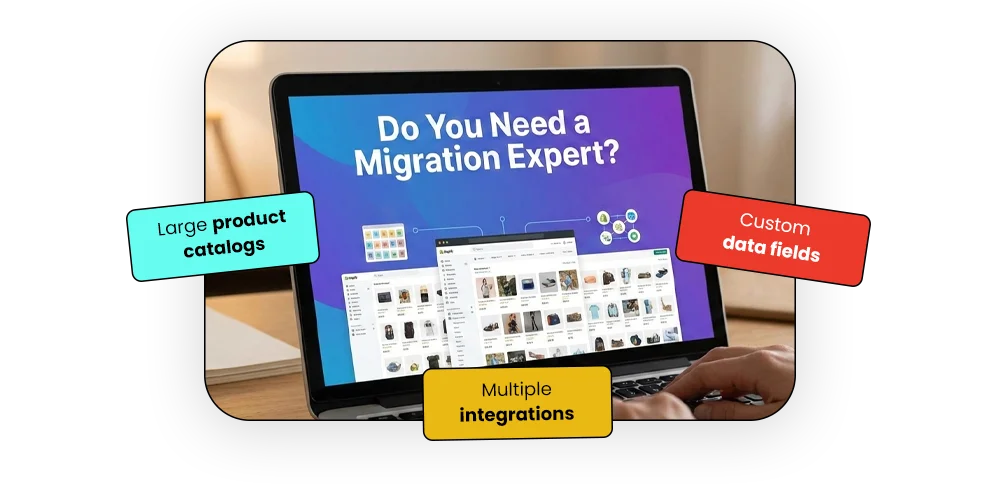
An experienced agency manages the migration end-to-end—covering data accuracy, design consistency, SEO continuity, and thorough testing—while minimizing downtime and costly errors. This allows your internal team to stay focused on operations and growth, instead of debugging issues during and after launch.
Final Thoughts
Moving to Shopify is more than a technical switch—it’s a practical step toward making your store easier to run and better prepared for growth. Whether you’re planning a basic move, switching platforms completely, or upgrading to Shopify Plus, the aim is simple: a faster store, smoother operations, and room to scale without constant fixes.
When the migration is planned properly and guided by a clear checklist, the process doesn’t have to be disruptive. With the right setup, ecommerce migration can feel like a natural upgrade rather than a risky change. If your current platform is slowing you down or limiting what you can do, Shopify may offer the flexibility and stability you need moving forward.
For more Shopify migration-related queries, connect with our Shopify Store experts.
Build your dream Shopify store today
Bring your vision to life with Mastroke, an official Shopify Partner. We design and develop high-converting, scalable Shopify stores with clean structure and future-ready features—built to grow with your business.
FAQs
1. Is Shopify still a good option in 2026?
Yes. Shopify continues to support businesses of all sizes with reliable performance, regular updates, and tools designed for growth.
2. How long does it usually take to migrate to Shopify?
Most migrations take between 2 and 8 weeks, depending on how large and complex the store is.
3. Will switching to Shopify affect SEO?
SEO can remain stable if redirects, URLs, and metadata are handled correctly during migration.
4. Can customer passwords be moved to Shopify?
No. For security reasons, customers will need to reset their passwords after the move.
5. Do large stores need Shopify Plus?
Shopify Plus is best suited for high-volume businesses that need advanced features, automation, and scalability.
6. What information cannot be migrated?
Customer passwords and some platform-specific custom features cannot be transferred directly.