“You launched your store, but where are the sales?”
If you’ve asked yourself that, you’re not alone. Shopify is used by millions of merchants worldwide and served over 875 million shoppers in the last year (Source: DemandSage, 2024). The opportunity is huge, but only for stores built the right way.
A successful Shopify store setup is more than picking a theme, adding products, and clicking publish. Launching is simple. Building a profitable store takes structure and strategy.
Most new stores struggle because of beginner Shopify mistakes made during setup. Weak product pages, poor navigation, slow speed, lack of SEO, and running ads too early quietly block growth.
The issue usually is not Shopify or even the product. It is the foundation.
There is a big difference between launching and optimizing. Launching puts your store online. Optimizing prepares it to convert visitors into customers.
Let’s explore the most common beginner Shopify mistakes and how to avoid them.
13 Common Shopify Store Setup Mistakes Beginners Make
Now that we know why your Shopify store setup is crucial, let’s look at where things usually go wrong.
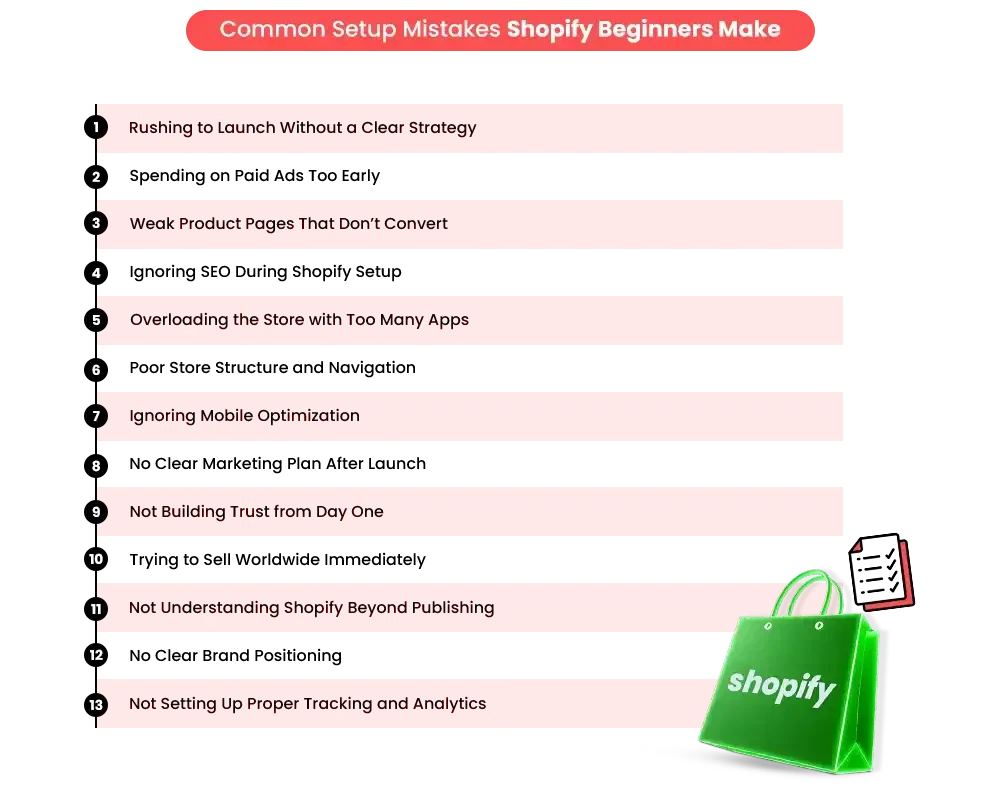
Start with one of the biggest and most common Shopify setup checklists.
1. Rushing to Launch Without a Clear Strategy
One of the biggest mistakes in a Shopify store setup is rushing to launch without a real strategy. It is exciting to see your store come to life.
You choose a theme, upload products, connect payments, and hit publish. But many beginners skip the most important step, validating whether their product and offer actually make sense in the market.
How This Affects Your Store
- Low conversions: If your product does not solve a clear problem or stand out from competitors, visitors will not feel a strong reason to buy.
- Wasted ad spend: Many beginners start running ads immediately after launch. The average ecommerce conversion rate is around 2 to 3 percent. If your offer is weak or unclear, it can be even lower. This means you are paying for traffic that does not convert.
- Weak brand positioning: When you try to sell to everyone, your message connects with no one. A broad and unclear brand makes it harder to build trust and loyalty.
How to Fix It
- Validate one or two products first: Instead of launching with many random items, start small. Focus on one or two strong products and test demand before expanding.
- Define your target audience clearly: Who is this product for? What problem does it solve? What kind of language does your audience relate to? The more specific you are, the stronger your positioning becomes.
- Conduct competitor research: Study successful stores in your niche. Look at their pricing, messaging, reviews, and offers. This helps you understand what works and where you can stand out.
- Clarify pricing and value proposition: Why should someone buy from you instead of a competitor? Is it better quality, better branding, faster shipping, or stronger bundles? Your value should be clear within seconds.
A strong Shopify store setup is not about launching quickly. It is about building a solid foundation first. When your strategy is clear, everything else, such as SEO, marketing, and ads, performs better. That is when real and sustainable Shopify store growth begins.
2. Using Paid Ads Before Your Store Is Ready
After rushing the launch, the next common mistake in a Shopify store setup is jumping straight into paid ads.
It feels logical. You want traffic, so you run Facebook or Google ads. But if your store foundation is weak, paid traffic will not solve the problem. It simply brings more visitors into a store that is not ready to convert them.
Many beginners treat ads as a shortcut to sales. The reality is different. Paid ads are a scaling tool, not a fixing tool.
If your product pages are unclear, your offer is weak, or trust signals are missing, traffic alone will not improve results. It will only increase your costs.
Before investing heavily in ads, your store should already convert reasonably well with organic or small test traffic. That is when ads become profitable instead of expensive experiments.
How does this Slow Down Growth?
- Poor product pages: If your product pages are unclear, lack benefits, or look unprofessional, visitors will leave quickly.
- Weak offer: If your pricing, bundles, or value proposition are not compelling, traffic will not turn into sales.
- No trust signals: Missing reviews, unclear shipping information, and weak branding reduce confidence.
- Low conversion rate: The average ecommerce conversion rate is around 2 to 3 percent. If your store is not optimized, it can fall below 1 percent. That means most of your paid traffic will never convert.
Instead of driving Shopify store growth, you end up funding expensive experiments.
What to Do Instead
- Optimize product pages first: Make sure your messaging is clear, benefit-driven, and answers customer questions.
- Improve site speed: A one-second delay in page load can reduce conversions significantly. Speed is not optional.
- Set up abandoned cart recovery: Email flows can recover lost sales automatically. Many beginners skip this during Shopify store setup.
- Increase average order value with upsells: Before paying for more traffic, increase revenue from the traffic you already have.
This is where working with a Shopify marketing agency can help. A structured approach ensures your foundation is solid before scaling traffic.
3. Weak Product Pages That Don’t Convert
Your product page is where buying decisions happen. If it is weak, nothing else matters.
This is one of the most common mistakes new Shopify stores make during their Shopify store setup.
The Mistake
- Copying supplier descriptions
- Writing generic content
- Using low-quality images
- Not highlighting benefits
Many store owners rely on manufacturer descriptions. The problem is that hundreds of other stores are using the exact same text. There is nothing unique or persuasive about it.
How This Blocks Conversions?
- No emotional connection: Customers do not just buy products. They buy solutions and outcomes. Generic descriptions do not create desire.
- Low trust: Blurry or stock images reduce credibility instantly.
- No differentiation: If your page looks like every other store selling the same item, price becomes the only deciding factor.
This is how a potentially strong product turns into a weak product online.
How to Fix It
- Write benefit-focused descriptions: Explain how the product improves the customer’s life. Be specific.
- Use high-quality real images: Show the product from multiple angles. Include lifestyle photos when possible.
- Add FAQs on product pages: Answer common objections directly. This also helps with Shopify SEO for beginners because it adds relevant content.
- Clearly mention shipping and returns: Transparency builds confidence and increases conversions.
A strong product page is one of the most important parts of a successful Shopify store optimization.
TL;DR
These first three beginner Shopify mistakes alone account for most early conversion failures. Rushing strategy, scaling with ads too soon, and weak product pages create traffic without results. Fixing these foundational issues dramatically improves your chances of real Shopify store growth.
4. Ignoring SEO During Shopify Setup
Another major Shopify setup error is treating SEO as optional.
Many beginners focus only on design and ads. But without organic traffic, your store depends completely on paid marketing. The moment you stop spending, sales slow down.
How This Slows Down Growth
- No organic traffic: If your store is not optimized, search engines cannot understand or rank your pages.
- Total reliance on paid ads: This increases risk and reduces long-term profitability.
Research shows that organic search drives a significant portion of ecommerce traffic. Ignoring it limits long-term Shopify store growth.
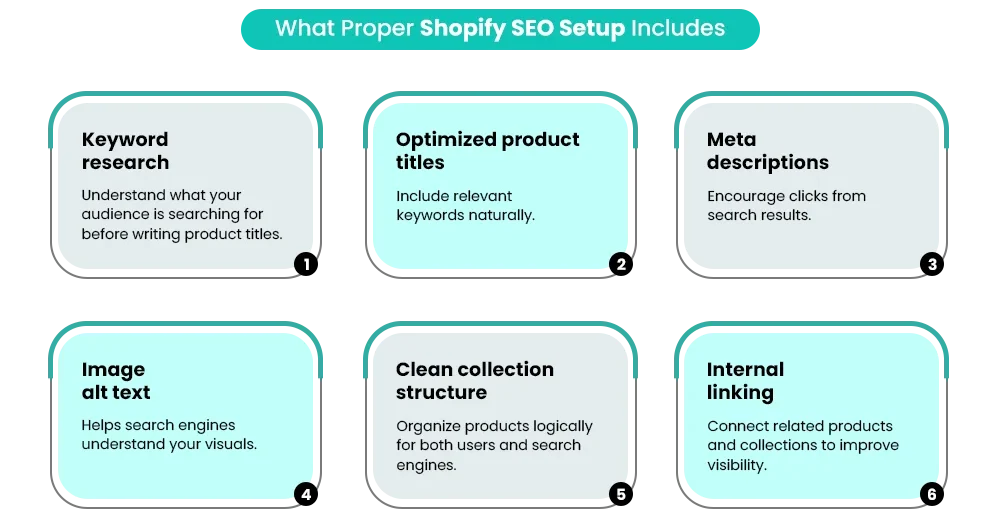
What does a proper Shopify SEO Setup Include?
- Keyword research: Understand what your audience is searching for before writing product titles.
- Optimized product titles: Include relevant keywords naturally.
- Meta descriptions: Encourage clicks from search results.
- Image alt text: Helps search engines understand your visuals.
- Clean collection structure: Organize products logically for both users and search engines.
- Internal linking: Connect related products and collections to improve visibility.
If you are learning how to set up a Shopify store, SEO should be part of the foundation, not an afterthought. Many Shopify store owners skip this step early and then struggle to fix it later.
A strong Shopify store setup combines design, conversion optimization, and SEO from the beginning. That balance is what separates stores that survive from stores that scale.
5. Overloading the Store with Too Many Apps
During Shopify store setup, many beginners assume that installing more apps will automatically increase sales.
Popups, bundles, countdown timers, reviews, upsells, chat widgets, and analytics tools all seem helpful. But stacking too many apps is one of the quiet Shopify setup errors that slows stores down.
What This Leads To
- Slow website performance: Every app adds extra scripts to your store. Over time, this affects loading speed. Even a one-second delay can reduce conversions significantly. A slow store damages user experience and limits Shopify store growth.
- High monthly costs: Many apps charge monthly subscriptions. Installing multiple tools can quickly turn into hundreds of dollars in recurring expenses before you are even profitable.
- Technical conflicts: Some apps overlap in functionality or interfere with each other’s code. This can break layouts, slow checkout, or cause unexpected bugs.
How to Fix It
- Use multifunction apps: Choose tools that combine features like upsells, bundles, and cart incentives in one solution instead of separate apps for each feature.
- Audit installed apps regularly: Review your apps every month and remove anything that is not actively improving performance or conversions.
- Prioritize speed and performance: During Shopify store setup, speed should be treated as a growth strategy, not just a technical detail.
6. Poor Store Structure and Navigation
Another common mistake new Shopify stores make is launching with an unorganized structure. Too many products, cluttered menus, and unclear collections create confusion.
Why This Creates Problems
- Hard to browse: If customers cannot find what they need quickly, they leave. Clear navigation reduces friction.
- Feels unprofessional: A messy layout makes the brand look untrustworthy or incomplete.
- Higher bounce rate: Confused visitors exit faster, which signals to search engines that your site may not be relevant.
How to Fix It
- Follow the 3-click rule: Customers should reach any product within three clicks. This keeps browsing simple and intuitive.
- Organize clear categories: Group products logically. Avoid adding too many collections at launch.
- Enable search functionality: A visible search bar improves usability, especially for stores with larger inventories.
- Structure the homepage strategically: Highlight bestsellers, categories, and clear calls to action. A strong Shopify setup guides visitors instead of overwhelming them.
TL;DR
These next three Shopify setup errors quietly damage long-term growth.
Ignoring SEO limits organic traffic, too many apps slow performance, and poor navigation increases bounce rates. Together, they reduce visibility, usability, and profitability.
7. Ignoring Mobile Optimization
Many Shopify store owners design their stores on desktop and assume the mobile version will automatically work well.
This is one of the most common Shopify setup mistakes.
Why This Is Critical?
- The majority of traffic is mobile: More than 70 percent of ecommerce traffic now comes from smartphones. If your mobile experience is weak, you are losing most of your potential customers.
- Mobile friction leads to abandoned carts: Small buttons, slow-loading pages, and long paragraphs create frustration. Frustration leads to drop-offs.
How to Fix It?
- Test on multiple devices: Do not rely on preview mode. Open your store on real phones and tablets.
- Use mobile-friendly themes: Choose themes known for responsiveness and fast loading.
- Optimize button sizes and spacing: Make it easy to tap without zooming in.
- Keep content concise: Short paragraphs and scannable sections improve readability on smaller screens. Mobile optimization should be built into your Shopify store setup from day one.
8. No Clear Marketing Plan After Launch
Many beginners believe that once their store is live, traffic will naturally follow. This assumption slows Shopify store growth significantly.
But the reality is, traffic does not appear automatically. It must be created intentionally through consistent marketing efforts.
What Beginners Should Focus On?
- Email marketing setup: Start collecting emails immediately. Automated flows like welcome emails and abandoned cart reminders can recover lost revenue.
- Social media content plan: Post consistently on platforms where your audience spends time. Focus on value, not just promotion.
- Content marketing strategy: Blog posts, guides, and helpful content support long-term organic growth.
- Organic SEO: Optimize your pages to rank in search engines. This reduces reliance on paid ads.
- Focused geographic targeting
It is better to dominate one country before expanding globally.
Working with a Shopify marketing agency or Shopify agency can help create a structured plan instead of random marketing efforts.
9. Not Building Trust from Day One
Trust is a critical part of Shopify store setup, yet many beginners overlook it.
What Does this Cause?
- Customer hesitation: If shipping details, return policies, or contact information are unclear, customers question the legitimacy.
- Low checkout conversion rate: Uncertainty at checkout increases cart abandonment.
How to Fix It?
- Transparent shipping timelines: Clearly state delivery times and processing periods.
- Clear refund and exchange policy: Make your return process easy to understand.
- Trust badges: Secure payment icons and guarantees reassure buyers.
- Social proof: Display reviews, testimonials, or user-generated content whenever possible.
Addressing these Shopify setup errors early builds credibility and supports long-term Shopify store growth. Trust makes the difference between visitors browsing and visitors buying.
TL;DR
Mistakes seven through nine weaken customer confidence and consistency. Without mobile optimization, structured marketing, and clear trust signals, even good products struggle to convert. Strong foundations build momentum. Weak ones create friction.
10. Trying to Sell Worldwide Immediately
Another one of the common mistakes new Shopify stores make is turning on worldwide shipping from day one.
It sounds ambitious. Shopify allows you to sell globally, so why not activate every country?
The problem is strategy.
Why This Backfires?
- Scattered marketing budget: If you are running ads in multiple countries without strong targeting, your budget spreads too thin. Instead of building traction in one market, you end up getting weak results everywhere.
- Unclear shipping expectations: Different countries have different delivery times, customs rules, and shipping costs. If this is not clearly communicated, customers lose trust quickly.
- No localized targeting: Pricing, messaging, currency, and even buying behavior vary by region. Without localized campaigns, conversions stay low.
Trying to sell everywhere too soon slows Shopify store growth because you never gain momentum in one focused market.
How to Fix It?
- Focus on one primary market: Start with one country where you can control shipping times, pricing, and marketing. Build traction there first.
- Optimize shipping rules: Clearly define zones, rates, and delivery timelines. Transparency increases trust and reduces abandoned carts.
- Expand strategically: Once your store is stable and profitable in one market, expand step by step with proper research.
Scaling globally works best after your Shopify store setup is optimized and your foundation is strong.
11. Not Understanding Shopify Beyond Publishing
One of the biggest mindset mistakes new Shopify store owners make is believing that once the store is live, sales will automatically follow.
Publishing your store is only the beginning. It is not the finish line.
Many beginners spend time learning how to setup a Shopify store, but stop there. They focus on themes and design but ignore data, optimization, and performance tracking.
What This Leads To
- No clear performance insights: Without a proper analytics setup, you cannot see where visitors drop off or which products convert best.
- Tracking revenue instead of profit: Sales numbers look exciting, but profit matters more. Ad costs, app subscriptions, and shipping expenses must be factored in.
- No continuous improvement: Stores that do not test and optimize stay stuck. Small improvements in conversion rate can significantly increase revenue over time.
For example, increasing conversion from 2 percent to 3 percent means 50 percent more sales from the same traffic.
How to Approach It Correctly?
- Set up analytics properly: Connect Google Analytics and track key metrics such as traffic sources, bounce rate, and conversion rate.
- Track profit, not just revenue: Understand your margins clearly before scaling ads.
- Focus on continuous optimization: Improve product pages, headlines, images, and checkout flow regularly.
- Improve one metric at a time
Do not change everything at once. Work on conversion rate, average order value, or traffic sources step by step.
For Shopify store owners, long-term growth comes from optimization, not just setup. Shopify SEO for beginners, conversion improvements, and data-driven decisions all work together.
Understanding this difference transforms your Shopify store setup from a simple website launch into a scalable business foundation.
12. No Clear Brand Positioning
Another issue that quietly affects Shopify store setup is unclear brand positioning. Many beginners focus heavily on products but forget to define what their brand actually stands for.
If your store looks and sounds like every other store in your niche, customers have no strong reason to choose you.
Why This Slows Down Growth
- No clear identity: When your messaging is generic, visitors cannot quickly understand who you are or who your products are for.
- Competing only on price: Without positioning, price becomes the main differentiator. This leads to lower margins and constant discounting.
- Weak emotional connection: Strong brands connect with specific audiences. A broad message makes it harder to build loyalty.
Research consistently shows that customers are more likely to buy from brands they recognize and trust. In crowded markets, positioning is what separates scalable stores from short-lived ones.
How to Fix It
- Define your target audience clearly: Identify who your ideal customer is, their pain points, lifestyle, and buying motivations.
- Clarify your unique value proposition: What makes your store different? Is it premium quality, sustainability, fast shipping, expert guidance, or curated collections?
- Create consistent messaging: Your homepage, product pages, emails, and social media should communicate a clear and consistent voice.
- Build a recognizable visual identity: Use consistent colors, fonts, and tone to strengthen brand recall.
Strong positioning supports Shopify store growth because it builds trust and makes marketing more effective. It also prevents one of the common mistakes new Shopify stores make: trying to appeal to everyone at once.
13. Not Setting Up Proper Tracking & Analytics
Many Shopify store owners focus on design and traffic but ignore tracking. This is one of the most serious Shopify setup errors because, without data, you are making decisions blindly.
If you do not measure performance, you cannot improve it.
What This Leads To
- No clarity on traffic sources: Without analytics, you do not know whether visitors are coming from ads, search engines, or social media.
- Misleading success metrics: Revenue may look good, but without tracking ad spend and costs, you cannot measure real profit.
- Missed optimization opportunities: You cannot see where customers drop off in the funnel, whether on product pages, cart, or checkout.
Studies show that data-driven businesses are significantly more likely to achieve sustainable growth. Even small improvements in conversion rate or average order value can create noticeable revenue increases.
How to Fix It
- Set up Google Analytics and Shopify reports: Track traffic, conversion rates, and user behavior from day one.
- Monitor key performance indicators: Focus on conversion rate, average order value, customer acquisition cost, and lifetime value.
- Track profit, not just sales: Include product cost, ad spend, shipping, and app subscriptions in your calculations.
- Review data regularly: Make decisions based on numbers, not assumptions.
A strong Shopify store setup includes tracking from the beginning. Growth becomes predictable when you measure, analyze, and optimize consistently.
TL;DR
These strategic mistakes slow scalable Shopify store growth. Expanding too fast, ignoring optimization, and lacking brand positioning prevent momentum. Sustainable growth comes from focus, clarity, and data-driven improvement.
When Should Beginners Consider a Shopify Agency?
In the early stages, many Shopify store owners manage everything themselves. That is fine at first.
But as the store grows, doing everything alone can start slowing progress.
You may want to consider a Shopify agency if:
1. You are getting traffic, but sales are low: This often points to Shopify setup errors, weak positioning, or poor conversion flow.
2. You are spending on ads without clear results: A Shopify marketing agency can help optimize your store before scaling ad spend.
3. Growth feels inconsistent or random: Constant changes without measurable improvement usually mean there is no clear strategy.
4. You are unsure about your data and numbers: If you are not tracking conversions, costs, and profit clearly, decisions become guesswork.
5. You do not have time to manage everything: Handling SEO, ads, content, and optimization together can be overwhelming.
Not every beginner needs an agency immediately.
But once your Shopify store setup is complete and you understand how to start Shopify correctly, and you’re serious about Shopify store growth, expert support can save time, reduce mistakes, and help you scale with confidence.
Shopify Store Setup Checklist (Quick Summary)
|
Shopify Setup |
Shopify Store Optimization |
|
Launching the store |
Improving store performance |
|
Choosing a theme and design |
Improving speed and user experience |
|
Uploading products |
Refining product pages for conversions |
| Setting up payments and shipping |
Increasing conversion rate and average order value |
| Basic SEO configuration |
Ongoing SEO improvements and keyword targeting |
| Installing essential apps |
Removing unnecessary apps and improving efficiency |
| Publishing the store |
Testing, analyzing, and improving continuously |
| Getting traffic |
Converting traffic into sales consistently |
Before you focus on scaling or running ads, make sure your foundation is solid.
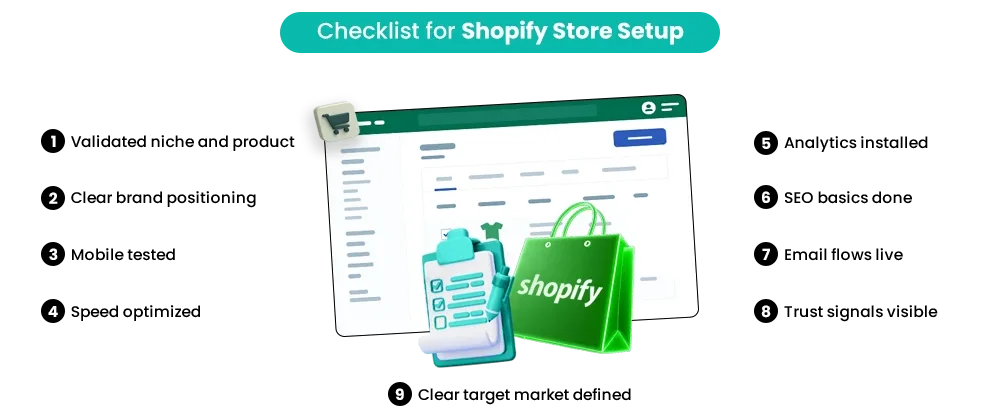
This quick checklist helps you review whether your Shopify store setup is built for growth or still missing key pieces.
1. Validated niche and product: You have tested demand and are not guessing what people want to buy.
2. Clear brand positioning: Your store clearly communicates who it is for and why customers should choose you.
3. Mobile tested: The store works smoothly on phones and tablets, not just on desktops.
4. Speed optimized: Pages load quickly, images are compressed, and unnecessary apps are removed.
5. Analytics installed: You are tracking traffic, conversions, and user behavior to make informed decisions.
6. SEO basics done: Product titles, meta descriptions, image alt text, and collections are optimized.
7. Email flows live: Welcome emails and abandoned cart recovery are set up to capture lost sales.
8. Trust signals visible: Shipping details, return policies, contact information, and reviews are easy to find.
9. Clear target market defined: Your messaging and marketing are focused on one specific audience.
If most of these boxes are checked, your Shopify store setup is in a strong position to grow.
Conclusion: Shopify Success Is Built, Not Just Launched
Shopify itself is not the problem. The platform is powerful and trusted by millions, but most stores struggle because of avoidable setup and strategy mistakes made early on.
Real Shopify store growth comes from a structured setup and consistent optimization. That means understanding your audience, fixing
Shopify setup errors, improving product pages, tracking data properly, and refining your marketing over time.
Every successful store focuses on building a strong foundation before scaling.
If you want expert support to improve performance and grow with clarity, Mastroke helps turn underperforming Shopify stores into structured, scalable businesses through strategy, SEO, and performance-driven marketing.
Ready to build a Shopify store that actually grows?
Book a Shopify Store Setup Audit with Mastroke and identify exactly what’s blocking your growth.
Frequently Asked Questions
1. Why is my Shopify store not getting sales?
Most often, it is due to Shopify setup errors, such as weak product pages, poor SEO, slow speed, or no clear marketing plan. Traffic without optimization rarely converts.
2. How long does it take to get sales on Shopify?
It depends on your niche, offer, and marketing. Stores with a strong Shopify store setup and clear strategy can see sales within weeks, while others take months if optimization is missing.
3. What is the biggest mistake new Shopify stores make?
Rushing to launch without validating the product and running ads before optimizing the store foundation.
4. Is Shopify SEO important for beginners?
Yes. Shopify SEO for beginners is critical because organic traffic reduces reliance on paid ads and supports long-term Shopify store growth.
5. Should I hire a Shopify marketing agency as a beginner?
Not always immediately. But if you are stuck, not understanding your numbers, or struggling with growth, a Shopify agency can help structure and scale your store properly.