
Migrating to Shopify isn’t just a technical upgrade — it’s a smart move for growing ecommerce brands. Your platform directly affects how fast your store loads, how smoothly customers shop, and how easily you scale. And with global ecommerce sales expected to cross $8 trillion in 2026, businesses can’t afford slow, outdated systems that hold them back.
That’s why so many merchants are choosing to migrate from Magento to Shopify. As per the reports, Shopify powers millions of stores in over 175 countries and supports nearly 30% of all new ecommerce businesses worldwide. Unlike Magento, Shopify removes the burden of server management, security updates, and costly maintenance — letting brands focus on selling, not fixing technical issues.
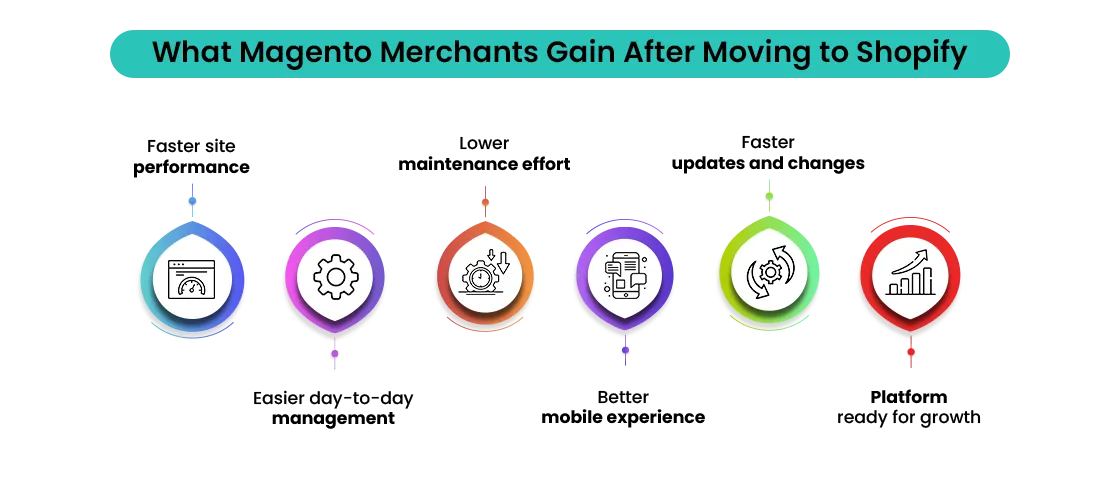
Timing matters! Customers now expect lightning-fast pages, mobile-first experiences, and seamless checkout flows. If your Magento store struggles with performance, high development costs, or complex maintenance, it may be the right time to migrate from Magento to Shopify and unlock better speed, stability, and growth potential.
This guide walks you through the step-by-step process of migrating from Magento to Shopify. You’ll learn how to plan your migration, safely move products and customer data, protect your SEO, and launch a Shopify store built to scale. Our Magento to Shopify migration checklist is designed to help you migrate with confidence, ensuring you don’t lose traffic, sales, or customers.
Why Businesses Are Choosing to Migrate From Magento To Shopify
The shift toward Shopify in 2026 is driven by more than just convenience — it’s about staying competitive in a performance-first ecommerce world. Shopify’s ecosystem has matured into a processing hundreds of billions in annual sales. This scale has created a powerful network of apps, developers, payment solutions, and integrations that few platforms can match.
One major reason businesses choose to migrate from Magento to Shopify is the complexity of self-hosted platforms. Managing servers, security patches, platform upgrades, and performance optimization demands constant time, money, and technical expertise. Shopify’s SaaS model removes that burden entirely, allowing brands to focus on growth while Shopify handles hosting, security, and infrastructure.
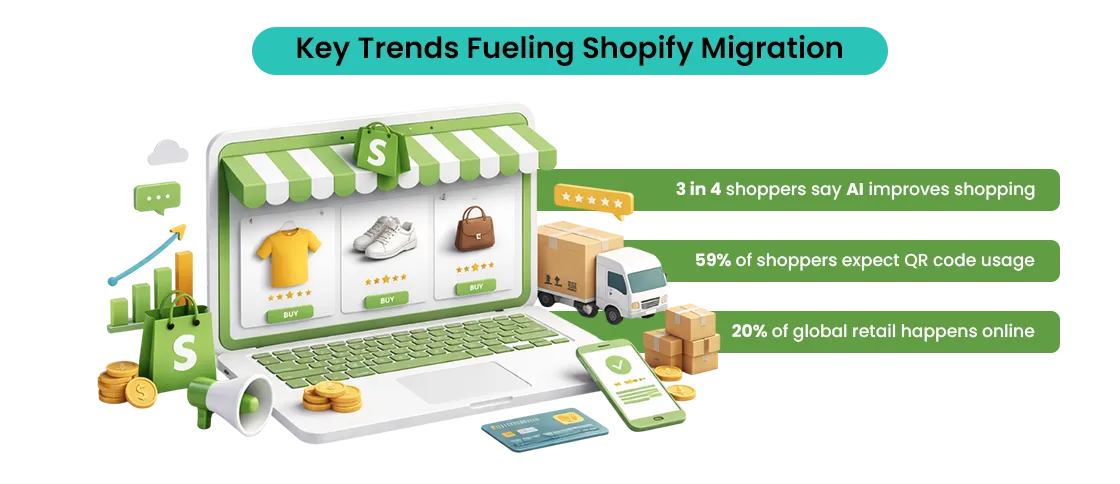
Mobile commerce is another major driver behind the decision to migrate from Magento to Shopify. With mobile traffic accounting for over 70% of ecommerce visits, Shopify’s mobile-first checkout, fast load times, and optimized user flows consistently deliver higher conversion rates. Features like Shop Pay, accelerated checkout, and native integrations reduce friction where it matters most.
Beyond performance, Shopify also operates as a truly global commerce engine—supporting millions of merchants across 175+ countries with built-in tools for international selling, multi-currency payments, and localized experiences.
| Metric | Data Point |
| Global e-commerce share of retail | 22.6% worldwide |
| Businesses choosing SaaS platforms | 65% of new stores |
| Mobile share of ecommerce traffic | 70%+ |
| Average checkout conversion lift on optimized platforms | 10–20% |
| Stores citing lower maintenance as a migration reason | 60% |
Shopify also scales effortlessly. Startups can launch quickly, DTC brands can grow without technical bottlenecks, and enterprises can manage high traffic, international sales, and complex catalogs. Over time, businesses often find Shopify more cost-efficient than legacy platforms, avoiding high development, maintenance, and infrastructure expenses while gaining faster time-to-market and predictable costs.
What Is Shopify Migration?
Planning to migrate to Shopify? You’re not alone. Shopify migration is the process of moving your online store from another platform to Shopify. But it’s more than just copying data — it’s about carefully transferring everything that makes your store run: products, customer details, order history, discounts, and CMS content.
When done properly, a Shopify migration makes your store faster, smoother, and ready to impress your customers. This Magento to Shopify checklist ensures every step is accounted for, from data migration to Shopify SEO migration.
What Data Moves With You?
During migration, several types of data usually come along:
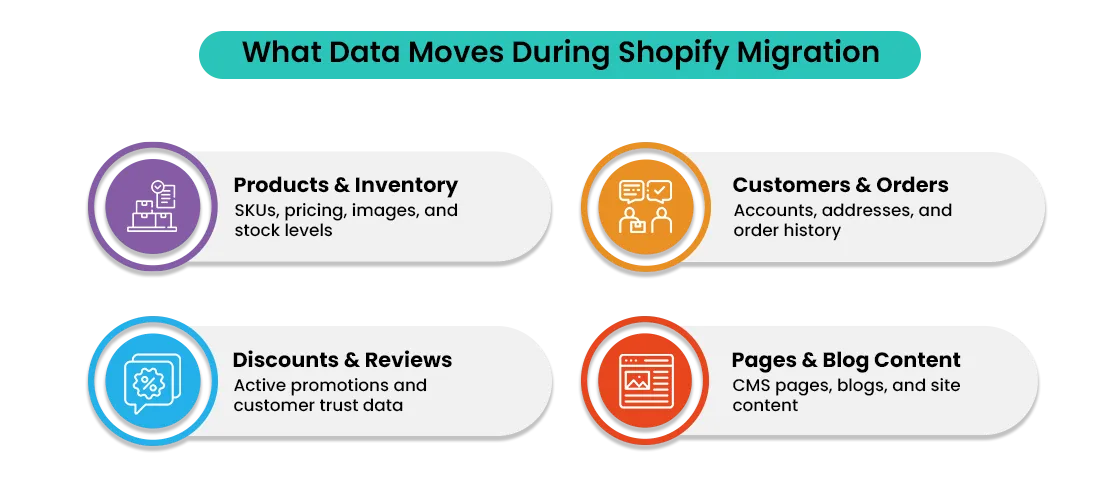
- Products – names, descriptions, SKUs, pricing, images, inventory, and categories.
- Customers – names, emails, billing, and shipping addresses.
- Orders – full history to keep your reporting and customer info intact.
- Coupons & Discounts – so your promotions remain active.
- CMS Pages – About Us, FAQs, Contact pages, and blog content.
- Reviews – ratings and feedback that build trust.
Different Types of Shopify Migration
Not all migrations are the same like:
- Basic Store Migration: Ideal for small stores with a limited number of products. Usually covers products, customers, and a few key pages.
- Advanced / Custom Migration: For larger stores with complex categories, multiple product variants, third-party apps, and custom integrations.
- Shopify Plus Migration: For enterprise-level stores with high traffic, multi-currency setups, and ERP or CRM integrations. This ensures global-scale performance without interruption.
Platforms Commonly Migrated to Shopify
Many businesses are switching to Shopify from other platforms for better performance and scalability:
- WooCommerce – often moved for easier maintenance and faster store performance.
- Magento – migrated to reduce technical complexity while keeping robust features.
- BigCommerce – stores often switch for smoother checkout experiences, more apps, and better design flexibility.
- Custom-Built Platforms – Shopify provides a reliable, scalable, and secure alternative with extensive support and app integrations.
Why Shopify Migration Matters?
Shopify migration services aren’t just a technical move — they’re a strategic business decision, especially for businesses planning to Migrate From Magento to Shopify. A proper migration keeps your store running seamlessly, protects your SEO rankings, and improves customer experience.
It also positions your business for growth, helping you deliver a fast, mobile-friendly, and modern shopping experience. Whether you’re a small store or an enterprise, understanding what data to migrate and choosing the right migration type is key to making the transition smooth and successful when you Migrate From Magento to Shopify.
Shopify Migration vs Re-platforming: What’s the Difference?
If you’re planning to migrate to Shopify, you’ll often hear two terms: migration and re-platforming. They sound similar but aren’t the same — knowing the difference can save you time, money, and confusion.
Shopify migration usually means moving your store data from another platform to Shopify. This includes products, customers, orders, CMS pages, and SEO essentials like URLs and metadata. Your business model stays mostly the same — only the platform changes. Think of it as moving into a new house with the same furniture, just with better lighting and layout.
A simple Shopify migration checklist ensures all your critical data moves seamlessly. Re-platforming to Shopify, on the other hand, is a bigger change. It’s not just about moving data — it’s about rethinking how your store works when you Migrate From Magento to Shopify. You might redesign your store, restructure product categories, change checkout flows, replace old integrations, or even update pricing or fulfillment strategies.
In many cases, a standard BigCommerce to Shopify migration is sufficient. If your current store works but feels slow, hard to manage, or expensive, migrating to Shopify can improve performance, security, and ease of use. Re-platforming becomes necessary when bigger changes are required — such as high traffic demands, outdated code, or complex business growth plans.
Understanding the difference helps you make the smartest choice when planning to migrate to Shopify, without overcomplicating the process.
Shopify Migration Statistics & Trends
The e-commerce world in 2025–2026 shows why so many brands choose to migrate to Shopify. Cloud-based platforms, mobile-first commerce, and AI-driven automation are reshaping the landscape.
E-commerce Platform Trends
- Cloud-based commerce continues to grow; businesses prefer platforms that migrate to Shopify rather than maintaining self-hosted solutions.
- Mobile-first and headless commerce are key. With over 70% of traffic coming from mobile, stores optimized for mobile and fast checkout see better conversion rates.
Shopify Adoption Trends
- More mid-market and enterprise brands are choosing Shopify migration for scalability.
- Shopify Plus adoption is rising as large businesses require advanced features, multi-store management, and international selling without performance loss.
Technology Trends Impacting Migration
- AI-powered ecommerce operations enhance Shopify migration by automating product management, content updates, and SEO adjustments.
- Automation and API-first ecosystems streamline integrations with payments, CRMs, and marketing tools during Shopify migrations.
- Composable and headless commerce allows custom frontends while relying on Shopify as the core engine.
These trends confirm why merchants are increasingly confident to migrate to Shopify — aligning their stores with modern, scalable, and high-performance ecommerce expectations.
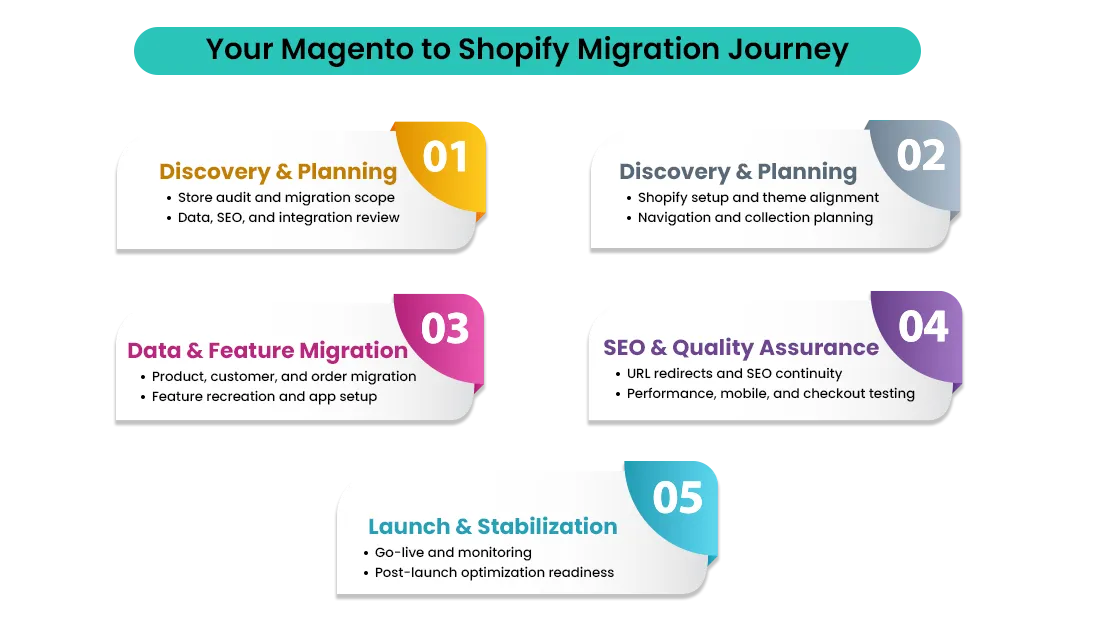
Pre-Migration Checklist: What to Prepare Before You Migrate from Magento to Shopify
Before you migrate to Shopify, preparation is key. Most Shopify migrations fail not because of technical issues, but due to la ack of planning. Here’s a comprehensive Shopify migration checklist to ensure your move is smooth and efficient.
1. Business & Data Audit
- Review your products, customers, and orders to decide what adds value and what can be archived.
- Gather all content and media assets: images, banners, blog posts, and key pages.
- Clean up duplicate or outdated items to make your Shopify migration faster and error-free.
2. SEO Audit (Critical)
- Map existing URLs to your new Shopify store to avoid losing traffic.
- Check metadata, page titles, and top-performing pages.
- Protect SEO rankings by planning 301 redirects and canonical tags during your Shopify SEO migration.
3. Technology & Integrations Planning
- List all essential payment gateways, shipping tools, and tax calculators.
- Confirm compatibility of CRMs, ERPs, email marketing, and loyalty tools with Shopify.
- Plan integrations early to reduce downtime and migration errors.
4. Choosing the Right Shopify Plan
- Compare Shopify, Advanced Shopify, and Shopify Plus based on store size and growth goals.
- Ensure your plan supports future scalability and the features required for your migrate bigcommerce to Shopify.
- Following this pre-migration checklist will set the foundation for a smooth, secure, and SEO-friendly migration to Shopify, protecting both your data and your business performance.
Step-by-Step Shopify Migration Process
Migrating to Shopify is a structured process. Following this Shopify migration checklist ensures your store moves seamlessly, your data stays secure, and your SEO remains intact.
Step 1: Set Up Your Shopify Store
Begin your Shopify migration by creating your Shopify account and configuring the basics. Set your store name, currency, taxes, shipping zones, and payment preferences. This foundational setup ensures that all imported data — from products to orders — works correctly, reducing errors later. A strong start makes the process of migrating from Magento to Shopify smooth and efficient.
Step 2: Migrate Your Products
Next, move your products after cleaning and formatting the data. Transfer product names, descriptions, SKUs, prices, variants, collections, and images in an organized way. Proper formatting during Shopify product migration is key to maintaining a clean catalog and providing customers with a seamless shopping experience when you Migrate From Magento to Shopify.
Step 3: Transfer Customer Data
Securely migrate customer information, including names, email addresses, and shipping details. For privacy and compliance reasons, passwords are not transferred. This keeps sensitive data safe while retaining your valuable customer relationships during the Shopify migration process.
Step 4: Import Orders & Historical Data
Migrate recent and critical order data to maintain continuity in reporting and support when you Migrate From Magento to Shopify. Archive older orders separately to keep your new Shopify store fast and optimized. This step ensures a smooth transition for both your team and your customers.
Step 5: Move Content & Media Assets
Recreate or import pages, blogs, and policy documents. Optimize images and media files to boost performance and load speed. Proper handling of content during your Shopify SEO migration ensures both user experience and search rankings are preserved.
Step 6: Connect Apps & Integrations
Finally, install essential apps — including reviews, loyalty programs, subscriptions, and marketing automation tools. Test everything before launch to ensure your Shopify store is fully functional. Integrating apps correctly makes your Shopify migration not just a move, but a performance upgrade when you Migrate From Magento to Shopify.
SEO-Safe Shopify Migration: Best Practices
An SEO-safe Shopify migration ensures your store retains search rankings, traffic, and visibility during the migration to Shopify. Start by preserving your existing URL structure wherever possible — this keeps your pages recognizable to both users and search engines.
If URLs must change during your Shopify SEO migration, implement a clean 301 redirect strategy to direct visitors and Google bots to the correct new pages. Use canonical tags to prevent duplicate content and clarify the preferred versions of your pages.
After your store launches, submit your new Shopify sitemap to Google Search Console and remove old sitemaps to maintain SEO continuity. Finally, monitor rankings, traffic, and crawl errors closely for several weeks post-migration. This proactive approach ensures your Shopify migration protects SEO performance while your store continues to grow.
Post-Migration Checklist (Launch & Optimization)
Once your store is live, use this checklist to ensure everything runs smoothly and performs at its best.
Test the Complete Store Flow
- Review product pages, cart behavior, and checkout flow
- Test all payment gateways to ensure orders are processed without errors
- Validate the entire purchase journey after you migrate to Shopify
Verify Mobile & Browser Compatibility
- Test your Shopify store on mobile, tablet, and desktop devices
- Check compatibility across major browsers (Chrome, Safari, Edge, Firefox)
- Ensure a consistent, user-friendly experience everywhere
Optimize Store Performance & Speed
- Monitor Core Web Vitals (loading speed, interactivity, layout stability)
- Compress images and optimize media assets
- Remove unused apps and minimize heavy scripts
- Maintain optimal performance after you migrate to Shopify
Set Up Analytics & Tracking
- Configure GA4 for traffic, user behavior, and conversion tracking
- Enable event tracking for purchases, add-to-cart actions, and form submissions
- Confirm analytics accuracy after migration
Monitor Data Accuracy Post-Launch
- Compare pre- and post-migration traffic and sales data
- Identify tracking gaps or discrepancies early
- Continuously monitor performance to keep your store stable
Communicate With Your Customers
- Announce the migration via email and on-site banners
- Re-engage customers with email campaigns and loyalty offers
- Build trust and encourage repeat purchases
Following this checklist ensures your Shopify store launches strong and continues to perform better from day one.
AI, Automation & Shopify Migration
Shopify migration is increasingly powered by AI and automation, especially for brands planning to Migrate From Magento to Shopify. AI-assisted tools help streamline product imports, optimize descriptions, and clean data during migration, reducing manual effort and errors.
Automated data mapping ensures products, customers, and SEO elements like meta tags and redirects are handled accurately. Post-migration, AI enables personalized storefronts, showing tailored products, content, and offers based on customer behavior.
Beyond launch, AI plays a major role in customer retention and growth, using predictive analytics, smart recommendations, and automated marketing workflows to increase conversions and lifetime value—making Shopify not just a platform, but a growth engine.
Migrate from Magento to Shopify: Is It Worth It In The Upcoming Years?
Headless commerce means separating your storefront from the backend so you can design faster, more flexible user experiences. Shopify supports this through Hydrogen (frontend framework) and Oxygen (global hosting).
- Pros: blazing-fast performance, custom UX, and scalability.
- Cons: higher cost and technical complexity.
This setup is best for high-traffic brands, enterprises, or teams with in-house developers.
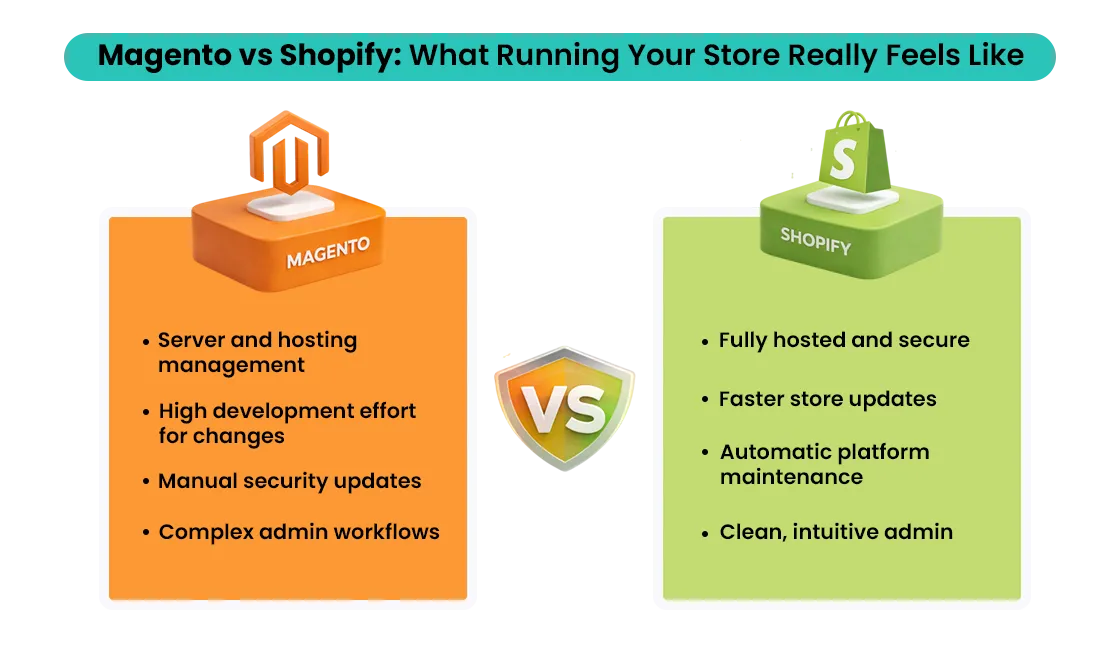
Future-Proof Shopify Migration Checklist (Ready)
- Mobile-first UX and checkout optimization
- Scalable app and theme architecture
- API-ready integrations for CRM, ERP, and marketing
- International SEO and multi-currency readiness
- Strong performance, security, and compliance setup
Common Shopify Migration Challenges & How to Avoid Them
Even a well-planned Shopify migration can face obstacles, especially when you Migrate From Magento to Shopify. Understanding these challenges ahead of time helps you avoid costly mistakes and ensures a smooth transition.
Challenge 1: Data Loss During Migration
One of the biggest risks is losing product, customer, or order data during the transfer. Improper exports or skipped backups can lead to missing or corrupted information.
How to avoid it: Always back up your entire store before migration and carefully validate all imported data once it’s moved to Shopify.
Challenge 2: SEO Traffic Drops
SEO issues often arise when URLs change or metadata is lost. Missing redirects, broken links, or incomplete SEO settings can quickly hurt search rankings.
How to avoid it: Map all existing URLs, preserve meta titles and descriptions, and implement a solid 301 redirect strategy during your Shopify SEO migration.
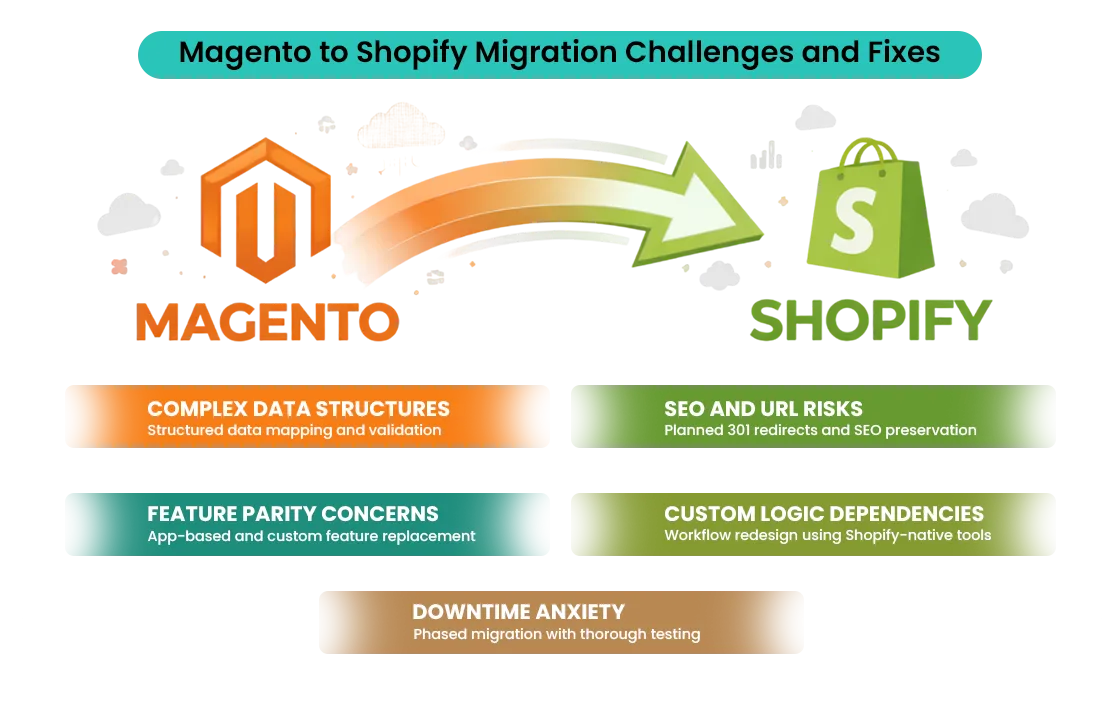
Challenge 3: Broken Redirects and 404 Errors
Even small redirect mistakes can result in broken pages and a poor user experience.
How to avoid it: Test all redirect files thoroughly before launch and use crawling tools to catch 404 errors early.
Challenge 4: App and Integration Compatibility Issues
Not all apps or custom features translate perfectly between platforms. This can disrupt payments, shipping, or marketing workflows.
How to avoid it: Audit your existing apps, research Shopify-compatible alternatives, and test all integrations in a staging environment before going live.
Challenge 5: Timeline Mismanagement
Unrealistic deadlines and rushed launches often lead to missed steps and post-launch issues.
How to avoid it: Set realistic timelines, break the migration into phases, and allocate time for testing and optimization.
Note: By planning for these challenges in advance, your Shopify migration stays on track—delivering a fast, secure, and fully optimized online store with minimal disruption.
Shopify Migration Tools & Services
Shopify offers several tools to simplify and streamline the migration process. Choosing the right tools helps reduce errors, protect data, and ensure a smooth transition from your existing platform to Shopify.
Shopify Migration Tools
- CSV & Bulk Import Tools – Transfer products, customers, and orders efficiently with proper file formatting.
- Dedicated Migration Apps – Automate data migration from platforms like Magento, WooCommerce, and BigCommerce while minimizing manual effort and errors.
- SEO Redirect Managers – Handle 301 redirects and URL mapping to preserve search rankings and avoid broken links.
While these tools work well for small to mid-sized stores, larger or more complex migrations often require expert support. For stores with large catalogs, custom functionality, advanced SEO needs, or tight timelines, working with a Shopify migration agency ensures a safer, faster, and more reliable migration.
FAQs About Shopify Migration
Is Shopify still worth it in 2026?
Yes. Shopify remains one of the most scalable, secure, and conversion-focused ecommerce platforms, especially with AI, automation, and global commerce features.
How long does a Shopify migration take?
Most migrations take 2–6 weeks, depending on store size, data complexity, custom features, and SEO requirements.
Will migration affect SEO?
SEO impact is minimal if redirects, metadata, and URLs are handled properly. Poor planning can cause temporary ranking drops.
Can customer passwords be migrated?
No. Due to security encryption differences, customers must reset passwords after migration.
Is Shopify Plus necessary for large stores?
Shopify Plus is ideal for high-volume or enterprise stores, but not mandatory for all large businesses.
What data cannot be migrated to Shopify?
Passwords, some platform-specific settings, and custom backend logic cannot be directly migrated.
Conclusion
Migrating to Shopify in 2026 is more than just switching platforms—it’s a growth-driven Shopify migration strategy, especially for businesses planning to Migrate From Magento to Shopify. With Shopify’s performance-first infrastructure, AI-powered features, and scalable ecosystem, businesses can convert better, operate faster, and scale confidently.
A successful Shopify migration depends on careful planning, Shopify SEO migration, and future-ready architecture. Auditing your data, selecting the right tools, and planning for long-term growth ensure you don’t just move platforms—you move forward when you Migrate From Magento to Shopify.
Ready to migrate to Shopify the right way?
Book a free consultation, request a Shopify Plus migration checklist, or schedule a migration audit to start your store’s journey toward higher performance and growth with confidence.
Planning to migrate from Magento to Shopify but unsure how to do it without risking SEO, data, or performance? Mastroke helps brands move with a growth-first approach that protects critical data, maintains search visibility, and improves store efficiency. From structured Shopify store setup to post-launch optimization, every step is designed to support scalability, stronger conversions, and long-term growth.